
1. บทนำ
The KOMSHINE FX37 Fiber Optic Heater is designed to provide efficient and reliable heating for protection sleeves used in fiber optic fusion splicing. This device ensures proper shrinking of the sleeve, protecting the spliced fiber joint from environmental factors and mechanical stress. This manual provides essential information for the safe and effective use of your FX37 Fiber Optic Heater.
2. ข้อมูลด้านความปลอดภัย
โปรดอ่านและทำความเข้าใจคำแนะนำด้านความปลอดภัยทั้งหมดก่อนใช้งานอุปกรณ์ การไม่ปฏิบัติตามคำแนะนำเหล่านี้อาจส่งผลให้เกิดการบาดเจ็บหรือความเสียหายต่ออุปกรณ์ได้
- คำเตือนอุณหภูมิสูง: The heating element reaches high temperatures during operation. ห้ามสัมผัส the heating area or the heated sleeve immediately after the heating cycle. Allow components to cool before handling.
- แหล่งจ่ายไฟ: ใช้เฉพาะอะแดปเตอร์แปลงไฟและแรงดันไฟฟ้าที่ระบุไว้เท่านั้นtage. Incorrect power supply can damage the device and pose a fire hazard.
- การระบายอากาศ : Ensure adequate ventilation around the heater during operation to prevent overheating.
- วัสดุไวไฟ: Keep the device away from flammable liquids, gases, and materials.
- ความชื้น: อย่าให้เครื่องโดนน้ำหรือความชื้นมากเกินไป ควรใช้งานในที่แห้ง
- เด็กและบุคคลที่ไม่ได้รับอนุญาต: Keep the device out of reach of children and ensure only trained personnel operate it.
3. สินค้าหมดview
The KOMSHINE FX37 Fiber Optic Heater is a compact unit designed for efficient heat shrinking of fiber protection sleeves.
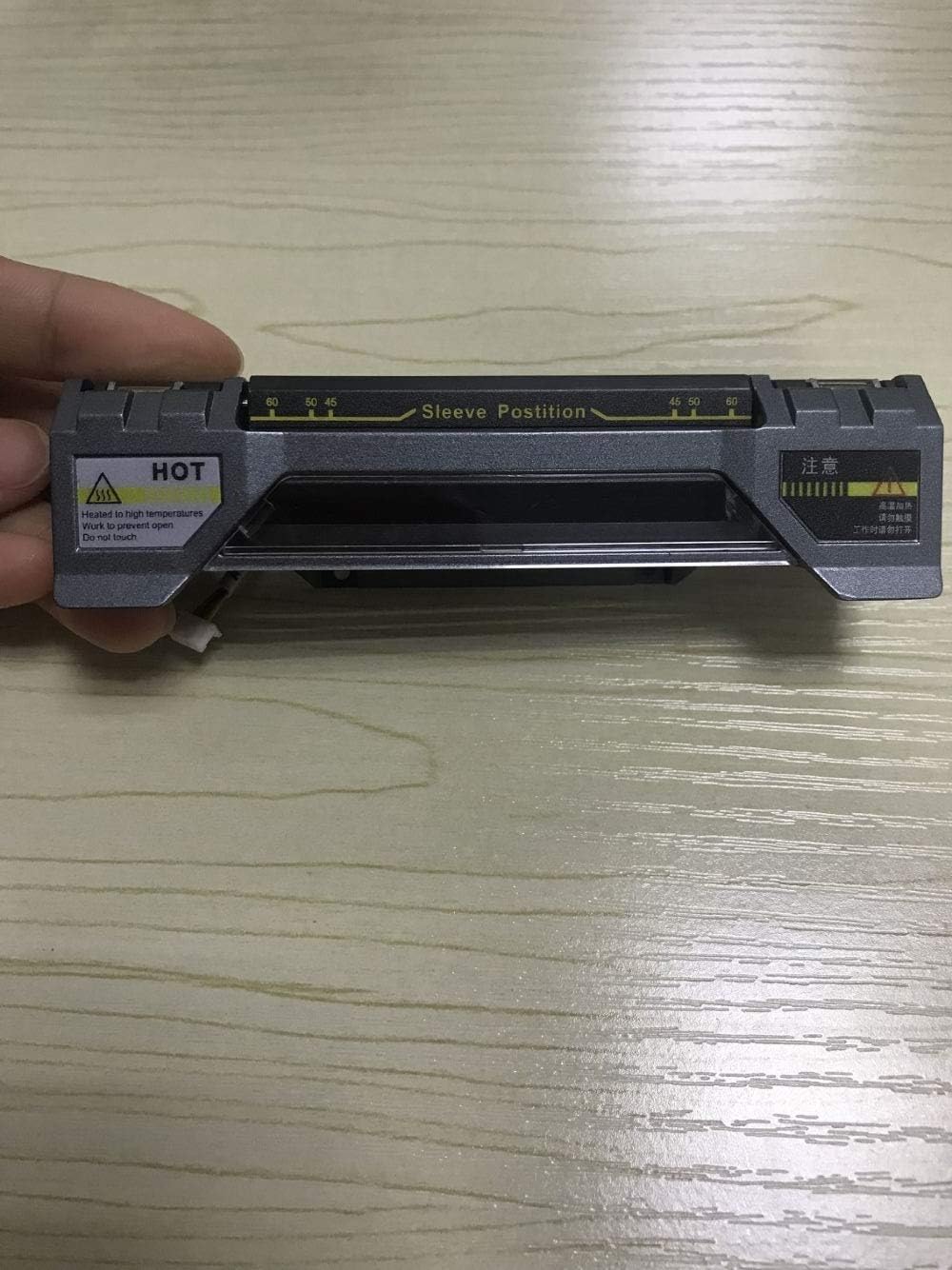
รูปที่ 3.1: สูงสุด view of the KOMSHINE FX37 Fiber Optic Heater. This image displays the top surface of the fiber optic heater, highlighting the designated sleeve position area with measurement markings. A clear 'HOT' warning label is visible on the left, indicating high temperatures during operation.
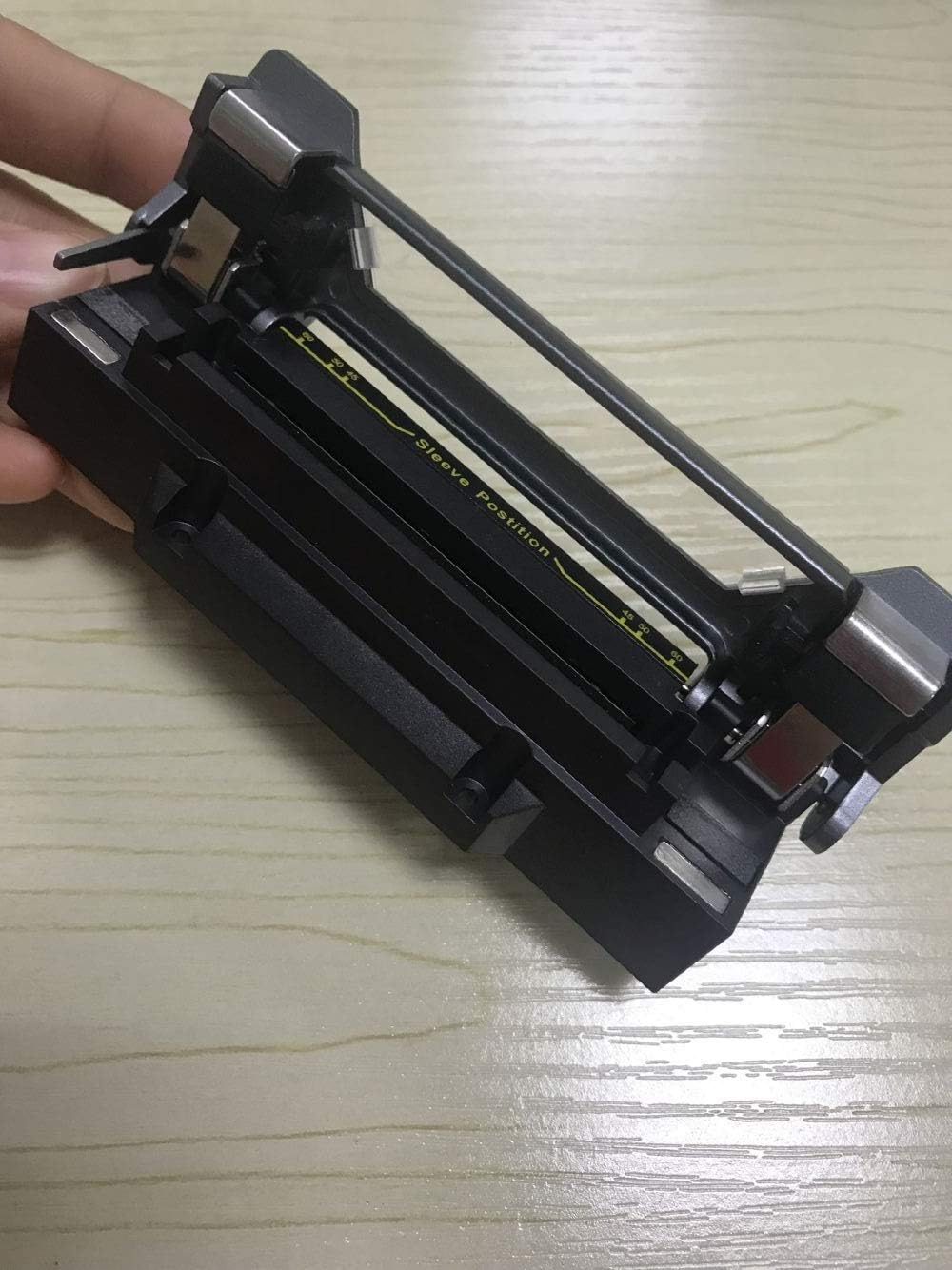
รูปที่ 3.2: เปิด view of the KOMSHINE FX37 Fiber Optic Heater. This image shows the fiber optic heater with its cover open, exposing the heating chamber where the fiber protection sleeve is placed. The sleeve position guide is clearly visible within the chamber.
ส่วนประกอบที่สำคัญ ได้แก่:
- ห้องให้ความร้อน: The area where the fiber protection sleeve is placed for heating.
- Sleeve Position Guide: Markings and guides to ensure correct placement of the protection sleeve.
- พอร์ตอินพุตพลังงาน: สำหรับเชื่อมต่ออะแดปเตอร์แปลงไฟภายนอก
- ป้ายเตือน: Indicators for high temperature and safe operation.
4. การตั้งค่า
Follow these steps to set up your FX37 Fiber Optic Heater:
- แกะอุปกรณ์ออกจากกล่อง: นำเครื่องทำความร้อนออกจากบรรจุภัณฑ์อย่างระมัดระวัง ตรวจสอบดูว่ามีรอยชำรุดเสียหายหรือไม่
- การจัดวาง: Place the heater on a stable, flat, and heat-resistant surface. Ensure there is sufficient space around the device for ventilation.
- เชื่อมต่อพลังงาน: Connect the provided power adapter to the power input port on the heater. Plug the adapter into a suitable electrical outlet.
- เปิดเครื่องครั้งแรก: The device may have an indicator light to show it is powered on. Allow a few moments for the device to stabilize.
5. คู่มือการใช้งาน
Operating the KOMSHINE FX37 Fiber Optic Heater is straightforward:
- เตรียมใยอาหาร: After fusion splicing, ensure the fiber protection sleeve is correctly positioned over the splice joint.
- Open the Heater: Gently open the heater cover to expose the heating chamber.
- ใส่ไฟเบอร์: Carefully place the fiber with the protection sleeve into the heating chamber, aligning it with the sleeve position guide (refer to Figure 3.1 and 3.2). Ensure the fiber is straight and not bent.
- Close the Heater: Close the heater cover. The heating cycle will typically begin automatically.
- ตรวจสอบความร้อน: The device will heat the sleeve for a predetermined duration. Do not open the cover during the heating cycle.
- Remove Heated Fiber: Once the heating cycle is complete (indicated by a light or sound, if applicable), carefully open the cover. Using appropriate heat-resistant tools (e.g., tweezers), remove the heated fiber with the shrunk sleeve. WARNING: The sleeve and surrounding area will be extremely hot.
- คลายความร้อน: Allow the heated sleeve to cool completely before further handling or bending the fiber.
6. การบำรุงรักษา
Regular maintenance ensures the longevity and optimal performance of your FX37 Fiber Optic Heater.
- การทำความสะอาด: Always ensure the device is powered off and completely cool before cleaning. Use a soft, dry, lint-free cloth to wipe the exterior. For the heating chamber, use a cotton swab or a soft brush to gently remove any fiber debris or dust. Do not use abrasive cleaners or solvents.
- การตรวจสอบ: Periodically inspect the power cord and adapter for any signs of damage (fraying, cuts). Check the heating chamber for any obstructions or damage to the heating elements.
- พื้นที่จัดเก็บ: When not in use, store the heater in a clean, dry, and dust-free environment.

รูปที่ 6.1: ภายใน view of the KOMSHINE FX37 Fiber Optic Heater. This image provides a view of the internal components of the heater, revealing the circuit board and associated wiring. This illustrates the device's internal construction, which should only be accessed by qualified service personnel.
Note: Internal components (as shown in Figure 6.1) should only be accessed by qualified service technicians. Do not attempt to disassemble the unit yourself.
7 การแก้ไขปัญหา
If you encounter issues with your FX37 Fiber Optic Heater, refer to the following common problems and solutions:
| ปัญหา | สาเหตุที่เป็นไปได้ | สารละลาย |
|---|---|---|
| เครื่องทำความร้อนไม่ทำงาน | No power supply; Faulty power adapter; Loose connection | Check power outlet; Ensure power adapter is securely connected; Try a different power outlet. |
| Sleeve not shrinking properly | Incorrect sleeve placement; Heater malfunction | Ensure sleeve is correctly positioned in the heating chamber; Contact customer support if issue persists. |
| Device becomes excessively hot | Poor ventilation; Continuous operation | Ensure adequate airflow around the device; Allow the device to cool down between uses if operating for extended periods. |
If the problem persists after attempting these solutions, please contact KOMSHINE customer support or your local distributor for assistance.
8. ข้อมูลจำเพาะ
The following specifications apply to the KOMSHINE FX37 Fiber Optic Heater:
- แบบอย่าง: เอฟเอ็กซ์37
- ผู้ผลิต: Komshine Technology Limited
- ขนาด: เล็ก
- สี: สีดำ
- วัสดุ: โลหะ
- รูปร่าง: สี่เหลี่ยมผืนผ้า
- จำนวนแพ็คเกจสินค้า: 1
- จำนวนชิ้น: 1
- วัสดุที่ใช้ทำด้ามจับ: โลหะ
- ASIN: B07P64TZ58
- วันที่เข้าใช้งานครั้งแรก: 10 มีนาคม 2019
9. การรับประกันและการสนับสนุน
For warranty information, please refer to the documentation provided at the time of purchase or contact your seller directly. KOMSHINE provides customer support for product inquiries, technical assistance, and service requests.
โปรดเก็บใบเสร็จรับเงินของคุณไว้สำหรับการเรียกร้องการรับประกัน