
1. บทนำ
The SKYRC MC3000 is an advanced universal battery charger and analyzer designed for various cylindrical and multi-chemistry batteries. It provides smart charging, discharging, and monitoring capabilities for battery types such as NiMH, NiCd, NiZn, Eneloop, Lithium-Ion, LiIo4.35, LiFePO4, RAM, and LTO. The device features a 128x64mm backlit LCD display, built-in Bluetooth for smartphone app connectivity, and an aluminum cooler for efficient heat dissipation.
This manual provides instructions for the safe and efficient operation of your MC3000 charger.
2. เนื้อหาบรรจุภัณฑ์
- MC3000 Charger Unit
- AC Switching Adaptor
- สายไฟ AC
- คู่มือการใช้งาน (เอกสารนี้)
3. ข้อควรระวังเพื่อความปลอดภัย
- Use only the provided AC adaptor and power cord.
- Do not operate the charger in wet conditions or expose it to water.
- Ensure proper ventilation during operation. Do not block the cooling fans.
- Only charge compatible battery types and sizes. Refer to the specifications.
- เก็บให้พ้นจากมือเด็ก
- ถอดปลั๊กไฟเมื่อไม่ได้ใช้งาน
4. การตั้งค่า
4.1 การต่อสายไฟ
- Connect the AC power cord to the AC switching adaptor.
- Plug the AC switching adaptor into a standard wall outlet.
- Connect the DC output plug of the adaptor to the DC input port on the back of the MC3000 charger.
- The charger's LCD display will illuminate, indicating it is powered on.
4.2 การใส่แบตเตอรี่
The MC3000 supports various cylindrical battery sizes. The heavy-duty spring sliders ensure proper contact.
- Identify the positive (+) and negative (-) terminals of your battery.
- Carefully insert the battery into one of the four charging slots, ensuring the correct polarity. The spring slider will adjust to the battery length.
- Ensure the battery is securely seated in the slot.
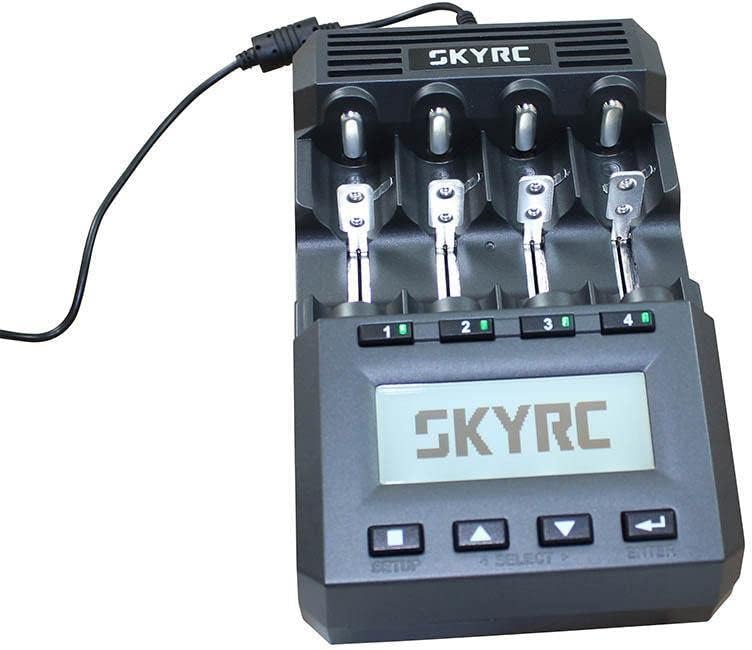
Image: SKYRC MC3000 charger with batteries inserted into the slots, demonstrating proper placement.
5. คู่มือการใช้งาน
5.1 การนำทางอินเทอร์เฟซ
The charger features a 128x64mm backlit LCD display and control buttons:
- ติดตั้ง: Enters the setup menu.
- เลือก: Navigates through options or selects a channel.
- ลูกศรขึ้น/ลง: Adjusts values or scrolls through menus.
- เข้า: ยืนยันการเลือก
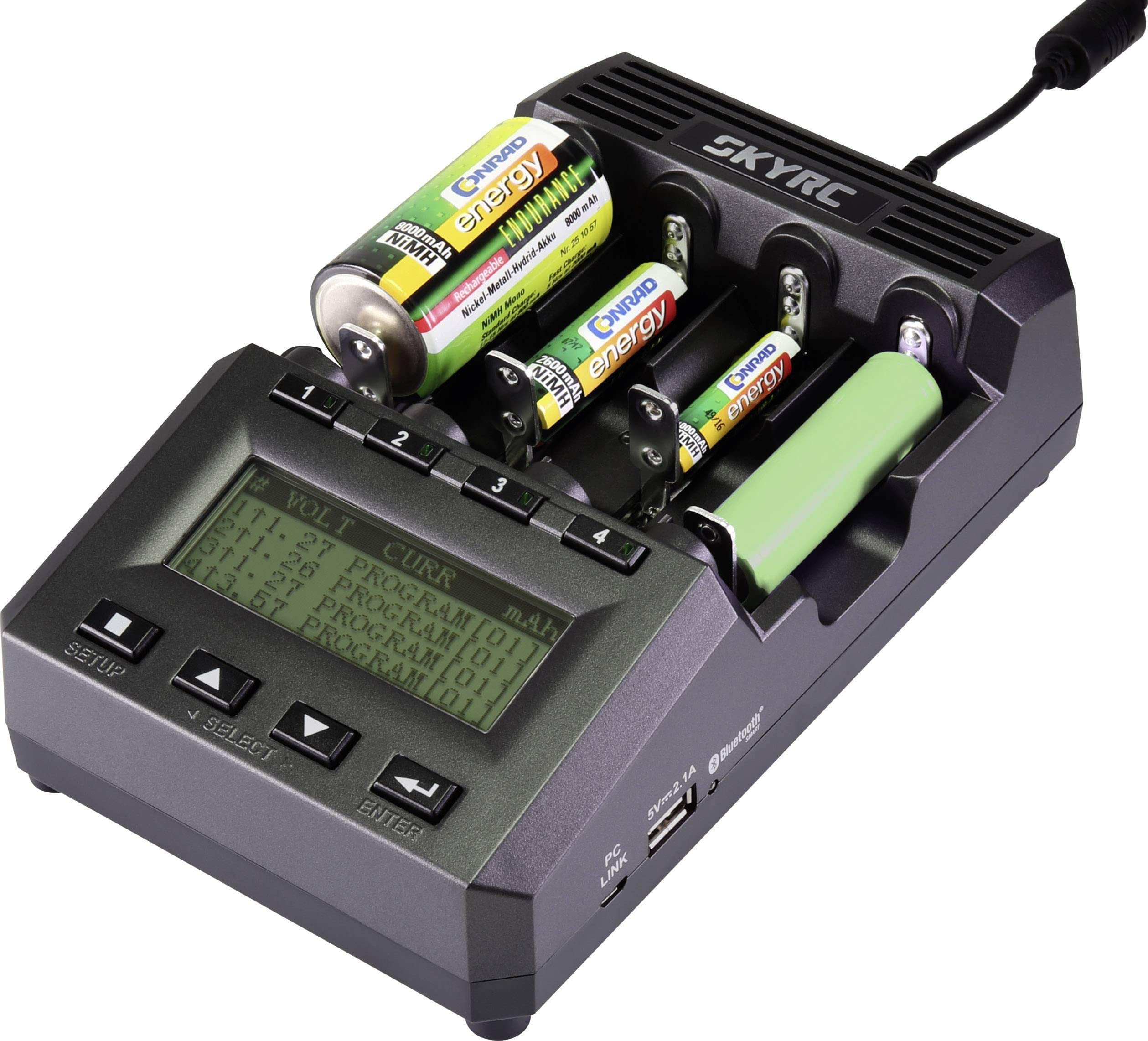
ภาพ: ด้านหน้า view of the SKYRC MC3000 charger, highlighting the LCD display and control buttons for user interaction.
5.2 Basic Charging Operation
- Insert batteries into the desired slots (refer to Section 4.2).
- The charger will automatically detect the battery type or prompt for selection.
- ใช้ เลือก และ ขึ้น/ลง buttons to choose the desired charging program (e.g., Charge, Discharge, Refresh, Analyze).
- Adjust parameters such as charge current (0.05-3.00A) and battery capacity using the ขึ้น/ลง ปุ่ม
- กด เข้า to start the operation. The display will show real-time charging status.
- The charger uses Delta V detection to accurately determine full charge for compatible battery types.
- Once charging is complete, the display will indicate "DONE" or similar. Remove batteries carefully.
5.3 การเชื่อมต่อบลูทูธและการควบคุมผ่านแอปพลิเคชัน
The MC3000 features built-in Bluetooth for connectivity with the SkyRC smartphone application. This allows for remote control and monitoring of charging processes, as well as detailed data analysis.
- Download the official SkyRC app from your device's app store.
- ตรวจสอบให้แน่ใจว่าได้เปิดใช้งาน Bluetooth บนสมาร์ทโฟนของคุณแล้ว
- Open the SkyRC app and follow the on-screen instructions to pair with your MC3000 charger.
- Once connected, you can monitor battery performance, health, internal resistance, and control charging parameters directly from your smartphone.

Image: The SKYRC MC3000 charger displayed alongside a smartphone running the SkyRC app, illustrating Bluetooth connectivity and remote monitoring capabilities.
5.4 PC Control and Data Analysis
The MC3000 can also be controlled and monitored via a PC. This feature allows for advanced data logging and analysis of battery performance and internal resistance.
- Connect the charger to your PC using a compatible USB cable (not included).
- Install the necessary SkyRC PC software (available from the official SkyRC webเว็บไซต์).
- Follow the software instructions to establish a connection and begin monitoring or controlling the charger.
- Data can be exported for further analysis.
6. การบำรุงรักษา
- การทำความสะอาด: Disconnect the charger from power before cleaning. Use a soft, dry cloth to wipe the exterior. Do not use liquid cleaners or solvents.
- พื้นที่จัดเก็บ: เก็บที่ชาร์จไว้ในที่เย็นและแห้ง ห่างจากแสงแดดโดยตรงและอุณหภูมิที่สูงหรือต่ำเกินไป
- พัดลมระบายความร้อน: Ensure the cooling fan vents are free from dust and obstructions to maintain efficient heat dissipation.
7 การแก้ไขปัญหา
- เครื่องชาร์จไม่เปิดเครื่อง:
- Check if the AC power cord and adaptor are securely connected to both the wall outlet and the charger.
- ตรวจสอบว่าปลั๊กไฟที่ผนังใช้งานได้ปกติ
- Battery not detected or charging:
- ตรวจสอบให้แน่ใจว่าใส่แบตเตอรี่ในขั้วที่ถูกต้อง
- Check if the battery terminals are clean and making good contact with the charger's spring sliders.
- Verify the battery type is supported by the MC3000.
- ปัญหาการเชื่อมต่อบลูทูธ:
- ตรวจสอบให้แน่ใจว่าได้เปิดใช้งาน Bluetooth บนสมาร์ทโฟนของคุณแล้ว
- Restart both the charger and your smartphone.
- Make sure the SkyRC app is up to date.
- Ensure the charger is within Bluetooth range.
- ความร้อนสูงเกินไป:
- Ensure the charger's cooling vents are not blocked.
- ใช้งานเครื่องชาร์จในบริเวณที่มีการระบายอากาศที่ดี
- หากยังคงเกิดความร้อนสูงเกินไป ให้หยุดใช้งานและติดต่อฝ่ายสนับสนุน
8. ข้อมูลจำเพาะ
| คุณสมบัติ | รายละเอียด |
|---|---|
| กำลังไฟเข้า | DC 11-18V / 4A |
| ช่วงกระแสไฟชาร์จ | 0.05-3.00ก |
| ช่วงกระแสปล่อย | 0.05-2.00ก |
| แม็กซ์ ชาร์จพลังงาน | 50วัตต์ |
| กำลังปล่อยประจุสูงสุด | 15วัตต์ |
| Supported Battery Chemistry Types | NiMH, NiCd, NiZn, Eneloop, Lithium-Ion, LiIo4.35, LiFePO4, RAM, LTO |
| Supported Battery Capacity | 100-50000mAh |
| อุณหภูมิในการทำงาน | 0-40 องศาเซลเซียส (32-104 องศาฟาเรนไฮต์) |
| USB Power Output | กระแสตรง 5V/2.1A |
| ขนาด (กxยxส) | 200×124×69มม. |
| Weight (Without DC Adaptor) | 600กรัม |
9. การรับประกันและการสนับสนุน
Warranty information for the SKYRC MC3000 is typically provided with the product packaging or available on the official SKYRC webไซต์ โปรดดูแหล่งข้อมูลเหล่านี้เพื่อดูรายละเอียดเกี่ยวกับการรับประกันและเงื่อนไข
For technical support, service, or further inquiries, please visit the official SKYRC webหรือติดต่อฝ่ายบริการลูกค้า ข้อมูลการติดต่อมักจะอยู่บนบรรจุภัณฑ์ของผลิตภัณฑ์หรือเว็บไซต์ของผู้ผลิต webเว็บไซต์.