
1. บทนำ
ขอบคุณสำหรับการซื้อasing the FiiO K3 Type-C USB DAC Headphone Amp. This manual provides detailed instructions for setting up, operating, and maintaining your device to ensure optimal performance and longevity. The FiiO K3 is a high-performance digital-to-analog converter and headphone amplifier designed to enhance your audio experience with various devices, including computers and other audio sources.

Figure 1: FiiO K3 Type-C USB DAC Headphone Amp
2. การตั้งค่า
Follow these steps to set up your FiiO K3 for the first time.
2.1 เนื้อหาบรรจุภัณฑ์
ก่อนดำเนินการต่อ โปรดตรวจสอบให้แน่ใจว่ามีรายการทั้งหมดอยู่ในบรรจุภัณฑ์:
- FiiO K3 Unit
- สายเคเบิลข้อมูล USB Type-C
- Anti-slip Tape (4 pieces)
- คู่มือเริ่มต้นอย่างรวดเร็ว
- บัตรรับประกัน

Figure 2: FiiO K3 and included accessories
2.2 การเชื่อมต่อกับคอมพิวเตอร์
Connect the FiiO K3 to your computer using the provided USB Type-C cable. The K3 draws power directly from the USB port.
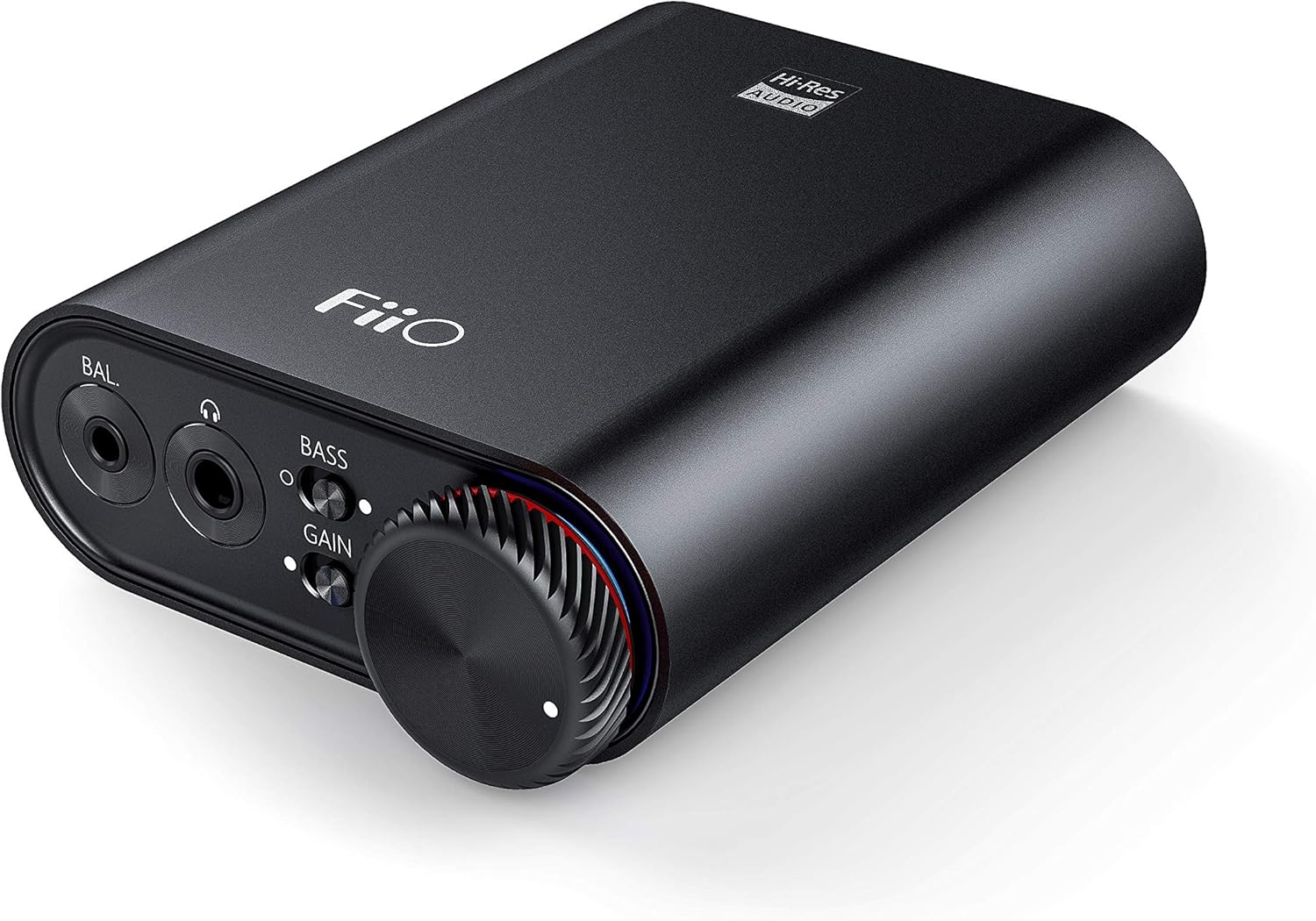
Figure 3: Front panel of FiiO K3 with headphone outputs and controls.
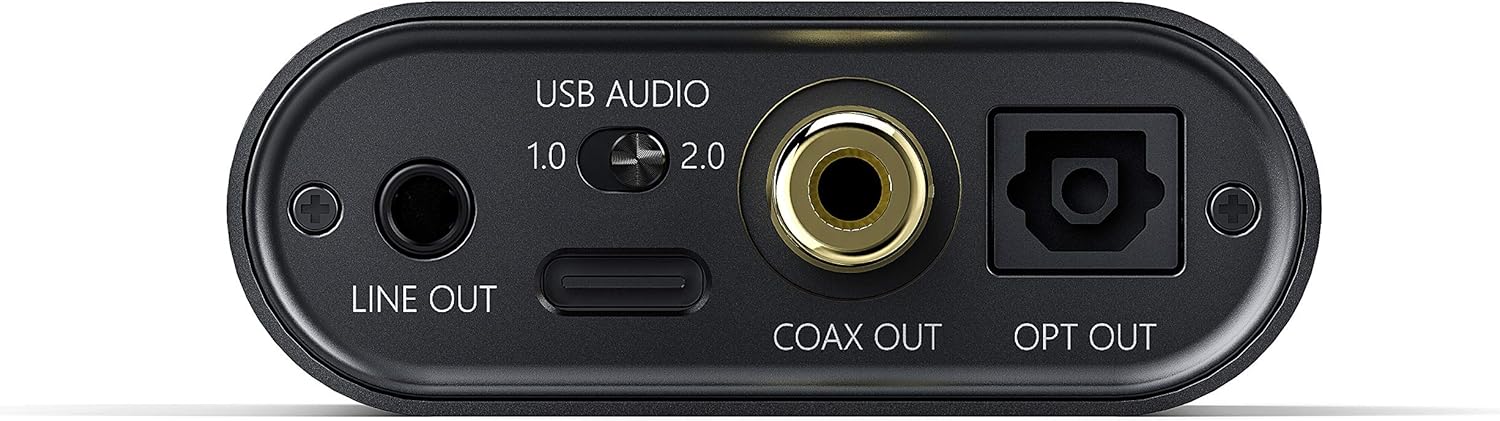
Figure 4: Rear panel of FiiO K3 with USB-C, Line Out, Coaxial Out, and Optical Out ports.
โหมดเสียง USB
The FiiO K3 supports two USB Audio modes, selectable via a switch on the rear panel:
- USB Audio 1.0 (Driver-Free): This mode is plug-and-play and does not require driver installation. It supports up to 96kHz/24-bit PCM audio. Compatible with Windows, macOS, and Linux.
- USB Audio 2.0 (Requires Driver): This mode offers higher performance, supporting up to 384kHz/32-bit PCM and DSD256. For Windows operating systems, a specific driver must be installed. For macOS and Linux, it is typically driver-free.
To download the Windows USB 2.0 driver, visit the official FiiO support webเว็บไซต์: www.fiio.com/supports.
2.3 การเชื่อมต่อหูฟัง
The FiiO K3 features two headphone output jacks on the front panel:
- เอาต์พุตแบบ Single-Ended ขนาด 3.5 มม.: สำหรับหูฟังมาตรฐานทั่วไป
- เอาต์พุตที่สมดุล 2.5 มม.: For headphones with a balanced connection, offering improved sound separation and power.
Plug your headphones into the appropriate jack. Ensure the connection is secure.
2.4 Connecting to External Audio Devices
The FiiO K3 provides multiple output options for connecting to external speakers, amplifiers, or other DACs:
- 3.5mm Line Out: Connects to the analog input of an amplifier or active speakers. The volume of the Line Out is controlled by the K3's volume knob.
- เอาต์พุตโคแอกเซียล: Provides a digital coaxial output for connecting to an external DAC or amplifier with a coaxial input.
- ออปติคัลเอาท์: Provides a digital optical output for connecting to an external DAC or ampเครื่องขยายสัญญาณที่มีอินพุตแบบออปติคอล
When using the Line Out, Coaxial Out, or Optical Out, ensure that the connected device is set to the correct input source.
Video 1: FiiO K3 User Guides. This video demonstrates the unboxing, connection to a computer, and various input/output options of the FiiO K3, including USB Audio modes, headphone outputs, and digital/analog line outs.
3. คู่มือการใช้งาน
3.1 การเปิด/ปิดเครื่องและการควบคุมระดับเสียง
The large knob on the front panel serves as both the power switch and volume control. Rotate it clockwise to power on the device and increase the volume. Rotate counter-clockwise to decrease the volume and power off the device when turned fully to the left.
สวิตช์เกน 3.2
The K3 features a gain switch (labeled "GAIN") on the front panel. This switch allows you to adjust the output level to match the impedance and sensitivity of your headphones:
- กำไรต่ำ: Suitable for sensitive headphones or earphones.
- กำไรสูง: Provides more power for high-impedance or less sensitive headphones.
Adjust the gain setting to achieve a comfortable listening volume without distortion.
3.3 Bass Boost Switch
The bass boost switch (labeled "BASS") on the front panel allows you to enhance the low-frequency response of your audio. Toggle it on or off according to your preference.
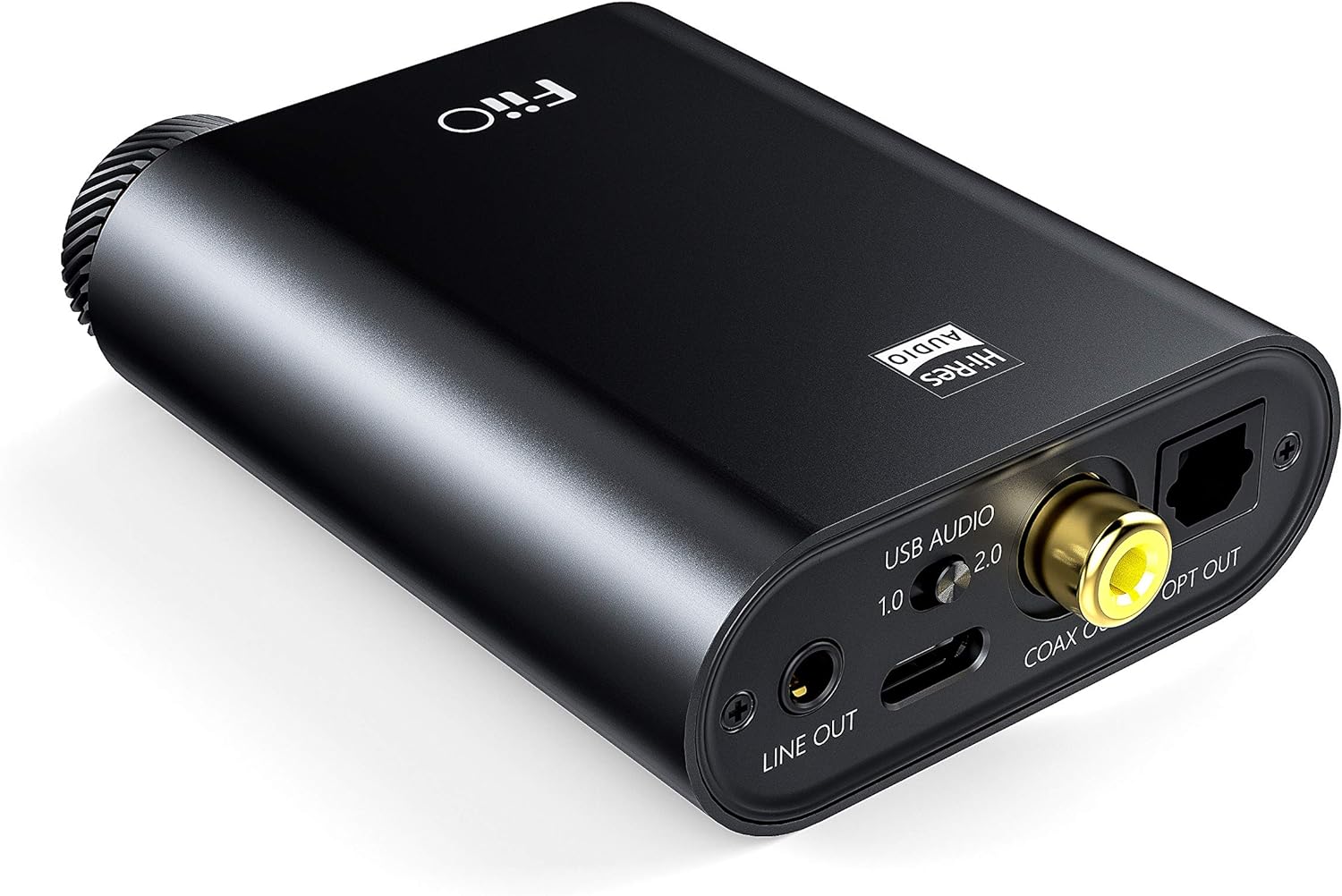
Figure 5: Close-up of the FiiO K3 front panel showing volume knob, bass switch, and gain switch.
3.4 RGB Indicator
The RGB indicator light located near the volume knob displays the current sampอัตราความเร็วเสียงที่กำลังเล่น:
- สีฟ้า: 44.1kHz หรือ 48kHzampอัตราลิง
- เหลือง: Sampling rate greater than 48kHz.
- สีเขียว: DSD audio.
- สีแดง: ไม่มีสัญญาณ.
4. การบำรุงรักษา
Proper maintenance ensures the longevity and optimal performance of your FiiO K3.
- การทำความสะอาด: Use a soft, dry cloth to wipe the device. Avoid using harsh chemicals or abrasive materials.
- การจัดการ: โปรดใช้งานอุปกรณ์ด้วยความระมัดระวัง หลีกเลี่ยงการทำตกหรือการใช้แรงกระแทกมากเกินไป
- สิ่งแวดล้อม: Keep the device away from extreme temperatures, direct sunlight, moisture, and dust.
- Anti-slip Tape: Apply the provided anti-slip tape to the bottom of the unit to prevent it from sliding on surfaces.
5 การแก้ไขปัญหา
หากคุณพบปัญหาใดๆ กับ FiiO K3 โปรดดูปัญหาและวิธีแก้ไขที่พบบ่อยต่อไปนี้:
5.1 ไม่มีเสียงออก
- ตรวจสอบการเชื่อมต่อ: Ensure all cables (USB, headphones, line out) are securely connected.
- ระดับเสียง: Verify that the volume knob on the K3 is turned up and not at its minimum setting. Also check the volume level on your computer or connected audio device.
- การเลือกอินพุต/เอาต์พุต: Confirm that your computer's audio output is set to the FiiO K3. If using Line Out, ensure your external ampเครื่องขยายเสียง/ลำโพงได้รับการตั้งค่าอินพุตถูกต้องแล้ว
- RGB Indicator: If the RGB indicator is red, there is no signal. Check your source device and connections.
5.2 เสียงผิดเพี้ยน
- การตั้งค่าเกน: If the sound is distorted, try switching the GAIN to "Low" for sensitive headphones.
- ระดับเสียง: Reduce the volume on both the K3 and your source device to prevent clipping.
- คุณภาพแหล่งที่มา: ตรวจสอบให้แน่ใจว่าแหล่งที่มาของเสียงถูกต้อง file ไม่เสียหายหรือมีคุณภาพต่ำ
- ความสมบูรณ์ของสายเคเบิล: Check if the cables are damaged or faulty.
5.3 USB 2.0 Driver Issues (Windows)
- การติดตั้งไดร์เวอร์: Ensure the correct FiiO USB 2.0 driver is installed from the official FiiO webเว็บไซต์.
- พอร์ต USB: ลองเชื่อมต่อกับพอร์ต USB อื่นบนคอมพิวเตอร์ของคุณ
- รีบูต: โปรดรีสตาร์ทคอมพิวเตอร์หลังจากติดตั้งไดรเวอร์เสร็จแล้ว
6. ข้อมูลจำเพาะ
| คุณสมบัติ | ค่า |
|---|---|
| ยี่ห้อ | ฟิโอ |
| แบบอย่าง | K3 |
| USB DAC Support | Up to 384kHz/32bit PCM, DSD256 |
| แหล่งจ่ายไฟ | ยูเอสบี ไทป์ ซี |
| เอาท์พุตหูฟัง | 3.5 มม. แบบปลายเดี่ยว, 2.5 มม. แบบสมดุล |
| เอาต์พุตบรรทัด | เส้นออก 3.5 มม |
| เอาท์พุตดิจิตอล | Coaxial Out, Optical Out |
| น้ำหนักสินค้า | 82 กรัม |
7. การรับประกันและการสนับสนุน
The FiiO K3 comes with a standard manufacturer's warranty. Please refer to the included Warranty Card for specific terms and conditions. For technical support, driver downloads, firmware updates, and frequently asked questions, please visit the official FiiO webเว็บไซต์:
You may also contact FiiO customer service directly through their webเว็บไซต์เพื่อขอความช่วยเหลือเพิ่มเติม