
การแนะนำ
This manual provides detailed instructions for the installation, operation, and maintenance of your NEC SL2100 IP7WW-12TXH-B1 12-Button Display Speaker Telephone. Please read this manual thoroughly before using the telephone to ensure proper functionality and to prevent damage.
ข้อมูลด้านความปลอดภัย
ปฏิบัติตามข้อควรระวังด้านความปลอดภัยพื้นฐานเสมอเมื่อใช้ผลิตภัณฑ์นี้ เพื่อลดความเสี่ยงต่อการเกิดไฟไหม้ ไฟฟ้าช็อต และการบาดเจ็บต่อบุคคล
- ห้ามใช้ผลิตภัณฑ์นี้ใกล้น้ำ เช่นampใกล้อ่างอาบน้ำ อ่างล้างหน้า อ่างล้างจาน หรือถังซักผ้า ในห้องใต้ดินเปียก หรือใกล้สระว่ายน้ำ
- Avoid using the telephone during an electrical storm. There may be a remote risk of electric shock from lightning.
- อย่าใช้โทรศัพท์รายงานการรั่วไหลของก๊าซในบริเวณใกล้เคียงที่เกิดการรั่วไหล
- Use only the power source specified in this manual or marked on the product. This telephone is powered by the phone system.
- ถอดปลั๊กผลิตภัณฑ์นี้ออกจากเต้าเสียบก่อนทำความสะอาด ห้ามใช้น้ำยาทำความสะอาดชนิดน้ำหรือสเปรย์ทำความสะอาด ใช้โฆษณาamp ผ้าสำหรับทำความสะอาด
เนื้อหาแพ็คเกจ
ตรวจสอบว่ามีรายการทั้งหมดอยู่ในแพ็คเกจ:
- NEC SL2100 IP7WW-12TXH-B1 12-Button Display Speaker Telephone (Black)
- โทรศัพท์มือถือ
- สายโทรศัพท์
- Base Stand (for desk or wall mounting)
- Ethernet Cable (if applicable for IP connection)
สินค้าเกินview
The NEC SL2100 IP7WW-12TXH-B1 is a corded 12-button display speaker telephone designed for use with NEC SL2100 systems. It features a clear display for call information and menu navigation, a built-in speakerphone for hands-free communication, and 12 programmable function keys.
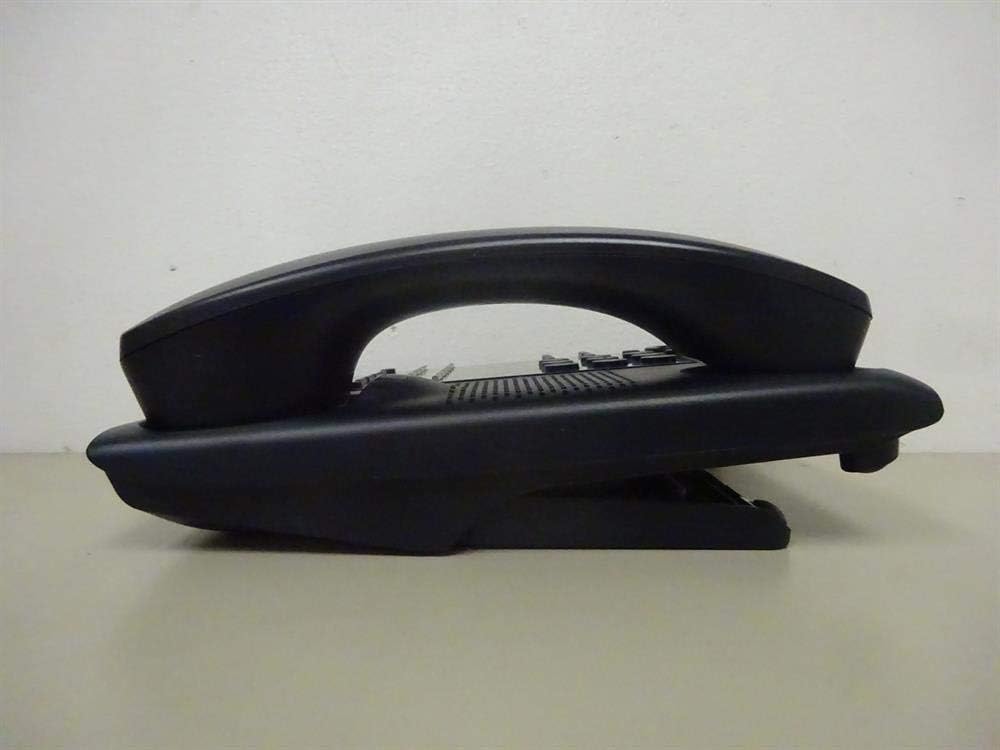
รูปที่ 1: ด้านข้าง view of the NEC SL2100 IP7WW-12TXH-B1 telephone, showing the ergonomic design of the handset and base unit.

รูปที่ 2: หลัง view of the telephone, illustrating the various connection ports for the handset and network, as well as the integrated wall-mounting slots.
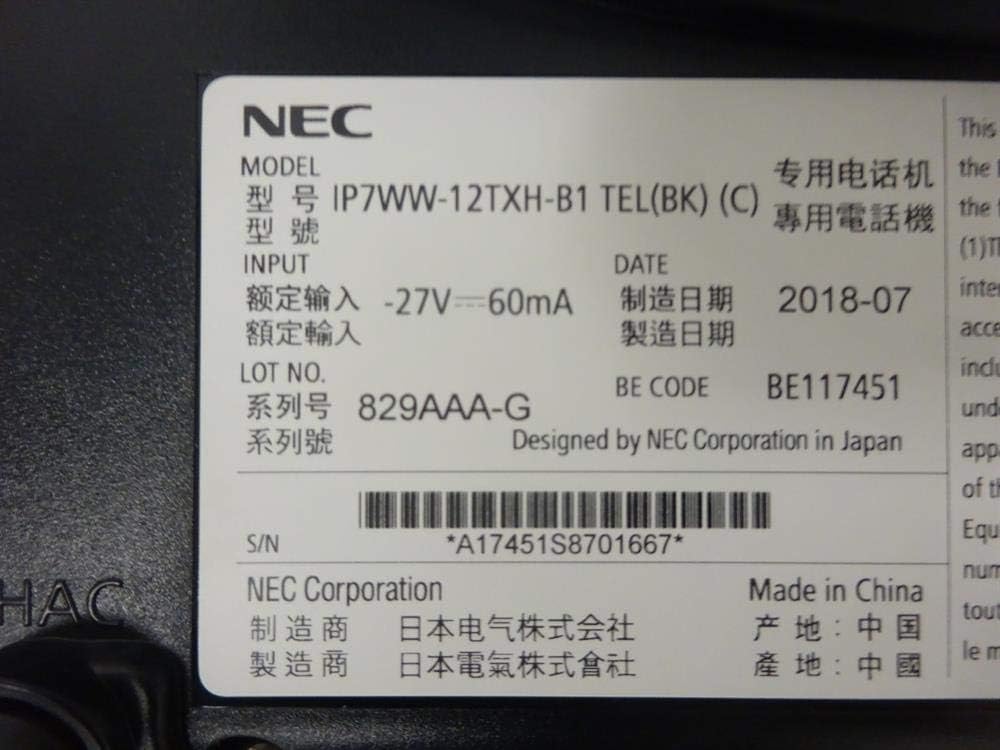
รูปที่ 3: Close-up of the product label, displaying model number IP7WW-12TXH-B1, input specifications, and manufacturer details.
การตั้งค่า
1. Assembling the Telephone
- ติดฐานขาตั้ง: Align the base stand with the slots on the bottom of the telephone. Slide it into place until it clicks securely. The stand can be adjusted for different viewing angles or reversed for wall mounting.
- เชื่อมต่อโทรศัพท์มือถือ: เสียบปลายด้านหนึ่งของสายโทรศัพท์แบบขดเข้ากับตัวเครื่องโทรศัพท์ และเสียบปลายอีกด้านหนึ่งเข้ากับพอร์ตที่กำหนดไว้ด้านข้างของฐานโทรศัพท์
2. การเชื่อมต่อกับระบบ
This telephone is designed to connect to an NEC SL2100 system. Ensure your SL2100 system is properly installed and configured.
- เชื่อมต่อสายเคเบิลเครือข่าย: Plug one end of an Ethernet cable into the LAN port on the back of the telephone. Plug the other end into an available port on your NEC SL2100 system or a network switch connected to the system.
- เปิดเครื่อง: The telephone receives power directly from the NEC SL2100 system (Power over Ethernet - PoE) or via a separate power adapter (not included, if PoE is not available). Once connected, the telephone should power on automatically.
- การกำหนดค่าเริ่มต้น: The telephone will typically register with the SL2100 system automatically. If prompted, follow the on-screen instructions or consult your system administrator for specific extension number assignment or network settings.
คำแนะนำการใช้งาน
การโทรออก
- ยกหูโทรศัพท์: ยกหูโทรศัพท์ขึ้นและฟังเสียงสัญญาณต่อสาย
- หมายเลขโทรออก: กดหมายเลขโทรศัพท์ที่ต้องการโดยใช้แป้นกด
- สปีกเกอร์โฟน: กดปุ่ม ผู้พูด button to activate the speakerphone, then dial the number.
การรับสายโทรศัพท์
- ยกหูโทรศัพท์: When the telephone rings, lift the handset to answer.
- สปีกเกอร์โฟน: กดปุ่ม ผู้พูด button to answer the call hands-free.
การใช้จอแสดงผล
The display shows call information, menu options, and system status. Use the navigation buttons (usually arrow keys) to scroll through menus and the เข้า or เลือก ปุ่มเพื่อยืนยันการเลือก
Programmable Function Keys (12 Buttons)
The 12 buttons on the telephone can be programmed for various functions such as speed dial, line access, feature activation, or direct station selection. Consult your system administrator for the specific programming of these keys.
การประชุมทางโทรศัพท์
The telephone supports 3-way conference calls. To initiate a conference call:
- เริ่มการสนทนากับคู่สนทนาหลัก
- กดปุ่ม คอนเฟิม (Conference) button or the designated programmable key. The first party will be put on hold.
- กดหมายเลขของคู่สนทนาคนที่สอง
- เมื่อเชื่อมต่อกับคู่สนทนาอีกฝ่ายแล้ว ให้กดปุ่ม คอนเฟิม กดปุ่มอีกครั้งเพื่อเข้าร่วมทั้งสามฝ่าย
การระบุหมายเลขผู้โทร
When an incoming call is received, the caller's information (name and number, if available) will be displayed on the screen.
การทำงานแบบหลายบรรทัด
This telephone supports multi-line operation, allowing you to manage multiple calls simultaneously. Use the designated line keys or programmable keys to switch between active lines or place calls on hold.
การซ่อมบำรุง
การทำความสะอาด
To clean the telephone, unplug it from the network connection. Use a soft, slightly damp cloth. Do not use harsh chemicals, abrasive cleaners, or excessive moisture. Avoid spraying cleaners directly onto the telephone.
พื้นที่จัดเก็บ
If storing the telephone for an extended period, ensure it is clean and dry. Store it in a cool, dry place away from direct sunlight and extreme temperatures.
การแก้ไขปัญหา
- ไม่มีเสียงสัญญาณโทรศัพท์:
- Check all cable connections, especially the network cable to the SL2100 system.
- Ensure the SL2100 system is powered on and functioning correctly.
- If using a separate power adapter (not PoE), ensure it is properly connected and receiving power.
- จอแสดงผลไม่ทำงาน:
- Verify the telephone is receiving power.
- Try disconnecting and reconnecting the network cable.
- ไม่สามารถโทรออก/รับสายได้:
- ตรวจสอบสัญญาณการโทร
- Ensure the telephone is properly registered with the SL2100 system.
- Contact your system administrator to verify line assignments and system status.
- คุณภาพเสียงไม่ดี:
- Check handset and network cable connections.
- ตรวจสอบให้แน่ใจว่าไม่มีการรบกวนจากอุปกรณ์อิเล็กทรอนิกส์อื่น ๆ
- Test with another telephone if possible to isolate the issue.
ข้อมูลจำเพาะ
| คุณสมบัติ | ข้อมูลจำเพาะ |
|---|---|
| ยี่ห้อ | เอ็นอีซี |
| หมายเลขรุ่น | IP7WW-12TXH-B1 (Mfr Part Number: BE117451) |
| สี | สีดำ |
| ประเภทโทรศัพท์ | แบบมีสาย |
| วัสดุ | พลาสติก |
| แหล่งพลังงาน | Phone System (PoE compatible) |
| ประเภทผู้โทรออก | ปุ่มกดเดียว |
| ขนาดรายการ (ยาว x กว้าง x สูง) | 15 x 12 x 6 นิ้ว |
| ประเภทของระบบตอบรับ | Digital (System Dependent) |
| อุปกรณ์ที่รองรับ | NEC SL2100 Systems, NEC SL2100 IP7WW-082U-B1 8 Port Digital Station Card |
| ความสามารถในการประชุมทางโทรศัพท์ | 3 ทาง |
| การทำงานแบบหลายบรรทัด | ใช่ |
| การระบุหมายเลขผู้โทร | ใช่ |
การรับประกันและการสนับสนุน
For warranty information, please refer to the documentation provided with your NEC SL2100 system or contact your NEC authorized dealer. For technical support, please contact your system administrator or NEC customer service.
บริษัท เอ็นอีซี คอร์ปอเรชั่น
For further assistance, please visit the official NEC website or contact your local support representative.