
การแนะนำ
This manual provides essential information for the setup, operation, and maintenance of your Apple Watch Series 3 (GPS + Cellular, 42mm). Please read this guide thoroughly to ensure proper use and to maximize the features of your device.

The Apple Watch Series 3 features a Space Gray Aluminum Case and a Black Sport Band, offering advanced connectivity and health tracking capabilities.
มีอะไรอยู่ในกล่อง
ตรวจสอบว่ามีรายการทั้งหมดอยู่ในบรรจุภัณฑ์ผลิตภัณฑ์ของคุณ:
- Apple Watch Series 3 (GPS + Cellular, 42mm)
- Black Sport Band (either S/M or M/L length)
- สายชาร์จแม่เหล็ก 1 ม.
- อะแดปเตอร์ USB Power

Included components: Apple Watch, Sport Band, Magnetic Charging Cable, and USB Power Adapter.
การตั้งค่า
- ชาร์จ Apple Watch ของคุณ: Connect the magnetic charging cable to the back of your Apple Watch and plug the USB power adapter into a power outlet. Allow the watch to charge until it powers on.
- จับคู่กับ iPhone: Ensure your iPhone is updated to the latest iOS version and has Bluetooth enabled. Open the Apple Watch app on your iPhone and follow the on-screen instructions to pair your watch.
- Cellular Setup (GPS + Cellular models only): During the pairing process, you will be prompted to set up cellular service. This requires an active cellular plan with a compatible carrier. Follow the steps provided by your carrier through the Apple Watch app.
- ปรับแต่งการตั้งค่า: After pairing, customize your watch face, notifications, and app preferences through the Apple Watch app on your iPhone.
วิธีใช้งาน Apple Watch Series 3 ของคุณ
การนำทางพื้นฐาน
- มงกุฎดิจิตอล: Rotate to scroll, zoom, or adjust values. Press once to go to the watch face or app launcher. Double-press to switch between your last two apps. Press and hold for Siri.
- ปุ่มด้านข้าง: กดหนึ่งครั้งเพื่อเปิด Dock (แอปที่ใช้ล่าสุด) กดสองครั้งสำหรับ Apple Pay กดค้างไว้สำหรับ SOS ฉุกเฉินหรือเพื่อปิดเครื่อง
- หน้าจอสัมผัส: แตะเพื่อเลือก ปัดเพื่อเลื่อนดูตัวเลือกต่างๆ และใช้แรงกดค้างไว้เพื่อดูตัวเลือกเพิ่มเติม
คุณสมบัติหลัก
- GPS + โทรศัพท์มือถือ: Make calls, send messages, and stream music directly from your watch, even without your iPhone nearby. Requires a cellular plan.
- การติดตามกิจกรรม: Monitor your daily movement, exercise, and standing goals with the Activity rings.
- การตรวจสอบอัตราการเต้นของหัวใจ: The optical heart sensor continuously measures your heart rate throughout the day and during workouts.
- กันน้ำได้: Designed for shallow water activities like swimming in pools or the ocean. Not recommended for scuba diving, waterskiing, or other high-velocity water activities.
- ความช่วยเหลือฉุกเฉิน SOS: กดปุ่มด้านข้างค้างไว้เพื่อโทรเรียกบริการฉุกเฉินอย่างรวดเร็ว
- Music, Podcasts, and Audiobooks: Store and play media directly from your watch, or stream with a cellular connection.
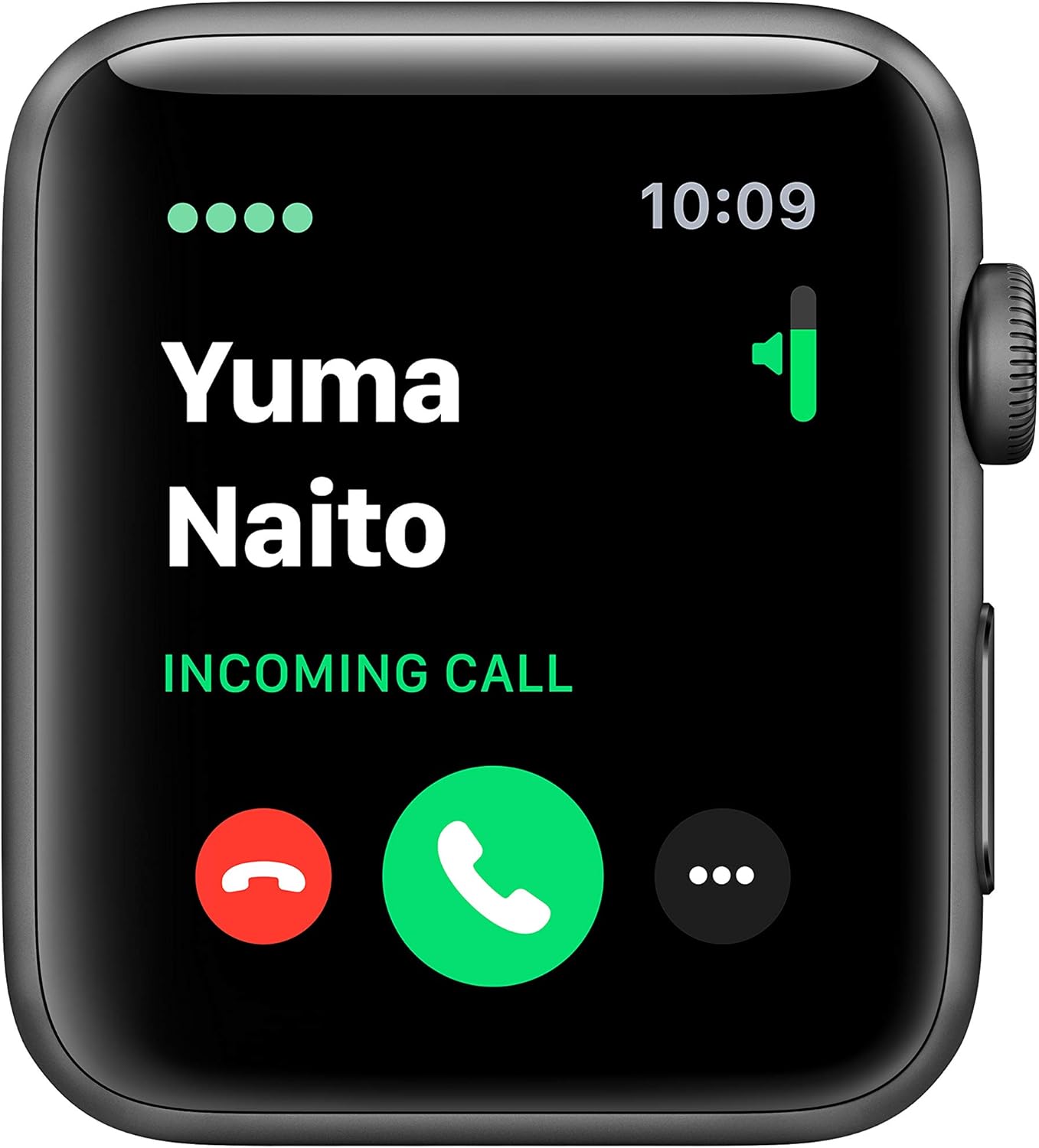
The cellular feature allows you to receive calls directly on your Apple Watch.

Track your fitness progress with detailed activity metrics displayed on the watch face.

Monitor your heart rate with the built-in optical heart sensor.
การซ่อมบำรุง
เพื่อให้ Apple Watch Series 3 ของคุณมีอายุการใช้งานยาวนานและทำงานได้อย่างมีประสิทธิภาพสูงสุด โปรดปฏิบัติตามคำแนะนำในการบำรุงรักษาเหล่านี้:
- การทำความสะอาด: Regularly clean your Apple Watch and band with a soft, lint-free cloth. If necessary, lightly dampชุบผ้าด้วยน้ำสะอาด หลีกเลี่ยงการใช้สารเคมีรุนแรงหรือวัสดุที่มีฤทธิ์กัดกร่อน
- ความต้านทานน้ำ: The Apple Watch Series 3 is swimproof. After exposure to chlorinated or salt water, rinse the watch with fresh water and dry it thoroughly. Avoid exposing the watch to soaps, shampoos, conditioners, lotions, and perfumes, as these can negatively affect water seals and acoustic membranes.
- การดูแลวงดนตรี: Clean your band according to its material. Sport Bands can be wiped clean with a damp ผ้า.
- พื้นที่จัดเก็บ: Store your Apple Watch in a cool, dry place when not in use.
การแก้ไขปัญหา
ปัญหาทั่วไปและแนวทางแก้ไข
- นาฬิกาไม่เปิดเครื่อง: Ensure the watch is sufficiently charged. Connect it to the magnetic charging cable and a power adapter for at least 30 minutes.
- ปัญหาการจับคู่: Make sure your iPhone's Bluetooth is on and both devices are close to each other. Restart both your iPhone and Apple Watch. If issues persist, unpair the watch from your iPhone (if previously paired) and attempt to pair again.
- Cellular Connectivity Problems: Verify that your cellular plan is active and correctly provisioned for your Apple Watch. Ensure the watch is not in Airplane Mode. Contact your carrier if the issue persists after restarting both devices and checking settings in the Apple Watch app.
- การอ่านค่าอัตราการเต้นของหัวใจที่ไม่แม่นยำ: Ensure the back of the watch is clean and making good contact with your wrist. Tighten the band slightly if it's too loose.
- แบตเตอรี่หมดเร็ว: Review your notification settings and background app refresh in the Apple Watch app on your iPhone. Reduce screen brightness.
ข้อมูลจำเพาะ
| คุณสมบัติ | รายละเอียด |
|---|---|
| ชื่อรุ่น | ซีรี่ย์ 3 |
| หมายเลขรุ่นสินค้า | MTGT2LL/A |
| ยี่ห้อ | แอปเปิล |
| เทคโนโลยีการเชื่อมต่อ | Bluetooth, Cellular, GPS, Wi-Fi |
| มาตรฐานการสื่อสารไร้สาย | 802.11b, 802.11g |
| ระบบปฏิบัติการ | วอทช์โอเอส |
| ขนาดหน้าจอ | 42 มิลลิเมตร |
| ขนาดเคส | 42มม. |
| น้ำหนักเคส | 34.9กรัม |
| ขนาด (สินค้า) | 12.95 x 2.93 x 2.26 นิ้ว |
| น้ำหนักสินค้า | 1.92 ออนซ์ |
| อายุการใช้งานแบตเตอรี่ | นานถึง 18 ชั่วโมง |
| คุณสมบัติพิเศษ | GPS, GLONASS, Galileo, QZSS, Barometric altimeter, Optical heart sensor, Accelerometer, Gyroscope, Ion-X strengthened glass, Ceramic and sapphire crystal back |
| ความต้านทานต่อน้ำ | กันน้ำได้ (ลึกถึง 50 เมตร) |
| วันที่พร้อมใช้งานครั้งแรก | 30 ตุลาคม 2018 |
การรับประกันและการสนับสนุน
Your Apple Watch Series 3 is covered by a limited warranty. For detailed warranty information, please refer to the documentation included with your product or visit the official Apple support webเว็บไซต์.
For technical assistance, troubleshooting, or service, please contact Apple Support:
- การสนับสนุนทางออนไลน์: เยี่ยม support.apple.com/watch
- การสนับสนุนทางโทรศัพท์: Refer to Apple's regional support numbers available on their webเว็บไซต์.
Always ensure you are consulting official Apple resources for the most accurate and up-to-date support information.