
1. บทนำ
Thank you for choosing the Riwbox XBT-880 Wireless Bluetooth Headphones. This manual provides detailed instructions to help you set up, operate, and maintain your headphones for optimal performance. Please read this guide thoroughly before use.
2. สินค้าหมดview
The Riwbox XBT-880 headphones are designed for a superior audio experience, offering both wireless Bluetooth and wired connectivity. Key features include:
- คุณภาพเสียงที่น่าประทับใจ: Equipped with 40mm large diameter aperture drivers for precise deep bass and high clarity sound.
- Comfortable Over-Ear Pads: Ear cushions made with soft, elastic protein material for extended comfortable wear.
- Hands-Free Calling & Built-in Microphone: Provides quick and stable Bluetooth connection for calls and audio, with a high-quality microphone. Works in both wireless and wired modes.
- การออกแบบน้ำหนักเบาและพับได้: Stylish design with reflective metal accents, robust construction, and a foldable mechanism for easy storage and portability.
ส่วนประกอบของผลิตภัณฑ์
Familiarize yourself with the main components and controls of your Riwbox XBT-880 headphones.

The image above illustrates the control layout on the earcup. Functions include power on/off, play/pause, volume up/down, next/previous song, and answer/end call.
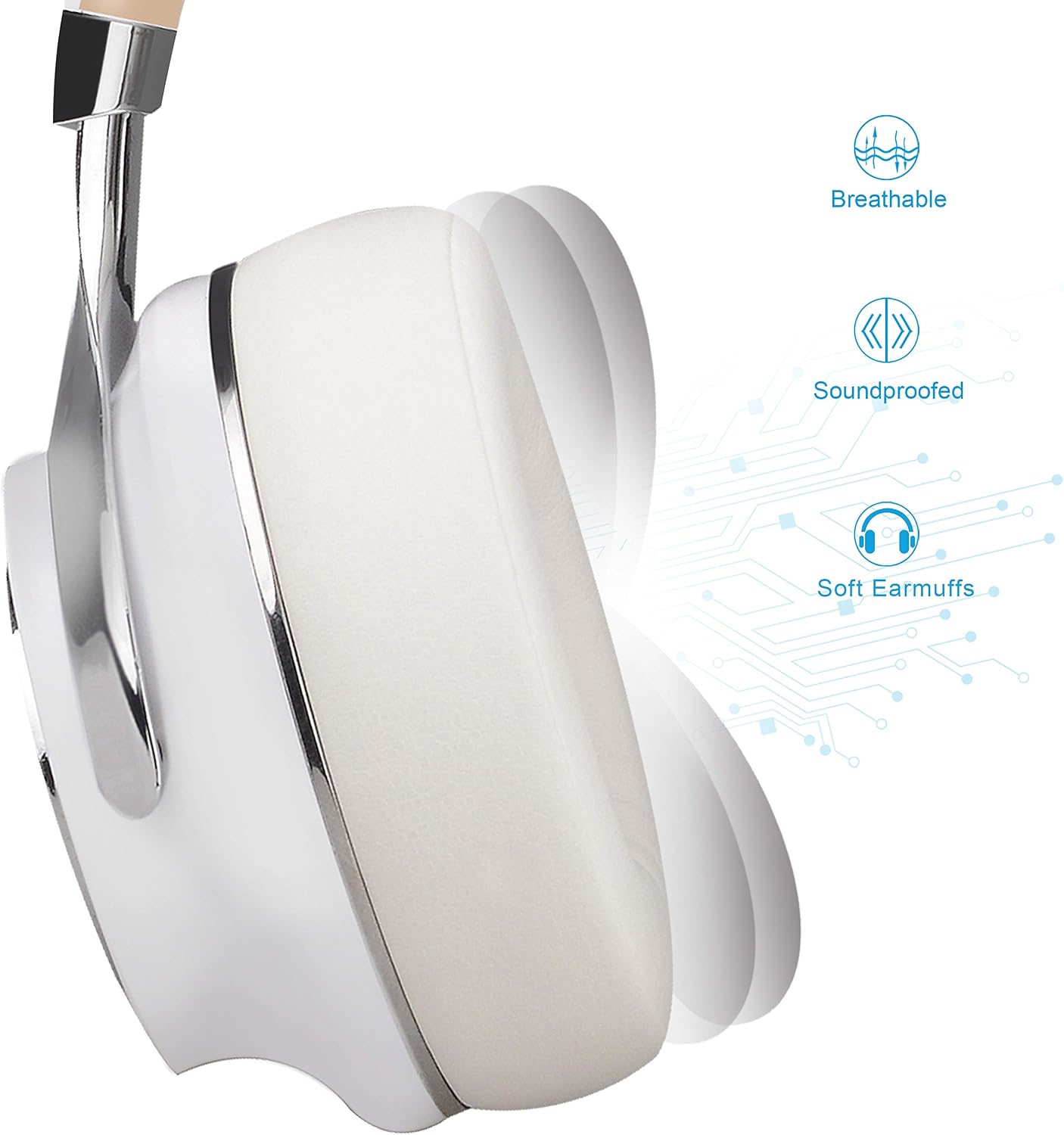
The soft earmuffs are designed for comfort during prolonged use, providing both breathability and sound isolation.

The headphones feature a foldable design, making them easy to store and transport.

The XBT-880 headphones are compatible with a wide range of Bluetooth-enabled devices.
Official Product Video: Riwbox Foldable Wireless Bluetooth Headphones, XBT-880
วิดีโอนี้มีเนื้อหาเกี่ยวกับview of the Riwbox XBT-880 headphones, showcasing their foldable design and key features.
3. การตั้งค่า
3.1 การชาร์จหูฟัง
Before initial use, fully charge your headphones. Connect the provided Micro-USB charging cable to the charging port on the headphone and the other end to a USB power source (e.g., computer USB port, USB wall adapter). The LED indicator will show red during charging and turn blue when fully charged. A full charge typically takes approximately 4 hours.

The red light indicates that the headphones are currently charging. Once charging is complete, the light will turn blue.
3.2 การเปิด/ปิดเครื่อง
- การเปิดเครื่อง: Press and hold the Power button (usually the central button on the earcup) for approximately 3 seconds until the LED indicator flashes blue.
- วิธีปิดเครื่อง: กดปุ่มเปิด/ปิดค้างไว้ประมาณ 3 วินาที จนกว่าไฟ LED จะกะพริบเป็นสีแดงแล้วดับลง
3.3 การจับคู่บลูทูธ
- ตรวจสอบให้แน่ใจว่าหูฟังปิดอยู่
- กดปุ่มเปิด/ปิดค้างไว้ประมาณ 5-7 วินาที จนกว่าไฟ LED จะกะพริบสลับสีแดงและสีน้ำเงิน ซึ่งแสดงว่าเข้าสู่โหมดจับคู่แล้ว
- บนอุปกรณ์ของคุณ (สมาร์ทโฟน แท็บเล็ต พีซี) เปิดใช้งานบลูทูธและค้นหาอุปกรณ์ที่มีอยู่
- เลือก "Riwbox XBT-880" จากรายการอุปกรณ์ที่พบ
- Once connected, the LED indicator on the headphones will flash blue slowly, and you will hear a confirmation tone.
4. คู่มือการใช้งาน
4.1 โหมดไร้สาย (บลูทูธ)
Once paired, your headphones will automatically connect to the last paired device when powered on and within range.
- เล่น/หยุดชั่วคราว: กดปุ่มเปิดปิดสั้น ๆ
- ปรับระดับเสียงขึ้น: กดปุ่ม "+" สั้นๆ
- ลดเสียงลง: กดปุ่ม "-" สั้นๆ
- เพลงถัดไป: กดปุ่ม "+" ค้างไว้
- เพลงก่อนหน้า: กดปุ่ม "-" ค้างไว้
- รับ/วางสาย: กดปุ่มเปิดปิดสั้น ๆ
- ปฏิเสธสาย: กดปุ่มเปิด/ปิดค้างไว้
4.2 โหมดใช้สาย (สายเสริม)
The XBT-880 headphones can be used in wired mode even if the battery is depleted. Simply connect the provided 3.5mm audio cable to the headphone's AUX port and to your audio device.

The in-line controls on the auxiliary cable allow for basic functions:
- เล่น/หยุดเพลง: กดปุ่มตรงกลางหนึ่งครั้ง
- เพลงถัดไป: Press the central button twice.
- เพลงก่อนหน้า: Press the central button three times.
- รับ/วางสาย: กดปุ่มตรงกลางหนึ่งครั้ง
- วางสาย: Press the central button once during a call.
Official Product Video: Riwbox: Wired Foldable Headphones With Microphone | Full Review
วิดีโอนี้ให้ข้อมูลที่ครอบคลุมview, including details on using the headphones in wired mode with the microphone.
5. การบำรุงรักษา
5.1 การทำความสะอาด
เพื่อรักษารูปลักษณ์และการทำงานของหูฟังของคุณ:
- เช็ดที่ครอบหูและแถบคาดศีรษะด้วยผ้าแห้งนุ่ม
- ห้ามใช้สารทำความสะอาดที่มีฤทธิ์กัดกร่อน แอลกอฮอล์ หรือตัวทำละลายเคมี
- หลีกเลี่ยงไม่ให้ความชื้นเข้าไปในช่องเปิดต่างๆ
5.2 พื้นที่จัดเก็บ
When not in use, store your headphones in a cool, dry place. Utilize the foldable design for compact storage to prevent damage.

6 การแก้ไขปัญหา
If you encounter issues with your Riwbox XBT-880 headphones, refer to the following common solutions:
| ปัญหา | วิธีแก้ปัญหาที่เป็นไปได้ |
|---|---|
| หูฟังไม่สามารถเปิดเครื่องได้ | ตรวจสอบให้แน่ใจว่าหูฟังชาร์จเต็มแล้ว เสียบปลั๊กเข้ากับแหล่งจ่ายไฟและตรวจสอบไฟแสดงสถานะการชาร์จ |
| ไม่สามารถจับคู่กับอุปกรณ์ได้ | Ensure headphones are in pairing mode (flashing red and blue). Turn off and on your device's Bluetooth. Move headphones closer to the device. Clear previous Bluetooth connections on your device. |
| ไม่มีเสียงหรือเสียงเบา | Check volume levels on both headphones and connected device. Ensure headphones are properly paired or the 3.5mm cable is securely connected. Test with a different audio source. |
| ไมโครโฟนไม่ทำงาน | Ensure the microphone is not obstructed. If using wired mode, ensure the cable with the in-line microphone is used and fully inserted. Check device settings for microphone input. |
| การเชื่อมต่อไม่ต่อเนื่อง | Reduce distance between headphones and device. Avoid obstacles that may interfere with the Bluetooth signal. Ensure no other devices are interfering with the Bluetooth connection. |
7. ข้อมูลจำเพาะ
| คุณสมบัติ | รายละเอียด |
|---|---|
| ยี่ห้อ | ริวบ็อกซ์ |
| หมายเลขรุ่น | เอ็กซ์บีที-880 |
| เทคโนโลยีการเชื่อมต่อ | แบบมีสาย, ไร้สาย (บลูทูธ) |
| เวอร์ชันบลูทูธ | 5 |
| ช่วงบลูทูธ | สูงถึง 33 ฟุต (10 เมตร) |
| การวางตำแหน่งหู | ครอบหู |
| ขนาดไดร์เวอร์ | 40mm (implied from feature bullets) |
| ไมโครโฟน | Built-in, also on detachable cable |
| ประเภทการควบคุม | Volume Control, Touch, Button |
| เวลาในการชาร์จแบตเตอรี่ | 4 ชั่วโมง |
| แจ็คหูฟัง | แจ็ค 3.5 มม. |
| วัสดุ | Plastic, Rubber (ear cushions are protein leather) |
| คุณสมบัติเพิ่มเติม | Detachable Cable, Foldable, Lightweight |
8. การรับประกันและการสนับสนุน
8.1 การรับประกันสินค้า
The Riwbox XBT-880 headphones come with a รับประกัน 1 ปีโปรดเก็บหลักฐานการซื้อไว้เพื่อใช้เรียกร้องการรับประกัน
8.2 การสนับสนุนลูกค้า
For any questions, technical assistance, or warranty inquiries, please contact Riwbox customer support through the retailer's platform or the official Riwbox website. Refer to the packaging or product documentation for specific contact details.
