
1. บทนำ
The MOOER PREAMPLIVE is a digital preamp modeller designed for live performance. It offers 12 independent preamp channels, selectable from a library of 50 models available through supporting software and mobile applications. This unit integrates a dual-position booster, adjustable pre and post noise gates, a fully programmable effects loop with A/B mode, comprehensive channel switching control, MIDI IN and OUT connectivity, a dedicated headphone output, and multiple audio outputs with optional cabinet simulation and Impulse Response (IR) loading capabilities. A unique 'TONE CAPTURE' feature allows users to sample their own ampพรีแอมป์amp section to create new digital models.
2. การตั้งค่า
2.1 การเชื่อมต่อสายไฟ
Connect the included 12V DC power adapter to the 'DC IN 12V' port on the rear of the unit. Ensure the power supply provides 1000mA (1A) or more. Using an incorrect power supply may damage the unit.

Image: The MOOER PREAMPLIVE power adapter, designed for effects units, with a 12V DC output plug.
2.2 การเชื่อมต่อเสียง
Connect your instrument to the 'INPUT' jack. Use the 'OUTPUT' jack to connect to your ampพลังของผู้ลิฟาย amp input, a mixer, or an audio interface. For direct connection to a PA system or recording device, use the 'XLR OUT' port. The 'SEND' and 'RETURN' jacks are for integrating external effects pedals into the PREAMPLIVE's effects loop.

Image: Rear panel of the MOOER PREAMPLIVE showing input, send, return, output, XLR out, MIDI in/out, phones, USB, and DC in ports.
2.3 การเชื่อมต่อ MIDI และ USB
The 'MIDI IN' and 'MIDI OUT' ports allow for external MIDI control and synchronization. The 'USB' port is used for connecting to a computer for software updates, IR loading, and managing preamp models via the MOOER software or mobile applications.
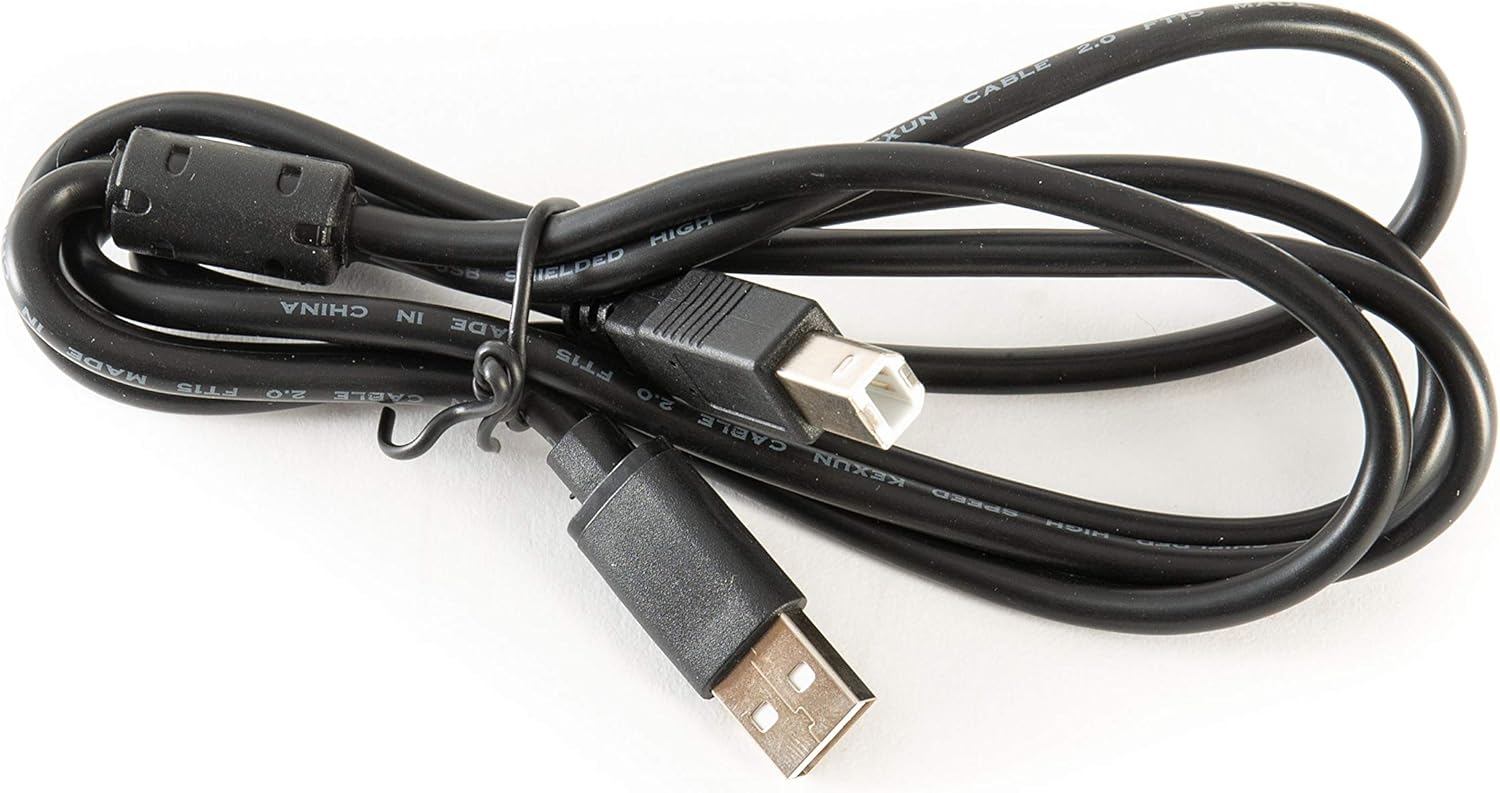
Image: A black USB A to B cable, typically used for connecting the PREAMPLIVE to a computer.
3. คู่มือการใช้งาน
3.1 แผงควบคุมด้านหน้า
พรีAMPLIVE features a range of controls for shaping your tone:
- ฉบับ: ปรับระดับเสียงเอาต์พุตโดยรวม
- เบส, กลาง, แหลม: Standard 3-band EQ controls for tone shaping.
- ได้รับ: ควบคุมปริมาณเสียงโอเวอร์ไดรฟ์/เสียงผิดเพี้ยน
- MASTER: Adjusts the master volume of the selected preamp ช่อง.
- การแสดงตน: Adds clarity and brightness to the high frequencies.
- ระดับเอฟเฟ็กต์: Controls the mix level of the effects loop.
- BOOST (POST/PRE): Activates a boost circuit. The switch selects whether the boost is applied before (PRE) or after (POST) the preamp ส่วน.
- XLR OUT ON/OFF: Toggles the XLR output.
- CAB SIM: Engages or disengages the cabinet simulation for the output.

ภาพ: ด้านหน้า view of the MOOER PREAMPLIVE pedal, displaying all control knobs, switches, and footswitches.
3.2 ฟังก์ชันของสวิตช์เท้า
The four footswitches (1, 2, 3, 4) provide various control options:
- Footswitch 1 (SOURCE): Used in Tone Capture mode to select the source ampชีวิต.
- Footswitch 2 (TARGET): Used in Tone Capture mode to select the target ampชีวิต.
- Footswitch 3 (CAPTURE): Initiates the Tone Capture process.
- Footswitch 4 (ACTIVE): Toggles the unit on/off or activates/deactivates the selected preamp ช่อง.
- FX LOOP ON/OFF (2+4): Pressing footswitches 2 and 4 simultaneously toggles the effects loop.
- TONE CAPTURE (1+4): Pressing footswitches 1 and 4 simultaneously enters Tone Capture mode.
- BYPASS (1+3): Pressing footswitches 1 and 3 simultaneously bypasses the unit.
3.3 Channel Switching and Presets
พรีAMPLIVE allows you to store and recall 12 independent preamp channels. These channels are organized into banks, accessible via the footswitches. Refer to the detailed manual or the MOOER software/app for specific instructions on saving, loading, and organizing your presets.
3.4 Effects Loop A/B Mode
The effects loop features a unique A/B mode, enabling you to integrate your amplifier's analog preamp alongside the digital models. This expands your tonal options without requiring complex external switching systems.
3.5 Tone Capture Feature
ฟีเจอร์ Tone Capture ช่วยให้คุณสามารถ...ample the preamp section of your own physical amplifier and create a digital model within the PREAMPLIVE. This custom model can then be used in live performances or shared with others. Follow the on-screen instructions in the MOOER software/app for the Tone Capture process.
4. การบำรุงรักษา
To ensure the longevity and optimal performance of your MOOER PREAMPLIVE, follow these maintenance guidelines:
- การทำความสะอาด: Use a soft, dry cloth to clean the unit. Avoid abrasive cleaners, solvents, or excessive moisture.
- พื้นที่จัดเก็บ: เก็บเครื่องไว้ในที่แห้งและเย็น หลีกเลี่ยงแสงแดดโดยตรง อุณหภูมิที่สูงและสูงเกินไป และความชื้นสูง
- การอัปเดตซอฟต์แวร์: ตรวจสอบ MOOER อย่างเป็นทางการเป็นประจำ webเว็บไซต์สำหรับอัปเดตเฟิร์มแวร์ การอัปเดตเฟิร์มแวร์อย่างสม่ำเสมอจะช่วยให้คุณเข้าถึงคุณสมบัติใหม่ๆ และการปรับปรุงประสิทธิภาพได้
- แหล่งจ่ายไฟ: Always use the original or a compatible 12V DC, 1A (minimum) power supply. Disconnect the power when the unit is not in use for extended periods.
5 การแก้ไขปัญหา
If you encounter issues with your PREAMPLIVE, refer to the following common troubleshooting steps:
- ไม่มีไฟฟ้า: Ensure the 12V DC power adapter is securely connected to both the unit and a working power outlet. Verify the power supply meets the 12V, 1A specification.
- ไม่มีเสียงออก:
- Check all audio cable connections (input, output, effects loop).
- Verify that the VOL and MASTER knobs are not set to minimum.
- Ensure the unit is not in bypass mode (check footswitch 1+3 combination).
- If using XLR OUT, ensure the 'XLR OUT ON/OFF' switch is engaged.
- Test with headphones to isolate issues with external ampการทำให้เป็นกรด
- Unexpected Behavior/Freezing: Disconnect the power, wait a few seconds, and then reconnect. If issues persist, consult the MOOER support resources for potential factory reset procedures or advanced troubleshooting.
- USB/MIDI Connectivity Issues: Ensure the USB cable is properly connected. For computer connections, check if the necessary drivers are installed (if required by MOOER). For MIDI, verify cable connections and MIDI settings on both the PREAMPLIVE and the external MIDI device.
6. ข้อมูลจำเพาะ
| ยี่ห้อ | เม้าส์ |
| หมายเลขรุ่น | พรีAMPสด |
| ขนาดสินค้า | ขนาด 3.54 นิ้ว (ยาว) x 3.54 นิ้ว (กว้าง) x 3.54 นิ้ว (สูง) (9 ซม. x 9 ซม. x 9 ซม.) |
| น้ำหนักสินค้า | 165 กรัม |
| เล่มที่tage | 12 โวลต์ |
| Ampอีเรจ | 1000 มิลลิวินาทีampส (1A) |
| เอฟเฟกต์เอาต์พุตเสียง | ลูป |
| ประเภทการควบคุม | Touch (Footswitches) |
| แหล่งพลังงาน | แหล่งจ่ายไฟ DC |
| ฮาร์ดแวร์อินเตอร์เฟซ | 1/4-inch Audio, 3.5mm Audio, 5-Pin XLR, USB |
| รูปแบบสัญญาณ | Analog (with digital modeling) |
7. การรับประกันและการสนับสนุน
For detailed warranty information, product registration, and technical support, please visit the official MOOER website. The warranty period and terms may vary by region and retailer. Keep your proof of purchase for any warranty claims.
MOOER อย่างเป็นทางการ Webเว็บไซต์: www.mooeraudio.com