
1. บทนำ
This manual provides detailed instructions for the installation, operation, and maintenance of your Decdeal Wi-Fi Programmable Smart Thermostat. Designed for gas boiler heating systems, this thermostat offers convenient temperature control via its LCD touchscreen, mobile application, and voice commands. Please read this manual thoroughly before installation and use to ensure proper functionality and safety.
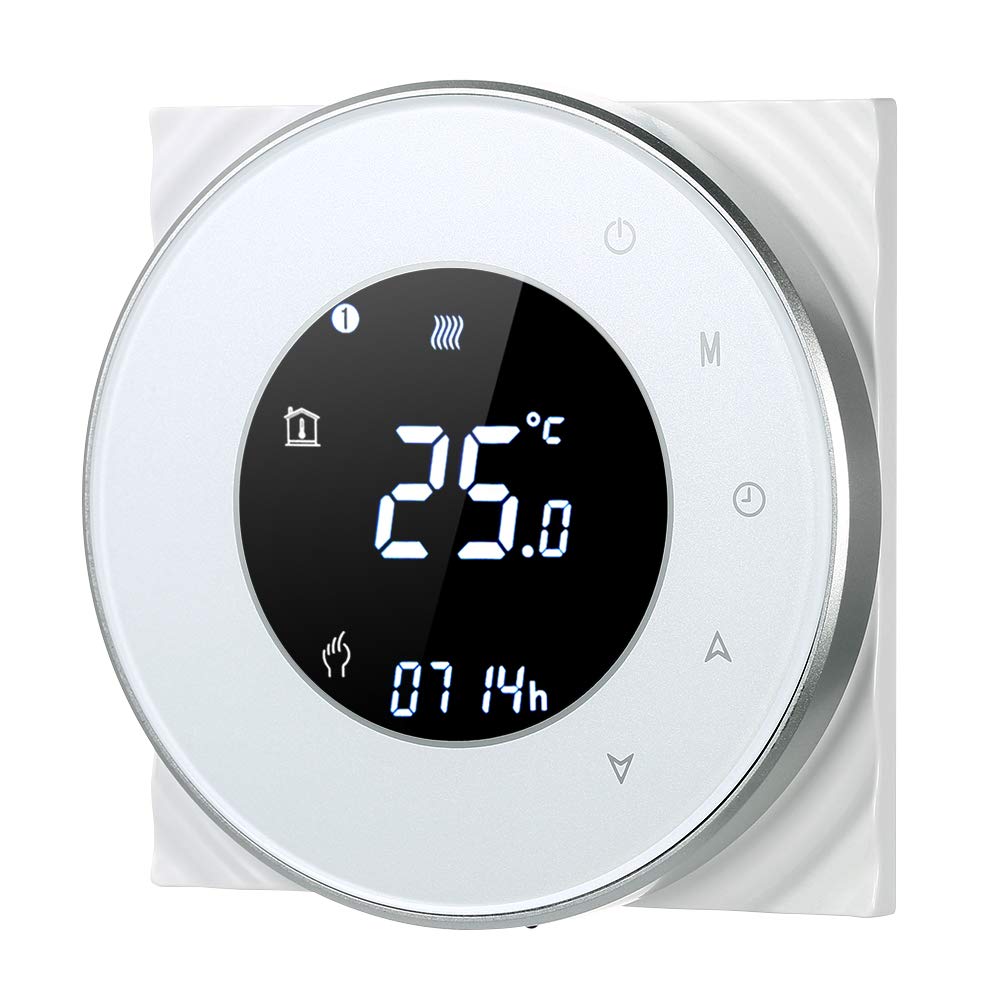
Figure 1: Decdeal Wi-Fi Programmable Smart Thermostat (White Model)
2. คุณสมบัติของผลิตภัณฑ์
- จอแสดงผล LCD พร้อมไฟแบ็คไลท์: Clear and easy-to-read data, even in low light conditions.
- High-Quality Thermostat: Specifically designed for gas boiler heating systems with responsive touch keys.
- โปรแกรมรายสัปดาห์: Features a 5+2 system with six programmable periods to optimize comfort and energy savings.
- ความแม่นยำสูง: Maintains temperature with a precision of 0.5°C.
- การควบคุมระยะไกลผ่านแอป: Conveniently manage your thermostat using your mobile device.
- ความเข้ากันได้ของการควบคุมด้วยเสียง: Works with Amazon Echo, Alexa, Google Home, and IFTTT.

Figure 2: Key Features of the Decdeal Smart Thermostat

รูปที่ 3: การบูรณาการระบบบ้านอัจฉริยะ
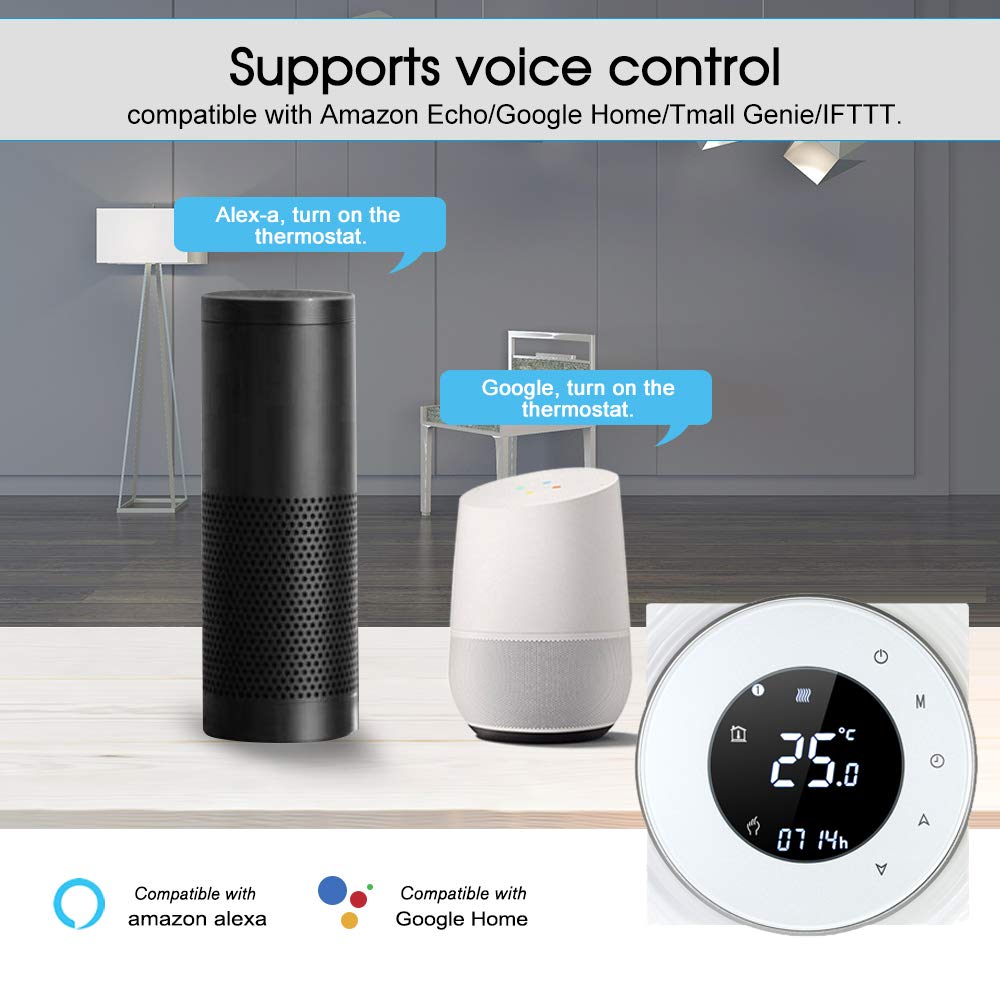
รูปที่ 4: ฟังก์ชันการควบคุมด้วยเสียง
3. อะไรอยู่ในกล่อง
- Decdeal Wi-Fi Programmable Smart Thermostat
- สกรูยึด
- คู่มือการใช้งานภาษาอังกฤษ

รูปที่ 5: สิ่งของในบรรจุภัณฑ์
4. ข้อมูลจำเพาะ
| คุณสมบัติ | รายละเอียด |
|---|---|
| ยี่ห้อ | เด็คดีล |
| หมายเลขรุ่น | XGJ3167046817164KD |
| ขนาดสินค้า | 3.8P x 9l x 9H ซม. |
| สี | สีขาว |
| ประเภทวัสดุ | อะคริโลไนไตรล์ บิวทาไดอีน สไตรีน (ABS) |
| เทคโนโลยีการเชื่อมต่อ | Wi-Fi (2.4 GHz เท่านั้น) |
| แหล่งพลังงาน | Wired Electric (240 Volt) |
| ประเภทจอภาพ | LCD พร้อม Backlight |
| ขนาดหน้าจอ | 5 เซนติเมตร |
| วิธีการควบคุม | แอป, รีโมท, สัมผัส, เสียง |
| ประเภทการติดตั้ง | ติดผนัง |
| ประเภทการควบคุมอุณหภูมิ | สามารถตั้งโปรแกรมได้ |
| การใช้งานเฉพาะ | Boiler Heating Systems (Model GC) |

รูปที่ 6: ขนาดผลิตภัณฑ์
5. การตั้งค่า
5.1. หมายเหตุสำคัญเกี่ยวกับความเข้ากันได้
This thermostat is Model GC, specifically designed for heating systems with gas boilers. Ensure your heating system is compatible before installation. The installation box should be a square 86x86mm or European round 60mm (not included).
5.2. Wiring Instructions (Model GC - Gas Boiler)
คำเตือน: Electrical installation should be performed by a qualified professional. Always turn off the main power supply before beginning any wiring work to prevent electric shock.
- Connect the clean contacts to terminals 1 and 2.
- Connect the neutral wire and live wire to terminals 3 and 4.
- Connect the temperature sensor to terminals 5 and 6 (if applicable).
Refer to the detailed wiring diagram in the included English User Manual for visual guidance.
5.3. การเชื่อมต่อแอพ
To connect your thermostat to the mobile app (e.g., Smart Life or Tuya Smart), follow these steps:
- Ensure your Wi-Fi network is 2.4 GHz. This product does not support 5G networks.
- Download the appropriate app (e.g., Smart Life or Tuya Smart) from your mobile device's app store.
- ลงทะเบียนหรือเข้าสู่ระบบบัญชีของคุณ
- On the thermostat, press and hold the "Down" button (triangle icon) for approximately 8 seconds until the Wi-Fi indicator on the display blinks rapidly, indicating pairing mode.
- In the app, tap "Add Device" or the "+" icon. The app should automatically discover the thermostat. If not, select "Small Home Appliances" then "Thermostat" or "HVAC" and follow the in-app instructions.
- Enter your 2.4 GHz Wi-Fi network password when prompted.
- Confirm the indicator is blinking in the app and proceed with the connection.
- Once connected, the thermostat will appear in your device list, and you can control it remotely.
For a visual guide on app connection, please refer to the video below:
Video 1: Demonstrating the Wi-Fi connection process for the Decdeal Smart Thermostat with a mobile app.
For additional support and an Italian language manual, you can visit this link: http://qr71.cn/o1gyMk/qVY1nSe
6. คู่มือการใช้งาน
6.1. การควบคุมด้วยตนเอง
The thermostat features a clear LCD display and intuitive touch buttons for direct control:

Figure 7: Thermostat Button Layout and Display Indicators
- Power Button (top right): กดเพื่อเปิดหรือปิดเทอร์โมสตัท
- ปุ่มโหมด (M): Cycles through different operating modes (e.g., Manual, Programmed).
- Clock Button (Clock icon): Used for setting the time and accessing programming settings.
- Up Button (Triangle pointing up): เพิ่มอุณหภูมิหรือเลือกตัวเลือกในเมนู
- Down Button (Triangle pointing down): ลดอุณหภูมิที่ตั้งไว้ หรือเลือกตัวเลือกในเมนู
To adjust the temperature manually, press the Up or Down buttons. The display will show the current set temperature. To switch between manual and programmed modes, use the Mode button.
6.2. การควบคุมและการตั้งเวลาแอปพลิเคชัน
The mobile app provides comprehensive control and scheduling capabilities:
- การปรับอุณหภูมิจากระยะไกล: Change the temperature from anywhere using your smartphone.
- Weekly Programming (5+2 System): Set up to six distinct time periods for weekdays (Monday-Friday), Saturday, and Sunday, each with its own temperature setting. This maximizes comfort and energy efficiency.
- การเลือกโหมด: Easily switch between manual, automatic (programmed), and other modes.
- การตั้งค่าขั้นสูง: Access additional settings and features not available directly on the thermostat.

รูปที่ 8: ส่วนติดต่อควบคุมแอปพลิเคชัน
7. การบำรุงรักษา
- การทำความสะอาด: Wipe the thermostat's surface with a soft, dry cloth. Avoid using abrasive cleaners, solvents, or chemical sprays, as these can damage the display or casing.
- หลีกเลี่ยงสิ่งกีดขวาง: Ensure no objects block the thermostat, as this can affect its temperature readings.
- แหล่งจ่ายไฟ: The thermostat requires a constant 240V wired electric supply. It does not operate on batteries.
8 การแก้ไขปัญหา
| ปัญหา | สาเหตุที่เป็นไปได้ | สารละลาย |
|---|---|---|
| Thermostat does not power on after connection. | เดินสายไม่ถูกต้องหรือไม่มีแหล่งจ่ายไฟ | Verify wiring according to Section 5.2. Ensure main power supply is ON. If unsure, consult a qualified electrician. |
| ไม่สามารถเชื่อมต่อ Wi-Fi หรือแอปได้ | Incorrect Wi-Fi frequency (5G instead of 2.4 GHz) or incorrect pairing procedure. | Ensure your router is broadcasting a 2.4 GHz Wi-Fi signal and your phone is connected to it during setup. Follow app connection steps in Section 5.3 carefully. Reset the thermostat if necessary (refer to app instructions for reset). |
| การอ่านอุณหภูมิดูไม่แม่นยำ | Thermostat location or external factors. | ตรวจสอบให้แน่ใจว่าเทอร์โมสตัทไม่ได้สัมผัสกับแสงแดดโดยตรง ลมโกรก หรือแหล่งความร้อน (เช่นampเครื่องใช้ไฟฟ้า) ที่อาจส่งผลกระทบต่อเซ็นเซอร์ |
| ระบบทำความร้อนไม่ตอบสนองต่อการตั้งค่าของเทอร์โมสตัท | Wiring issue, boiler problem, or incorrect mode. | Check wiring connections. Ensure the thermostat is in the correct operating mode (e.g., heating mode, not off). Verify your boiler is functioning correctly. |
9. การรับประกันและการสนับสนุน
For warranty information, please refer to the documentation provided at the time of purchase or contact your retailer. For technical support or further assistance, please contact Decdeal customer service through the official channels provided with your product or on the Decdeal webเว็บไซต์.