
1. บทนำ
The rockspace AC1200 WiFi Extender is designed to expand your existing wireless network coverage, eliminating dead zones and providing a stable internet connection throughout your home or office. This dual-band amplifier supports both 2.4GHz and 5GHz frequencies, offering versatile connectivity options for various devices. Equipped with an Ethernet port, it also supports a Gigabit Wired Mode for stable data transmission.
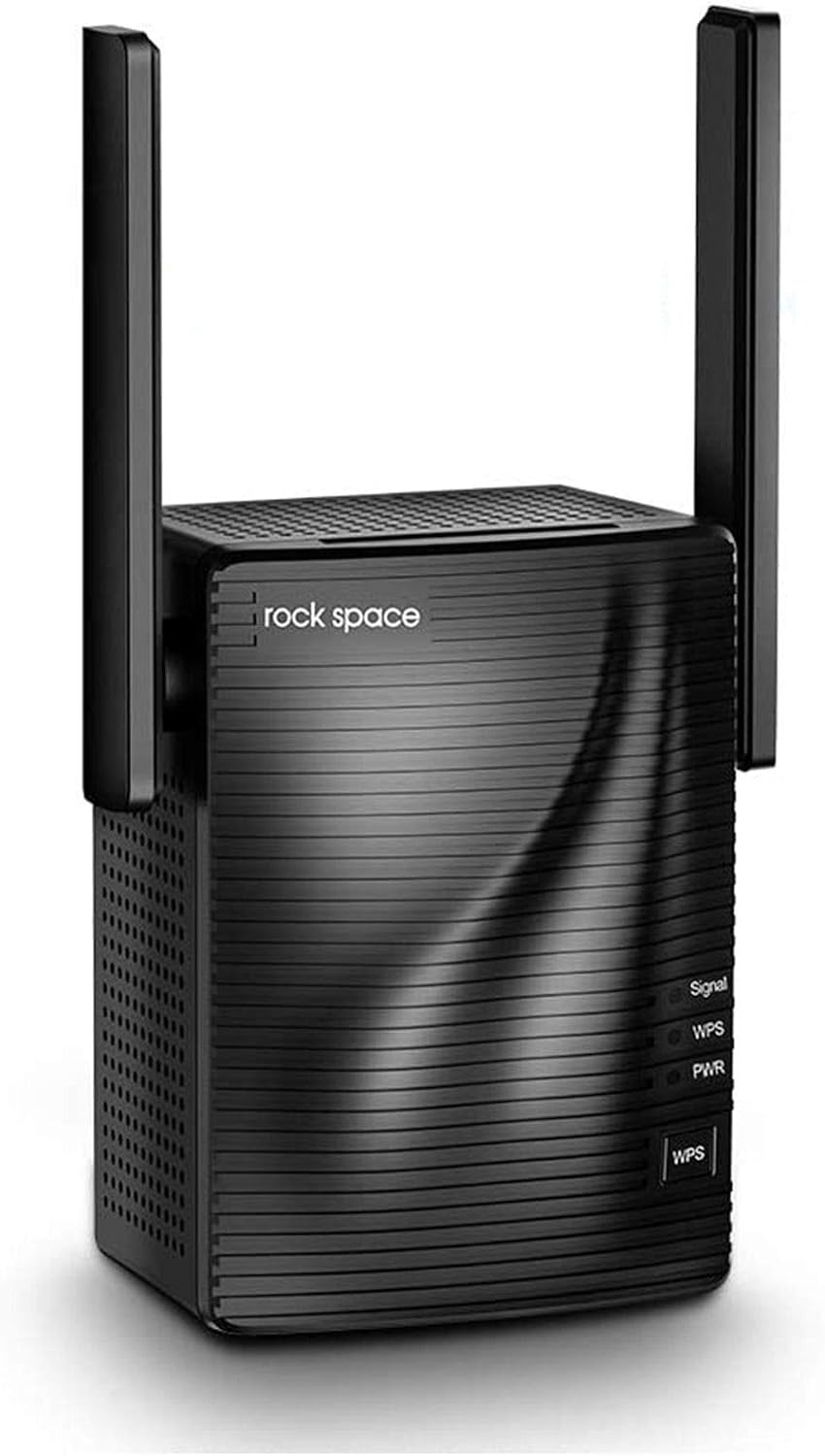
Figure 1: rockspace AC1200 WiFi Extender
2. การตั้งค่า
Setting up your rockspace AC1200 WiFi Extender is a quick and straightforward process, often achievable in under a minute using the WPS button or a webอินเทอร์เฟซแบบอิง
2.1. Quick Setup via WPS Button
- Plug the rockspace extender into a power outlet near your main router.
- Wait for the Power LED on the extender to turn solid blue.
- กดปุ่ม WPS บนเราเตอร์หลักของคุณ
- Within two minutes, press the WPS button on your rockspace extender.
- The Signal LED on the extender will turn solid blue, indicating a successful connection.
2.2. Web-Based Setup
- Plug the rockspace extender into a power outlet.
- On your computer or mobile device, connect to the extender's default Wi-Fi network (e.g., "rockspace_EXT").
- เปิด web browser and enter the default IP address or domain provided in the quick start guide (usually 192.168.0.254 or re.rockspace.local).
- Follow the on-screen instructions to select your main Wi-Fi network(s) and enter the password.
- Once configured, the extender will reboot and connect to your main network.
For optimal performance, relocate the extender to a location roughly halfway between your router and the Wi-Fi dead zone. Ensure the Signal LED remains solid blue for a strong connection.
Video 1: rockspace WiFi Extender Overview และการตั้งค่า
3. โหมดการทำงาน
The rockspace AC1200 WiFi Extender offers flexible operating modes to suit your networking needs:
3.1. Repeater Mode (Wireless Extension)
In Repeater Mode, the extender wirelessly connects to your existing router and rebroadcasts the signal, extending Wi-Fi coverage to areas with weak or no signal. This mode is ideal for eliminating dead zones and providing seamless connectivity for mobile devices, smart home gadgets, and other wireless clients.

Figure 2: Wi-Fi coverage extended by the rockspace AC1200 Extender
3.2. Access Point Mode (Wired Connection)
Utilize the Gigabit Ethernet port to connect the extender to your router via an Ethernet cable. In Access Point Mode, the extender creates a new wireless network, converting a wired connection into a wireless hotspot. This provides a stable and high-speed Wi-Fi connection, especially beneficial for devices requiring consistent bandwidth like gaming consoles, smart TVs, or desktop computers.

Figure 3: Gigabit Wired Mode for stable network performance
3.3. Dual-Band Operation (2.4GHz & 5GHz)
The AC1200 supports simultaneous dual-band operation:
- ย่านความถี่ 2.4GHz: Offers wider coverage and better penetration through walls and obstacles, suitable for general internet use, browsing, and connecting devices like security cameras and doorbells. (Up to 300Mbps)
- ย่านความถี่ 5GHz: Provides faster speeds and lower latency, ideal for bandwidth-intensive activities such as online gaming, 4K video streaming, and video conferencing. (Up to 867Mbps)

Figure 4: Dual-Band Technology for diverse connectivity needs
Video 2: AC1200 WiFi Extender Features
4. การบำรุงรักษา
To ensure the longevity and optimal performance of your rockspace AC1200 WiFi Extender, consider the following maintenance tips:
- การจัดวาง: Avoid placing the extender near large metal objects, concrete walls, or appliances that emit electromagnetic interference (e.g., microwaves, cordless phones).
- อัพเดตเฟิร์มแวร์: Regularly check for and install firmware updates through the Tether app or web interface to benefit from improved performance, security patches, and new features.
- การทำความสะอาด: Keep the device clean and free from dust accumulation, especially around ventilation areas, to prevent overheating.
- การรีบูต: Periodically reboot the extender (and your main router) to refresh network connections and resolve minor performance issues.
5 การแก้ไขปัญหา
If you encounter issues with your rockspace AC1200 WiFi Extender, refer to the following common troubleshooting steps:
- ไม่มีพลังงาน/ไฟ LED ดับ: ตรวจสอบให้แน่ใจว่าเสียบปลั๊กตัวขยายสัญญาณเข้ากับเต้ารับไฟฟ้าที่ใช้งานได้สนิทแล้ว ลองเสียบกับเต้ารับอื่นดู
- Weak Signal (Signal LED not solid blue): Relocate the extender closer to your main router. Ensure there are minimal obstructions between the extender and the router.
- ไม่มีอินเทอร์เน็ต: Verify that your main router has an active internet connection. Reboot both your router and the extender.
- ความล้มเหลวในการเชื่อมต่อ WPS: Ensure you press the WPS button on both the router and extender within the specified time frame (usually 2 minutes). If it fails, try the webการตั้งค่าตาม
- ความเร็วช้า: While extenders improve coverage, they do not directly increase your internet speed. Ensure your extender is placed optimally to receive a strong signal from the router. Consider using the 5GHz band for faster speeds if your devices support it.
- รีเซ็ตเป็นค่าเริ่มต้นจากโรงงาน: If all else fails, perform a factory reset. Locate the reset button (usually a small pinhole) on the extender, press and hold it for about 5-10 seconds until the LEDs flash, then release. This will restore the extender to its default settings, requiring re-setup.
คำถามที่พบบ่อย (FAQ)
- Does a Wi-Fi extender increase Wi-Fi speed?
A Wi-Fi extender primarily extends Wi-Fi coverage and does not boost the speed of your original router. Improving signal reliability can sometimes affect overall throughput positively. - Would the WPS light turn off after successful installation?
The WPS indicator will turn off after a successful quick installation using the WPS button. The signal and power lights should be solid blue. A blinking or yellow signal light indicates a weak connection between the extender and the router.
6. ข้อมูลจำเพาะ
| คุณสมบัติ | รายละเอียด |
|---|---|
| ยี่ห้อ | ร็อคสเปซ |
| หมายเลขรุ่น | เอซี1200 |
| ประเภทไร้สาย | 802.11a, 802.11b, 802.11g, 802.11n |
| อัตราการถ่ายโอนข้อมูล | 1200 เมกะบิตต่อวินาที (300 เมกะบิตต่อวินาที บนคลื่นความถี่ 2.4 GHz, 867 เมกะบิตต่อวินาที บนคลื่นความถี่ 5 GHz) |
| ระดับย่านความถี่ | ดูอัลแบนด์ (2.4GHz และ 5GHz) |
| พอร์ตอีเทอร์เน็ต | พอร์ตกิกะบิตอีเทอร์เน็ต |
| ความครอบคลุม | สูงสุด 1292 ตารางฟุต |
| ขนาด (กxยxส) | 2.95 x 2.95 x 3.15 นิ้ว |
| น้ำหนักสินค้า | 6.1 ออนซ์ |
7. การรับประกันและการสนับสนุน
For warranty information, technical support, or further assistance, please refer to the official rockspace webตรวจสอบรายละเอียดเพิ่มเติมได้ที่เว็บไซต์หรือติดต่อฝ่ายบริการลูกค้าโดยตรง โดยปกติรายละเอียดจะระบุไว้ในบรรจุภัณฑ์ของผลิตภัณฑ์หรือเว็บไซต์ของผู้ผลิต webเว็บไซต์.