
การแนะนำ
Thank you for choosing the AGPTEK M16SB 16GB Bluetooth MP3 Player. This manual provides detailed instructions for setting up, operating, and maintaining your device. Please read it carefully to ensure proper use and to maximize your listening experience.
สินค้าเกินview
ทำความคุ้นเคยกับส่วนประกอบและปุ่มควบคุมของอุปกรณ์

ภาพ: ด้านหน้าและด้านข้าง view of the AGPTEK M16SB MP3 player with numbered labels indicating each button and port function.
คำจำกัดความของปุ่ม:
- กลับ: Navigates back to the previous menu.
- Bluetooth/FM Radio: Short press for Bluetooth, long press for FM Radio.
- Submenu/Screen-lock: Accesses submenus or locks/unlocks the screen.
- ขยับขึ้น: เลื่อนขึ้นในเมนู
- Previous/Fast rewind: Skips to the previous track or fast rewinds during playback.
- ย้ายลง: เลื่อนลงในเมนูต่างๆ
- Next/Fast forward: Skips to the next track or fast forwards during playback.
- Enter/Play/Pause: Confirms selection or plays/pauses media.
- ปริมาณ +: เพิ่มปริมาณเสียง
- ปริมาณ -: ลดระดับเสียง
- Power on/off; Screen on/off: Powers the device on/off or turns the screen on/off.
Ports and Features:
- Card slot (TF): For Micro SD card expansion up to 128GB.
- แจ็คหูฟัง: 3.5mm audio output for wired headphones.
- พอร์ต Micro USB: สำหรับการชาร์จและถ่ายโอนข้อมูล
- ลำโพงในตัว: สำหรับการเล่นเสียงโดยไม่ต้องใช้หูฟัง
- ไมโครโฟน (MIC): สำหรับการบันทึกเสียง
การตั้งค่า
1. การชาร์จอุปกรณ์
Before first use, fully charge the MP3 player. A full charge takes approximately 2 hours using a 5V/500mA charger or a computer USB port.

ภาพ: A person relaxing while listening to the MP3 player, with text indicating "2 HOURS for full charge" and "28-30 hours playtime".
- Connect the Micro USB cable to the player's Micro USB port and the other end to a USB power source.
- ตัวแสดงสถานะแบตเตอรี่บนหน้าจอจะแสดงสถานะการชาร์จ
- Once fully charged, the device offers up to 28 hours of music playback (screen off, medium volume) or 5 hours via Bluetooth headphones.
2. เปิด/ปิดเครื่อง
- หากต้องการเปิดเครื่อง ให้กดค้างไว้ ปุ่มเปิด/ปิด (11) จนกว่าหน้าจอจะสว่างขึ้น
- ในการปิดเครื่องให้กดปุ่ม ปุ่มเปิด/ปิด (11) จนกว่าเครื่องจะปิด
- กด shortสั้น ๆ ปุ่มเปิด/ปิด (11) will turn the screen on or off.
3. การใส่การ์ด Micro SD
The device has 16GB of internal memory and supports external Micro SD cards up to 128GB (not included).

ภาพ: รายละเอียด view of the MP3 player's side, highlighting the TF card slot with a Micro SD card partially inserted, indicating 16GB internal memory and support for up to 128GB external storage.
- ค้นหาตำแหน่ง Card slot (TF) (12) on the side of the player.
- ค่อยๆ ใส่การ์ด Micro SD ลงในช่องจนกระทั่งคลิกเข้าที่
- ในการถอด ให้ดันการ์ดเข้าไปเล็กน้อยจนกระทั่งการ์ดเด้งออกมา
คำแนะนำการใช้งาน
1. การนำทางพื้นฐาน
- ใช้ Move up (4) และ Move down (6) buttons to navigate through menus.
- กดปุ่ม Enter/Play/Pause button (8) เพื่อเลือกตัวเลือก
- กดปุ่ม Return button (1) เพื่อกลับไปยังหน้าจอที่แล้ว
- ปรับระดับเสียงโดยใช้ Volume + (9) และ Volume - (10) ปุ่มด้านข้าง
2. การเล่นเพลง
The player supports MP3, WMA, OGG, APE, FLAC, WAV, AAC-LC, and ACELP audio formats.

ภาพ: A person holding the AGPTEK MP3 player, displaying the music playback interface with track information and a Bluetooth connection indicator.
- จากเมนูหลัก เลือก "เพลง"
- Browse by Artist, Album, Songs, Playlists, or Folder.
- กด Enter/Play/Pause (8) เพื่อเริ่มหรือหยุดการเล่นชั่วคราว
- ใช้ Previous/Fast rewind (5) และ Next/Fast forward (7) to change tracks or fast forward/rewind.
- Access submenus (e.g., Equalizer, Repeat Mode) by pressing the Submenu button (3) ในระหว่างการเล่น
3. การจับคู่บลูทู ธ
Connect your MP3 player to Bluetooth headphones or speakers for wireless audio.

ภาพ: An illustration demonstrating three audio output options for the MP3 player: wired headphones for private listening, the built-in speaker for sharing, and a Bluetooth speaker for party settings.
- จากเมนูหลัก เลือก "บลูทูธ"
- หรือกดสั้นๆ Bluetooth/FM Radio button (2) to quickly enable Bluetooth.
- โปรดตรวจสอบให้แน่ใจว่าอุปกรณ์บลูทูธของคุณ (หูฟัง/ลำโพง) อยู่ในโหมดจับคู่แล้ว
- เครื่องเล่นจะสแกนหาอุปกรณ์ที่ใช้งานได้ เลือกอุปกรณ์ของคุณจากรายการเพื่อทำการจับคู่
- The player supports automatic reconnection to previously paired devices.
4. วิทยุ FM
Listen to FM radio stations. Wired headphones must be connected as they act as the antenna.
- Connect wired headphones to the Earphone jack (13).
- จากเมนูหลัก เลือก "วิทยุ FM"
- Alternatively, long press the Bluetooth/FM Radio button (2) to quickly enter FM Radio mode.
- Use the navigation buttons to scan for stations or select from presets.
- The radio function allows saving up to 30 preset stations and supports FM recording.
5. ฟังก์ชั่นอื่นๆ
- เครื่องบันทึกเสียง: Select "Record" from the main menu to use the built-in microphone for voice recording.
- หนังสืออิเล็กทรอนิกส์: Read TXT format e-books by selecting "E-book".
- วีดีโอ: Play AMV format videos by selecting "Video".
- ภาพ Viewเอ่อ: Browse JPG, GIF, and BMP images by selecting "Pictures".
- การตั้งค่า: Access various device settings, including equalizer, volume limit, display brightness, and timed shutdown.
การซ่อมบำรุง
1. อัพเดตเฟิร์มแวร์
Free firmware updates are available to improve device performance and add new features.
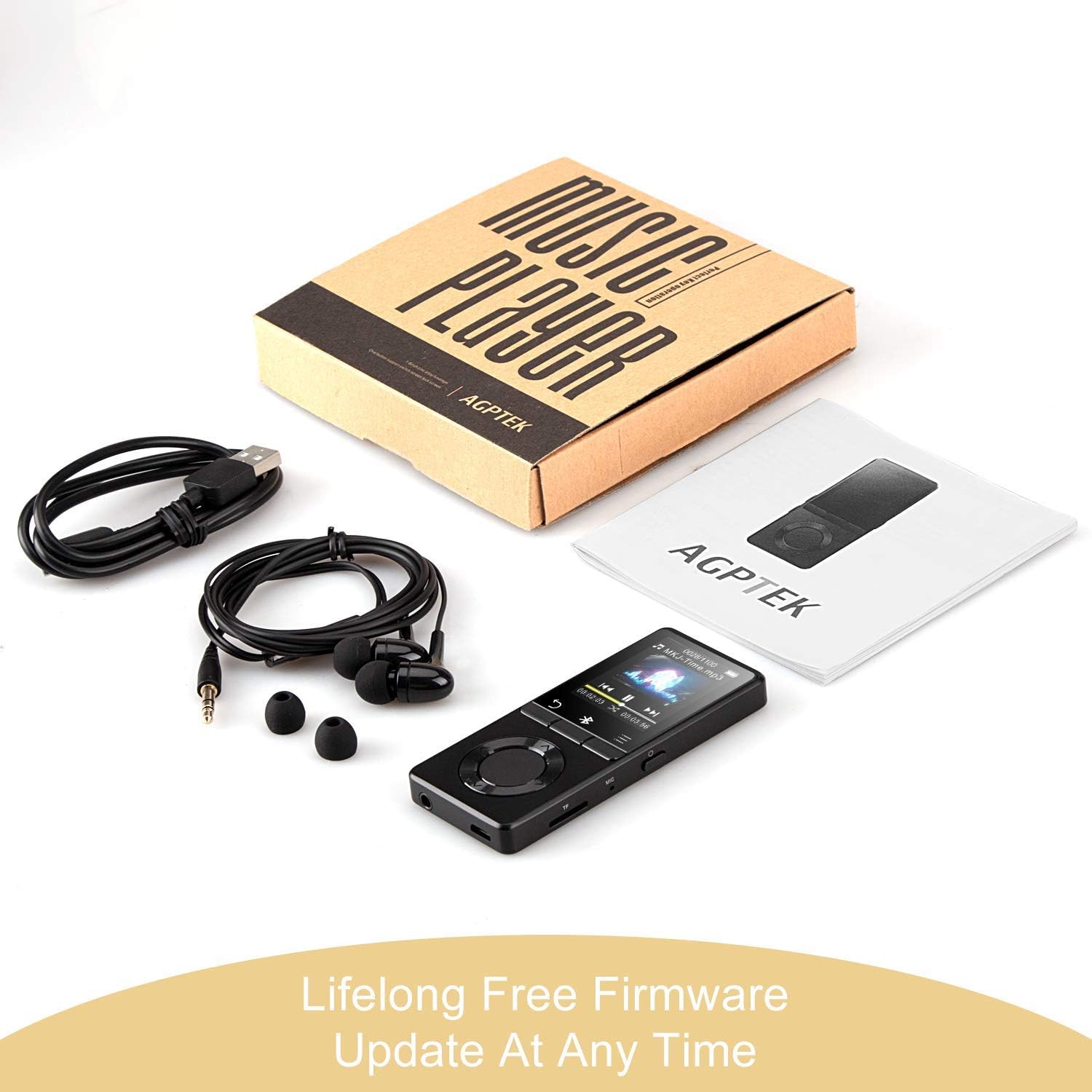
ภาพ: The AGPTEK MP3 player, its packaging, and included accessories (earphones, USB cable), emphasizing the availability of lifelong free firmware updates.
- เยี่ยมชม AGPTEK อย่างเป็นทางการ webเว็บไซต์สำหรับเฟิร์มแวร์ล่าสุดและคำแนะนำ
- Follow the provided instructions carefully to update your device.
2. การทำความสะอาด
- Use a soft, dry cloth to clean the device's exterior.
- หลีกเลี่ยงการใช้น้ำยาทำความสะอาดชนิดน้ำหรือวัสดุที่มีฤทธิ์กัดกร่อน
การแก้ไขปัญหา
- อุปกรณ์ไม่เปิด: ตรวจสอบให้แน่ใจว่าแบตเตอรี่ชาร์จเต็มแล้ว เสียบอุปกรณ์ชาร์จแล้วลองอีกครั้ง
- ไม่มีเสียง: Check volume levels. Ensure headphones are properly connected or Bluetooth device is paired and connected. If using the built-in speaker, ensure it is enabled in settings.
- ปัญหาการเชื่อมต่อบลูทูธ: Ensure the Bluetooth device is in pairing mode and within range. Disconnect the MP3 player from other Bluetooth devices if it was previously paired elsewhere.
- Fileไม่ได้เล่น: Verify that the audio/video file format is supported (MP3, WMA, OGG, APE, FLAC, WAV, AAC-LC, ACELP for audio; AMV for video).
- อุปกรณ์ไม่ตอบสนอง: Press and hold the Power button for 10-15 seconds to force a reset.
- Micro SD card not detected: Ensure the card is inserted correctly. Try reinserting or using a different card to rule out card issues.
- Issues during PC sync: Avoid altering files directly in the player's window while synced. Make changes on the PC, then re-upload. If the player crashes, perform a long press on the power button to reset.
ข้อมูลจำเพาะ
| ยี่ห้อ | AGPTEK |
| ชื่อรุ่น | AGPTEK 16GB Bluetooth 4.0 MP3 Player with Touch Buttons |
| หมายเลขรุ่น | M16SB-EU |
| เทคโนโลยีการเชื่อมต่อ | บลูทูธ |
| ความจุของหน่วยความจำ | 16 GB (expandable up to 128 GB with Micro SD card) |
| สี | สีดำ |
| ขนาดหน้าจอ | 1.8 นิ้ว |
| อุปกรณ์ที่รองรับ | Headphones, Personal Computer |
| ประเภทสื่อ | เอ็มพี 3 |
| มาตรฐานเสียงที่รองรับ | AAC, ACELP, APE, FLAC, MP3, OGG, WAV, WMA |
| มาตรฐานวิดีโอที่รองรับ | เอเอ็มวี |
| Supported Image Standards | JPG, GIF, BMP |
| อายุการใช้งานแบตเตอรี่ (การเล่นเพลง) | Up to 28 hours (screen off, medium volume) |
| อายุการใช้งานแบตเตอรี่ (การเล่นผ่านบลูทูธ) | นานถึง 5 ชั่วโมง |
| เวลาในการชาร์จ | ประมาณ 2 ชั่วโมง |
การรับประกันและการสนับสนุน
AGPTEK is committed to providing reliable and high-quality products. While specific warranty details are not provided in this manual, AGPTEK offers free firmware updates and customer support.
- For any product issues or inquiries, please contact AGPTEK customer service.
- Refer to the official AGPTEK website for support contact information and the latest firmware updates.