
1. บทนำ
Thank you for choosing the Intex 10000mAh PB-10K Poly Li-Polymer Mobile Battery Charger Power Bank. This device is designed to provide portable power for your mobile devices, ensuring you stay connected on the go. Please read this manual carefully before using the product to ensure safe and optimal performance. Keep this manual for future reference.
2. ข้อมูลด้านความปลอดภัย
เพื่อป้องกันการบาดเจ็บหรือความเสียหายต่ออุปกรณ์ของคุณ โปรดปฏิบัติตามข้อควรระวังด้านความปลอดภัยดังต่อไปนี้:
- ห้ามให้พาวเวอร์แบงค์สัมผัสกับอุณหภูมิที่สูงหรือต่ำเกินไป แสงแดดโดยตรง หรือเปลวไฟ
- ห้ามจุ่มพาวเวอร์แบงค์ลงในน้ำหรือของเหลวอื่นๆ
- Do not disassemble, modify, or attempt to repair the power bank yourself.
- เก็บให้พ้นจากมือเด็ก
- ใช้เฉพาะสายชาร์จและอะแดปเตอร์ที่ผ่านการรับรองเท่านั้น
- หลีกเลี่ยงการทำพาวเวอร์แบงค์ตกหรือกระแทกแรงๆ
- หากพาวเวอร์แบงค์บวม มีกลิ่น หรือร้อนขึ้นขณะใช้งานหรือชาร์จ ให้หยุดใช้งานทันที
- ทิ้งพาวเวอร์แบงค์อย่างมีความรับผิดชอบตามกฎระเบียบท้องถิ่น
3. สินค้าหมดview
The Intex PB-10K power bank features a compact design with multiple charging options and an LED display for battery status.
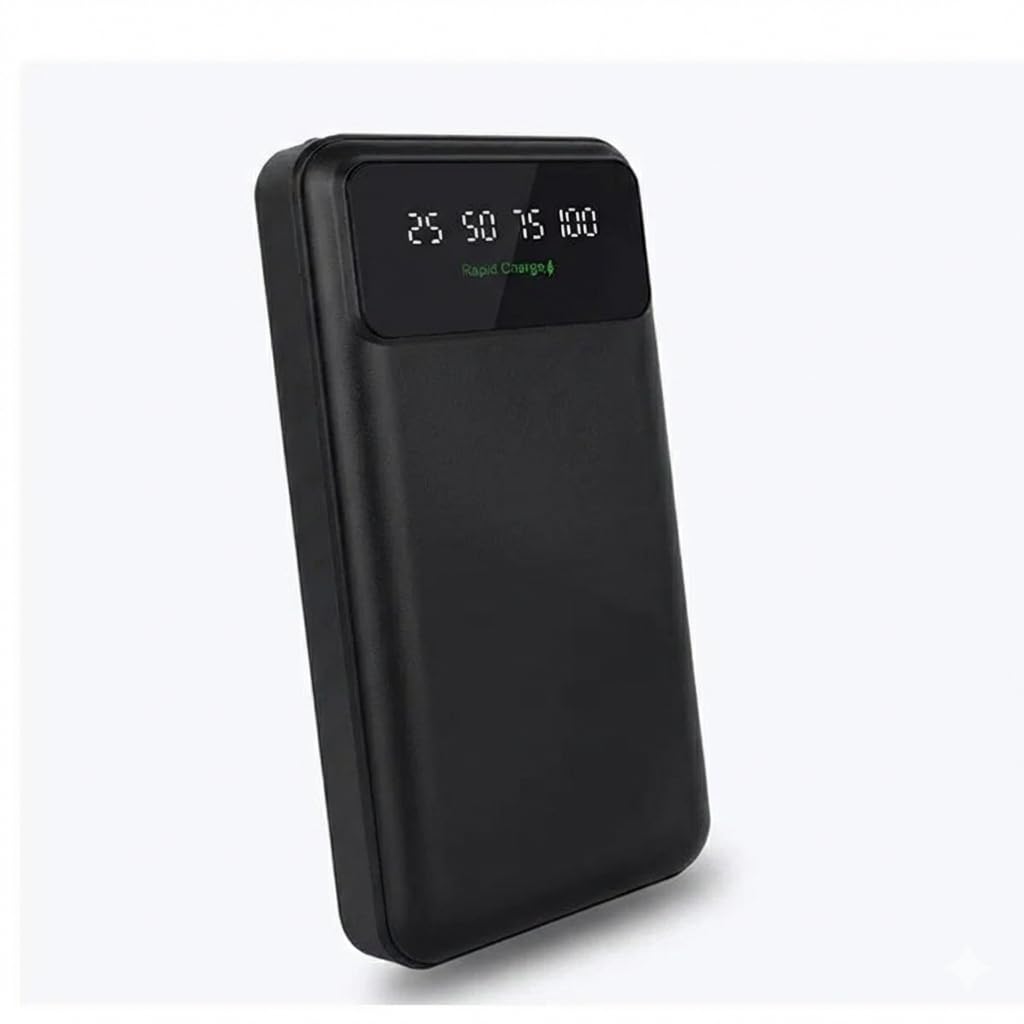
รูปที่ 1: Intex PB-10K Power Bank with LED display, showing rapid charge capability and PD 3.0 Type-C output. The display indicates battery percentage (25, 50, 75, 100) and charging status.
3.1 เนื้อหาบรรจุภัณฑ์
- Intex 10000mAh PB-10K Power Bank
- สายชาร์จ USB
- คู่มือการใช้งาน
3.2 คุณสมบัติ
- ความจุ 10000mAh: สามารถชาร์จสมาร์ทโฟนส่วนใหญ่ได้หลายครั้ง
- Li-Polymer Battery: Ensures safety and efficiency.
- จอแสดงผล LED: แสดงเปอร์เซ็นต์แบตเตอรี่ที่เหลืออย่างชัดเจนtage (25%, 50%, 75%, 100%)
- ชาร์จเร็ว: Supports faster charging for compatible devices.
- PD 3.0 Type-C Output: Offers versatile and fast charging via the Type-C port.
- พกพาสะดวกและมีน้ำหนักเบา: พกพาสะดวก เหมาะสำหรับการเดินทางและการใช้งานในชีวิตประจำวัน
4. การตั้งค่า
4.1 การชาร์จพาวเวอร์แบงค์
Before first use, fully charge your Intex PB-10K power bank.
- Connect the provided USB charging cable to the input port of the power bank (Micro USB or Type-C, depending on the model).
- ต่อปลายอีกด้านของสายเคเบิลเข้ากับอะแดปเตอร์ USB ติดผนัง (ไม่ได้รวมอยู่ในชุด) หรือพอร์ต USB ของคอมพิวเตอร์
- The LED display will show the charging progress. When all indicators are lit or the display shows 100%, the power bank is fully charged.
- ถอดสายเคเบิลออกเมื่อชาร์จเสร็จแล้ว
Note: For optimal charging speed, use a wall adapter with appropriate power output.
5. คู่มือการใช้งาน
5.1 การชาร์จอุปกรณ์มือถือของคุณ
- Connect your device's charging cable to one of the output ports on the power bank (USB-A or Type-C).
- เชื่อมต่อปลายสายอีกด้านหนึ่งเข้ากับอุปกรณ์มือถือของคุณ
- พาวเวอร์แบงค์จะเริ่มชาร์จอุปกรณ์ของคุณโดยอัตโนมัติ หน้าจอ LED จะแสดงระดับแบตเตอรี่ที่เหลืออยู่ของพาวเวอร์แบงค์
- เมื่ออุปกรณ์ของคุณชาร์จเต็มแล้ว ให้ถอดอุปกรณ์ออกจากพาวเวอร์แบงค์
Note: The power bank may automatically turn off after your device is fully charged or if no device is connected for a period.
5.2 การตรวจสอบระดับแบตเตอรี่
Press the power button (if available) or simply connect a device to see the current battery level on the LED display. The display will show the percentage in increments (e.g., 25, 50, 75, 100).
6. การบำรุงรักษา
- การทำความสะอาด: ใช้ผ้านุ่มและแห้งเช็ดทำความสะอาดพาวเวอร์แบงค์ ห้ามใช้สารเคมีรุนแรงหรือวัสดุที่มีฤทธิ์กัดกร่อน
- พื้นที่จัดเก็บ: Store the power bank in a cool, dry place away from direct sunlight and extreme temperatures. If storing for extended periods, charge the power bank to about 50-75% every 3 months to prolong battery life.
- การดูแลแบตเตอรี่ Avoid fully discharging the power bank regularly, as this can reduce its overall lifespan.
7 การแก้ไขปัญหา
| ปัญหา | สาเหตุที่เป็นไปได้ | สารละลาย |
|---|---|---|
| พาวเวอร์แบงค์ชาร์จไม่เข้า | Cable is faulty; adapter is not working; power bank is fully charged. | Try a different charging cable and adapter. Check the LED display for battery level. |
| อุปกรณ์ไม่ได้ชาร์จจากพาวเวอร์แบงค์ | Power bank is discharged; cable is faulty; device is incompatible; power bank is in standby mode. | Recharge the power bank. Try a different charging cable. Ensure your device is compatible. Press the power button on the power bank to activate it. |
| ชาร์จช้า | Cable or adapter is low power; device does not support rapid charging. | Use a high-quality, rapid-charge compatible cable and adapter. Ensure your device supports rapid charging. |
8. ข้อมูลจำเพาะ
| คุณสมบัติ | รายละเอียด |
|---|---|
| ยี่ห้อ | อินเท็กซ์ |
| หมายเลขรุ่น | PB-10K poly |
| ความจุของแบตเตอรี่ | 10000 มิลลิวินาทีampก่อนชั่วโมง (mAh) |
| ส่วนประกอบของเซลล์แบตเตอรี่ | ลิเธียมโพลีเมอร์ |
| น้ำหนักแบตเตอรี่ | 100 กรัม |
| สี | สีดำ |
| ผู้ผลิต | Intex Technologies P Ltd |
9. การรับประกันและการสนับสนุน
For warranty information and customer support, please refer to the warranty card included with your product or visit the official Intex webไซต์ โปรดเก็บใบเสร็จรับเงินไว้เป็นหลักฐานการซื้อสำหรับการเรียกร้องการรับประกัน