
XUNATA 12V10MRGBWW5AUS65-1
XUNATALED 12V 33ft 600 Units SMD 5050 RGB+Warm White LED Strip Lights Kit Instruction Manual
Model: 12V10MRGBWW5AUS65-1
1. สินค้าหมดview
The XUNATALED LED Strip Lights Kit provides flexible, color-changing illumination for various indoor and outdoor applications. This kit includes 33 feet of SMD 5050 LED strips with 600 units, offering both RGB and warm white lighting options. Control is managed via a 40-key IR remote, powered by a 12V supply.
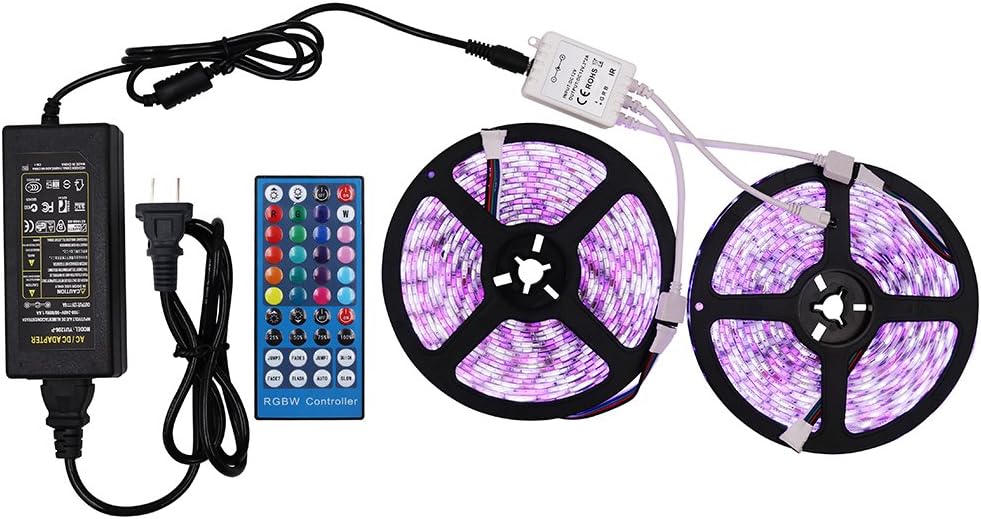
Image 1.1: Complete XUNATALED LED Strip Lights Kit, including two rolls of LED strips, a 40-key IR remote control, an IR receiver, and a 12V power adapter.
The strips are designed for versatility, featuring a waterproof construction (IP65) and a self-adhesive backing for easy installation. They are suitable for decorative lighting in areas such as kitchens, bedrooms, and outdoor spaces.

Image 1.2: Various application examples showing the XUNATALED LED strip lights installed in a kitchen under cabinets and behind a bed headboard, demonstrating their decorative potential.
2. อะไรอยู่ในกล่อง
Your XUNATALED LED Strip Lights Kit includes the following components:
- LED Strip Lights (33ft, 600 units SMD 5050, RGB+Warm White)
- รีโมทคอนโทรลอินฟราเรด 40 ปุ่ม
- IR Receiver/Controller
- 12V Power Supply/Adapter

ภาพที่ 2.1: รายละเอียด view of the kit components, including the LED strip reels, IR remote, IR receiver, and power adapter.
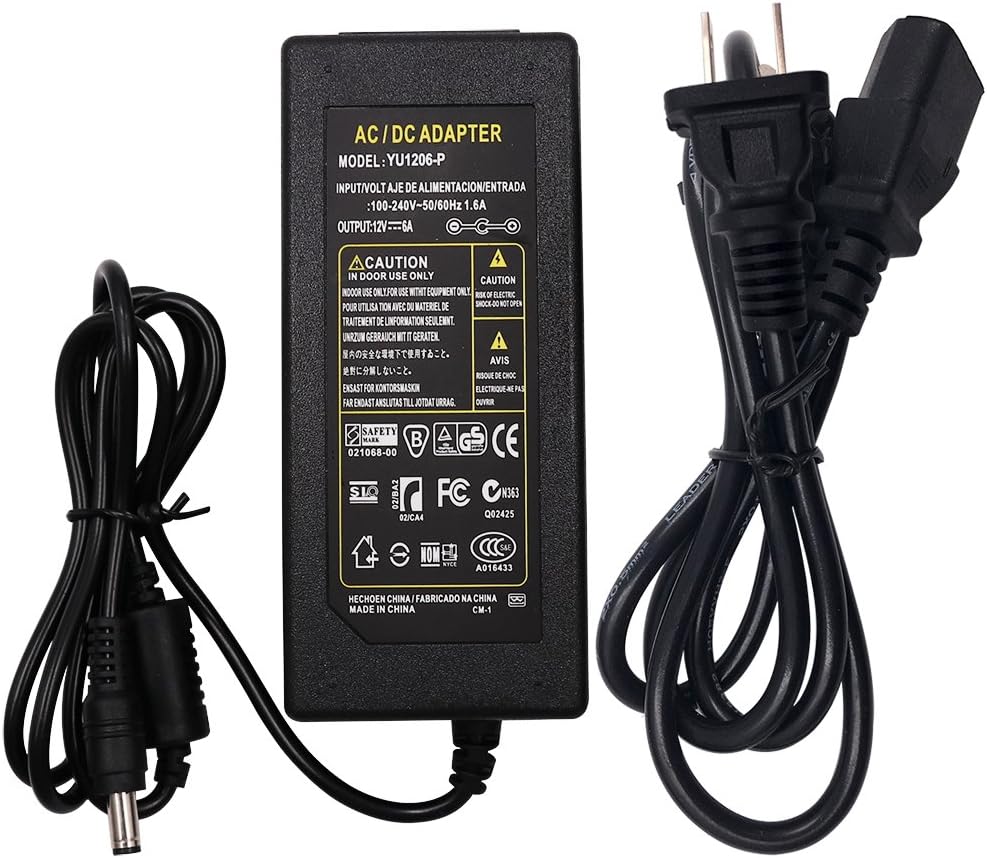
Image 2.2: Close-up of the 12V AC/DC power adapter included in the kit, showing input/output specifications.
3. ข้อมูลจำเพาะ
| คุณสมบัติ | ข้อมูลจำเพาะ |
|---|---|
| ยี่ห้อ | XUNATA |
| หมายเลขรุ่น | 12V10MRGBWW5AUS65-1 |
| ประเภทแหล่งกำเนิดแสง | LED (SMD 5050) |
| จำนวนแหล่งกำเนิดแสง | 600 หน่วย |
| ความยาว | 33 ฟุต (ประมาณ 10 เมตร) |
| สี | RGB + ขาวอุ่น |
| เล่มที่tage | 12 โวลต์ (กระแสตรง) |
| แหล่งพลังงาน | อะแดปเตอร์ DC |
| วิธีการควบคุม | รีโมทคอนโทรลอินฟราเรด 40 ปุ่ม |
| ระดับการกันน้ำ | IP65 (Indoor/Outdoor Usage) |
| คุณสมบัติพิเศษ | Flexible, Self-adhesive backing, Cuttable |
4. คำแนะนำในการตั้งค่า
- เตรียมพื้นผิว: Ensure the installation surface is clean, dry, and smooth. Dust, oil, or moisture can affect the adhesive's effectiveness.
- วัดและตัด (ไม่บังคับ): If necessary, measure the desired length for your installation. The LED strips can be cut along the designated marks (usually indicated by a copper pad and a scissor icon). Do not cut in other areas, as this will damage the strip.
- ติดแถบ: Peel off the protective backing from the 3M adhesive tape on the back of the LED strip. Carefully press the strip onto the desired surface, ensuring firm contact.
- เชื่อมต่อตัวรับสัญญาณอินฟราเรด: Connect the 4-pin connector of the LED strip to the IR receiver/controller. Ensure the arrows on both connectors align correctly.
- เชื่อมต่อแหล่งจ่ายไฟ: Plug the DC output of the 12V power adapter into the input port of the IR receiver.
- เปิดเครื่อง: เสียบอะแดปเตอร์จ่ายไฟเข้ากับเต้ารับไฟฟ้ามาตรฐาน
- การเตรียมพร้อมระยะไกล: Before using the 40-key IR remote control, remove the transparent plastic sheet from the battery compartment to activate the battery.

ภาพที่ 4.1: ภาพระยะใกล้ view of the LED strip, highlighting the 5050 RGB and warm white beads, and indicating the safe cutting points along the strip.

Image 4.2: The flexible LED strip demonstrating its bendable nature and the self-adhesive 3M backing for easy installation.
5. คู่มือการใช้งาน
The XUNATALED LED Strip Lights are controlled using the included 40-key IR remote. Point the remote directly at the IR receiver for optimal response.
ฟังก์ชั่นการควบคุมระยะไกล:
- เปิด/ปิด: กดปุ่ม ON or ปิด buttons to power the lights.
- การปรับความสว่าง: ใช้ เพิ่มความสว่าง และ ลดความสว่าง ปุ่มสำหรับปรับความสว่างของแสง
- การเลือกสี: Select from 20 preset colors, including various RGB shades and warm white, by pressing the corresponding color buttons.
- โหมดไดนามิก:
- แฟลช: เปลี่ยนสีอย่างรวดเร็ว
- แฟลช: กระพริบเป็นสีเดียว
- เลือนหายไป: การเปลี่ยนสีเป็นไปอย่างราบรื่น
- เรียบ: Gradual color change.
- กระโดด3/กระโดด7: Jumps between 3 or 7 colors.
- เฟด3/เฟด7: Fades between 3 or 7 colors.
- DIY Colors: The remote may include DIY buttons to create and save custom color mixes (refer to remote specific instructions if available).
Video 5.1: Demonstration of the XUNATALED LED strip lights changing colors and modes using the 40-key IR remote control. This video illustrates the various lighting effects and color options available.

Image 5.2: The LED strip illuminated in a vibrant blue color, showcasing one of the many available color options.
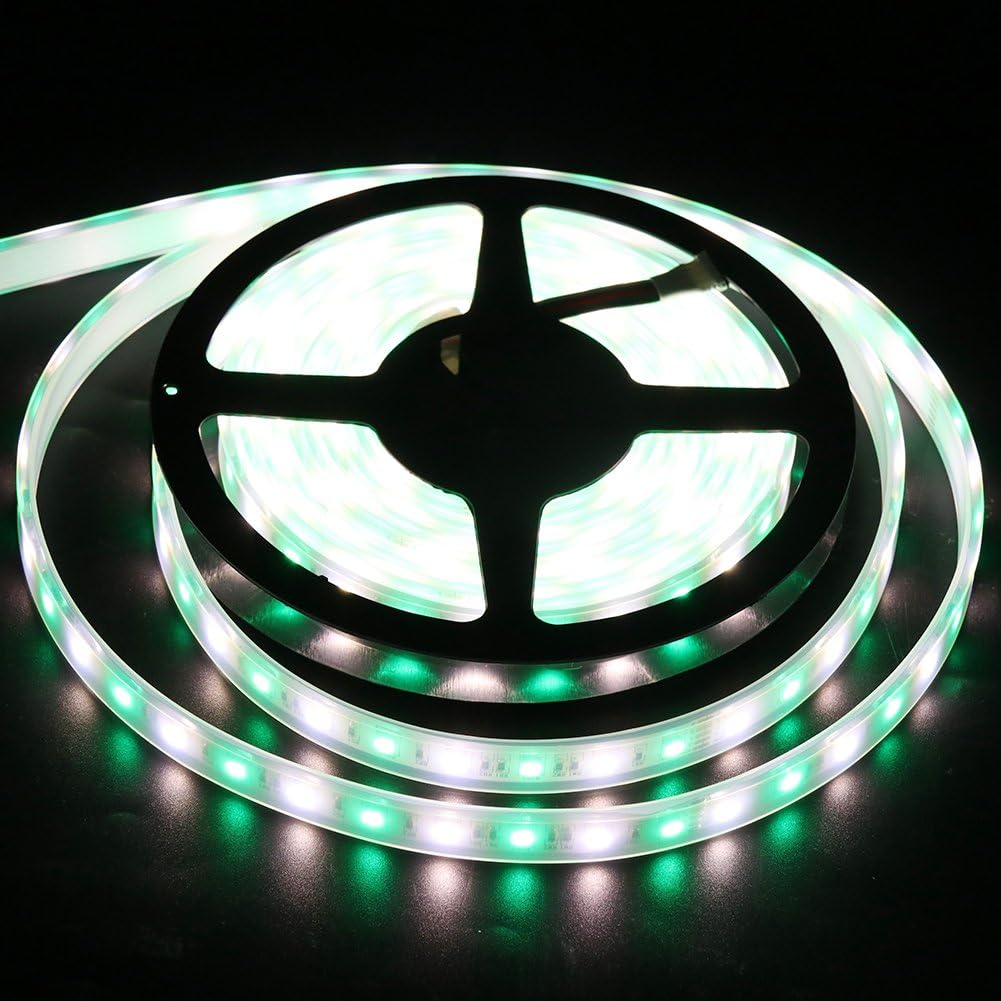
Image 5.3: The LED strip illuminated in a bright green color, demonstrating another color selection from the remote.

Image 5.4: The LED strip illuminated in a rich red color, illustrating the range of colors achievable with the RGB+Warm White LEDs.
6. การบำรุงรักษา
- การทำความสะอาด: Gently wipe the LED strips with a soft, dry cloth to remove dust. For stubborn dirt, use a slightly damp cloth, ensuring the power is disconnected. Avoid harsh chemicals or abrasive cleaners.
- ตรวจสอบการเชื่อมต่อ: Periodically inspect all connections (strip to receiver, receiver to power supply) to ensure they are secure.
- แบตเตอรี่ระยะไกล: If the remote control becomes unresponsive, replace the CR2025 coin cell battery.
- ความสมบูรณ์ของน้ำ: For outdoor installations, regularly check the waterproof seals and connections for any signs of wear or damage to maintain IP65 rating.
7 การแก้ไขปัญหา
| ปัญหา | สาเหตุที่เป็นไปได้ | สารละลาย |
|---|---|---|
| ไฟไม่เปิด |
|
|
| รีโมทคอนโทรลไม่มีการตอบสนอง |
|
|
| ไฟมีการกระพริบหรือไม่สม่ำเสมอ |
|
|
| Incorrect colors displayed. |
|
|
8. การรับประกันและการสนับสนุน
For warranty information or technical support regarding your XUNATALED LED Strip Lights Kit, please contact XUNATA customer service through the retailer where the product was purchased or visit the official XUNATA webเว็บไซต์สำหรับรายละเอียดการติดต่อ
โปรดเก็บใบเสร็จรับเงินไว้เป็นหลักฐานการซื้อสำหรับกรณีที่มีการเรียกร้องการรับประกัน
Ask a question about this manual
Ask about setup, troubleshooting, compatibility, parts, safety, or missing instructions. Manuals+ will review the question and use this page’s manual context to help answer it.