
การแนะนำ
This manual provides detailed instructions for the setup, operation, and maintenance of your Youshiko YK YC8025-B Radio Controlled Wall Clock. This clock is designed for precise timekeeping, automatically adjusting for seasonal changes and receiving time signals specific to the UK and Ireland (MSF).
The clock features a large LCD display showing time in 12/24 hour format, date, month, day of the week, indoor temperature (Celsius or Fahrenheit), and moon phase. It also includes an alarm with a snooze function.

รูปที่ 1: ด้านหน้า view of the Youshiko YK YC8025-B Radio Controlled Wall Clock. The large LCD screen displays the current time, date, day of the week, indoor temperature, and moon phase.
การตั้งค่า
1. การติดตั้งแบตเตอรี่
- หาฝาปิดช่องใส่แบตเตอรี่ที่ด้านหลังของนาฬิกา
- ถอดฝาครอบออก
- Insert the required batteries (not included) according to the polarity markings (+ and -) inside the compartment.
- เปลี่ยนฝาครอบช่องใส่แบตเตอรี่

รูปที่ 2: หลัง view of the clock, showing the battery compartment and control buttons (SET, ALARM, UP, DOWN, SNOOZE, WAVE).
2. การรับสัญญาณเบื้องต้น
After battery installation, the clock will automatically begin searching for the radio time signal. This clock is designed for the UK and Ireland (MSF signal).
- Place the clock near a window or in an open area to optimize signal reception.
- The signal reception icon (often a tower with waves) on the display will flash during the search.
- Once the signal is successfully received, the clock will automatically set the correct time, date, and day, and the signal icon will become solid. This process may take several minutes.
Note: For optimal signal reception, avoid placing the clock near electronic devices that may cause interference.
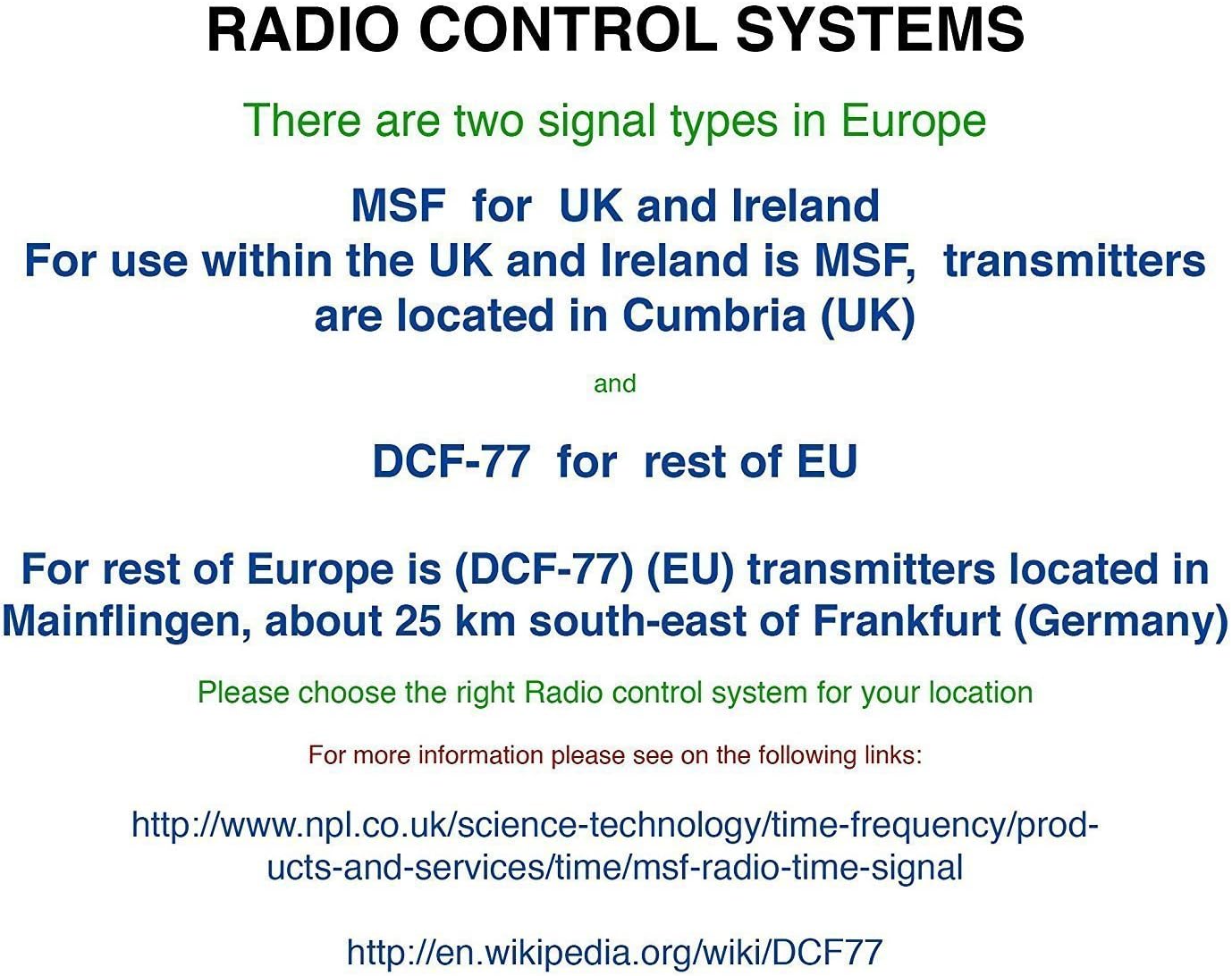
รูปที่ 3: Explanation of radio control systems. The Youshiko YK YC8025-B uses the MSF signal for the UK and Ireland.
คำแนะนำการใช้งาน
1. แสดงข้อมูล
หน้าจอ LCD ขนาดใหญ่แสดงข้อมูลดังต่อไปนี้:
- เวลา: Current time in 12-hour (with AM/PM indicator) or 24-hour format.
- วันที่: วันและเดือน
- วันในสัปดาห์: ชื่อย่อของวัน
- อุณหภูมิในร่ม: Measured in Celsius (°C) or Fahrenheit (°F).
- ข้างขึ้นข้างแรม: กราฟิกแสดงข้างขึ้นข้างแรมในปัจจุบัน
- ไอคอนสัญญาณ: Indicates radio signal reception status.
- ไอคอนปลุก: แสดงว่าสัญญาณเตือนทำงานอยู่หรือไม่
2. Setting Time and Date Manually (if needed)
While the clock is radio-controlled, manual adjustments may be necessary in certain situations (e.g., outside signal range).
- กดปุ่มค้างไว้ ชุด กดปุ่มจนกระทั่งหน้าจอเริ่มกะพริบ
- ใช้ UP or ลง ปุ่มสำหรับปรับค่าการกระพริบ (เช่น ชั่วโมง นาที ปี เดือน วัน)
- กด ชุด again to confirm the setting and move to the next adjustable item.
- Repeat until all desired settings are configured. The clock will exit setup mode automatically after a period of inactivity or by pressing ชุด repeatedly until the normal display returns.
3. 12/24 Hour Format and Temperature Unit
- To switch between 12-hour and 24-hour time format, press the UP button during normal time display.
- To switch between Celsius (°C) and Fahrenheit (°F) for temperature display, press the ลง button during normal time display.
4. Alarm Setting and Snooze
- กดปุ่ม เตือน กดปุ่มหนึ่งครั้งเพื่อแสดงเวลาปลุกปัจจุบัน
- กดปุ่มค้างไว้ เตือน กดปุ่มค้างไว้จนกว่าเวลาปลุกจะเริ่มกระพริบ
- ใช้ UP or ลง buttons to adjust the alarm hour and then the alarm minute.
- กด เตือน again to confirm and activate the alarm. The alarm icon will appear on the display.
- เมื่อเสียงปลุกดัง ให้กด เลื่อน button to temporarily silence it. The alarm will sound again after a few minutes.
- To turn off the alarm completely, press any other button (e.g., เตือน, ชุด) when it is sounding or when the snooze is active.
5. Manual Signal Search
If the clock fails to receive the radio signal automatically, you can initiate a manual search.
- กดปุ่ม คลื่น ปุ่ม.
- The signal icon will flash, indicating the clock is searching for the radio signal.
- Allow several minutes for the clock to attempt synchronization.
การซ่อมบำรุง
1. การเปลี่ยนแบตเตอรี่
เมื่อหน้าจอเริ่มมืดลงหรือนาฬิกาหยุดทำงาน นั่นหมายความว่าถึงเวลาเปลี่ยนแบตเตอรี่แล้ว
- เปิดช่องใส่แบตเตอรี่ที่ด้านหลังของนาฬิกา
- ถอดแบตเตอรี่เก่าออก
- ใส่แบตเตอรี่ใหม่ ตรวจสอบให้แน่ใจว่าขั้วถูกต้อง
- Close the battery compartment. The clock will then attempt to re-synchronize with the radio signal.
2. การทำความสะอาด
- เช็ดพื้นผิวนาฬิกาด้วยผ้าแห้งเนื้อนุ่ม
- Do not use abrasive cleaners or chemical solvents, as these can damage the display or casing.
การแก้ไขปัญหา
- No Time Display / Incorrect Time:
- ตรวจสอบให้แน่ใจว่าได้ติดตั้งแบตเตอรี่อย่างถูกต้องและแบตเตอรี่ไม่หมด หากจำเป็นให้เปลี่ยนแบตเตอรี่ใหม่
- Check signal reception. Move the clock to a location with better reception, away from electronic interference.
- Initiate a manual signal search by pressing the คลื่น ปุ่ม.
- Verify that you are within the MSF signal range (UK and Ireland).
- จอแสดงผลสลัว:
- เปลี่ยนแบตเตอรี่ใหม่
- สัญญาณเตือนไม่ส่งเสียง:
- Ensure the alarm is activated (alarm icon visible on display).
- Check that the alarm time is set correctly.
ข้อมูลจำเพาะ
| ยี่ห้อ | โยชิโกะ |
| หมายเลขรุ่น | YK YC8025-B |
| สี | สีดำ |
| ขนาด (กว้าง x ยาว x สูง) | 23 x 16 x 3 ซม. |
| น้ำหนัก | 30 กรัม |
| วัสดุ | พลาสติก, แก้ว |
| ประเภทจอภาพ | ดิจิตอล |
| คุณสมบัติพิเศษ | Temperature Display, Alarm, Moon Phase, Radio Controlled |
| แหล่งพลังงาน | ใช้พลังงานจากแบตเตอรี่ (ไม่รวมแบตเตอรี่) |

รูปที่ 4: Dimensions of the Youshiko YK YC8025-B Radio Controlled Wall Clock.