
1. บทนำ
The Aputure Amaran MC is a compact and versatile RGBWW LED on-camera light designed for photographers and videographers. It offers full Hue, Saturation, and Intensity (HSI) color control, adjustable white light in CCT mode, and various built-in lighting effects. With its high color rendition, Sidus Mesh technology for app control, and multiple charging options, the Amaran MC provides flexible lighting solutions for diverse creative needs.
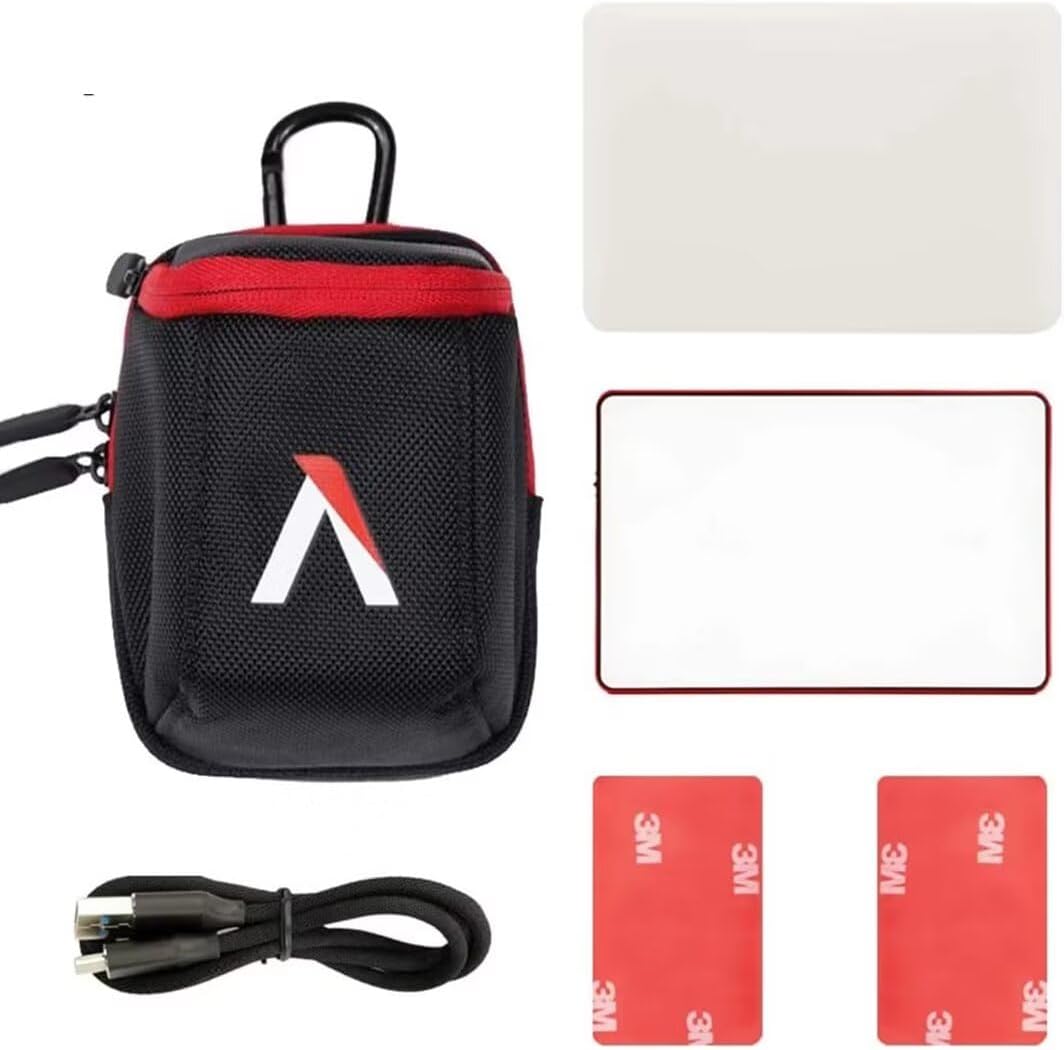
2. อะไรอยู่ในกล่อง
- Aputure MC Light *1
- สายชาร์จ USB Type-C *1
- Silicone Rubber Diffuser *1
- Adhesive Mounting Tape *2
- Aputure Carrying Bag *1
3. คุณสมบัติของผลิตภัณฑ์
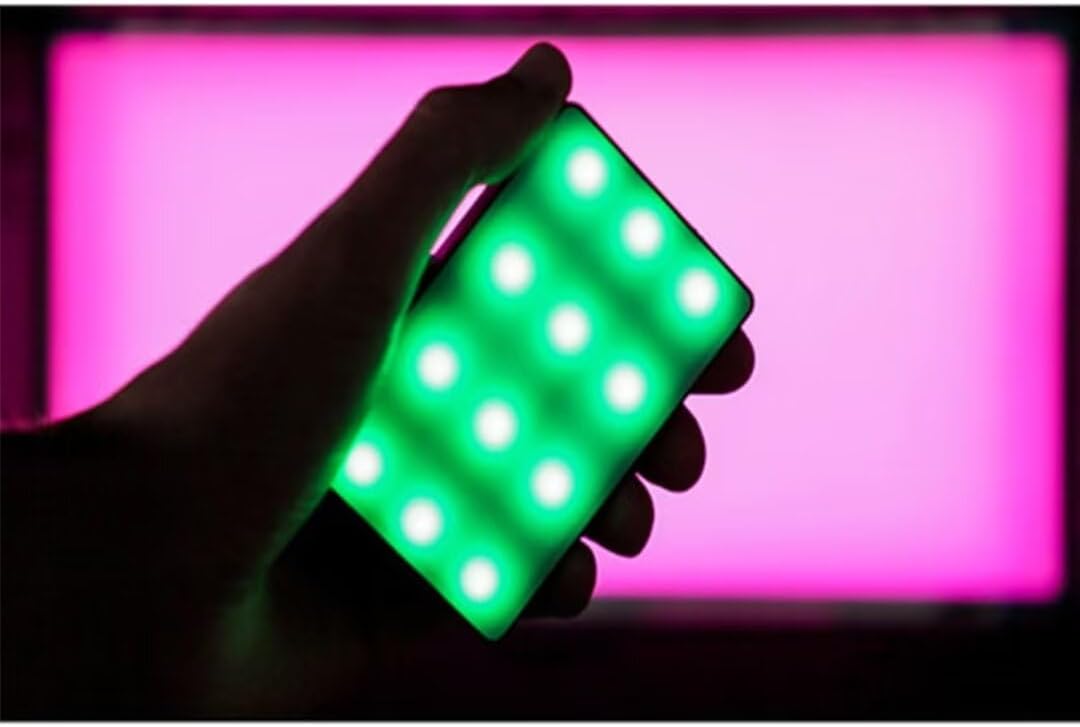
- Full HSI Color Control: The Amaran MC offers 360° of hue and 100 levels of saturation adjustment, allowing for convenient reproduction of any color.
- โหมด CCT: Adjust white light color temperature from 3200K to 6500K.
- FX Lighting Modes: Includes 9 built-in lighting effects: Paparazzi, Fireworks, Faulty bulb, Lightning, TV, Pulsing, Fire, Party, and Cop Car.
- Stellar Color Quality: Achieves high color rendition with CRI and TLCI scores of 96+, and SSI scores of 84 (tungsten) and 74 (daylight).
- Sidus Link Control: Utilizes Sidus Mesh technology for controlling up to 100 lights simultaneously via the Sidus Link mobile app. Features a Color Picker function to match colors from your phone's camera.
- USB Type-C PD Charging & Wireless Charging: Supports 18W USB-C Power Delivery (PD) for a full charge in approximately 90 minutes. Compatible with Qi wireless charging protocols.


4. การตั้งค่า
4.1 การชาร์จอุปกรณ์
Before initial use, fully charge your Amaran MC. You have two charging options:
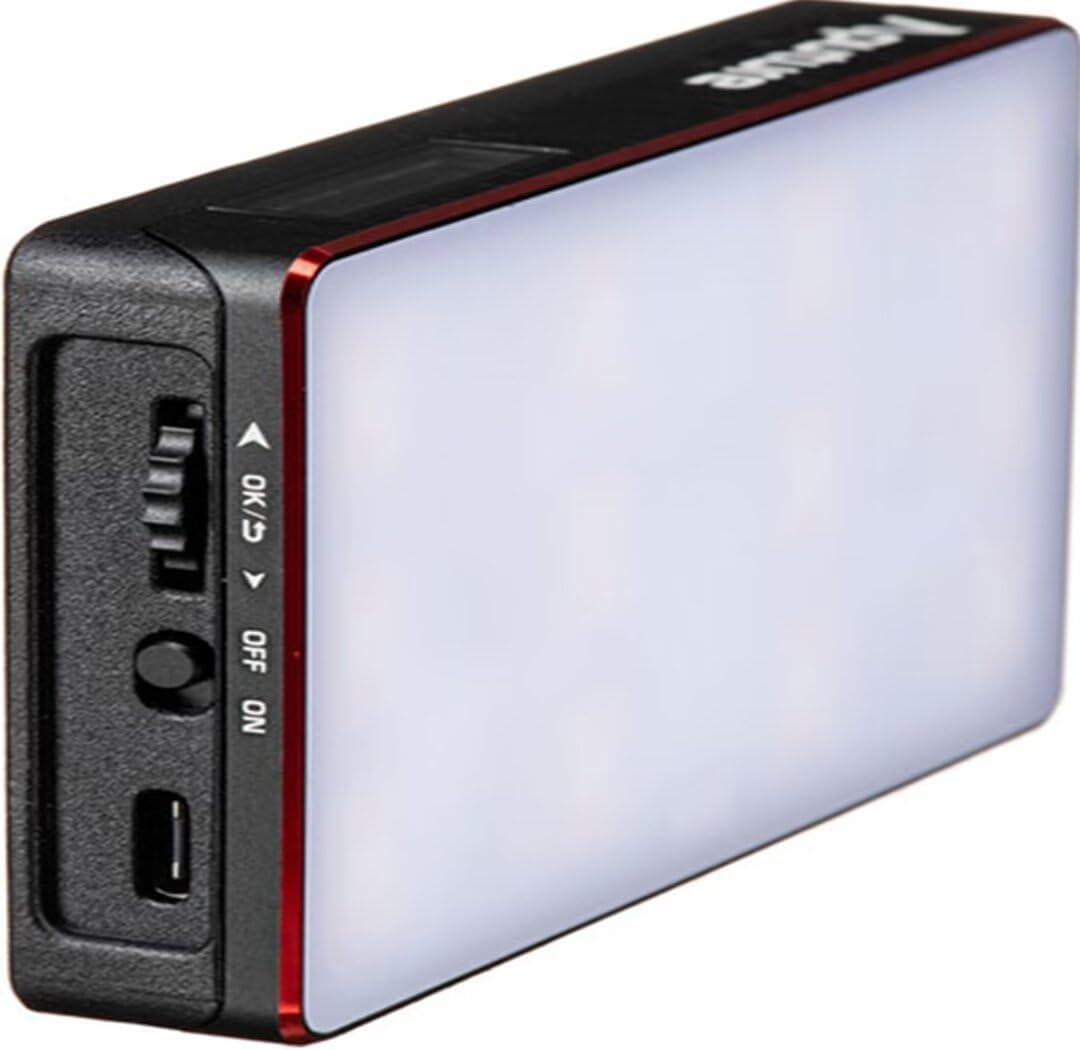
- USB Type-C: Connect the provided USB Type-C charging cable to the USB-C port on the side of the Amaran MC and to a compatible USB power adapter (not included). The device supports 18W PD quick charging.
- การชาร์จแบบไร้สาย: Place the Amaran MC on any Qi-compatible wireless charging pad. Ensure the light is properly aligned for efficient charging.

4.2 ตัวเลือกการติดตั้ง
The Amaran MC offers several versatile mounting options:
- เกลียวยึดขนาด 1/4"-20: Use the integrated 1/4"-20 screw mount to attach the light to tripods, light stands, or camera rigs.
- การดูดซับแม่เหล็ก: The light features built-in magnets, allowing it to be securely attached to metallic surfaces.
- Adhesive Mounting Tape: For non-metallic surfaces, use the included adhesive mounting tapes to create a temporary mounting point for the magnets.

5. คู่มือการใช้งาน
5.1 เปิด/ปิดเครื่อง
Locate the power switch on the side of the Amaran MC. Slide the switch to the 'ON' position to power on the device. Slide it to 'OFF' to power it down.
5.2 การปรับการตั้งค่าแสง
The Amaran MC features a function control wheel and an OLED screen for on-device adjustments:
- การเลือกโหมด: Press the control wheel to cycle through different lighting modes: HSI, CCT, and FX.
- การปรับพารามิเตอร์: Rotate the control wheel to adjust parameters within the selected mode (e.g., Hue, Saturation, Intensity, Color Temperature).
- ความเข้มข้น: In any mode, rotate the wheel to adjust the brightness (0-100% stepless dimming).
5.3 Sidus Link App Control
For advanced control and features, download the Sidus Link mobile app (available on iOS and Android).
- การจับคู่: Ensure Bluetooth is enabled on your mobile device. Open the Sidus Link app and follow the on-screen instructions to discover and pair with your Amaran MC.
- รีโมทคอนโทรล: Adjust HSI, CCT, and FX functions remotely.
- ตัวเลือกสี: Use your phone's camera to capture a color from your environment, and the Amaran MC will reproduce it instantly.
- เครือข่ายตาข่าย: Control multiple Amaran MC lights (up to 100) in a stable network, extending the control range.
6. การบำรุงรักษา
- การทำความสะอาด: ใช้ผ้าแห้งเนื้อนุ่มเช็ดทำความสะอาดภายนอกของโคมไฟ ห้ามใช้สารเคมีรุนแรงหรือวัสดุที่มีฤทธิ์กัดกร่อน
- พื้นที่จัดเก็บ: Store the Amaran MC in its carrying bag in a cool, dry place away from direct sunlight and extreme temperatures.
- การดูแลแบตเตอรี่ For optimal battery life, avoid fully discharging the battery frequently. If storing for extended periods, charge the battery to approximately 50-70%.
7 การแก้ไขปัญหา
| ปัญหา | สาเหตุที่เป็นไปได้ | สารละลาย |
|---|---|---|
| ไฟไม่ติด | Low battery or power switch off | Charge the battery or ensure the power switch is in the 'ON' position. |
| Cannot connect to Sidus Link app | Bluetooth off, app not updated, or light not in pairing mode | Ensure Bluetooth is on, update the app, and restart the light. Refer to app instructions for pairing. |
| เอาต์พุตแสงไม่สม่ำเสมอ | แบตเตอรี่ต่ำหรือการรบกวน | Charge the light fully. Ensure no strong magnetic or electronic interference nearby. |
8. ข้อมูลจำเพาะ
| คุณสมบัติ | รายละเอียด |
|---|---|
| ขนาดสินค้า | 6.22 x 3.43 x 1.34 นิ้ว (15.8 x 8.7 x 3.4 ซม.) |
| น้ำหนักสินค้า | 1.12 ปอนด์ (0.51 กก.) |
| หมายเลขรุ่นสินค้า | 926308 |
| แบตเตอรี่ | 1. ต้องใช้แบตเตอรี่แบบไม่มาตรฐาน |
| ผู้ผลิต | อพูเจอร์ |
| เทคโนโลยีการเชื่อมต่อ | บลูทูธ |
| ฮาร์ดแวร์อินเตอร์เฟซ | ยูเอสบี, ยูเอสบีชนิดซี |
| ยูพีซี | 712350147426 |
9. การรับประกันและการสนับสนุน
สำหรับข้อมูลการรับประกันและการสนับสนุนทางเทคนิค โปรดดูที่เว็บไซต์อย่างเป็นทางการของ Aputure webหรือติดต่อฝ่ายบริการลูกค้าโดยตรง เก็บใบเสร็จรับเงินไว้เพื่อใช้ในการเคลมประกัน
เอปูร์ อย่างเป็นทางการ Webเว็บไซต์: www.aputure.com