
1. บทนำ
The Interfit LS101 Studio Essentials Lightweight Light Stand is designed to provide a stable and portable support solution for various lighting equipment in studio or on-location settings. This manual provides essential information for the safe and effective use of your light stand.
2. ข้อมูลด้านความปลอดภัย
- Always ensure the light stand is placed on a stable, level surface to prevent tipping.
- Do not exceed the maximum load capacity of 7 lbs (3 kg). Overloading can cause instability and damage.
- Distribute weight evenly when mounting equipment.
- Securely tighten all locking mechanisms before use.
- Be aware of pinch points when extending or collapsing the stand.
- Keep the stand away from electrical hazards and water.
- Do not leave equipment unattended on the stand, especially in high-traffic areas or outdoors in windy conditions.
3. เนื้อหาบรรจุภัณฑ์
- One (1) Interfit LS101 7'6" Value Light Stand
4. การติดตั้งและการประกอบ
-
การเปิดขาตั้ง
Place the folded light stand on a flat surface. Gently pull the legs outwards until they are fully extended and locked into position. Ensure the legs form a wide, stable base.
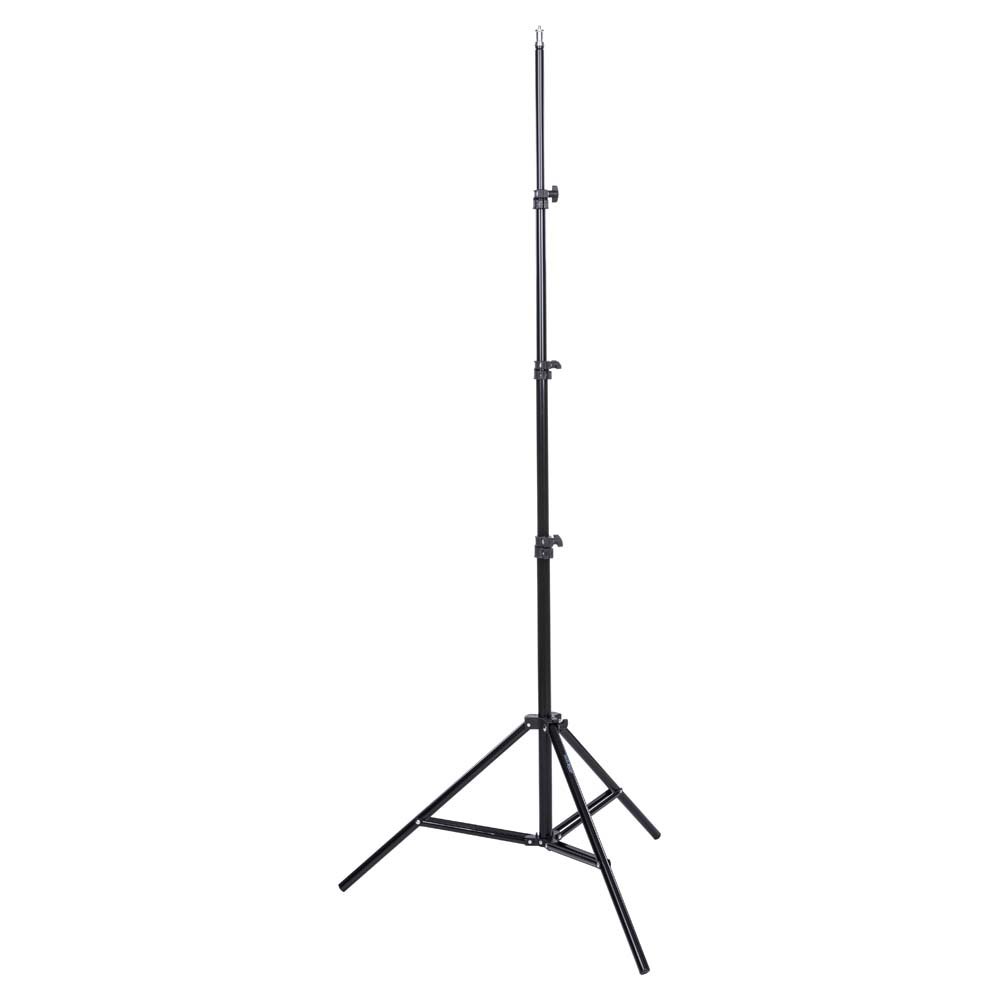
Image: The Interfit LS101 light stand shown in its folded, compact state, ready for transport or storage. The main shaft and folded legs are visible.
-
การต่อขยายเสากลาง
Loosen the sure-twist section locks on each segment of the center column. Carefully pull the column upwards to the desired height. The stand features spring cushioning to prevent sudden drops when adjusting. Once at the desired height, securely tighten all section locks to prevent the column from slipping.
-
อุปกรณ์ติดตั้ง
The top of the stand features a standard 5/8" stud mount with a 1/4"-20 thread. Attach your lighting equipment (e.g., speedlights, small LED panels, studio lights) to this mount. Ensure the equipment is firmly secured before releasinจับให้แน่น
5. คู่มือการใช้งาน
- การปรับความสูง: To adjust the height, loosen the sure-twist section locks one segment at a time, adjust to the desired height, and then re-tighten the lock. Always start with the lowest section and work your way up.
- ความจุน้ำหนัก: This stand is designed to support equipment weighing up to 7 lbs (3 kg). Do not exceed this limit.
- ความเสถียร: For maximum stability, ensure the legs are fully spread. Consider using sandbags or weights on the legs for added stability, especially with heavier equipment or in outdoor conditions.
6. การบำรุงรักษา
- การทำความสะอาด: เช็ดแท่นวางด้วยผ้าแห้งเนื้อนุ่มเพื่อขจัดฝุ่นและสิ่งสกปรก หลีกเลี่ยงการใช้สารทำความสะอาดที่มีฤทธิ์กัดกร่อนหรือตัวทำละลาย
- การหล่อลื่น: Periodically check the moving parts and apply a small amount of silicone-based lubricant if any sections become stiff. Do not over-lubricate.
- พื้นที่จัดเก็บ: Collapse the stand completely and store it in a dry, cool place, preferably in a protective bag, to prevent damage and prolong its lifespan.
7 การแก้ไขปัญหา
- ขาตั้งไม่มั่นคง: Ensure legs are fully spread and all locking mechanisms are tightened. Check the surface for levelness. Consider adding weight to the base.
- Column sections slipping: Verify that the sure-twist section locks are fully tightened. If slippage persists, inspect the locking mechanisms for wear or damage.
- Difficulty extending/collapsing sections: Clean the inner and outer tubes to remove any debris. Apply a small amount of silicone lubricant if necessary.
8. ข้อมูลจำเพาะ
| คุณสมบัติ | รายละเอียด |
|---|---|
| หมายเลขรุ่น | LS101 |
| ความสูงสูงสุด | 7'6" (2.28 m) |
| ความสูงขั้นต่ำ | Not specified, but compact when folded |
| ความยาวเมื่อพับ | 28 นิ้ว (71.12 ซม.) |
| ความจุในการรับน้ำหนักสูงสุด | 7 ปอนด์ (3 กก.) |
| สตั๊ดยึด | 5/8" stud with 1/4"-20 thread |
| น้ำหนักสินค้า | 3.3 ปอนด์ (1.5 กก.) |
| การก่อสร้าง | Lightweight, high-density polycarbonate locking mechanisms |
| การกันกระแทก | Spring cushioned sections |
9. การรับประกันและการสนับสนุน
For warranty information or technical support, please contact Interfit customer service. Keep your purchase receipt as proof of purchase. Contact details can typically be found on the manufacturer's official webบรรจุภัณฑ์ไซต์หรือผลิตภัณฑ์