
1. บทนำ
This manual provides essential information for the safe and effective use of your Lenovo VR180 Mirage Camera with Daydream. Please read this manual thoroughly before operating the device and retain it for future reference. The Lenovo VR180 Mirage Camera is designed to capture immersive 180-degree virtual reality photos and videos, offering a unique perspective for your content.
2. ข้อมูลด้านความปลอดภัย
- อย่าให้กล้องสัมผัสกับอุณหภูมิที่สูงหรือต่ำเกินไป แสงแดดโดยตรง หรือความชื้นสูง
- หลีกเลี่ยงการทำตกหรือให้กล้องได้รับแรงกระแทกรุนแรง
- เก็บกล้องให้ห่างจากน้ำและของเหลวอื่นๆ
- ห้ามถอดประกอบหรือดัดแปลงกล้องโดยเด็ดขาด การกระทำดังกล่าวจะทำให้การรับประกันเป็นโมฆะ
- ใช้เฉพาะอุปกรณ์เสริมและอะแดปเตอร์แปลงไฟที่ได้รับอนุญาตเท่านั้น
- Clean the lenses and camera body with a soft, dry cloth. Avoid abrasive materials.
3. เนื้อหาบรรจุภัณฑ์
ตรวจสอบว่ามีรายการทั้งหมดอยู่ในบรรจุภัณฑ์ผลิตภัณฑ์ของคุณ:
- Lenovo VR180 Mirage Camera
- สายเคเบิล USB Type-C
- คู่มือเริ่มต้นอย่างรวดเร็ว
- ข้อมูลความปลอดภัยและการรับประกัน
4. สินค้าหมดview
Familiarize yourself with the components and controls of your Lenovo VR180 Mirage Camera.

รูปที่ 4.1: มุม view of the Lenovo VR180 Mirage Camera.
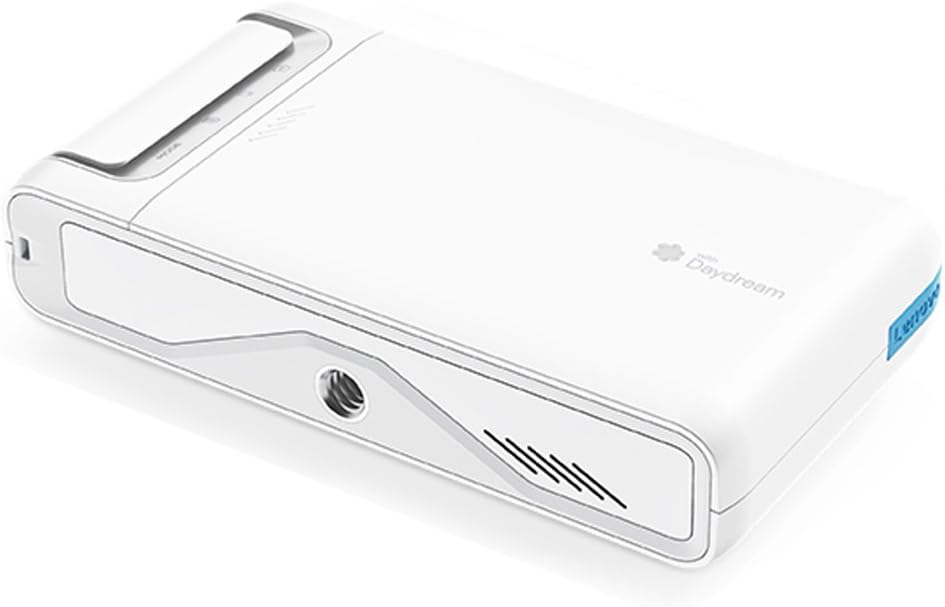
รูปที่ 4.2: ด้านข้าง view of the camera, showing the power button, function switch, and status indicator.

รูปที่ 4.3: ด้านบน view ของกล้อง โดยเน้นที่การออกแบบที่กะทัดรัด

Figure 4.4: Close-up of the dual fisheye lenses, each with 13 megapixels, enabling realistic 3D video recording and an enhanced immersive experience with a wide field of view. This camera is designed for a stable VR viewการสร้างประสบการณ์

Figure 4.5: Diagram illustrating the camera's controls and features. It includes a Power Button, Function Switch, Shutter Button & Status Indicator, Mode Indicator, and a Standard Tripod Mount. The camera is equipped with image stabilization, features an easy-to-use pocket size (139g), and is compatible with standard tripods.
5. การตั้งค่า
5.1. การชาร์จแบตเตอรี่
Connect the camera to a power source using the provided USB Type-C cable. The status indicator will show charging status. A full charge provides approximately 2 hours of continuous use.
5.2. การใส่การ์ด microSD
Locate the microSD card slot on the side of the camera. Insert a compatible microSD card (up to 128GB) with the gold contacts facing down until it clicks into place. Ensure the card is formatted correctly for optimal performance.
5.3. การเปิดเครื่องครั้งแรกและการจับคู่
Press and hold the Power Button to turn on the camera. Follow the on-screen instructions or refer to the quick start guide to pair the camera with your smartphone via the dedicated Daydream app. This app is essential for full functionality, including live view, settings adjustment, and content transfer.
6. คู่มือการใช้งาน
6.1 การเปลี่ยนโหมด
Use the Function Switch to toggle between different modes, such as video recording, photo capture, and live streaming. The Mode Indicator will display the current selection.
6.2. การถ่ายภาพและวิดีโอ
Press the Shutter Button to start/stop video recording or to take a photo. The status indicator will confirm recording or capture. For best results, hold the camera steady or use a tripod. The camera supports 4K/30fps video and 13-megapixel photos.
6.3. Viewing and Transferring Content
Content can be viewed directly on a compatible Daydream VR headset or transferred to your smartphone or computer via the Daydream app or by connecting the camera via USB Type-C. For optimal VR viewing, use the recommended Daydream platform.
7. การบำรุงรักษา
7.1. การทำความสะอาด
Gently wipe the camera body with a soft, lint-free cloth. For lenses, use a specialized lens cleaning cloth and solution. Do not use harsh chemicals or abrasive materials.
7.2. การจัดเก็บ
Store the camera in a cool, dry place away from direct sunlight and extreme temperatures. If storing for an extended period, ensure the battery is partially charged (around 50%) to prolong its lifespan.
8 การแก้ไขปัญหา
| ปัญหา | สาเหตุที่เป็นไปได้ | สารละลาย |
|---|---|---|
| Camera overheats and stops recording. | Extended recording, especially in 4K, or high ambient temperatures. | Limit continuous recording time, especially in warm environments. Allow the camera to cool down before resuming use. Consider recording in lower resolutions if prolonged recording is necessary. |
| Audio is out of sync or distorted in videos. | Software glitch or file corruption during recording/transfer. | Ensure camera firmware is up to date. Try re-recording the video. When transferring, use a stable connection and the recommended app. |
| Difficulty playing back content or slow transfer speeds. | Slow microSD card, incompatible playback device/software, or large file ขนาด | Use a high-speed microSD card (Class 10 or higher). Ensure your playback device and software are compatible with VR180 formats. Transfer files directly via USB for faster speeds. For Google Photos, be aware that it may compress images, reducing quality. |
| Significant lag between shutter press and capture. | Processing delay, especially with high-resolution settings. | Anticipate the delay when capturing critical moments. Ensure sufficient free space on the microSD card. |
| กล้องไม่สามารถเปิดได้ | แบตเตอรี่หมดหรือชำรุด | Charge the camera fully. If the issue persists, contact support. |
| Cannot connect to smartphone via app. | Bluetooth/Wi-Fi issues, app not updated, or incorrect pairing process. | Ensure Bluetooth and Wi-Fi are enabled on your phone. Update the Daydream app to the latest version. Restart both the camera and phone, then attempt pairing again. |
9. ข้อมูลจำเพาะ
| คุณสมบัติ | รายละเอียด |
|---|---|
| หมายเลขรุ่น | ZA3A0011JP |
| โปรเซสเซอร์ | Qualcomm APQ8053 Octa-core Processor (Max 2.2GHz) |
| หน่วยความจำหลัก | 2GB |
| หน่วยความจำแฟลช | 16GB |
| Image Pixel Count | 13 million pixels + 13 million pixels Dual Camera |
| คุณภาพวิดีโอ | 4K/30fps, 1440p/30fps, 1080p/30fps |
| ทุ่งแห่ง View (เอฟโอวี) | Left/Right 180° x Up/Down 180° |
| เซ็นเซอร์ | Gyro Sensor, Accelerometer Sensor |
| การเชื่อมต่อแบบไร้สาย | 802.11 a/b/g/n/ac, Bluetooth 4.2 (BLE compatible) |
| เสียง | Mono Speaker / Dual Microphone |
| อินเทอร์เฟซ | USB Type-C port, microSD card reader (supports up to 128GB) |
| โหมดการถ่ายภาพ | วีดีโอ |
| ประเภทการควบคุมการรับแสง | ออโต้ |
| สี | มูนไลท์ ไวท์ |
| ประเภทสื่อ | แบบ microSD Card |
| File รูปแบบ | MP4, JPEG |
| Viewประเภทตัวค้นหา | จอแอลซีดี |
| Light Sensitivity (ISO) | 100-3200 |
| อายุการใช้งานแบตเตอรี่ (เฉลี่ย) | 2 ชั่วโมง |
| น้ำหนักผลิตภัณฑ์ | 139 กรัม |
| ประเภทแฟลชกล้อง | ไม่มี |
| ฟังก์ชั่นโฟกัส | ออโต้โฟกัส |
| ประเภทเซนเซอร์ | ซีมอส |
10. ข้อมูลการรับประกัน
This product is covered by a limited warranty provided by Lenovo. For detailed warranty terms and conditions, please refer to the warranty card included in your product package or visit the official Lenovo support webไซต์นี้ โปรดเก็บหลักฐานการซื้อไว้เพื่อใช้ยืนยันการรับประกัน
11. การสนับสนุน
For technical assistance, product updates, or additional information, please visit the official Lenovo support website or contact their customer service. Support resources may include FAQs, driver downloads, and contact details for regional support centers.
ฝ่ายสนับสนุน Lenovo อย่างเป็นทางการ: www.lenovo.com/support