
1. บทนำ
Thank you for choosing the NeeGo Portable Boombox B07CLH45SL. This versatile audio system combines a CD player, cassette player, AM/FM radio, and includes a NeeGo Bluetooth receiver for wireless audio streaming. This manual provides detailed instructions for setup, operation, maintenance, and troubleshooting to ensure you get the best experience from your device.
2. ข้อมูลด้านความปลอดภัย
- อ่านคำแนะนำทั้งหมดก่อนใช้งานเครื่อง
- ควรเก็บอุปกรณ์ให้ห่างจากน้ำ ความชื้น และแสงแดดโดยตรง
- อย่าปิดกั้นช่องระบายอากาศ
- Use only the power sources specified in this manual.
- อย่าพยายามซ่อมแซมเครื่องด้วยตนเอง โปรดส่งเครื่องไปให้ช่างผู้ชำนาญการเป็นผู้ดำเนินการซ่อมแซม
- กำจัดแบตเตอรี่อย่างมีความรับผิดชอบตามกฎระเบียบท้องถิ่น
3. เนื้อหาบรรจุภัณฑ์
โปรดตรวจสอบว่ารายการทั้งหมดที่ระบุไว้ด้านล่างรวมอยู่ในแพ็คเกจของคุณหรือไม่:
- NeeGo Portable Boombox (Main Unit)
- NeeGo Bluetooth Receiver
- สายไฟ AC
- 3.5mm Audio Cable (for Bluetooth receiver connection)
- USB Charging Cable for Bluetooth Receiver

Figure 3.1: Contents of the NeeGo Portable Boombox bundle, including the main unit, Bluetooth receiver, and necessary cables.
4. สินค้าหมดview
4.1. Main Boombox Unit
The main unit features controls for CD, cassette, and radio functions, along with volume and input selection. Key features include:
- เครื่องรับสัญญาณวิทยุ AM/FM
- CD Player (supports standard and MP3 CDs)
- เครื่องเล่น/บันทึกเทปคาสเซ็ต
- Headphone Output (3.5mm stereo mini)
- Auxiliary Input (3.5mm)
- Automatic Shut-off Sleep Timer

Figure 4.1: Front panel and key features of the NeeGo Portable Boombox.
4.2. NeeGo Bluetooth Receiver
The included NeeGo Bluetooth receiver allows you to stream audio wirelessly to your boombox. It is compact and connects via the 3.5mm auxiliary port.
- Universal 3.5mm Stereo Port
- Micro Charge Port (for charging the receiver)
- Built-in Microphone (for hands-free calls, if supported by your device)

รูปที่ 4.2: รายละเอียด view of the NeeGo Bluetooth Receiver ports.
5. การตั้งค่า
5.1. Powering the Boombox
The boombox can be powered by either AC power or batteries.
การเชื่อมต่อไฟฟ้ากระแสสลับ:
- โปรดตรวจสอบให้แน่ใจว่าได้ปิดเครื่องเล่นเพลงแล้ว
- ต่อสายไฟ AC ที่ให้มาเข้ากับช่องเสียบ AC IN ที่ด้านหลังของเครื่องเล่นเพลง
- เสียบปลายอีกด้านหนึ่งของสายไฟ AC เข้ากับเต้ารับไฟฟ้าที่ผนังมาตรฐาน
การติดตั้งแบตเตอรี่:
For portable use, the boombox requires 6 'C' size batteries (not included).
- เปิดฝาปิดช่องใส่แบตเตอรี่ที่ด้านล่างของตัวเครื่อง
- ใส่แบตเตอรี่ขนาด 'C' จำนวน 6 ก้อน โดยตรวจสอบให้แน่ใจว่าขั้วบวก/ลบถูกต้องตามที่ระบุไว้ภายในช่องใส่แบตเตอรี่
- ปิดฝาช่องใส่แบตเตอรี่ให้แน่น
5.2. Connecting and Charging the Bluetooth Receiver
The NeeGo Bluetooth receiver allows your boombox to receive wireless audio signals.
การชาร์จเครื่องรับ Bluetooth:
Before first use, fully charge the Bluetooth receiver.
- Connect the micro USB charging cable to the micro charge port on the Bluetooth receiver.
- เชื่อมต่อปลายอีกด้านหนึ่งของสาย USB เข้ากับแหล่งพลังงาน USB (เช่น พอร์ต USB ของคอมพิวเตอร์ อะแดปเตอร์ติดผนัง USB)
- The indicator light on the receiver will show charging status (e.g., red while charging, off when fully charged). A full charge provides approximately 6 hours of operation.
Connecting to the Boombox:
- Plug the 3.5mm audio cable into the universal 3.5mm stereo port on the Bluetooth receiver.
- Plug the other end of the 3.5mm audio cable into the AUX IN jack on the boombox.
- Set the boombox's function selector to 'AUX' or 'AUDIO IN'.

Figure 5.1: The NeeGo Bluetooth Receiver connected to the boombox for wireless audio.
6. คู่มือการใช้งาน
6.1. การทำงานพื้นฐาน
- เปิด/ปิดเครื่อง: กดปุ่ม POWER เพื่อเปิดหรือปิดเครื่อง
- การควบคุมระดับเสียง: หมุนปุ่ม VOLUME เพื่อปรับระดับเสียง
- การเลือกฟังก์ชั่น: Use the FUNCTION selector (e.g., CD, TAPE, RADIO, AUX) to choose your desired audio source.
6.2. การใช้งานเครื่องเล่นซีดี
- Set the FUNCTION selector to 'CD'.
- Open the CD compartment cover by pressing the 'OPEN/CLOSE' button or lifting the cover.
- วางแผ่นซีดีโดยให้ด้านที่มีฉลากหงายขึ้นบนแกนหมุน
- ปิดฝาช่องใส่ซีดี หน้าจอจะแสดงจำนวนแทร็กทั้งหมด
- Press the PLAY/PAUSE button (►/❚❚) to start playback.
- Press the STOP button (■) to stop playback.
- Use the SKIP buttons (◀◀ / ►►) to skip tracks or fast forward/rewind within a track.
- The unit may feature a 'REPEAT' or 'PROGRAM' function for customized playback. Refer to the on-unit labels for specific controls.
6.3. การทำงานของเครื่องเล่นเทปคาสเซ็ต
- Set the FUNCTION selector to 'TAPE'.
- Press the STOP/EJECT button (■/▲) to open the cassette compartment.
- ใส่เทปคาสเซ็ตโดยให้ด้านที่เปิดอยู่หันขึ้นด้านบน
- ปิดช่องใส่กลักกระดาษ
- Press the PLAY button (►) to start playback.
- Press the FAST FORWARD (FF) or REWIND (REW) buttons to advance or reverse the tape. Note that the unit may not have an auto-stop feature for FF/REW, so manually press STOP when desired.
- Press the STOP/EJECT button (■/▲) to stop playback and eject the tape.
6.4. การใช้งานวิทยุ AM/FM
- Set the FUNCTION selector to 'RADIO'.
- Select 'AM' or 'FM' band using the band selector switch.
- Rotate the TUNING knob to find your desired station.
- Extend and adjust the telescopic antenna for optimal FM reception. For AM reception, rotate the unit for best signal.
6.5. Bluetooth Connectivity (via NeeGo Receiver)
- Ensure the NeeGo Bluetooth receiver is charged and connected to the boombox's AUX IN port (as described in Section 5.2).
- Set the boombox's FUNCTION selector to 'AUX' or 'AUDIO IN'.
- Turn on the NeeGo Bluetooth receiver. It will automatically enter pairing mode (indicated by a flashing LED).
- บนอุปกรณ์ที่รองรับบลูทูธ (สมาร์ทโฟน แท็บเล็ต ฯลฯ) ให้ไปที่การตั้งค่าบลูทูธ แล้วค้นหาอุปกรณ์ที่ใช้งานได้
- Select 'NeeGo BT' or a similar name from the list to pair.
- Once paired, the receiver's LED will stop flashing and remain solid. You can now play audio from your device, and it will be heard through the boombox speakers.
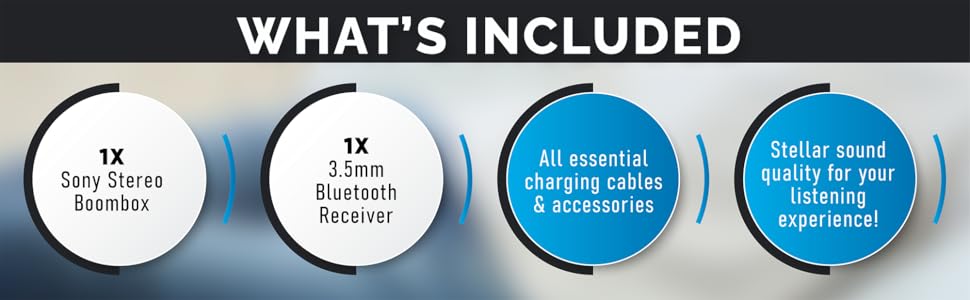
Figure 6.1: The boombox's classic stereo functions enhanced by the NeeGo Bluetooth receiver.
6.6. อินพุตเสริม
To play audio from an external device directly:
- Connect a 3.5mm audio cable from the headphone jack or line-out of your external device to the AUX IN jack on the boombox.
- Set the boombox's FUNCTION selector to 'AUX' or 'AUDIO IN'.
- เริ่มเล่นบนอุปกรณ์ภายนอกของคุณ
6.7. เอาต์พุตหูฟัง
For private listening, plug any standard 3.5mm stereo headphones into the HEADPHONE jack on the boombox. The speakers will automatically mute when headphones are connected.
6.8. Automatic Shut-off / Sleep Timer
This feature allows the unit to automatically turn off after a set period. Consult the specific buttons or menu options on your unit for activating and setting the sleep timer, typically labeled 'SLEEP' or 'TIMER'.
7. การบำรุงรักษา
7.1. การทำความสะอาดตัวเครื่อง
- เช็ดภายนอกตัวเครื่องด้วยผ้าแห้งและนุ่ม
- ห้ามใช้สารทำความสะอาดที่มีฤทธิ์กัดกร่อน ขี้ผึ้ง หรือตัวทำละลาย เพราะอาจทำให้พื้นผิวเสียหายได้
- สำหรับเลนส์ CD ให้ใช้ผลิตภัณฑ์ทำความสะอาดเลนส์ CD โดยเฉพาะ
- For the cassette head, use a cassette head cleaning kit periodically to ensure optimal sound quality.
7.2. การเปลี่ยนแบตเตอรี่
When the unit's performance degrades or the battery indicator (if present) shows low power, replace all 6 'C' batteries with new ones. Do not mix old and new batteries, or different types of batteries.
8 การแก้ไขปัญหา
If you encounter issues with your NeeGo Portable Boombox, refer to the following common problems and solutions:
| ปัญหา | สาเหตุที่เป็นไปได้ | สารละลาย |
|---|---|---|
| เครื่องไม่เปิด | สายไฟ AC ต่อไม่ถูกต้อง; แบตเตอรี่หมดหรือใส่ไม่ถูกต้อง | ตรวจสอบการเชื่อมต่อสายไฟ AC เปลี่ยนแบตเตอรี่หรือตรวจสอบให้แน่ใจว่าขั้วถูกต้อง |
| ไม่มีเสียงออกจากลำโพง | ระดับเสียงต่ำเกินไป; เชื่อมต่อหูฟังแล้ว; เลือกฟังก์ชันไม่ถูกต้อง | Increase volume; Disconnect headphones; Select correct function (CD, TAPE, RADIO, AUX). |
| CD not playing or skipping. | แผ่นซีดีสกปรก มีรอยขีดข่วน หรือใส่ผิดวิธี เลนส์ซีดีสกปรก | Clean or replace CD; Reinsert CD correctly; Clean CD lens with a specialized cleaner. |
| Cassette tape not playing or poor sound. | Tape is damaged; Cassette head is dirty or demagnetized. | Try a different tape; Clean cassette head with a cleaning kit. |
| Poor radio reception (static). | เสาอากาศไม่ได้ยืดหรือปรับตำแหน่ง สัญญาณอ่อน | Extend and adjust the telescopic antenna; Try repositioning the unit for AM. |
| Bluetooth receiver not pairing. | Receiver not in pairing mode; Receiver battery low; Device too far. | Ensure receiver is on and flashing; Charge receiver; Move device closer (within 10 meters). |
Sound quality is
Ask a question about this manualAsk about setup, troubleshooting, compatibility, parts, safety, or missing instructions. Manuals+ will review the question and use this page’s manual context to help answer it. |