
การแนะนำ
The Laney MINI-SUPERG is a compact, battery-powered guitar amplifier designed for portability and versatile use. It features a clean and drive channel, essential tone controls, and a unique Laney Smartphone Insert (LSI) for integrating with guitar tone-generating applications. This manual provides detailed instructions for the proper setup, operation, and maintenance of your MINI-SUPERG ampชีวิต.
ข้อมูลด้านความปลอดภัยที่สำคัญ
- โปรดอ่านคำแนะนำเหล่านี้อย่างละเอียดก่อนใช้งานเครื่อง
- เก็บคำแนะนำเหล่านี้ไว้เพื่อใช้อ้างอิงในอนาคต
- โปรดใส่ใจคำเตือนทั้งหมดและปฏิบัติตามคำแนะนำทั้งหมด
- ห้ามใช้อุปกรณ์นี้ใกล้น้ำ
- ทำความสะอาดด้วยผ้าแห้งเท่านั้น
- อย่าปิดกั้นช่องระบายอากาศใดๆ ติดตั้งตามคำแนะนำของผู้ผลิต
- ห้ามติดตั้งใกล้แหล่งความร้อน เช่น หม้อน้ำ เครื่องทำความร้อน เตา หรืออุปกรณ์อื่น ๆ (รวมถึง ampเครื่องให้ความร้อน) ที่ผลิตความร้อน
- ใช้เฉพาะอุปกรณ์เสริม/สิ่งที่แนบตามที่ผู้ผลิตกำหนดเท่านั้น
- ส่งต่อการบริการทั้งหมดไปยังช่างบริการที่ผ่านการรับรอง จำเป็นต้องเข้ารับบริการเมื่ออุปกรณ์ได้รับความเสียหายแต่อย่างใด
- ความปลอดภัยของแบตเตอรี่: Use only the specified battery type (6 x AA). Ensure correct polarity when installing. Do not mix old and new batteries, or different types of batteries. Remove batteries if the unit is not used for extended periods.
เนื้อหาแพ็คเกจ
Please check the contents of your product packaging carefully. If any items are missing or damaged, contact your retailer immediately.
- Laney MINI-SUPERG Ampชีวิต
- คู่มือการใช้งาน
- LSI Cable (if included with your model)
การควบคุมและคุณสมบัติ
แผงควบคุมด้านหน้า
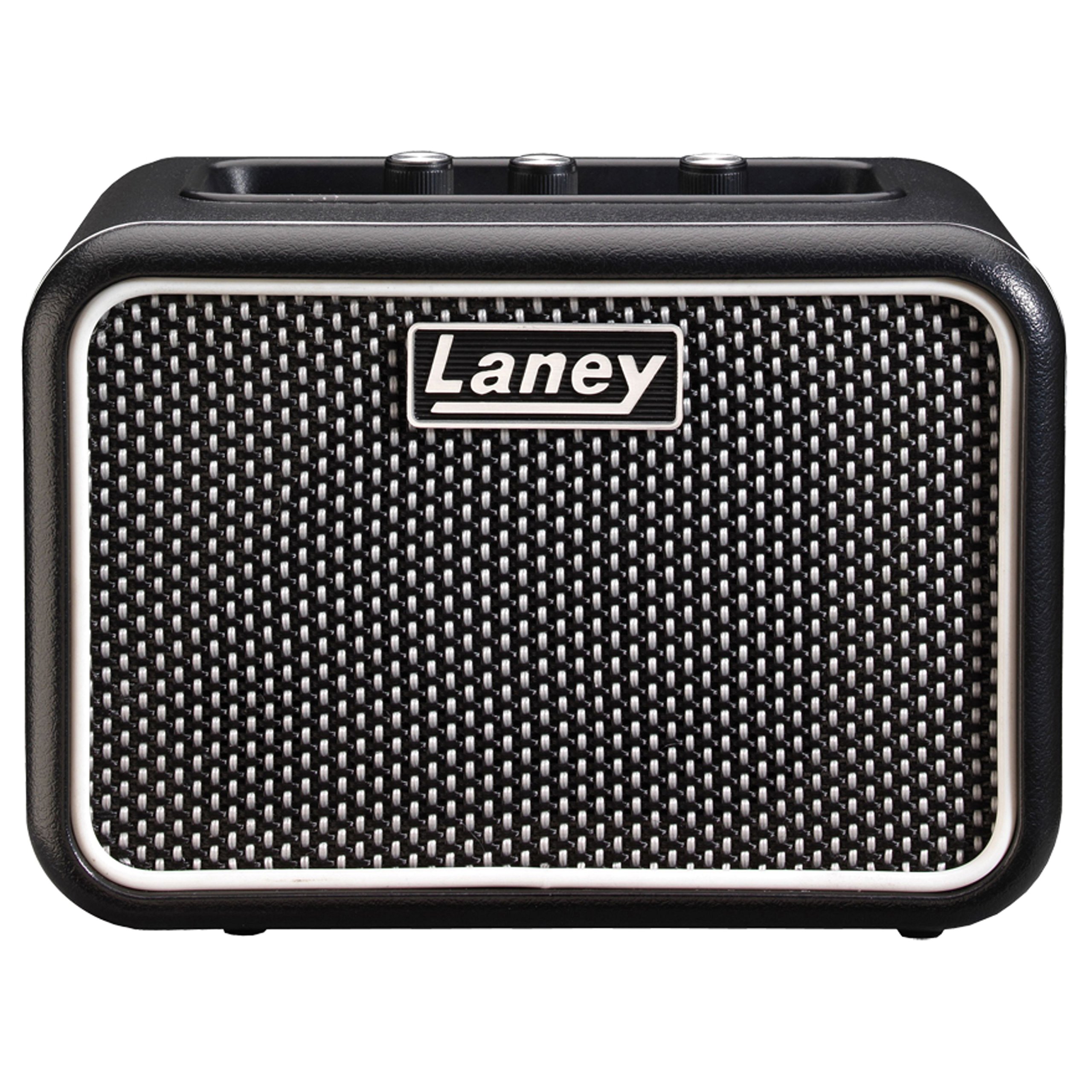
ภาพ: Front panel of the Laney MINI-SUPERG amplifier, showing the input jack, gain, tone, and volume knobs, drive switch, AUX IN, LSI port, power button, and headphone jack.
- อินพุต: แจ็คขนาด 1/4 นิ้ว สำหรับเชื่อมต่อกีตาร์ของคุณ
- สวิตช์ไดรฟ์: Engages the overdrive channel for a distorted guitar tone.
- ได้รับ: Controls the amount of input signal and overdrive when the DRIVE switch is engaged.
- โทนเสียง: Adjusts the overall tonal character, from darker to brighter.
- ช่องรับสัญญาณเสียงเข้า: 3.5mm stereo input for connecting external audio sources like MP3 players or smartphones for backing tracks.
- LSI (Laney Smartphone Insert): 3.5mm TRRS jack for connecting your smartphone or tablet to use with tone-generating apps.
- ปริมาณ: ควบคุมระดับเอาต์พุตโดยรวมของ ampชีวิต.
- พลัง: On/Off button for the amplifier. An indicator light will illuminate when on.
- หูฟัง: 3.5mm stereo output for private practice. Connecting headphones mutes the internal speaker.
คุณสมบัติแผงด้านหลัง

ภาพ: Rear panel of the Laney MINI-SUPERG amplifier, showing the battery compartment cover and product information label.
- ช่องใส่แบตเตอรี่: Houses 6 x AA batteries for portable power.
- Product Information Label: Contains model number, serial number, and compliance markings.
การตั้งค่า
1. การติดตั้งแบตเตอรี่
- ให้แน่ใจว่า amplifier ถูกปิด
- หาช่องใส่แบตเตอรี่ที่ด้านหลังของตัวเครื่อง
- เลื่อนฝาปิดช่องใส่แบตเตอรี่ลงด้านล่างเพื่อเปิด
- ใส่แบตเตอรี่ AA 6 ก้อน โดยสังเกตขั้วที่ถูกต้อง (+/-) ตามที่ระบุไว้ภายในช่องใส่แบตเตอรี่
- ใส่ฝาครอบช่องใส่แบตเตอรี่กลับเข้าไป โดยให้แน่ใจว่าล็อคเข้าที่อย่างแน่นหนา
2 การเชื่อมต่อกีตาร์ของคุณ
- Connect one end of a standard 1/4-inch instrument cable to your guitar's output jack.
- Connect the other end of the instrument cable to the ป้อนข้อมูล jack on the front panel of the MINI-SUPERG.
3. Connecting an Auxiliary Audio Source
- Use a 3.5mm stereo audio cable.
- Connect one end to the headphone output or line output of your audio device (e.g., smartphone, MP3 player).
- เชื่อมต่อปลายอีกด้านหนึ่งเข้ากับ AUX IN jack on the front panel of the MINI-SUPERG.
4. Using the LSI (Laney Smartphone Insert)
- The LSI allows you to connect your smartphone or tablet to the amplifier for use with digital guitar tone apps.
- Use the supplied LSI cable (or a compatible 3.5mm TRRS cable).
- Connect one end of the LSI cable to the LSI jack on the MINI-SUPERG.
- Connect the other end to the headphone/microphone jack of your smartphone or tablet.
- Launch your preferred guitar tone app on your device. The app will process your guitar signal and send the output back to the MINI-SUPERG.
การดำเนินการ
1. การเปิด/ปิดเครื่อง
- กดปุ่ม พลัง ปุ่มเพื่อหมุน amplifier on. The power indicator light will illuminate.
- กดปุ่ม พลัง ปุ่มอีกครั้งเพื่อหมุน amplifier off. The indicator light will extinguish.
2. การปรับระดับเสียงและโทนเสียง
- เริ่มต้นด้วยการ ปริมาณ knob set to a low level.
- Play your guitar and slowly increase the ปริมาณ ตามระดับการฟังที่คุณต้องการ
- ปรับแต่ง โทนเสียง knob to shape your sound. Turning it clockwise increases treble (brightness), and counter-clockwise increases bass (warmth).
3. Using the Drive Channel
- To engage the overdrive sound, press the ขับ switch. The indicator light next to the switch will illuminate.
- ปรับแต่ง ได้รับ knob to control the amount of distortion. Higher gain settings produce more aggressive overdrive.
- ใช้ โทนเสียง และ ปริมาณ knobs to further refine your driven sound.
- To return to a clean sound, press the ขับ เปลี่ยนอีกครั้ง
4. การใช้หูฟัง
- Plug standard 3.5mm stereo headphones into the หูฟัง แจ็ค.
- The internal speaker will automatically mute, allowing for silent practice.
- ปรับแต่ง ปริมาณ knob for your headphone listening level.
การซ่อมบำรุง
- การทำความสะอาด: เช็ด amplifier with a soft, dry cloth. Do not use abrasive cleaners, solvents, or waxes.
- การดูแลแบตเตอรี่ ถอดแบตเตอรี่ออกหากไม่ได้ใช้งานเครื่องเป็นเวลานานเพื่อป้องกันการรั่วไหล ทิ้งแบตเตอรี่ที่ใช้แล้วอย่างถูกวิธีตามระเบียบข้อบังคับของท้องถิ่น
- พื้นที่จัดเก็บ: จัดเก็บ ampเก็บเครื่องขยายเสียงไว้ในที่แห้งและเย็น หลีกเลี่ยงแสงแดดโดยตรงและอุณหภูมิที่สูงหรือต่ำเกินไป
- ขนส่ง: เมื่อทำการขนส่ง โปรดตรวจสอบให้แน่ใจว่า ampเครื่องขยายเสียงได้รับการบรรจุอย่างแน่นหนาเพื่อป้องกันความเสียหายทางกายภาพ
การแก้ไขปัญหา
| ปัญหา | สาเหตุที่เป็นไปได้ | สารละลาย |
|---|---|---|
| ไม่มีเสียงจากลำโพง |
|
|
| คุณภาพเสียงผิดเพี้ยนหรือไม่ดี |
|
|
| LSI connection not working. |
|
|
ข้อมูลจำเพาะ
| คุณสมบัติ | รายละเอียด |
|---|---|
| เอาท์พุต วัดtage | 3 วัตต์ |
| ลำโพง | 1 x 3-inch full range driver |
| ช่องทางการ | Clean & Drive |
| การควบคุม | Gain, Tone, Volume, Drive Switch |
| ข้อมูลอินพุต | 1/4-inch Guitar Input, 3.5mm AUX IN, 3.5mm LSI |
| เอาท์พุต | เอาต์พุตหูฟังขนาด 3.5 มม. |
| แหล่งพลังงาน | แบตเตอรี่ AA 6 ก้อน |
| ขนาด (สูง x กว้าง x ลึก) | ประมาณ 4.72 x 6.81 x 3.94 นิ้ว (12 x 17.3 x 10 ซม.) |
| น้ำหนัก | ประมาณ 1.83 ปอนด์ (0.83 กก.) |
| วัสดุ | สแตนเลส |
การรับประกันและการสนับสนุน
For warranty information and technical support, please refer to the warranty card included with your product or visit the official Laney webไซต์ เก็บหลักฐานการซื้อของคุณไว้เพื่อใช้ในกรณีเรียกร้องการรับประกัน


