
1. บทนำ
This manual provides essential information for the safe and effective use of your Amcrest IP8M-2493EB Outdoor PoE Bullet Camera. Please read these instructions thoroughly before installation and operation to ensure optimal performance and to prevent damage to the device.
2. สินค้าหมดview
2.1 คุณสมบัติหลัก
- 2MP IP PoE Bullet Camera
- 1920x1080p @30fps Video Resolution
- Nightvision up to 98 feet (30 meters)
- IP67 Weatherproof Rating for outdoor use
- Cloud Storage Capability
- Wall Mount Design
- 4K Video Capture Resolution (for recording)
- Motion Sensor Special Feature
2.2 เนื้อหาบรรจุภัณฑ์
ตรวจสอบว่ามีส่วนประกอบทั้งหมดอยู่ในแพ็คเกจของคุณ:
- Amcrest IP8M-2493EB Outdoor PoE Bullet Camera
- ฮาร์ดแวร์สำหรับติดตั้ง (สกรู, พุก)
- คู่มือการเริ่มต้นฉบับย่อ (คู่มือนี้)
2.3 ส่วนประกอบของกล้อง
ทำความคุ้นเคยกับส่วนประกอบทางกายภาพของกล้อง:

รูปที่ 1 : ด้านหน้า view of the Amcrest IP8M-2493EB Bullet Camera, showing the lens, IR LEDs, and housing.
3. การตั้งค่า
3.1 ก่อนที่คุณจะเริ่มต้น
Ensure you have the following items and conditions:
- A Power over Ethernet (PoE) switch or PoE injector (802.3af/at compliant)
- Cat5e or Cat6 Ethernet cable
- A stable internet connection (recommended for remote viewing and cloud features)
- A drill and screwdriver for mounting
3.2 การติดตั้งทางกายภาพ
- เลือกตำแหน่งการติดตั้ง: Select a suitable wall location that provides the desired viewing angle and is within reach of your Ethernet cable.
- ทำเครื่องหมายรูเจาะ: Use the provided mounting template (if included) or the camera base to mark the positions for drilling.
- เจาะรู: เจาะรูนำร่องและใส่พุกยึดผนังหากติดตั้งบนผนังยิปซัมหรือผนังก่ออิฐ
- รักษาความปลอดภัยกล้อง: ติดตั้งฐานกล้องเข้ากับผนังโดยใช้สกรูที่ให้มา
- ปรับมุม: Loosen the adjustment screws on the camera body to position the camera for optimal coverage, then tighten them securely.
3.3 การเชื่อมต่อเครือข่าย
Connect one end of the Ethernet cable to the camera's Ethernet port and the other end to a PoE port on your PoE switch or injector. The camera will power on automatically.
3.4 การกำหนดค่าเริ่มต้น
For initial setup and configuration, download the Amcrest View Pro app on your mobile device or use the Amcrest web interface via a computer connected to the same network. Follow the on-screen instructions to discover and add your camera to your system.
4. การใช้งานกล้อง
4.1 Accessing Live View
Access the live video feed through the Amcrest View Pro app or the web interface. This allows real-time monitoring of your surveillance area.
4.2 การบันทึกและการเก็บรักษา
The camera supports various recording options:
- การจัดเก็บข้อมูลภายในเครื่อง: If equipped with a microSD card slot (card sold separately), recordings can be stored directly on the camera.
- เครื่องบันทึกวิดีโอเครือข่าย (NVR): Connect the camera to a compatible Amcrest NVR for continuous recording and extended storage.
- การเก็บข้อมูลบนคลาวด์: Utilize Amcrest Cloud services for off-site storage of event-triggered recordings. Refer to the Amcrest website for subscription details.
4.3 การตรวจจับการเคลื่อนไหว
Configure motion detection settings via the camera's interface. You can define detection zones, sensitivity levels, and set up alerts (e.g., email notifications, push notifications to your phone) when motion is detected.
4.4 การมองเห็นตอนกลางคืน
The camera features infrared (IR) LEDs for night vision, providing clear surveillance footage in low-light or no-light conditions up to 98 feet. The camera automatically switches between day and night modes.
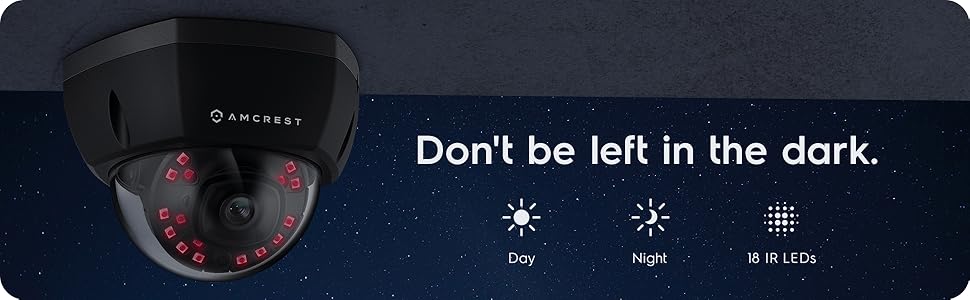
รูปที่ 2: อดีตample of night vision capability, illustrating clear image capture in dark conditions.
5. การบำรุงรักษา
5.1 การทำความสะอาด
ทำความสะอาดเลนส์และตัวเรือนกล้องเป็นระยะด้วยผ้านุ่มๆamp เช็ดทำความสะอาดด้วยผ้า หลีกเลี่ยงการใช้สารเคมีรุนแรงหรือวัสดุที่มีฤทธิ์กัดกร่อนซึ่งอาจทำให้เลนส์เป็นรอยหรือทำให้พื้นผิวเสียหายได้
การอัปเดตเฟิร์มแวร์ 5.2 รายการ
Regularly check for and install firmware updates from the Amcrest website. Firmware updates often include performance improvements, new features, and security enhancements.
5.3 การป้องกันสภาพอากาศ
The IP8M-2493EB camera has an IP67 weatherproof rating, meaning it is protected against dust ingress and can withstand immersion in water up to 1 meter for 30 minutes. While designed for outdoor use, ensure all cable connections are properly sealed to maintain water resistance.
6 การแก้ไขปัญหา
6.1 ปัญหาทั่วไปและแนวทางแก้ไข
- ไม่มีไฟ/ไม่มีภาพ: Ensure the Ethernet cable is securely connected to both the camera and a functioning PoE port. Check the PoE switch/injector for power.
- คุณภาพของภาพต่ำ: Clean the camera lens. Check network bandwidth. Adjust resolution and compression settings in the camera interface. Ensure sufficient lighting for optimal image clarity.
- Night Vision Halo Effect: This can occur if the IR light reflects off nearby surfaces or the camera housing. Ensure there are no obstructions close to the lens.
6.2 Video Support
For visual guidance on resolving common issues, including potential IR reflection, please refer to the following video:
Video 1: This video from Amcrest Direct provides instructions on resolving IR reflection issues that can affect night vision clarity in Amcrest cameras.
7. ข้อมูลจำเพาะ
| คุณสมบัติ | ข้อมูลจำเพาะ |
|---|---|
| ชื่อรุ่น | IP8M-2493EB |
| การใช้งานภายใน/ภายนอกอาคาร | กลางแจ้ง |
| แหล่งพลังงาน | AC/DC (via PoE) |
| โปรโตคอลการเชื่อมต่อ | อีเธอร์เน็ต |
| ประเภทการติดตั้ง | ติดผนัง |
| ความละเอียดในการจับภาพวิดีโอ | 4K |
| สี | สีดำ |
| จำนวนรายการ | 1 |
| จำนวนช่องสัญญาณ | 1 |
| เทคโนโลยีการสื่อสารไร้สาย | POE (พลังงานผ่านอีเทอร์เน็ต) |
| ฟอร์มแฟกเตอร์ | กระสุน |
| ช่วงการมองเห็นตอนกลางคืน | 98 ฟุต (30 เมตร) |
| อัตราเฟรม | 30 เฟรมต่อวินาที |
| ขนาดรายการ (ยาว x กว้าง x สูง) | 6.1 x 6.1 x 5.4 นิ้ว |
| น้ำหนักสินค้า | 1.3 ปอนด์ |
| จำเป็นต้องใช้แบตเตอรี่หรือไม่? | เลขที่ |
| เทคโนโลยีแสงน้อย | สีกลางคืน |
| การให้คะแนนการคุ้มครองระหว่างประเทศ | IP67 |
| สูงสุด Webความละเอียดของภาพลูกเบี้ยว | 2 MP |
| วิธีการควบคุม | แอป |
| การใช้งานที่แนะนำสำหรับผลิตภัณฑ์ | การรักษาความปลอดภัยภายนอกอาคาร |
| เทคโนโลยีการเชื่อมต่อ | มีสาย |
| คุณสมบัติพิเศษ | เซ็นเซอร์ตรวจจับความเคลื่อนไหว |
8. การรับประกันและการสนับสนุน
Amcrest products typically come with a limited warranty. For specific warranty terms, registration, and technical support, please visit the official Amcrest website or contact Amcrest customer service directly. Keep your purchase receipt for warranty claims.
Amcrest Support: https://amcrest.com/support


