
Walfront USB 3-in-1 Endoscope Inspection Camera
Walfront USB 3-in-1 Endoscope Inspection Camera User Manual
Model: USB 3-in-1 Endoscope Inspection Camera
1. บทนำ
This manual provides detailed instructions for the proper use, setup, and maintenance of your Walfront USB 3-in-1 Endoscope Inspection Camera. This device is designed for visual inspection in hard-to-reach areas, offering compatibility with Android devices (with OTG support) and Windows PCs via USB, Micro USB, and Type-C connections.
2. เนื้อหาบรรจุภัณฑ์
โปรดตรวจสอบว่าสินค้าทั้งหมดที่ระบุไว้ด้านล่างนี้รวมอยู่ในแพ็คเกจของคุณแล้ว หากมีสินค้าใดสูญหายหรือเสียหาย โปรดติดต่อฝ่ายสนับสนุนลูกค้า
- USB 3-in-1 Endoscope Inspection Camera (1.5M cable)
- สิ่งที่แนบมากับตะขอ
- สิ่งที่แนบมาด้วยแม่เหล็ก
- ด้านข้าง view สิ่งที่แนบมากับกระจก
- คู่มือการใช้งาน (เอกสารนี้)
- Software CD (for PC driver/application)

Image 2.1: Contents of the Walfront USB 3-in-1 Endoscope Inspection Camera package, including the camera, various attachments, and software CD.
3. ข้อมูลด้านความปลอดภัย
- อย่าพยายามถอดประกอบหรือดัดแปลงอุปกรณ์
- เก็บอุปกรณ์ให้ห่างจากอุณหภูมิที่สูงหรือต่ำเกินไปและถูกแสงแดดโดยตรง
- Ensure the camera lens is clean before use for optimal image quality.
- The camera head is IP67 waterproof, but the USB connector and control unit are not. Do not immerse the entire device in water.
- Use only as intended for inspection purposes.
4. การตั้งค่า
4.1 การติดตั้งซอฟต์แวร์
สำหรับอุปกรณ์ Android:
- ตรวจสอบให้แน่ใจว่าอุปกรณ์ Android ของคุณรองรับฟังก์ชัน OTG (On-The-Go)
- Download and install a compatible 'USB Camera' or 'OTG View' application from the Google Play Store. Popular options include 'CameraFi2' or 'USB Camera'.
สำหรับพีซีที่ใช้ Windows:
- ใส่แผ่นซีดีซอฟต์แวร์ที่ให้มาลงในไดรฟ์ซีดีรอมของคอมพิวเตอร์ของคุณ
- Follow the on-screen instructions to install the necessary drivers and viewไอเอ็นจีซอฟต์แวร์
- Alternatively, if your PC does not have a CD drive, search online for 'Walfront Endoscope Camera Driver' or 'USB Camera Driver' and download from a reputable source.
4.2 การเชื่อมต่อกล้อง
The endoscope features a 3-in-1 connector for versatile compatibility:
- Standard USB: For connecting to a PC or laptop.
- ไมโคร USB: For connecting to older Android smartphones/tablets.
- USB Type-C: For connecting to newer Android smartphones/tablets.
- เลือกตัวเชื่อมต่อที่เหมาะสมสำหรับอุปกรณ์ของคุณ
- Plug the camera's connector into your device's USB port.
- For Android, open the installed USB camera application. For PC, open the installed viewing software or a generic camera application.

Image 4.2.1: The versatile 3-in-1 connector, offering USB, Micro USB, and Type-C options for broad device compatibility.
4.3 การติดอุปกรณ์เสริม
The endoscope comes with a hook, magnet, and side view mirror attachment. These can be screwed onto the camera head for specific inspection needs.
- Gently screw the desired attachment onto the threaded tip of the camera head.
- ตรวจสอบให้แน่ใจว่ายึดแน่นดีแล้ว แต่ไม่ต้องขันแน่นเกินไป

Image 4.3.1: The included hook, magnet, and mirror attachments, designed to enhance the camera's utility in various inspection scenarios.
5. คู่มือการใช้งาน
5.1 การปรับความสว่าง LED
The camera features 6 adjustable white LED lights to illuminate dark inspection areas. A control knob located on the USB cable allows you to adjust the brightness.
- Once the camera is connected and the application is running, rotate the knob on the cable to increase or decrease the LED brightness.
- Adjust the brightness to achieve optimal visibility without overexposure.

Image 5.1.1: The camera head featuring 6 adjustable white LED lights, providing illumination for dark inspection environments.
5.2 การบันทึกภาพนิ่งและวิดีโอ
The endoscope captures images and videos at a resolution of 640x480 pixels.
- Navigate the camera into the desired inspection area.
- Use the controls within your chosen Android application or PC software to capture still images or record video footage.
- Saved media files can typically be found in your device's gallery or a designated folder within the application.

Image 5.2.1: The endoscope camera in use, connected to a laptop, demonstrating its application for visual inspection.
5.3 Waterproof Capability
The camera head is rated IP67 waterproof, allowing for inspection in wet or submerged environments. This makes it suitable for surveying pipes and other areas where moisture is present.
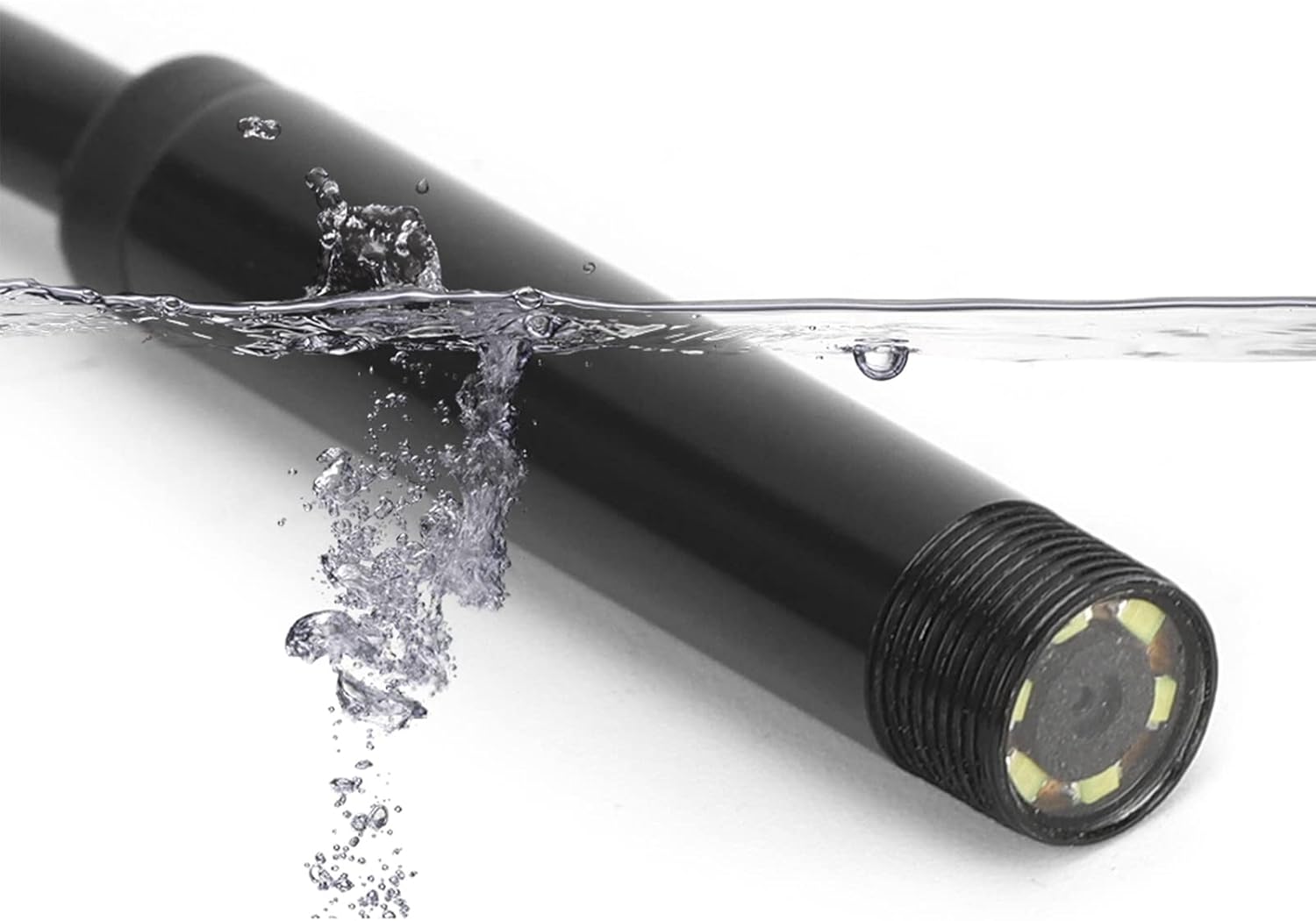
Image 5.3.1: The endoscope camera head submerged in water, illustrating its IP67 waterproof capability for use in wet conditions.
6. การบำรุงรักษา
- การทำความสะอาด: หลังการใช้งานทุกครั้ง ให้เช็ดเลนส์กล้องและสายเคเบิลเบาๆ ด้วยผ้าแห้งเนื้อนุ่ม สำหรับคราบสกปรกที่ติดแน่น ให้ใช้ผ้าชุบน้ำหมาดๆ เช็ดทำความสะอาดamp cloth can be used, ensuring no moisture enters the USB connector.
- พื้นที่จัดเก็บ: Store the endoscope in a clean, dry place, away from direct sunlight and extreme temperatures. Coil the cable loosely to prevent damage.
- การป้องกันเลนส์: Avoid scratching the camera lens. If using in abrasive environments, consider protective measures if available.
7 การแก้ไขปัญหา
| ปัญหา | สาเหตุที่เป็นไปได้ | สารละลาย |
|---|---|---|
| No image on screen / Camera not detected | Incorrect connection; App/driver issue; OTG not enabled (Android) | Ensure the camera is securely plugged in. Restart the application or computer. Verify OTG support and enable it in your Android device settings if necessary. Reinstall drivers/app. |
| ภาพเบลอหรือไม่ชัดเจน | Dirty lens; Insufficient lighting; Object too close/far; Low resolution | Clean the camera lens. Adjust LED brightness. Ensure the object is within the camera's focal range (1-10 cm). Note that the camera's resolution is 640x480 pixels. |
| ไฟ LED ไม่ทำงาน | Brightness knob set to minimum; Power issue | Rotate the brightness adjustment knob on the cable. Ensure the camera is properly connected and receiving power. |
| Application crashes or freezes | Software incompatibility; Device resource issues | Try a different compatible USB camera application. Close other applications running on your device. Restart your device. |
8. ข้อมูลจำเพาะ
- แบบอย่าง: USB 3-in-1 Endoscope Inspection Camera
- ปณิธาน: 0.3 ล้านพิกเซล (640x480 พิกเซล)
- ความยาวสายเคเบิล: 1.5 เมตร (ประมาณ 4.9 ฟุต)
- เส้นผ่าศูนย์กลางกล้อง: 7มม.
- ไฟ LED: ไฟ LED สีขาวปรับได้ 6 ดวง
- ระดับการกันน้ำ: IP67 (camera head only)
- ระยะโฟกัสมาโคร: 1-10ซม.
- ความเข้ากันได้: Android (OTG support required), Windows XP/7/8/10 PC
- ตัวเชื่อมต่อ: USB, Micro USB, Type-C
- ขนาดสินค้า : 4.72 x 4.72 x 1.18 นิ้ว (บรรจุภัณฑ์)
- น้ำหนักสินค้า: 3.2 ออนซ์
9. การรับประกันและการสนับสนุน
Walfront products are designed for reliability and performance. For specific warranty details, please refer to the documentation provided at the time of purchase or contact Walfront customer support directly. If you encounter any issues not covered in this manual, please reach out to our support team for assistance.
ข้อมูลติดต่อ: Please visit the official Walfront webโปรดตรวจสอบเว็บไซต์หรือหน้าสนับสนุนลูกค้าของผู้ค้าปลีกเพื่อดูข้อมูลติดต่อล่าสุด
Ask a question about this manual
Ask about setup, troubleshooting, compatibility, parts, safety, or missing instructions. Manuals+ will review the question and use this page’s manual context to help answer it.