
1. บทนำ
Thank you for choosing the Dareu EH722 Lightweight Gaming Headset. This headset is designed to provide a high-quality audio experience with exceptional comfort for professional gamers. It features precise sound quality and powerful sound drivers, allowing you to clearly hear explosions and gunfire, enhancing your gaming immersion. Its lightweight design ensures comfort during extended use, and its flexible structure provides an excellent fit.

Image 1.1: Dareu EH722 Gaming Headset. This image shows the headset from a front-side angle, highlighting its black earcups with ice blue diamond-like light accents and the attached microphone.
2. คุณสมบัติของผลิตภัณฑ์
- เสียงเซอร์ราวด์ 7.1 ที่ดื่มด่ำ: Experience a 360-degree sound field that allows you to detect sounds you might not visually perceive, providing a competitive edge.
- ออกแบบมาเพื่อความสะดวกสบาย: Features lightweight, soft fabric earcups with 90-degree rotation for maximum comfort and a personalized fit during long gaming sessions.
- Foldable, Noise-Cancelling Microphone: Reduces background noise for clear voice pickup. The microphone can be folded up and out of the way when not in use.
- Convenient On-Cable Controls: Volume adjustment and mute switch are easily accessible on the cable for quick audio setting changes.
- ความเข้ากันได้ในวงกว้าง: Works with PS4 and Windows 10, Windows 8, Windows 7, or Windows Vista computers.
3. คู่มือการติดตั้ง
Follow these steps to set up your Dareu EH722 Gaming Headset:
- เชื่อมต่อกับอุปกรณ์: Plug the headset's USB connector into an available USB port on your PS4 or Windows PC (Windows 10, 8, 7, or Vista).
- ขั้นตอนการติดตั้งไดรเวอร์ (พีซี): For Windows PCs, the necessary drivers should install automatically. If not, check your operating system's sound settings.
- การเลือกเอาต์พุตเสียง:
- สำหรับพีซี: Navigate to your sound settings (usually right-click the speaker icon in the taskbar). Select the Dareu EH722 as your default playback and recording device.
- สำหรับ PS4: Go to Settings > Devices > Audio Devices. Select "Dareu EH722" for both Input Device and Output Device. Ensure "Output to Headphones" is set to "All Audio".
- ปรับระดับเสียง: Use the on-cable volume control to set your desired listening level.
- ตำแหน่งไมโครโฟน: Adjust the flexible microphone boom to a comfortable position near your mouth for optimal voice clarity.

Image 3.1: Headset with Microphone Extended. This image shows the Dareu EH722 headset with its flexible microphone boom positioned forward, ready for use.
4. คู่มือการใช้งาน
The Dareu EH722 headset features intuitive controls for easy operation during gameplay.
- การควบคุมระดับเสียง: Locate the inline control unit on the headset cable. Use the scroll wheel or buttons (depending on model variation) to increase or decrease the audio volume.
- ปิดเสียงไมโครโฟน: The inline control unit also features a switch to mute or unmute the microphone. Slide the switch to the "Mute" position to prevent your voice from being transmitted. Slide it back to "Unmute" to enable the microphone.
- การวางตำแหน่งไมโครโฟน: For optimal voice clarity, ensure the noise-cancelling microphone is positioned approximately 2-3 cm from your mouth. When not in use, the microphone can be folded upwards and out of your line of sight.
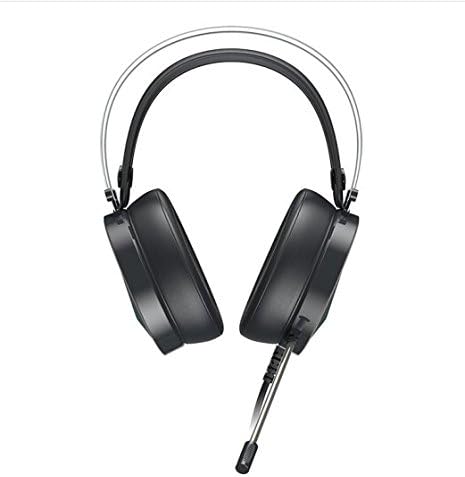
Image 4.1: Headset with Microphone Folded. This image displays the Dareu EH722 headset from a top-down perspective, showing the microphone folded upwards and away from the user's face.
5. การบำรุงรักษาและการดูแล
Proper maintenance ensures the longevity and optimal performance of your Dareu EH722 Gaming Headset.
- การทำความสะอาดที่ครอบหู: Gently wipe the earcup cushions with a soft, damp cloth. Avoid using harsh chemicals or abrasive cleaners. Ensure the earcups are completely dry before use.
- การทำความสะอาดแถบคาดศีรษะ: เช็ดที่คาดผมด้วยผ้าแห้งนุ่มๆ
- การดูแลสายเคเบิล: Avoid sharp bends or excessive pulling on the cable to prevent damage. Store the headset in a way that the cable is not tangled or stressed.
- พื้นที่จัดเก็บ: When not in use, store the headset in a clean, dry place away from direct sunlight and extreme temperatures.
- หลีกเลี่ยงความชื้น: อย่าให้หูฟังโดนน้ำหรือความชื้นมากเกินไป
6 การแก้ไขปัญหา
If you encounter issues with your Dareu EH722 Gaming Headset, refer to the following common problems and solutions:
| ปัญหา | สาเหตุที่เป็นไปได้ / วิธีแก้ไข |
|---|---|
| ไม่มีเสียงจากหูฟัง |
|
| ไมโครโฟนไม่ทำงาน |
|
| Sound Quality is Poor or Distorted |
|
| Headset is Uncomfortable |
|
7. ข้อมูลจำเพาะ
| คุณสมบัติ | รายละเอียด |
|---|---|
| ยี่ห้อ | ดารอย |
| แบบอย่าง | EH722 |
| ฟอร์มแฟกเตอร์ | หูฟังแบบครอบหู (Over-Ear) |
| วัสดุ | หนังเทียม (ส่วนครอบหู) |
| การเชื่อมต่อ | ยูเอสบี |
| คุณสมบัติเสียง | ระบบเสียงรอบทิศทาง 7.1 |
| ไมโครโฟน | Foldable, Noise-Cancelling |
| การควบคุม | On-cable volume and mute switch |
| ความเข้ากันได้ | PS4, Windows 10, Windows 8, Windows 7, Windows Vista |
| GTIN / UPC | 680465965344 |

Image 7.1: Headset Dimensions. This image provides a visual representation of the Dareu EH722 headset with its key dimensions in millimeters.
8. การรับประกันและการสนับสนุน
Dareu products are manufactured to high quality standards. For information regarding warranty coverage, please refer to the warranty card included with your product or visit the official Dareu webเว็บไซต์.
For technical support, troubleshooting assistance beyond this manual, or to inquire about replacement parts, please contact Dareu customer service through their official channels. Keep your purchase receipt as proof of purchase for warranty claims.
แหล่งข้อมูลออนไลน์: For the most up-to-date information, drivers, and FAQs, please visit the official Dareu support webเว็บไซต์.