
Youshiko YC8061-B
Youshiko YC8061-B Jumbo Radio Controlled Wall Clock
คู่มือการใช้งาน
1. บทนำ
Thank you for choosing the Youshiko YC8061-B Jumbo Radio Controlled Wall Clock. This clock is designed to provide precise timekeeping, automatically synchronizing with the MSF radio signal for the UK and Ireland. It features a large, clear LCD display that shows time, date, day of the week, indoor temperature, and humidity. This manual will guide you through the setup, operation, and maintenance of your new clock.
รูปที่ 1.1 : ด้านหน้า view of the Youshiko YC8061-B Jumbo Radio Controlled Wall Clock, displaying time, date, day, temperature, and humidity.
2. เนื้อหาบรรจุภัณฑ์
- Youshiko YC8061-B Jumbo Radio Controlled Wall Clock
- คู่มือการใช้งาน
บันทึก: ต้องใช้แบตเตอรี่ AA จำนวน 4 ก้อนในการใช้งาน ซึ่งไม่ได้รวมอยู่ในบรรจุภัณฑ์
3. สินค้าหมดview
Familiarize yourself with the main components and controls of your clock.
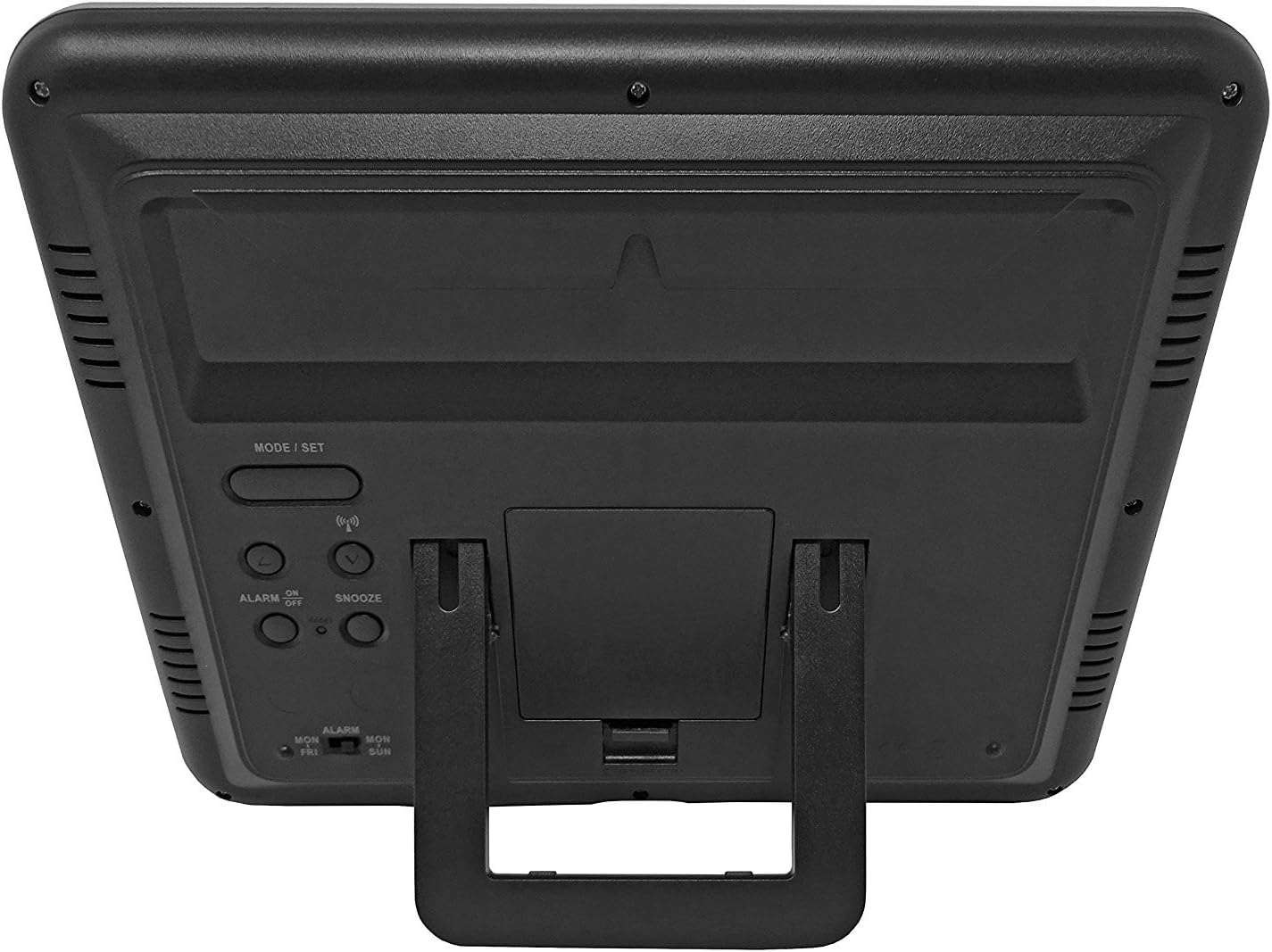
รูปที่ 3.1: ย้อนกลับ view of the clock, highlighting the battery compartment and control buttons.
ปุ่มควบคุม:
- โหมด / การตั้งค่า: ใช้สำหรับสลับระหว่างโหมดการแสดงผลและเข้าสู่โหมดการตั้งค่า
- ขึ้นลง: ใช้สำหรับปรับค่าต่างๆ ในโหมดการตั้งค่า
- WAVE / RCC: Manually initiates or stops radio control signal reception.
- ALARM ON / OFF: เปิดใช้งานหรือปิดใช้งานระบบเตือนภัย
- เลื่อน: เปิดใช้งานฟังก์ชันเลื่อนปลุกเมื่อนาฬิกาปลุกดังขึ้น
4. การติดตั้งแบตเตอรี่
- หาฝาปิดช่องใส่แบตเตอรี่ที่ด้านหลังของนาฬิกา
- Remove the cover by sliding it down or lifting it off.
- Insert 4 new AA batteries, ensuring the correct polarity (+ and -) as indicated inside the compartment.
- เปลี่ยนฝาครอบช่องใส่แบตเตอรี่
The clock will power on and begin searching for the radio control signal automatically.
5. Initial Setup & Time Synchronization
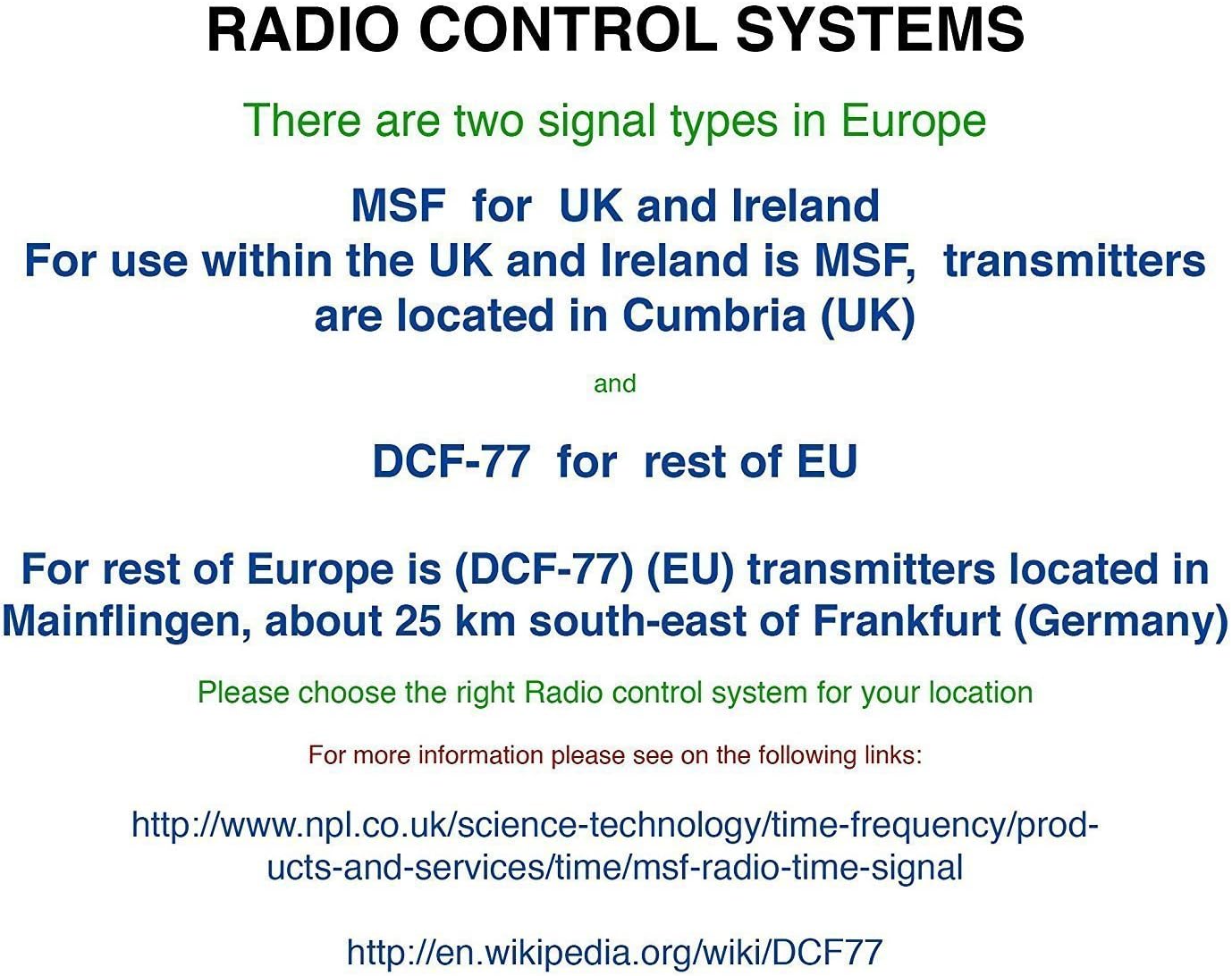
The Youshiko YC8061-B clock is designed to automatically set its time and date via the MSF radio signal broadcast from Cumbria, UK. This signal is specifically for use within the UK and Ireland.

Figure 5.1: Explanation of radio control systems (MSF for UK/Ireland, DCF-77 for rest of EU).
การซิงโครไนซ์อัตโนมัติ:
- After battery installation, the clock will automatically start searching for the MSF signal. A radio wave icon will flash on the display.
- วางนาฬิกาไว้ใกล้หน้าต่าง และให้ห่างจากอุปกรณ์อิเล็กทรอนิกส์ที่อาจก่อให้เกิดการรบกวน
- The initial synchronization process may take several minutes to a few hours, depending on your location and signal strength.
- Once the signal is successfully received, the radio wave icon will appear solid on the display, and the clock will show the correct time and date.
- The clock will automatically adjust for Daylight Saving Time (DST) and perform daily checks to maintain accuracy.
ค้นหาสัญญาณด้วยตนเอง:
If the clock does not synchronize automatically or if you wish to force a signal search, press and hold the WAVE / RCC button. The radio wave icon will flash, indicating it is searching for the signal.
Manual Time Setting (if radio signal is unavailable):
In areas where the radio signal cannot be received, you can manually set the time and date:
- กดปุ่มค้างไว้ โหมด / ตั้งค่า กดปุ่มค้างไว้จนกว่าตัวเลขบอกเวลาจะเริ่มกะพริบ
- ใช้ UP or ลง ปุ่มสำหรับปรับค่าการกระพริบ (เช่น ชั่วโมง นาที)
- กด โหมด / ตั้งค่า again to confirm the setting and move to the next adjustable item (e.g., minute, year, month, day, 12/24-hour format, temperature unit).
- ทำซ้ำขั้นตอนที่ 2 และ 3 จนกว่าจะตั้งค่าเสร็จทั้งหมด
- กด โหมด / ตั้งค่า กดอีกครั้งเพื่อออกจากโหมดการตั้งค่า
6. คู่มือการใช้งาน
โหมดการแสดงผล:
The clock displays time (hours, minutes, seconds), date (day, month, year), day of the week, indoor temperature, and humidity. The time digits are large (8.3 cm) for easy readability.
ฟังก์ชั่นปลุก:
- ในการตั้งเวลาปลุก ให้กดปุ่ม โหมด / ตั้งค่า button repeatedly until the alarm time is displayed.
- กดค้างไว้ โหมด / ตั้งค่า until the alarm hour flashes. Use UP or ลง ที่จะปรับเปลี่ยน
- กด โหมด / ตั้งค่า to confirm the hour and move to minutes. Use UP or ลง ที่จะปรับเปลี่ยน
- กด โหมด / ตั้งค่า เพื่อออกจากโหมดการตั้งค่าสัญญาณเตือน
- หากต้องการเปิดหรือปิดสัญญาณเตือน ให้กดปุ่ม เปิด/ปิดนาฬิกาปลุก button. An alarm icon will appear on the display when activated.
ฟังก์ชั่นเลื่อน:
เมื่อเสียงปลุกดัง ให้กด เลื่อน กดปุ่มเพื่อปิดเสียงเตือนชั่วคราว เสียงเตือนจะดังขึ้นอีกครั้งหลังจากประมาณ 5 นาที
การเลือกหน่วยอุณหภูมิ:
To switch between Celsius (°C) and Fahrenheit (°F) for temperature display, press the UP button during normal time display.
7. ตัวเลือกการติดตั้ง
The Youshiko YC8061-B clock offers versatile placement options:
การติดตั้งบนผนัง:
The clock features a keyhole slot on the back for easy wall mounting. Use a suitable screw (not included) in your desired location.

Figure 7.1: The clock displayed on a wall, showcasing its suitability for wall mounting.
ขาตั้งโต๊ะ:
An integrated foldable stand on the back allows the clock to be placed on any flat surface, such as a desk, shelf, or bedside table.

Figure 7.2: The clock positioned on a table using its integrated stand.
8. การบำรุงรักษา
การทำความสะอาด:
Wipe the clock with a soft, dry cloth. Do not use abrasive cleaners or solvents, as these may damage the display or casing.
การเปลี่ยนแบตเตอรี่:
When the display dims or the clock stops functioning correctly, replace all 4 AA batteries simultaneously. Do not mix old and new batteries or different types of batteries.
9 การแก้ไขปัญหา
| ปัญหา | สาเหตุที่เป็นไปได้ | สารละลาย |
|---|---|---|
| Clock does not display anything. | แบตเตอรี่หมดหรือใส่ไม่ถูกต้อง | เปลี่ยนแบตเตอรี่ใหม่โดยตรวจสอบให้แน่ใจว่าใส่ขั้วถูกต้อง |
| Radio wave icon is flashing, or time is incorrect. | สัญญาณวิทยุรับไม่ดี | Move the clock to a location with better signal reception (e.g., near a window, away from electronics). Manually initiate signal search using the WAVE / RCC button. |
| สัญญาณเตือนภัยไม่ดัง | ระบบเตือนภัยไม่ทำงาน | Press the ALARM ON / OFF button to activate the alarm (alarm icon should appear). |
| การอ่านค่าอุณหภูมิ/ความชื้นดูไม่แม่นยำ | Clock is placed in an area with extreme temperature fluctuations or direct sunlight. | Relocate the clock to a stable indoor environment. Allow time for readings to stabilize. |
10. ข้อมูลจำเพาะ

Figure 10.1: Dimensions of the Youshiko YC8061-B Jumbo Radio Controlled Wall Clock.
| คุณสมบัติ | รายละเอียด |
|---|---|
| หมายเลขรุ่น | YC8061-B |
| ขนาด (กว้าง x ยาว x สูง) | 24.8 x 20.6 x 2.8 ซม. (9.76 x 8.11 x 1.1 นิ้ว) |
| น้ำหนัก | 600 กรัม |
| แหล่งพลังงาน | แบตเตอรี่ AA 4 ก้อน (ไม่รวม) |
| ประเภทจอภาพ | จอ LCD ระบบดิจิตอล |
| สัญญาณเวลา | MSF (UK & Ireland version) |
| คุณสมบัติพิเศษ | Radio-controlled, Automatic DST adjustment, Indoor Temperature Display, Indoor Humidity Display, Calendar (Day, Month, Year), Alarm with Snooze, Wall Mountable / Table Stand |
| สี | สีดำ |
11. ข้อมูลการรับประกัน
Youshiko products are manufactured to high-quality standards. This product is covered by a standard manufacturer's warranty against defects in materials and workmanship. Please retain your proof of purchase for warranty claims. Specific warranty terms and duration may vary by region. For detailed warranty information, please refer to the documentation provided at the time of purchase or contact Youshiko customer support.
12. การสนับสนุน
Should you encounter any issues or have questions regarding your Youshiko YC8061-B Jumbo Radio Controlled Wall Clock that are not addressed in this manual, please contact Youshiko customer support. Contact details can typically be found on the product packaging or the official Youshiko webเว็บไซต์.
Ask a question about this manual
Ask about setup, troubleshooting, compatibility, parts, safety, or missing instructions. Manuals+ will review the question and use this page’s manual context to help answer it.