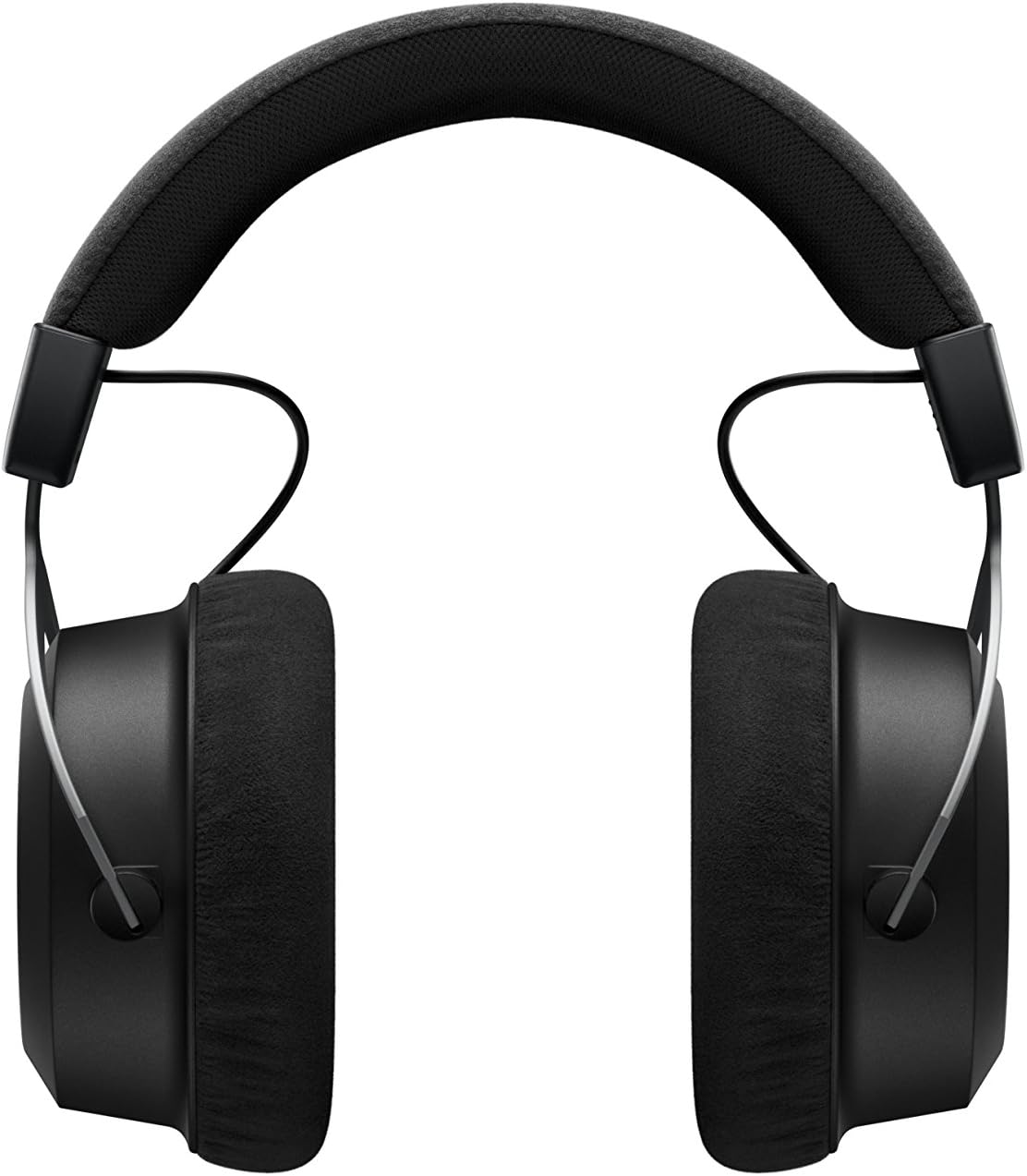
The beyerdynamic Amiron Wireless headphones are designed to provide a high-end audio experience with the freedom of wireless connectivity. These headphones integrate innovative sound personalization and Tesla technology for optimal sound quality. They are crafted with high-quality materials in Germany, ensuring durability and a comfortable fit for extended listening sessions.
มีอะไรอยู่ในกล่อง
Your beyerdynamic Amiron Wireless headphones package includes the following items:
Amiron Wireless headphones
Optional wired connection cable with remote control (Mini Jack 3.5 mm, 1.2 m long, detachable, 4-pole)
สายชาร์จ USB-A ถึง USB-C
เคสแข็ง
คู่มือการรับประกัน
คู่มือเริ่มต้นอย่างรวดเร็ว
Image: The Amiron Wireless headphones, charging cable, audio cable, and hard case.
สินค้าเกินview
The Amiron Wireless headphones are designed for an immersive audio experience, combining advanced technology with user comfort.
คุณสมบัติหลัก:
High-end Bluetooth Connectivity: Features optimum sound quality thanks to Tesla technology and top-class Bluetooth transmission (Qualcomm aptX HD and AAC). Operating range up to 10 meters.
Sound Personalization: Adapts acoustically to the user's hearing through an integrated sound personalization feature, ensuring a tailored audio experience.
ปลอบโยน: Unique wearing comfort achieved through masterfully balanced contact pressure and a perfect fit, ideal for long listening sessions.
งานสร้างระดับพรีเมียม: Made in Germany with high-quality materials, offering durability and flawless workmanship.
การควบคุมแบบสัมผัส: Intuitive touch controls on the earcup for easy management of playback and calls.
ภาพ: ด้านข้าง view of the Amiron Wireless headphones, highlighting the earcup design and headband.
การตั้งค่า
1. การชาร์จหูฟัง
Before first use, ensure your Amiron Wireless headphones are fully charged. Connect the provided USB-A to USB-C charging cable to the USB-C port on the headphone and a suitable USB power source. A full charge takes approximately 2 hours and provides over 30 hours of battery life.
Press and hold the power button on the headphone until the LED indicator flashes blue and red, indicating pairing mode.
On your device (smartphone, tablet, etc.), go to Bluetooth settings and select "Amiron Wireless" from the list of available devices.
Once connected, the LED indicator will show a steady blue light.
3. Sound Personalization (MIY App)
For an optimized listening experience, download the beyerdynamic MIY app from the Google Play Store or Apple App Store. The app allows you to perform a hearing test and create a personalized sound profile that adapts the audio output to your individual hearing. This profile is then stored directly on the headphones.
วิดีโอ: จบแล้วview of the beyerdynamic Amiron Wireless headphones, including unboxing and features like sound personalization and touch controls.
คำแนะนำการใช้งาน
การควบคุมทัชแพด
The right earcup features an integrated touchpad for intuitive control of various functions:
การควบคุมระดับเสียง: Swipe up or down on the touchpad.
ติดตามการนำทาง: Swipe forward for the next track, backward for the previous track.
เล่น/หยุดชั่วคราว: Tap the center of the touchpad.
การจัดการการโทร: Tap to answer/end calls, push and hold for voice commands (Siri, Google Assistant).
The sensitivity of these touch controls can be customized via the MIY app.
การทำงานแบบมีสาย
For a wired connection, plug the provided 3.5 mm audio cable into the headphone's audio jack and your audio source. This allows for passive use even if the battery is depleted or while charging. The inline remote on the cable provides basic playback and call controls.
Image: A user enjoying music with the Amiron Wireless headphones, demonstrating the touch controls on the earcup.
คุณภาพเสียง
The Amiron Wireless headphones deliver a dynamic and detailed sound profile, characterized by:
เบส: Powerful and precise low-end with good impact, without overpowering other frequencies.
ระดับกลาง: Natural and clear, providing excellent reproduction of vocals and instruments.
เสียงแหลม: Detailed and smooth high-end, avoiding harshness even at higher frequencies, contributing to an airy sound.
เสียงtage: Offers impressive depth and precise instrument placement, creating a spacious and immersive listening experience.
The sound personalization feature via the MIY app further enhances the audio quality by tailoring it to your unique hearing profile.
ความสะดวกสบายและการออกแบบ
The Amiron Wireless headphones prioritize comfort and a robust build:
แผ่นรองหูฟัง: Equipped with soft, velour earpads that provide a comfortable fit and contribute to sound isolation.
ที่คาดผม: Features a leatherette headband with ample padding for reduced pressure during prolonged use.
วัสดุ: Constructed with high-quality materials, including metal components, ensuring durability and a premium feel.
พอดี: Designed for a balanced contact pressure and secure fit, making them suitable for home listening.
Image: A user enjoying music with the Amiron Wireless headphones in a relaxed setting, showcasing their comfortable design.
ข้อมูลจำเพาะ
คุณสมบัติ
รายละเอียด
ชื่อรุ่น
Amiron Wireless
เทคโนโลยีการเชื่อมต่อ
Wireless Version (Bluetooth 4.0)
เทคโนโลยีการสื่อสารไร้สาย
บลูทูธ
การตอบสนองความถี่
5 - 40,000 เฮิรตซ์
อิมพีแดนซ์
32 โอห์ม
ความไวต่อความรู้สึก
100 เดซิเบล
อายุการใช้งานแบตเตอรี่
30 ชั่วโมง
เวลาในการชาร์จ
2 Hours (for 30 hours playback)
ช่วงบลูทูธ
10 เมตร
วิธีการควบคุม
ระบบสัมผัส (ควบคุมสื่อ)
การควบคุมเสียงรบกวน
การแยกเสียง
น้ำหนักสินค้า
13.4 ออนซ์
ขนาดสินค้า
8.07 x 4.13 x 5.9 นิ้ว
ผู้ผลิต
Beyerdynamic, Inc.
การซ่อมบำรุง
To ensure the longevity and optimal performance of your beyerdynamic Amiron Wireless headphones, follow these maintenance guidelines:
The beyerdynamic Amiron Wireless headphones are manufactured in Germany using high-quality materials, offering durability and flawless workmanship. Please refer to the included warranty booklet for detailed information regarding your product's warranty coverage.
For further assistance, technical support, or service inquiries, please visit the official beyerdynamic webเว็บไซต์หรือติดต่อฝ่ายบริการลูกค้าของพวกเขา
Ask about setup, troubleshooting, compatibility, parts, safety, or missing instructions. Manuals+ will review the question and use this page’s manual context to help answer it.