
1. บทนำ
Thank you for choosing the Hanwha Techwin Wisenet QND-6020R 2 Megapixel Network Camera. This manual provides essential information for the safe and efficient installation, operation, and maintenance of your new surveillance camera. Please read this manual thoroughly before using the product and retain it for future reference.
2. ข้อมูลด้านความปลอดภัย
ปฏิบัติตามข้อควรระวังด้านความปลอดภัยต่อไปนี้เพื่อป้องกันการบาดเจ็บหรือความเสียหายต่อผลิตภัณฑ์:
- แหล่งพลังงาน: Use only the specified power adapter (AC/DC) for this device. Incorrect voltagอาจก่อให้เกิดเพลิงไหม้หรือไฟฟ้าช็อตได้
- การติดตั้ง: Ensure the camera is securely mounted to prevent it from falling. Wall mounting is recommended.
- น้ำและความชื้น: This camera has an IP65 waterproof rating, meaning it is protected against dust and low-pressure water jets. However, avoid submerging the camera in water or exposing it to high-pressure water.
- การทำความสะอาด: ถอดปลั๊กไฟออกก่อนทำความสะอาด ใช้ผ้านุ่มและแห้ง ห้ามใช้น้ำยาทำความสะอาดชนิดน้ำหรือสเปรย์
- อุณหภูมิในการทำงาน: Do not operate the camera outside its specified temperature range.
- การบริการ: อย่าพยายามให้บริการผลิตภัณฑ์นี้ด้วยตนเอง ส่งต่อการบริการทั้งหมดไปยังช่างบริการที่ผ่านการรับรอง
3. เนื้อหาบรรจุภัณฑ์
ตรวจสอบว่ามีรายการทั้งหมดอยู่ในแพ็คเกจ:
- Hanwha Techwin Wisenet QND-6020R Network Camera
- สกรูยึดและตัวล็อค
- คู่มือการติดตั้ง
- อะแดปเตอร์ไฟฟ้า (AC/DC)
4. สินค้าหมดview
The Hanwha Techwin Wisenet QND-6020R is a 2-megapixel network dome camera designed for reliable surveillance. It features advanced video compression (H.264, H.265, Motion JPEG), 1080p video capture, and a 3.60 mm lens. Key features include night vision up to 65.62 ft and motion detection capabilities.
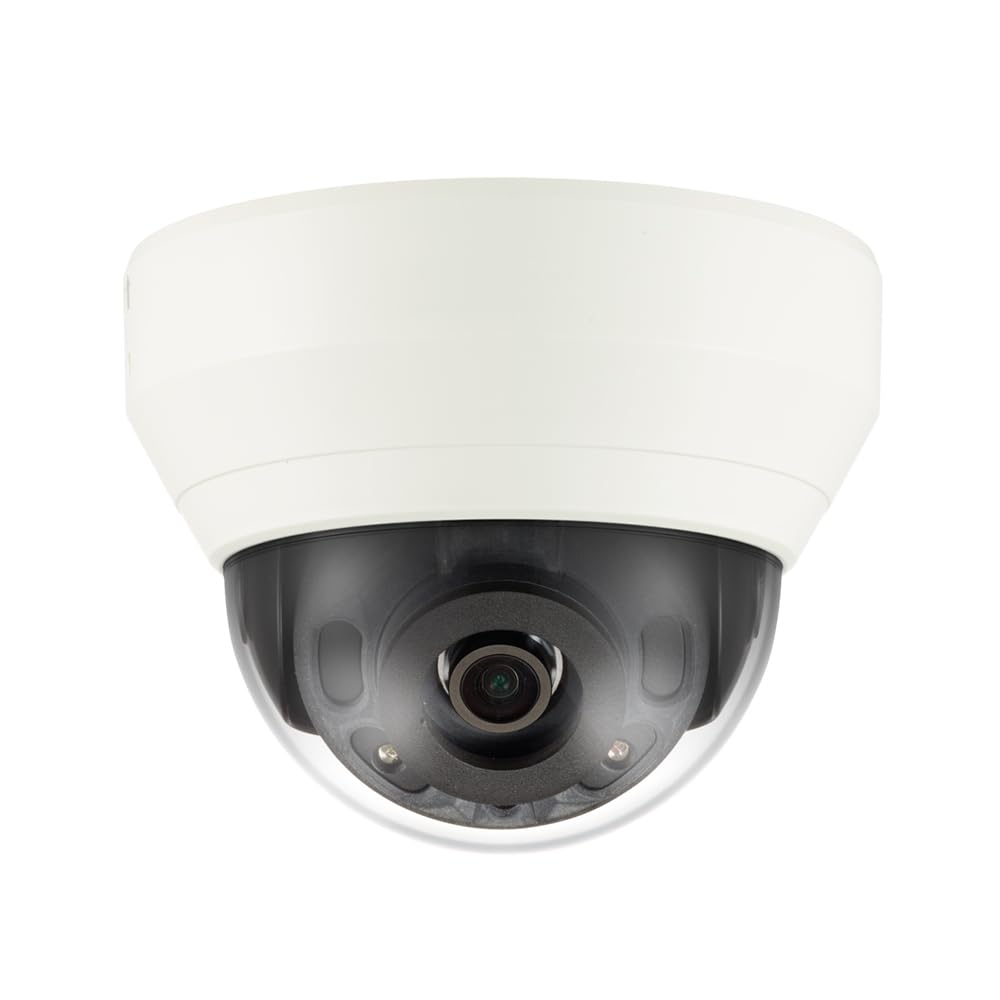
รูปที่ 4.1: ด้านหน้า view of the Hanwha Techwin Wisenet QND-6020R 2 Megapixel Network Dome Camera. This image shows the compact dome design, suitable for discreet surveillance installations. The camera features a dark housing and a clear dome covering the lens, indicating its robust construction for various environments.
5. การตั้งค่า
5.1 การติดตั้งกล้อง
- เลือกสถานที่: Choose a suitable wall location for optimal surveillance coverage. Ensure the surface is strong enough to support the camera.
- เจาะรู: Use the provided mounting template (if applicable) to mark and drill pilot holes for the mounting screws.
- ยึดภูเขาให้แน่น: Attach the camera's mounting base to the wall using the screws and anchors.
- ปรับมุม: เมื่อติดตั้งเสร็จแล้ว ให้ปรับกล้อง viewมุมเอียงตามต้องการ
5.2 การเชื่อมต่อไฟฟ้าและเครือข่าย
- การเชื่อมต่อไฟฟ้า: Connect the supplied AC/DC power adapter to the camera's power input port and then to a power outlet.
- การเชื่อมต่อเครือข่าย (แบบใช้สาย): For a wired connection, connect an Ethernet cable from the camera's network port to your network router or switch.
- การเชื่อมต่อเครือข่าย (Wi-Fi): For Wi-Fi connectivity, refer to the camera's initial setup wizard or the dedicated network configuration section in the full digital manual for pairing instructions. The camera supports Wi-Fi connectivity.
5.3 การกำหนดค่าเริ่มต้น
After connecting power and network, the camera will boot up. Access the camera's web interface via a browser using its IP address (refer to your network's DHCP client list or use the manufacturer's discovery tool). Follow the on-screen prompts to set up administrator credentials, network settings, and initial video configurations.
6. คู่มือการใช้งาน
6.1 สด View และการบันทึก
เข้าชมภาพสดจากกล้อง view through its web interface or a compatible network video recorder (NVR) / surveillance software. Configure recording schedules, motion-triggered recording, and continuous recording settings as desired. Video is captured at 1080p resolution in MP4 format.
6.2 การตรวจจับการเคลื่อนไหว
The camera features a motion sensor. Configure motion detection zones and sensitivity settings within the camera's web interface. You can set up alerts (e.g., email notifications) to be triggered upon motion detection.
6.3 การมองเห็นตอนกลางคืน
The QND-6020R is equipped with night vision capabilities, providing clear images in low-light conditions up to 65.62 ft. The camera automatically switches between day and night modes based on ambient light levels. Night vision is in color.
7. การบำรุงรักษา
7.1 การทำความสะอาด
Regularly clean the camera's lens and housing with a soft, dry cloth to ensure optimal image quality. Avoid using harsh chemicals or abrasive materials.
การอัปเดตเฟิร์มแวร์ 7.2 รายการ
Periodically check the Hanwha Techwin webเว็บไซต์สำหรับอัปเดตเฟิร์มแวร์ การอัปเดตเฟิร์มแวร์ของกล้องให้เป็นเวอร์ชันล่าสุดจะช่วยให้มั่นใจได้ถึงประสิทธิภาพสูงสุด ความปลอดภัย และการเข้าถึงคุณสมบัติใหม่ๆ
8 การแก้ไขปัญหา
- ไม่มีไฟฟ้า: Ensure the power adapter is securely connected to both the camera and a working power outlet. Verify the outlet has power.
- ไม่มีวิดีโอ/ออฟไลน์: Check network cable connections (if wired) or Wi-Fi signal strength (if wireless). Verify the camera's IP address and network settings. Restart the camera and your network router.
- คุณภาพของภาพต่ำ: ทำความสะอาดเลนส์กล้อง ตรวจสอบให้แน่ใจว่าไม่มีสิ่งกีดขวางใดๆ ในมุมมองของกล้อง view. Check lighting conditions.
- การตรวจจับความเคลื่อนไหวไม่ทำงาน: Review motion detection zone settings and sensitivity in the camera's web interface. Ensure the feature is enabled.
- ไม่สามารถเข้าถึง Web อินเทอร์เฟซ: Verify the camera's IP address. Ensure your computer is on the same network segment as the camera. Try a different web เบราว์เซอร์
9. ข้อมูลจำเพาะ
| คุณสมบัติ | คำอธิบาย |
|---|---|
| หมายเลขรุ่น | QND-6020R |
| ยี่ห้อ | HANWHA |
| การใช้ที่แนะนำ | การเฝ้าระวัง |
| คุณสมบัติพิเศษ | เซ็นเซอร์ตรวจจับความเคลื่อนไหว, ระบบมองเห็นในเวลากลางคืน |
| แหล่งพลังงาน | ไฟฟ้ากระแสสลับ/ไฟฟ้ากระแสตรง |
| โปรโตคอลการเชื่อมต่อ | ไวไฟ |
| ประเภทตัวควบคุม | เอช.264 |
| ประเภทการติดตั้ง | ติดผนัง |
| ประเภทการแจ้งเตือน | การเคลื่อนไหวเท่านั้น |
| ระดับการกันน้ำ | IP65 |
| เทคโนโลยีไร้สาย | ไวไฟ |
| เทคโนโลยีโฟโต้เซนเซอร์ | ซีมอส |
| ความละเอียดในการจับภาพวิดีโอ | 1080p |
| รูปแบบการจับภาพวิดีโอ | เอ็มพี 4 |
| การมองเห็นตอนกลางคืน | สีกลางคืน |
| ผู้ผลิต | Hanwha Group |
10. การรับประกันและการสนับสนุน
This Hanwha Techwin product is covered by a manufacturer's warranty provided by Hanwha Group. For detailed warranty terms and conditions, please refer to the warranty card included with your product or visit the official Hanwha Techwin website. For technical support, troubleshooting assistance, or service inquiries, please contact Hanwha Techwin customer support through their official channels.