
1. บทนำ
The eufy RoboVac 11c Pet Edition is a self-charging robotic vacuum cleaner designed to efficiently clean hard floors and medium-pile carpets. It features BoostIQ™ technology for increased suction, a 3-point cleaning system, and Wi-Fi connectivity for convenient control via the EufyHome app or voice assistants.

Figure 1: The eufy RoboVac 11c Pet Edition.
2. การตั้งค่า
2.1 อะไรอยู่ในกล่อง
- RoboVac 11c Pet Edition
- Remote control (2 AAA batteries included)
- Boundary strips
- ฐานชาร์จ
- อะแดปเตอร์ไฟฟ้ากระแสสลับ
- เครื่องมือทำความสะอาด
- Extra set of high-performance filters
- Extra set of side brushes
- คู่มือการต้อนรับ
2.2 Charging Base Installation
Place the charging base on a hard, level surface against a wall. Ensure there is at least 3 feet (1 meter) of clear space to the front and 1 foot (0.3 meters) to each side of the charging base. Connect the AC power adapter to the charging base and a wall outlet. Ensure the charging base is always powered on.
2.3 ค่าบริการเริ่มต้น
Before first use, fully charge the RoboVac. Place the RoboVac onto the charging base, ensuring the charging pins align. The indicator light will show charging status. A full charge typically takes 5-6 hours.
2.4 Connecting to Wi-Fi and App Control
Download the EufyHome app from your smartphone's app store. Follow the in-app instructions to connect your RoboVac to your home Wi-Fi network. This enables remote control, scheduling, and monitoring.
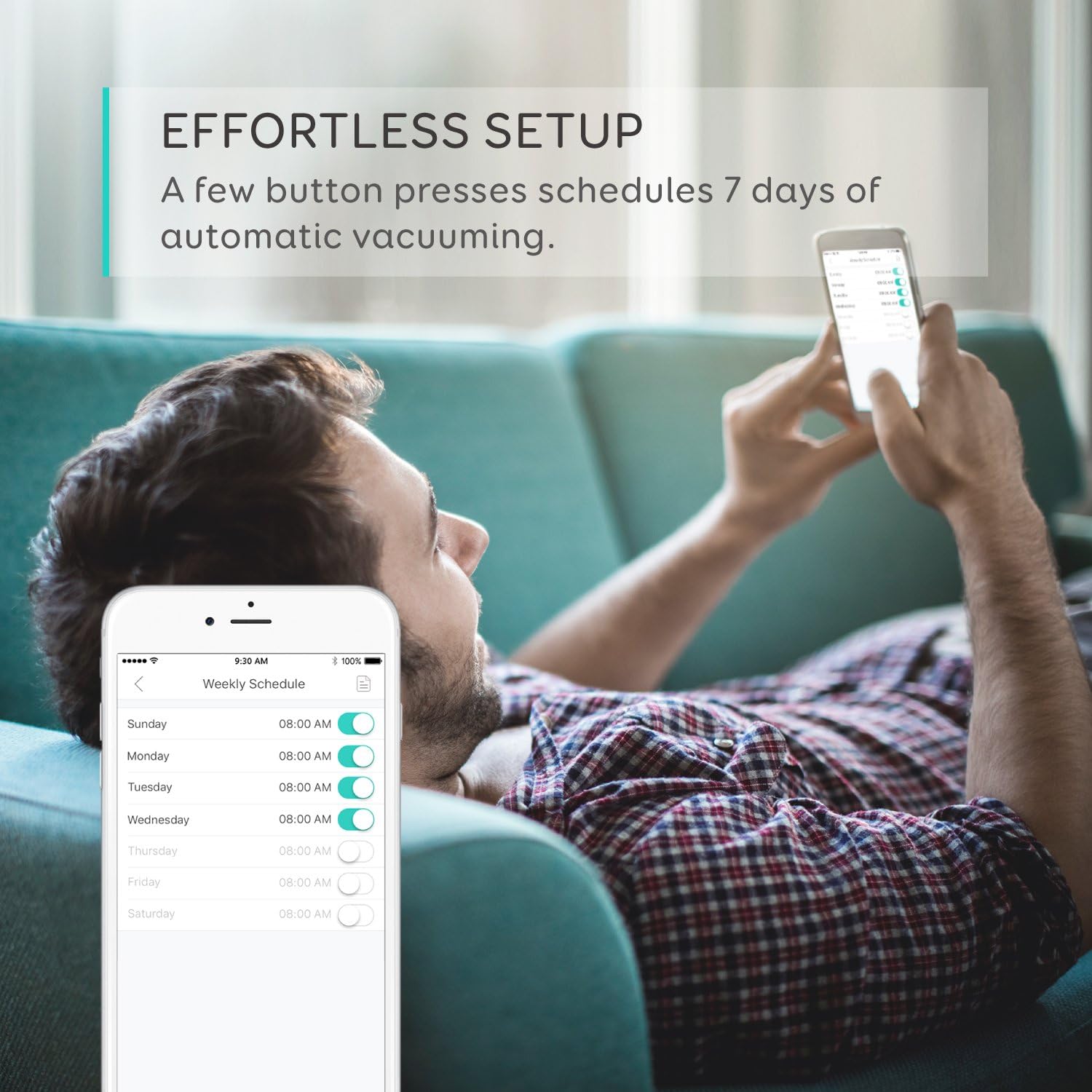
Figure 2: Control and scheduling via the EufyHome app.
2.5 Using Boundary Strips
Use the provided boundary strips to create virtual walls, preventing the RoboVac from entering specific areas or falling down stairs. Cut the strips to the desired length and place them flat on the floor.

Figure 3: Boundary strips define cleaning areas.
3. การดำเนินการ
โหมดทำความสะอาด 3.1 โหมด
The RoboVac 11c Pet Edition offers various cleaning modes:
- ทำความสะอาดอัตโนมัติ: The RoboVac automatically cleans your home, adjusting its path and suction power (BoostIQ™) as needed.
- การทำความสะอาดเฉพาะจุด: Focuses on a specific area for intensive cleaning.
- การทำความสะอาดขอบ: ทำความสะอาดตามผนังและขอบเฟอร์นิเจอร์
The BoostIQ™ technology automatically increases suction power when transitioning from hard floors to carpets, ensuring thorough cleaning on different surfaces.

Figure 4: Key cleaning performance features.
3.2 การกำหนดตารางการทำความสะอาด
You can set a cleaning schedule using the EufyHome app. This allows the RoboVac to automatically start cleaning at a predetermined time each day.
3.3 การควบคุมด้วยเสียง
The RoboVac 11c Pet Edition is compatible with Amazon Alexa and Google Assistant. Once connected, you can use voice commands to start, stop, or send the RoboVac back to its charging base.

Figure 5: Voice-activated cleaning with smart assistants.
3.4 การควบคุมระยะไกล
Use the included remote control to manually direct the RoboVac, change cleaning modes, or send it back to the charging base.
3.5 Multi-Terrain Capability
The RoboVac is designed with larger climbing wheels to traverse ledges and clean various floor types, including hard floors and medium-pile carpets.

Figure 6: RoboVac's ability to clean multiple floor types.
3.6 Pet Edition Features
The Pet Edition is optimized for homes with pets, featuring increased suction power to effectively extract pet fur and debris from floors and carpets.

Figure 7: Designed for pet owners.
4. การบำรุงรักษา
การบำรุงรักษาอย่างสม่ำเสมอจะช่วยให้หุ่นยนต์ดูดฝุ่นของคุณทำงานได้อย่างมีประสิทธิภาพสูงสุด
4.1 Emptying the Dust Collector
Empty the dust collector after each use. Press the release button, remove the dust collector, and discard collected debris.
4.2 Cleaning the Rolling Brush
Remove the rolling brush cover and lift out the brush. Use the cleaning tool to remove hair and debris tangled around the brush. Reinstall the brush and cover.
4.3 การทำความสะอาดแปรงด้านข้าง
Periodically check side brushes for tangled hair or debris. Gently pull them off to clean, and replace if damaged. An extra set of side brushes is included.
4.4 การทำความสะอาดตัวกรอง
Remove the filters from the dust collector and tap them to remove dust. Do not wash the filters with water. Replace filters every 3-6 months, or as needed. An extra set of high-performance filters is included.
4.5 การทำความสะอาดเซ็นเซอร์
Wipe the drop sensors and charging contacts on the RoboVac and charging base with a dry cloth to ensure proper function.
5 การแก้ไขปัญหา
If your RoboVac encounters an issue, refer to the following common solutions:
- RoboVac not charging: Ensure the charging base is powered on and the RoboVac's charging contacts are clean and properly aligned with the base.
- RoboVac getting stuck: Clear obstacles like loose cables, small toys, or thick rugs from the cleaning path. Use boundary strips to block off problematic areas.
- RoboVac not returning to base: Ensure the charging base is in an open area without obstructions. The RoboVac may need manual assistance if it's too far from the base or in a different room.
- ปัญหาการเชื่อมต่อ Wi-Fi: Verify your Wi-Fi network is 2.4GHz. Ensure the RoboVac is within range of your router. Restart your router and the RoboVac, then attempt to reconnect via the EufyHome app.
- ลดพลังดูด: Empty the dust collector, clean the filters, and check the rolling brush for blockages.
6. ข้อมูลจำเพาะ
| คุณสมบัติ | รายละเอียด |
|---|---|
| ยี่ห้อ | ยูฟี่ |
| หมายเลขรุ่น | AK-T21111J1 |
| คำแนะนำด้านพื้นผิว | Carpet, Hard Floor, Tile |
| คุณสมบัติพิเศษ | ไร้ถุง |
| ประเภทตัวควบคุม | รีโมทคอนโทรล |
| ประเภทตัวกรอง | ดิสก์ |
| อายุการใช้งานแบตเตอรี่ | 100 นาที |
| ประเภทแบตเตอรี่ | ลิเธียมไอออน |
| แหล่งพลังงาน | ใช้พลังงานจากแบตเตอรี่ ไฟฟ้าแบบมีสาย |
| วิธีการควบคุม | ระยะไกล |
| แบตเตอรี่ลิเธียมฉบับtage | 14.4 โวลต์ |
| อุปกรณ์ที่รองรับ | อเมซอน เอคโค่ |
| ฟอร์มแฟกเตอร์ | หุ่นยนต์ |
| น้ำหนักสินค้า | 10.2 ปอนด์ |
| ยูพีซี | 848061065374 |
7. การรับประกันและการสนับสนุน
7.1 ข้อมูลการรับประกัน
The eufy RoboVac 11c Pet Edition comes with a worry-free 12-month warranty. Please retain your proof of purchase for warranty claims.
7.2 การสนับสนุนลูกค้า
For further assistance, technical support, or warranty inquiries, please contact eufy customer service. Refer to the contact information provided in your product's welcome guide or visit the official eufy support webเว็บไซต์.