
1. บทนำและเรื่องอื่นๆview
This manual provides instructions for the safe and effective use of your Omron MC-687 Electronic Thermometer. This device is designed for accurate body temperature measurement, offering both quick predictive readings and precise actual measurements. Key features include a 15-second predictive measurement, a buzzer to indicate completion, memory for the last reading, and an automatic power-off function.
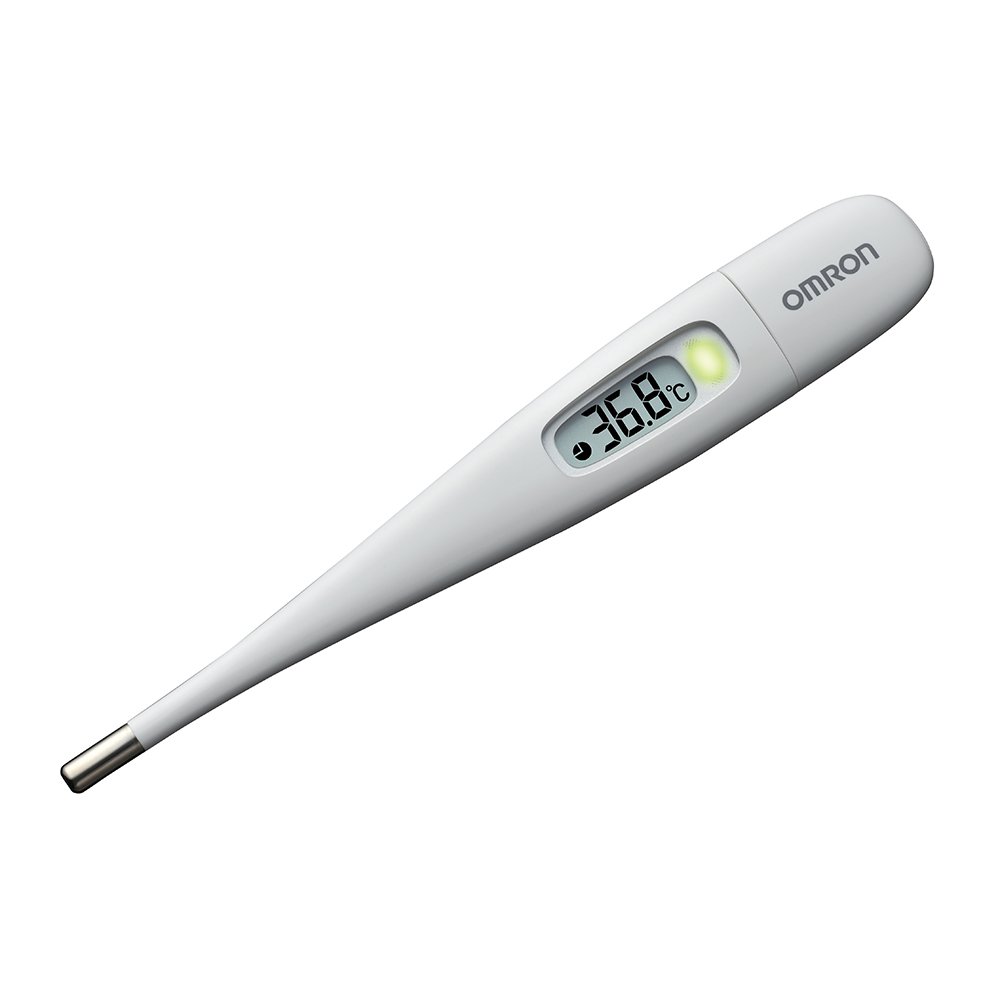
Image: The Omron MC-687 Electronic Thermometer, a sleek white device with a clear digital display for temperature readings.
2. ข้อมูลด้านความปลอดภัย
- Read all instructions thoroughly before using the thermometer.
- Keep the thermometer out of reach of children and individuals who cannot operate it properly.
- Do not bite, bend, or attempt to disassemble the thermometer.
- Avoid exposing the thermometer to direct sunlight, high temperatures, or moisture.
- If you have concerns about your temperature or health, consult a medical professional.
- This device is for personal use and should not be used for professional medical diagnosis without proper training.
3. เนื้อหาบรรจุภัณฑ์
ตรวจสอบว่ามีรายการทั้งหมดอยู่ในแพ็คเกจ:
- Omron MC-687 Electronic Thermometer unit
- กล่องเก็บของแบบป้องกัน
- CR1220 Alkaline Button Battery (test battery included)
- คู่มือการใช้งาน (เอกสารนี้)
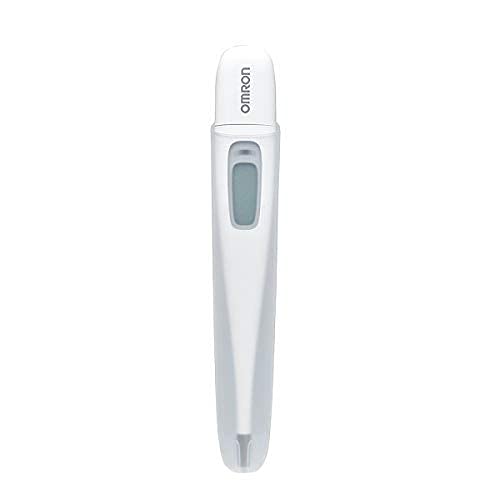
Image: The Omron MC-687 Electronic Thermometer displayed in its retail packaging, highlighting its quick measurement feature.
4. การตั้งค่า
The Omron MC-687 thermometer comes with a test battery pre-installed, making it ready for immediate use. No initial setup is typically required beyond removing it from its packaging.
4.1 การตรวจสอบเบื้องต้น
- Remove the thermometer from its storage case.
- Press the power button. The display should light up, showing the last measured temperature or a default reading.
- If the display does not light up, refer to the Troubleshooting section for battery replacement instructions.
5. คู่มือการใช้งาน
5.1 การวัดผล
- กดปุ่มเพาเวอร์เพื่อเปิดเทอร์โมมิเตอร์
- Place the sensing tip of the thermometer firmly in the armpit (axillary measurement). Ensure good skin contact.
- Hold the thermometer in place. The device will begin a predictive measurement.
- After approximately 15 seconds, a buzzer will sound, and the predictive temperature will be displayed. This is a quick estimate of your body temperature.
- To obtain a more precise, actual measurement, continue holding the thermometer in place after the predictive reading. The thermometer will automatically switch to actual measurement mode.
- The actual measurement for axillary use typically takes about 10 minutes. A longer buzzer sound will indicate the completion of the actual measurement.
- Remove the thermometer and read the final temperature displayed.
- Press the power button to turn off the thermometer, or it will automatically power off after a period of inactivity.

Image: A graph illustrating the difference between predictive (approx. 15 seconds) and actual (approx. 10 minutes) measurement times for the Omron thermometer, showing temperature rise over time to reach equilibrium.
5.2 Understanding Predictive vs. Actual Measurement
The Omron MC-687 offers two measurement modes:
- Predictive Measurement: This mode quickly estimates your body temperature in about 15 seconds by analyzing the initial temperature rise. It uses Omron's proprietary algorithm to predict the temperature you would reach after a longer period.
- Actual Measurement: This mode continues to measure until your body temperature stabilizes (reaches equilibrium). This provides the most accurate reading. For axillary measurement, this typically takes about 10 minutes.

Image: Visual explanation of Predictive Measurement, showing how the thermometer analyzes initial temperature rise to quickly estimate the final temperature.

Image: Visual explanation of Actual Measurement, detailing how it measures the current temperature of the body part, requiring longer times for accuracy.
5.3 ฟังก์ชั่นหน่วยความจำ
The thermometer automatically stores the last measured temperature. To recall the last reading, simply press the power button when the device is off. The stored temperature will be displayed briefly before the thermometer enters measurement mode.
6. การบำรุงรักษา
6.1 การทำความสะอาด
After each use, clean the thermometer probe with a soft cloth dampened with alcohol or mild soap and water. Do not immerse the entire thermometer in water or use harsh chemical cleaners.
6.2 พื้นที่จัดเก็บ
Store the thermometer in its protective case in a cool, dry place, away from direct sunlight and extreme temperatures. Keep it out of reach of children.
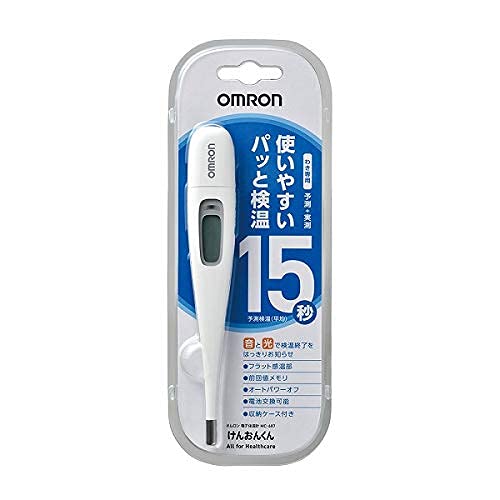
Image: The Omron MC-687 Electronic Thermometer shown with its dedicated protective storage case, emphasizing proper storage.
6.3 การเปลี่ยนแบตเตอรี่
When the battery indicator appears on the display, it is time to replace the battery. The thermometer uses one CR1220 alkaline button battery.
- Locate the battery cover on the back of the thermometer.
- ใช้เหรียญขนาดเล็กหรือไขควงเพื่อเปิดฝาครอบแบตเตอรี่
- ถอดแบตเตอรี่เก่าออกและใส่แบตเตอรี่ CR1220 ใหม่โดยให้ด้านบวก (+) หันขึ้น
- Replace the battery cover and secure it tightly.
7 การแก้ไขปัญหา
- No display when powered on: Check if the battery is correctly inserted or needs replacement.
- "Lo" displayed: This indicates a temperature below the measurable range (32.0°C). Ensure proper contact with the body.
- แสดงข้อความ "Err": This indicates a measurement error. Ensure the thermometer is used correctly and within its operating temperature range. Try taking the measurement again.
- การอ่านค่าที่ไม่ถูกต้อง: Ensure the thermometer probe is clean and positioned correctly. Avoid taking measurements immediately after strenuous activity, bathing, or eating.
If problems persist, contact Omron Healthcare customer support.
8. ข้อมูลจำเพาะ
| แบบอย่าง | เอ็มซี-687 |
| ขนาด (กว้าง x ยาว x ลึก) | 20.7 มม. x 136.8 มม. x 12.8 มม. |
| น้ำหนัก | ประมาณ 14g (รวมแบตเตอรี่) |
| วิธีการวัด | ใต้วงแขน |
| เวลาในการวัด | Predictive: Approx. 15 seconds Actual: Approx. 10 minutes |
| ช่วงการวัด | 32.0°C ถึง 42.0°C |
| ความแม่นยำในการวัด | ±0.1°C (between 35.0°C and 39.0°C) |
| แหล่งพลังงาน | CR1220 Alkaline Button Battery x 1 |
| ฟังก์ชั่น | Buzzer, Last Reading Memory, Auto Power Off |
| วัสดุ | Sensing part: Stainless steel, Probe: ABS |
| Medical Device Number | 229AGBZX00037000 |
| ประเทศต้นกำเนิด | จีน |
| อุปกรณ์เสริมที่รวมอยู่ด้วย | Protective Storage Case, Test Battery |
9. การรับประกันและการสนับสนุน
For warranty information, please refer to the warranty card included with your product or visit the official Omron Healthcare website. If you require technical support, have questions about the product, or need assistance with troubleshooting, please contact Omron Healthcare customer service through their official channels.
Official Omron Healthcare Webเว็บไซต์: www.omron-healthcare.com