
การแนะนำ
ขอบคุณสำหรับการซื้อasing the 2BOOM Portable Wireless Bluetooth Speaker System. This manual provides detailed instructions for setting up, operating, and maintaining your speaker. Please read this manual thoroughly before using the product to ensure proper function and longevity.
เนื้อหาแพ็คเกจ
กรุณาตรวจสอบเนื้อหาในแพ็คเกจเพื่อให้แน่ใจว่ามีสินค้าครบทั้งหมด:
- 1 x 2BOOM Twister Speaker (Model: BX311R)
- สายสัญญาณเสียง 1 เส้น
- 1 x สายชาร์จ
- 1 x คู่มือผู้ใช้
Note: This unit does not come with an attachable carry strap.
สินค้าเกินview

รูปที่ 1 : ด้านหน้า view of the 2BOOM Twister speaker, showcasing its cylindrical design with red end caps and a black carbon fiber textured body.

Figure 2: Diagram highlighting the key features of the speaker, including Deep Digital Bass, FM Radio capability, Colorful Light FX, and a Bluetooth range of 32.8 feet.

รูปที่ 3: รายละเอียด view of the speaker's control panel, indicating the location and function of the DC5V charging port, AUX input, OFF/ON switch, Mode button, Previous/Volume -, Play/Pause, Next/Volume +, MIC-VOL, Microphone input, USB input, and TF Card slot.

รูปที่ 4: มุม view of the speaker's top, providing a clear perspective of the control panel and its various buttons and ports.
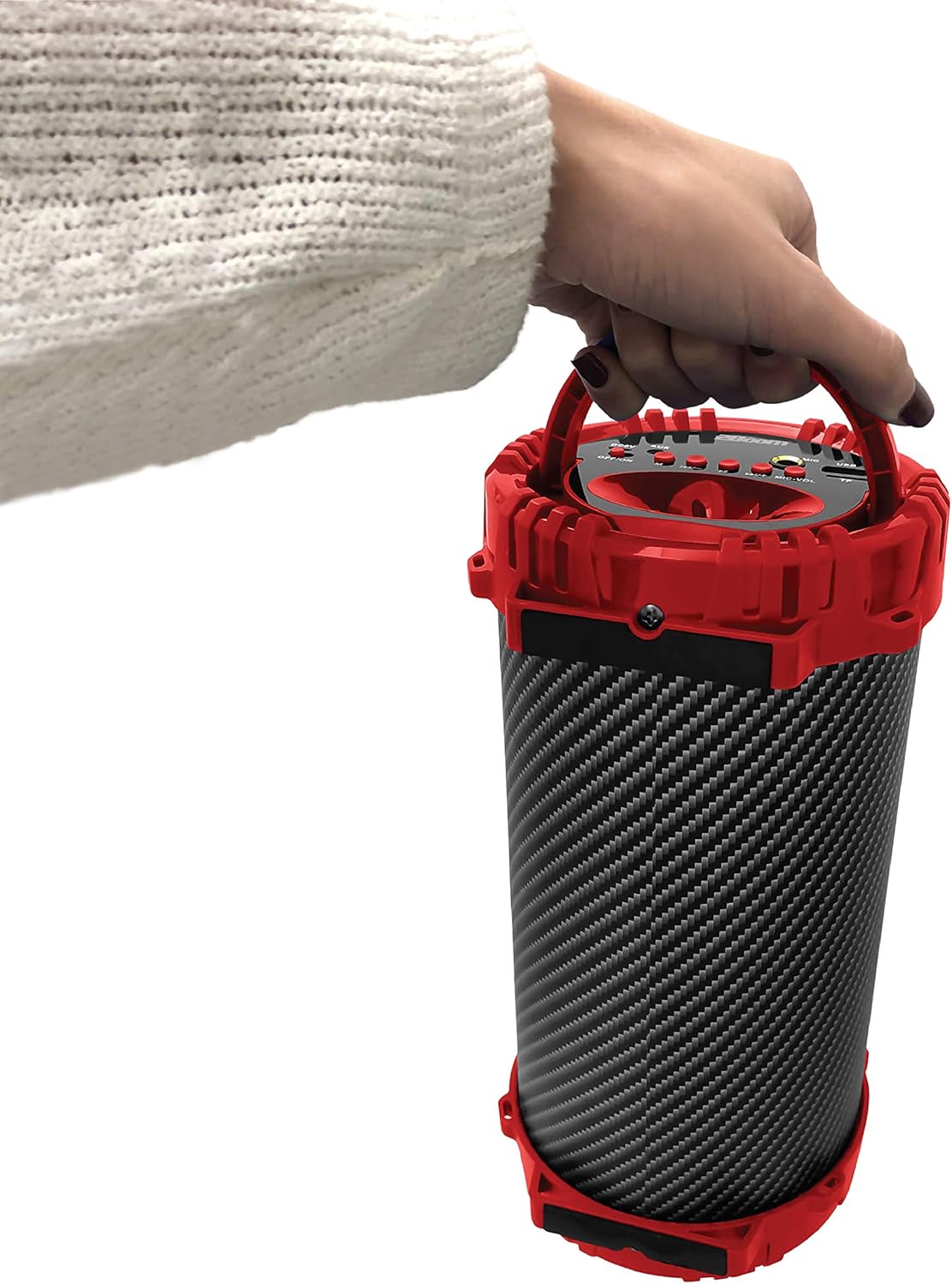
Figure 5: Image demonstrating the portability of the speaker, held by hand using its integrated carry handle.
การตั้งค่า
การชาร์จลำโพง
Before first use, fully charge the speaker. Connect the provided charging cable to the DC5V port on the speaker (refer to Figure 3) and the other end to a USB power adapter (not included) or a computer's USB port. The charging indicator light will illuminate during charging and turn off when fully charged.
การเปิด/ปิดเครื่อง
Locate the OFF/ON switch on the control panel (refer to Figure 3). Slide the switch to the "ON" position to power on the speaker. Slide it to the "OFF" position to power off the speaker.
คำแนะนำการใช้งาน
การเชื่อมต่อบลูทูธ
- Ensure the speaker is powered on. It will automatically enter Bluetooth pairing mode.
- On your Bluetooth-enabled device (smartphone, tablet, MP3 player), enable Bluetooth and search for available devices.
- Select "2BOOM Twister" from the list of devices.
- Once connected, the speaker will emit an audible confirmation. Your device will automatically remember the speaker for future connections.
- The Bluetooth connection range is up to 33 feet (10 meters).
การเลือกโหมด
Press the "M" (Mode) button on the control panel (refer to Figure 3) to cycle through available modes: Bluetooth, FM Radio, AUX, USB, and TF Card.
การทำงานของวิทยุ FM
- Switch to FM Radio mode using the "M" button.
- Press and hold the "Play/Pause" button to automatically scan and save available FM stations.
- Use the "Previous/Volume -" and "Next/Volume +" buttons to navigate between saved stations.
อินพุต AUX
Connect an external audio device (e.g., MP3 player, computer) to the AUX port on the speaker (refer to Figure 3) using the provided audio cable. Switch to AUX mode using the "M" button. Audio will now play through the speaker from your connected device.
อินพุต USB
ใส่แฟลชไดรฟ์ USB ที่มีไฟล์เสียง MP3 files into the USB port (refer to Figure 3). The speaker will automatically switch to USB mode and begin playing the audio files.
ใส่การ์ด TF
ใส่การ์ด TF (MicroSD) ที่มีไฟล์เสียง MP3 files into the TF Card slot (refer to Figure 3). The speaker will automatically switch to TF Card mode and begin playing the audio files.
Microphone Input (Karaoke Function)
Connect a microphone (not included) to the MIC input port (refer to Figure 3). Adjust the microphone volume using the "MIC-VOL" knob. You can sing along to music playing from any source (Bluetooth, AUX, USB, TF Card, FM Radio).
การควบคุมระดับเสียงและการนำทางแทร็ก
- ปรับระดับเสียงขึ้น: Press and hold the "Next/Volume +" button.
- ลดเสียงลง: Press and hold the "Previous/Volume -" button.
- Next Track/Station: Short press the "Next/Volume +" button.
- Previous Track/Station: Short press the "Previous/Volume -" button.
- เล่น/หยุดชั่วคราว: Short press the "Play/Pause" button.
การซ่อมบำรุง
- การทำความสะอาด: ใช้ผ้าแห้งนุ่มเช็ดทำความสะอาดภายนอกลำโพง ห้ามใช้สารทำความสะอาดที่มีฤทธิ์กัดกร่อนหรือตัวทำละลาย
- พื้นที่จัดเก็บ: เก็บลำโพงไว้ในที่แห้งและเย็น หลีกเลี่ยงแสงแดดโดยตรงและอุณหภูมิที่สูงหรือต่ำเกินไป
- ความต้านทานน้ำ: This speaker is NOT waterproof. Avoid exposing it to water or excessive moisture.
- การดูแลแบตเตอรี่ เพื่อยืดอายุการใช้งานแบตเตอรี่ ควรหลีกเลี่ยงการใช้แบตเตอรี่จนหมดบ่อยๆ ควรชาร์จลำโพงเป็นประจำ แม้จะไม่ได้ใช้งานเป็นเวลานานก็ตาม
การแก้ไขปัญหา
| ปัญหา | สาเหตุที่เป็นไปได้ | สารละลาย |
|---|---|---|
| ลำโพงไม่เปิดเครื่อง | แบตเตอรี่เหลือน้อยหรือหมด | ชาร์จลำโพงโดยใช้สายชาร์จที่ให้มา |
| ไม่สามารถจับคู่กับอุปกรณ์บลูทูธได้ | บลูทูธไม่ได้เปิดใช้งานบนอุปกรณ์ของคุณ ลำโพงไม่ได้อยู่ในโหมดจับคู่ อุปกรณ์อยู่นอกระยะ | Ensure Bluetooth is on and the speaker is in pairing mode. Move device closer to the speaker (within 33 feet). |
| ไม่มีเสียงจากลำโพง | Volume is too low; incorrect mode selected; audio cable not fully connected. | Increase speaker and device volume. Ensure correct mode (Bluetooth, AUX, etc.) is selected. Check cable connections. |
| การรับสัญญาณวิทยุ FM ไม่ดี | สัญญาณอ่อน; มีสัญญาณรบกวนจากสภาพแวดล้อม | Try repositioning the speaker. Perform an auto-scan for stations again. |
ข้อมูลจำเพาะ
| คุณสมบัติ | รายละเอียด |
|---|---|
| แบบอย่าง | BX311R |
| ยี่ห้อ | 2BOOM |
| เส้นผ่านศูนย์กลางซับวูฟเฟอร์ | 4 นิ้ว |
| เทคโนโลยีการเชื่อมต่อ | บลูทูธ, USB, ไร้สาย |
| ช่วงบลูทูธสูงสุด | 33 ฟุต (10 เมตร) |
| โหมดเอาต์พุตเสียง | สเตอริโอ |
| แหล่งพลังงาน | ใช้พลังงานจากแบตเตอรี่ |
| ประเภทวัสดุ | พลาสติก |
| สี | สีแดง |
| น้ำหนักสินค้า | 1.65 ปอนด์ (ประมาณ 748.43 กรัม) |
| ขนาดสินค้า (กว้าง x ยาว x สูง) | 25.4 x 16.51 x 15.24 ซม. |
| คุณสมบัติพิเศษ | FM Radio, Microphone Input, USB/TF Card Playback |
การรับประกันและการสนับสนุน
The 2BOOM Twister Speaker comes with an UNLIMITED 2BOOM warranty when bought from Tech Direct Worldwide. For warranty claims, technical support, or any inquiries regarding your product, please contact the retailer or manufacturer directly.
โปรดเก็บหลักฐานการซื้อไว้เพื่อวัตถุประสงค์การรับประกัน