
1. บทนำและเรื่องอื่นๆview
The Autel Autolink AL329 is an advanced OBDII/EOBD code reader designed for diagnosing vehicle issues. It provides comprehensive diagnostic functions to help users identify and resolve problems efficiently. This manual provides detailed instructions for setting up, operating, maintaining, and troubleshooting your AL329 device.
คุณสมบัติหลัก:
- Compatible with domestic, Asian, and European vehicles (1996 and newer OBD II/EOBD compatible).
- Retrieves generic (P0, P2, P3, U0), manufacturer-specific (P1, P3, U1), and pending codes.
- One-Click I/M emissions readiness key for quick monitor status checks.
- AutoVIN for quick reading and clearing of Diagnostic Trouble Codes (DTCs).
- Enhanced Mode 6 diagnostics.
- Clears codes, resets monitors, and turns off the Malfunction Indicator Light (MIL).
- Views freeze frame data.
- Graphs, records, and plays back live data.
- Retrieves Vehicle Identification Information (VIN, CALID, CVN).
- Easy plug-in and scan operation.
- Tri-lingual interface: English, Spanish, and French.
- Features a TFT color display (220x176 DPI).
- Grease and water resistant design.
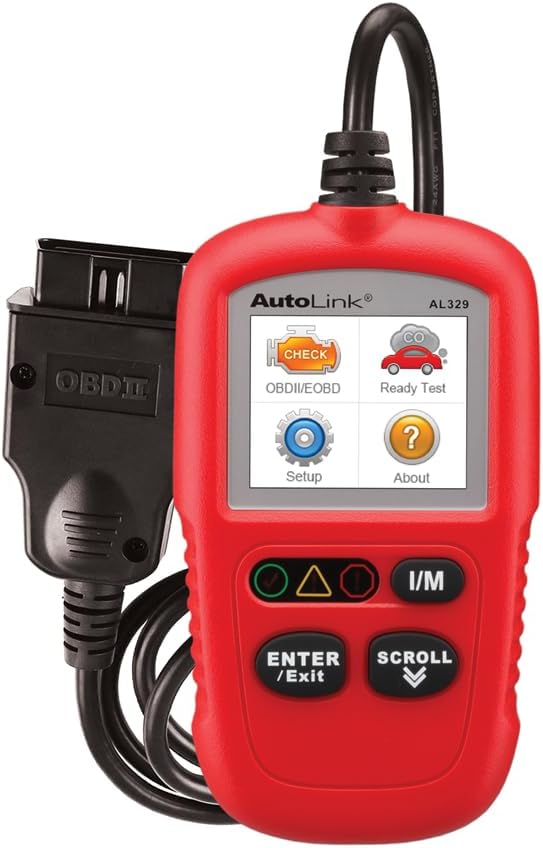
Image: The Autel Autolink AL329 code reader, a compact red device with a screen and control buttons, connected via an OBDII cable.
2. การตั้งค่า
2.1 การเชื่อมต่ออุปกรณ์
- Locate the vehicle's 16-pin Data Link Connector (DLC). The DLC is usually located under the dashboard, on the driver's side.
- Turn the vehicle's ignition to the 'ON' position, but do not start the engine.
- Plug the AL329's OBDII connector into the vehicle's DLC. The device will power on automatically.
2.2 การกำหนดค่าเริ่มต้น
- Upon first use, you may need to select your preferred language (English, Spanish, or French) from the 'Setup' menu.
- The device is designed for easy plug-and-scan operation, requiring minimal initial setup.
2.3 การอัปเดตซอฟต์แวร์
The AL329 supports software updates to ensure compatibility with the latest vehicle models and diagnostic protocols. Refer to the official Autel website for instructions on how to download and install updates.
วิดีโอ: เจ้าหน้าที่ผ่านview of the Autel AutoLink AL329, highlighting its features and ease of use for vehicle diagnostics.
3. คู่มือการใช้งาน
3.1 การนำทางเมนูการวินิจฉัย
Use the 'SCROLL' buttons to navigate through the menu options on the TFT color display. Press 'ENTER/EXIT' to select an option or return to the previous menu.
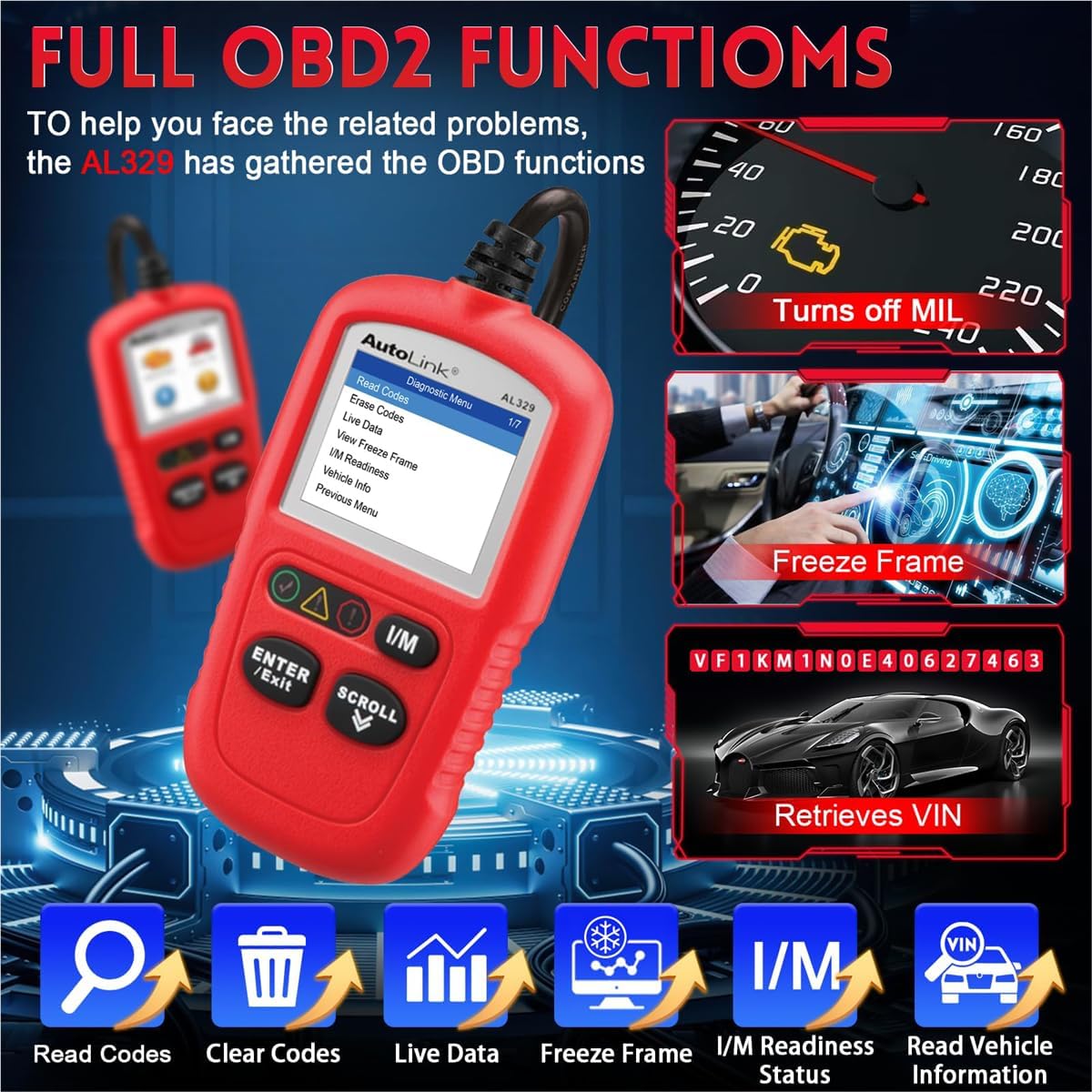
Image: The Autel AL329 displaying its diagnostic menu with options like Read Codes, Erase Codes, Live Data, Freeze Frame, I/M Readiness, and Vehicle Info.
3.2 การอ่านและการล้างรหัส
- อ่านรหัส: Select 'Read Codes' from the Diagnostic Menu to retrieve generic (P0, P2, P3, U0), manufacturer-specific (P1, P3, U1), and pending codes.
- รหัสที่ชัดเจน: Select 'Erase Codes' to clear Diagnostic Trouble Codes (DTCs) from the vehicle's computer, reset monitors, and turn off the Malfunction Indicator Light (MIL). Ensure the ignition is on and the engine is off before clearing codes.
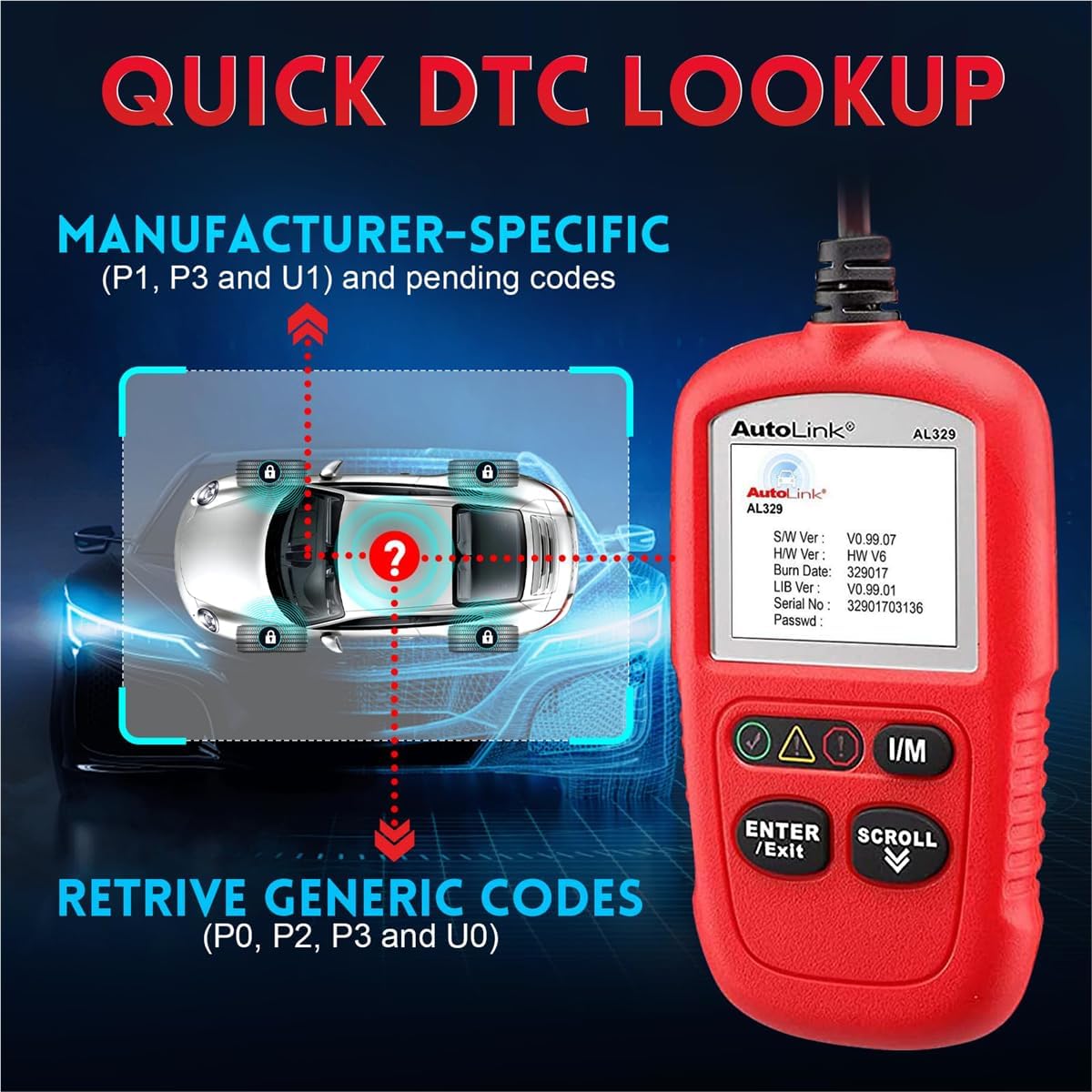
Image: The Autel AL329 screen showing a DTC lookup function, indicating retrieval of generic and manufacturer-specific codes.
3.3 Live Data and Freeze Frame
- ข้อมูลสด: เลือก 'ข้อมูลสด' เพื่อ view real-time PID data from the vehicle. This function allows you to graph, record, and play back live sensor readings.
- View ตรึงกรอบ: เลือก 'View Freeze Frame' to see a snapshot of sensor values at the moment a DTC was set. This helps in diagnosing intermittent problems.
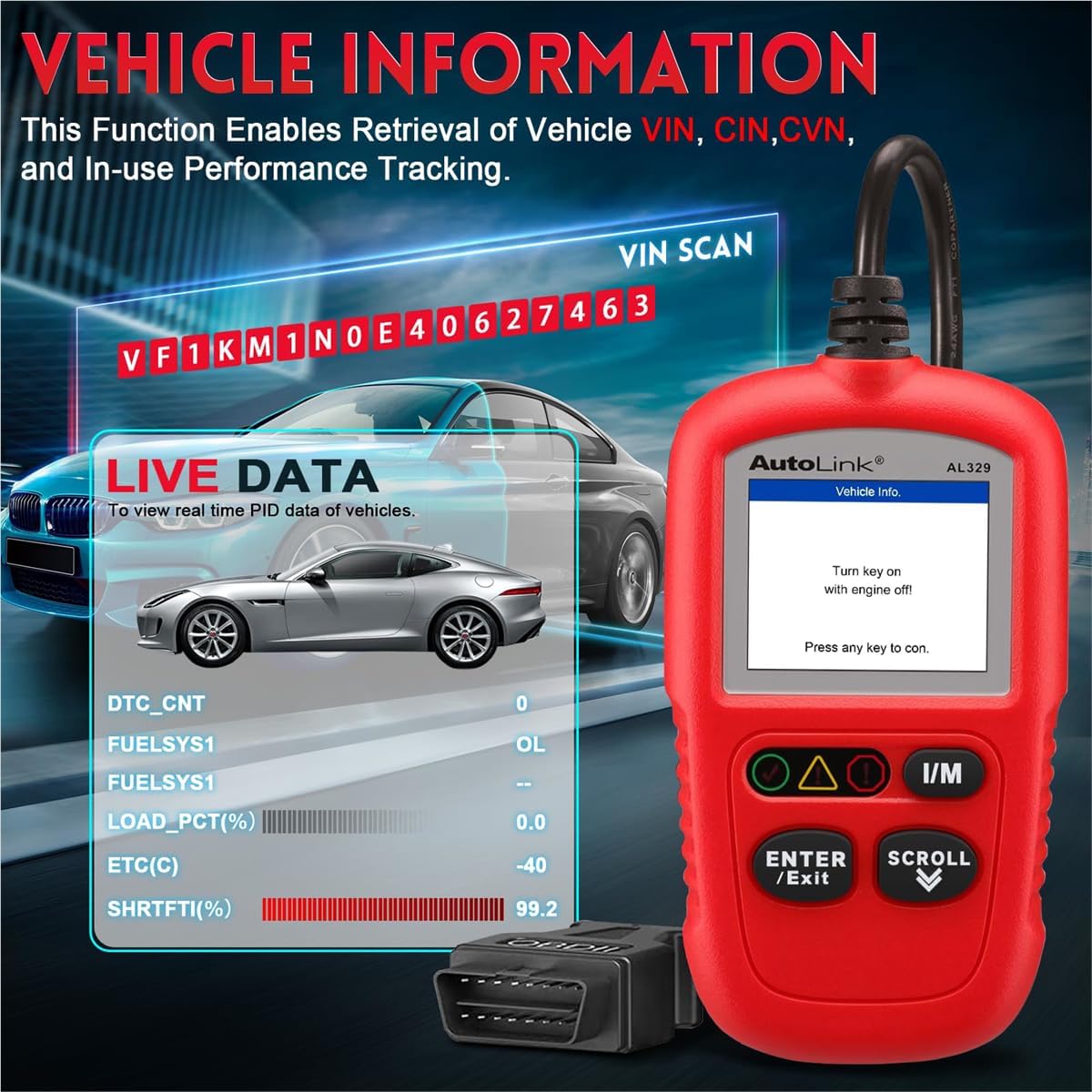
Image: The Autel AL329 displaying vehicle information including VIN and live data parameters like DTC count, fuel system status, and engine load percentage.
3.4 I/M Readiness and Vehicle Information
- ความพร้อมของ I/M: Press the dedicated 'I/M' button or select 'I/M Readiness' from the menu. This performs a quick check on active vehicle monitors to confirm if DTCs are present and if the vehicle is ready for an emissions test.
- ข้อมูลรถ: Select 'Vehicle Info' to retrieve vehicle identification information such as VIN (Vehicle Identification Number), CALID (Calibration Identification), and CVN (Calibration Verification Number).
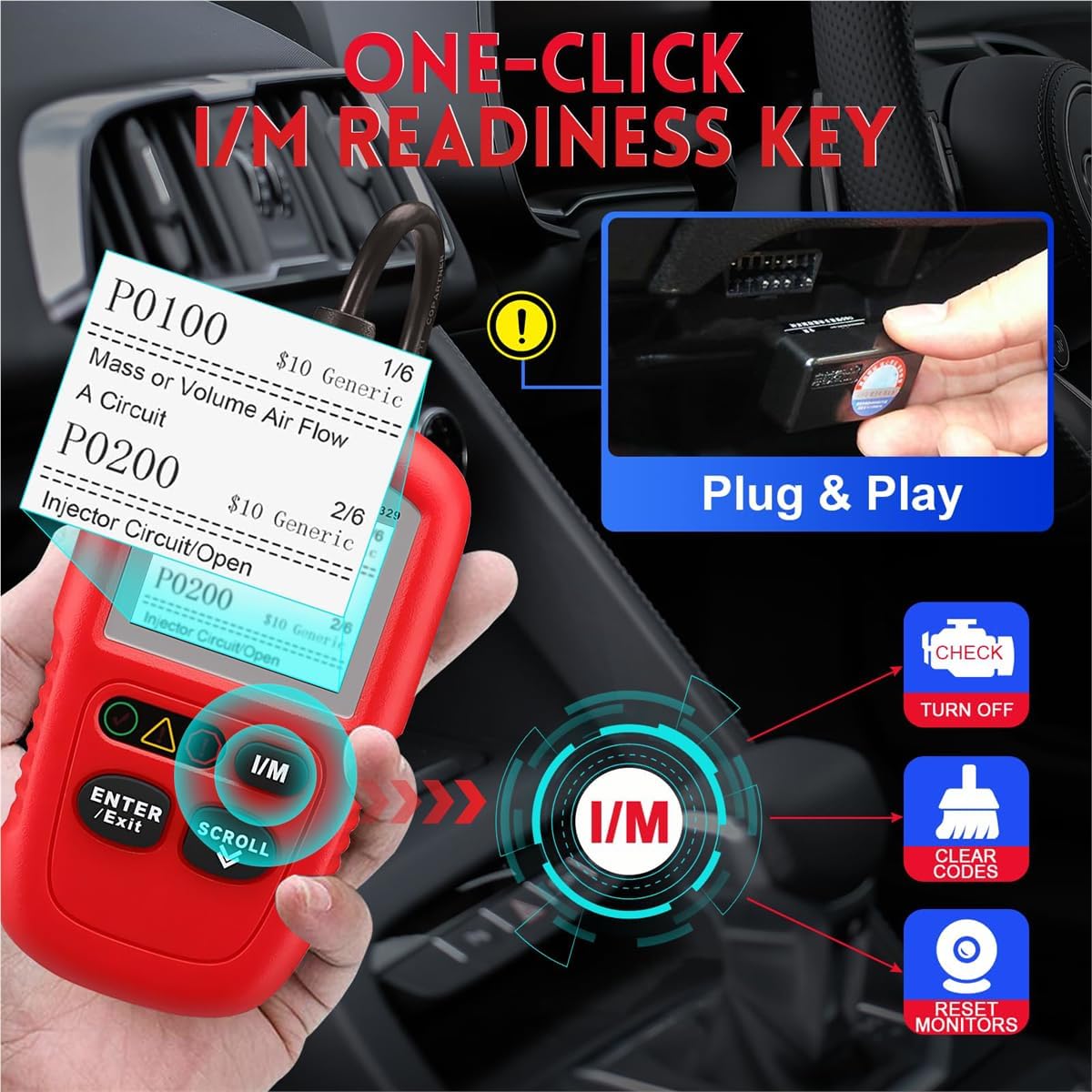
Image: The Autel AL329 connected to a vehicle's OBDII port, demonstrating the one-click I/M readiness function to check for DTCs and monitor status.

Image: The Autel AL329 displaying I/M Readiness status, showing various monitor statuses (OK, INC, N/A) and indicating the presence of Error DTCs and Pending DTCs.
4. การบำรุงรักษา
4.1 การทำความสะอาดและการเก็บรักษา
- The AL329 is designed to be grease and water resistant. Wipe the device with a clean, damp ผ้าสำหรับเช็ดสิ่งสกปรกหรือคราบสกปรก
- Store the device in a dry, clean environment within the specified storage temperature range of -20 to 70°C (-1 to 158°F).
4.2 การอัปเดตซอฟต์แวร์
ตรวจสอบข้อมูลอย่างเป็นทางการของ Autel เป็นประจำ website for available software updates to ensure optimal performance and compatibility. Follow the provided instructions for downloading and installing updates.
5 การแก้ไขปัญหา
5.1 ปัญหาทั่วไปและแนวทางแก้ไข
- อุปกรณ์ไม่เปิดเครื่อง: Ensure the OBDII connector is securely plugged into the vehicle's DLC and the vehicle's ignition is in the 'ON' position. Check the vehicle's battery for sufficient charge.
- ข้อผิดพลาดในการสื่อสาร: Verify that the vehicle is OBDII/EOBD compliant (1996 and newer for most regions). Check for loose connections. Try the device on another compatible vehicle to rule out a device issue.
- รหัสข้อผิดพลาดไม่หายไป: Ensure the vehicle's ignition is 'ON' and the engine is 'OFF' when attempting to clear codes. Some persistent issues may cause codes to reappear immediately after clearing; address the underlying mechanical problem first.
- การอ่านค่าที่ไม่ถูกต้อง: Ensure the vehicle's software is up-to-date. Verify that the vehicle's sensors are functioning correctly.
6. ข้อมูลจำเพาะ
| คุณสมบัติ | ข้อมูลจำเพาะ |
|---|---|
| ยี่ห้อ | ออเทล |
| แบบอย่าง | AL329 |
| แหล่งพลังงาน | Battery Powered (via vehicle OBDII port) |
| ขนาดหน้าจอ | 2.8 นิ้ว |
| ความละเอียดดั้งเดิม | 220x176 dpi |
| การรองรับภาษา | อังกฤษ, สเปน, ฝรั่งเศส |
| การเชื่อมต่อ | USB mini 2.0, OBDII DB16 |
| อุณหภูมิในการจัดเก็บ | -20 ถึง 70°C (-1 ถึง 158°F) |
| ขนาด (กว้าง x ยาว x สูง) | 120.9 mm (4.76") x 68.4 mm (2.69") x 18 mm (0.71") |
| น้ำหนักสุทธิ | 155.2 กรัม (0.342 ปอนด์) |

Image: A graphic detailing the hardware specifications of the Autel AL329, including its tri-lingual support, display resolution, resistance features, and power requirements.
7. ข้อมูลการรับประกัน
The Autel Autolink AL329 Code Reader comes with a รับประกัน 12 เดือน from the date of purchase. Please retain your proof of purchase for warranty claims. For detailed warranty terms and conditions, refer to the official Autel webไซต์หรือติดต่อฝ่ายสนับสนุนลูกค้า
8. การสนับสนุนลูกค้า
For technical assistance, product inquiries, or warranty support, please visit the official Autel website or contact their customer service department. You can also find additional resources and FAQs at the ร้าน Autel บน Amazon.