
1. บทนำ
This manual provides essential information for the proper installation, operation, maintenance, and troubleshooting of your Supermicro PWS-2K05A-1R Power Supply. Please read this manual thoroughly before attempting to install or operate the unit. Retain this manual for future reference.
2. ข้อมูลด้านความปลอดภัย
- อันตรายจากไฟฟ้า: หน่วยนี้ทำงานด้วยแรงดันไฟฟ้าสูงtage. Do not open the power supply casinก. ไม่มีชิ้นส่วนใดที่ผู้ใช้สามารถซ่อมบำรุงเองได้ภายใน แนะนำให้ช่างผู้ชำนาญการซ่อมบำรุงนำชิ้นส่วนทั้งหมดไปซ่อม
- การต่อลงดิน: Always ensure the power supply is properly grounded to prevent electrical shock.
- การระบายอากาศ : Ensure adequate airflow around the power supply. Do not block ventilation openings. Overheating can cause damage or fire.
- สิ่งแวดล้อม: Operate the power supply in a dry, well-ventilated environment, away from moisture, dust, and extreme temperatures.
- สายไฟ: Use only the power cord supplied with the unit or a suitable replacement rated for the local voltagและข้อกำหนดปัจจุบัน
3. สินค้าหมดview
The Supermicro PWS-2K05A-1R is a high-performance 2000-watt power supply designed for personal computer systems. It features an ATX form factor, air cooling with two integrated fans, and a 24-pin system bus connector, providing reliable and efficient power delivery for demanding applications.
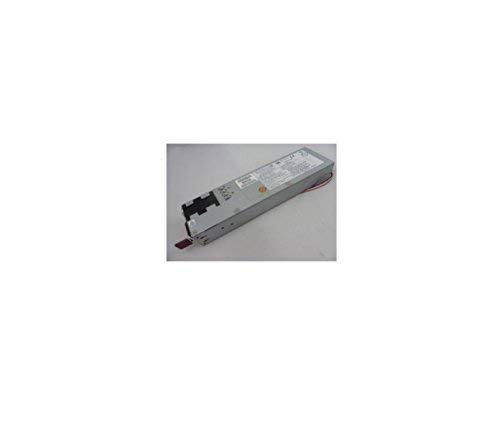
รูปที่ 1: ด้านหน้า view of the Supermicro PWS-2K05A-1R Power Supply, showing its compact design and ventilation grilles.
4. การตั้งค่าและการติดตั้ง
- การตระเตรียม: Before installation, ensure your computer system is powered off and disconnected from the main power outlet.
- การติดตั้ง: Carefully insert the PWS-2K05A-1R power supply into the designated ATX power supply bay in your computer chassis. Secure it with the appropriate screws.
- การเชื่อมต่อสายไฟหลัก: Connect the 24-pin ATX system bus connector from the power supply to the corresponding port on your motherboard. Ensure it is firmly seated.
- การเชื่อมต่ออุปกรณ์ต่อพ่วง: Connect all necessary peripheral power cables (e.g., CPU, GPU, storage drives) from the power supply to their respective components. Refer to your motherboard and component manuals for specific connection requirements.
- สายไฟ: Connect the AC power cord to the power supply's input socket and then to a grounded electrical outlet.
5. คู่มือการใช้งาน
Once the power supply is correctly installed and all connections are secure, you can power on your computer system. The PWS-2K05A-1R is designed for continuous operation within its specified voltagอีและวัตtagอีขีดจำกัด
- อินพุต Voltage: The power supply is designed to operate with an AC input voltage between 110 Volts and 120 Volts. Ensure your power source falls within this range.
- เปิด/ปิดเครื่อง: Use the main power switch on your computer chassis to turn the system on or off. The power supply will activate or deactivate accordingly.
- การติดตาม: เมนบอร์ดและระบบปฏิบัติการรุ่นใหม่มักมีเครื่องมือสำหรับตรวจสอบแรงดันไฟฟ้าของแหล่งจ่ายไฟtages. Consult your system's documentation for details.
6. การบำรุงรักษา
การบำรุงรักษาอย่างสม่ำเสมอจะช่วยให้แหล่งจ่ายไฟของคุณมีอายุการใช้งานยาวนานและทำงานได้อย่างมีประสิทธิภาพสูงสุด
- พัดลมทำความสะอาด: Periodically inspect the power supply's cooling fans for dust accumulation. If dust is present, carefully clean the fan blades and grilles using compressed air. Ensure the system is powered off and unplugged before cleaning.
- การระบายอากาศ : Ensure that the computer case's ventilation paths are clear and unobstructed to allow for proper airflow to and from the power supply.
- การจัดการสายเคเบิล: Maintain tidy cable management within your computer case to prevent obstruction of airflow and potential overheating.
7 การแก้ไขปัญหา
If you encounter issues with your Supermicro PWS-2K05A-1R Power Supply, consider the following troubleshooting steps:
- ไม่มีไฟฟ้า:
- Verify the power cord is securely connected to both the power supply and the wall outlet.
- ตรวจสอบว่าปลั๊กไฟใช้งานได้หรือไม่โดยลองเสียบอุปกรณ์อื่นเข้าไป
- Ensure the main power switch on the power supply (if present) is in the 'ON' position.
- Confirm all internal power connectors (24-pin ATX, CPU, GPU) are firmly seated.
- ระบบไม่เสถียร/ปิดเครื่องเองโดยไม่ทราบสาเหตุ:
- This could indicate an overloaded power supply or a faulty unit. Ensure your system's total power consumption does not exceed the power supply's 2000-watt capacity.
- Check for proper ventilation and ensure the power supply fans are spinning freely. Overheating can cause shutdowns.
- เสียงพัดลมดัง:
- Excessive fan noise can be caused by dust accumulation. Refer to the Maintenance section for cleaning instructions.
- If the noise persists after cleaning, it may indicate a worn-out fan bearing.
If these steps do not resolve the issue, contact Supermicro technical support or a qualified technician.
8. ข้อมูลจำเพาะ
| คุณสมบัติ | ข้อมูลจำเพาะ |
|---|---|
| ยี่ห้อ | ซุปเปอร์ไมโคร |
| แบบอย่าง | PWS-2K05A-1R |
| เอาท์พุต วัดtage | 2000 วัตต์ |
| ฟอร์มแฟกเตอร์ | เอทีเอ็กซ์ |
| วิธีการทำความเย็น | อากาศ |
| จำนวนแฟนๆ | 2 |
| ปริมาณอินพุตขั้นต่ำtage | 110 โวลต์ (AC) |
| ปริมาณอินพุตสูงสุดtage | 120 โวลต์ (AC) |
| ประเภทขั้วต่อ | เอทีเอ็กซ์ |
| System Bus Connector Type | 24 พิน |
| อุปกรณ์ที่รองรับ | เครื่องคอมพิวเตอร์ส่วนบุคคล |
9. ข้อมูลการรับประกัน
Warranty terms and conditions for the Supermicro PWS-2K05A-1R Power Supply are typically provided by the manufacturer or the point of purchase. Please refer to the documentation included with your purchase or visit the official Supermicro webเว็บไซต์สำหรับข้อมูลการรับประกันและขั้นตอนการลงทะเบียนโดยละเอียด
10. การสนับสนุน
For technical assistance, product inquiries, or further support, please contact Supermicro customer service or visit their official support website. Have your product model number (PWS-2K05A-1R) and any relevant purchase information ready when contacting support.
ซูเปอร์ไมโคร อย่างเป็นทางการ Webเว็บไซต์: www.supermicro.com