
1. บทนำ
Thank you for choosing the SOMIC G310 USB Gaming Headset. This headset is designed to provide an immersive audio experience for gaming across multiple platforms, including PC, PlayStation 4, PlayStation 5, and laptops. Featuring a comfortable design, a flexible microphone, and intuitive controls, the G310 enhances your communication and audio during gameplay.

Figure 1: SOMIC G310 USB Gaming Headset Overview
2. การตั้งค่า
2.1 การเชื่อมต่อชุดหูฟัง
The SOMIC G310 headset connects via a standard USB 2.0 interface. Simply plug the USB connector into an available USB port on your PC, PlayStation console, or laptop. The device should be automatically recognized by your system.

Figure 2: Headset with USB Cable
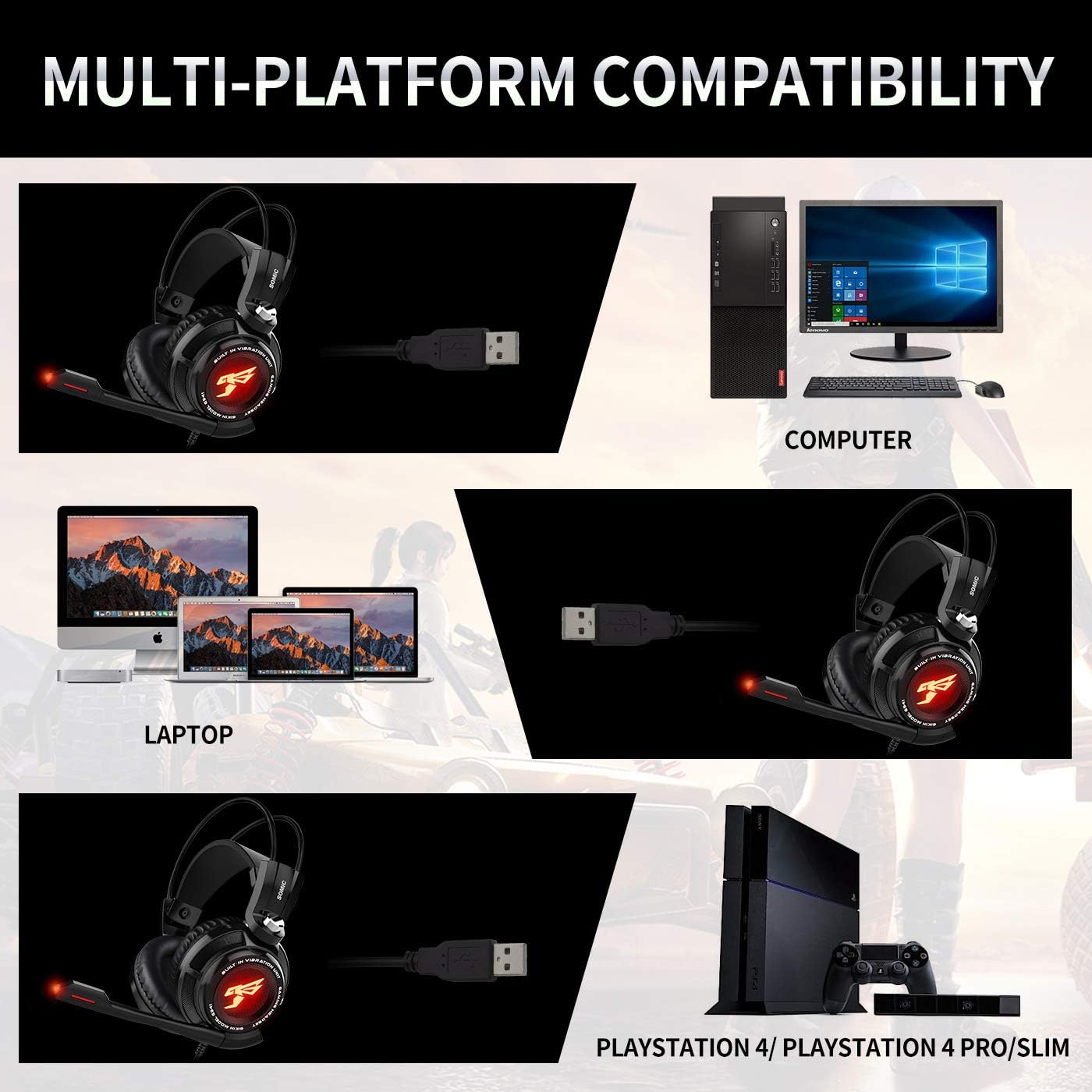
รูปที่ 3: ความเข้ากันได้หลายแพลตฟอร์ม
2.2 การปรับแต่งไมโครโฟน
The headset features an adjustable microphone. Position the microphone approximately 1-2 inches from your mouth for optimal voice clarity. The microphone arm is flexible to allow for precise positioning.

Figure 4: Adjustable Microphone Positioning
3. คู่มือการใช้งาน
3.1 ชุดควบคุมอินไลน์
The SOMIC G310 includes an in-line control unit on the cable for convenient access to audio settings:
- การควบคุมระดับเสียง: Use the scroll wheel to adjust the headset's audio volume.
- ปิดเสียงไมโครโฟน: Press the 'MIC' button to mute or unmute the microphone. An indicator light on the microphone tip will show its status.
- ฟังก์ชั่นการสั่นสะเทือน: Press the 'VIB' button to activate or deactivate the vibration effect for enhanced bass feedback.

Figure 5: Headset Features and In-line Control
3.2 Virtual Surround Sound
The headset features a built-in special 40mm driver unit with 7.1 Virtual Surround Sound, providing detailed and immersive audio for gaming. This technology helps to pinpoint in-game sounds and enhance the overall experience.

Figure 6: 7.1 Virtual Surround Sound Illustration
4. การบำรุงรักษา
4.1 การทำความสะอาด
To maintain the headset's condition, regularly wipe the earcups and headband with a soft, dry cloth. For deeper cleaning, a slightly damp cloth can be used, ensuring no moisture enters the speaker grilles or microphone. Avoid using harsh chemicals or abrasive materials.
4.2 พื้นที่จัดเก็บ
Store the headset in a cool, dry place away from direct sunlight and extreme temperatures. Avoid wrapping the cable too tightly to prevent damage.
5 การแก้ไขปัญหา
5.1 ไม่มีเสียงหรือเสียงเบา
- Ensure the USB connector is fully inserted into the device's port.
- Check the volume control wheel on the in-line unit and adjust it to an audible level.
- Verify the audio output settings on your PC or console to ensure the SOMIC G310 is selected as the default output device.
- Increase the system volume on your connected device.
5.2 ไมโครโฟนไม่ทำงาน
- Press the 'MIC' button on the in-line control unit to ensure the microphone is not muted. The microphone tip's indicator light should be active when unmuted.
- Check the microphone input settings on your PC or console to confirm the SOMIC G310 is selected as the default input device.
- Ensure the microphone arm is properly extended and positioned.
- If issues persist, try connecting the headset to a different USB port or another compatible device to rule out port-specific problems.
5.3 Vibration Function Not Active
- Press the 'VIB' button on the in-line control unit to activate the vibration feature.
- Ensure the audio volume is sufficiently high, as the vibration effect is often more noticeable at mid to high volume levels.
6. ข้อมูลจำเพาะ
| คุณสมบัติ | รายละเอียด |
|---|---|
| ชื่อรุ่น | จี310 |
| เทคโนโลยีการเชื่อมต่อ | สาย (USB) |
| แจ็คหูฟัง | ยูเอสบี |
| อุปกรณ์ที่รองรับ | Laptops, Desktops, Gaming Consoles (PS4, PS5) |
| ประเภทการควบคุม | Volume Control, Microphone Mute, Vibration |
| การควบคุมเสียงรบกวน | การยกเลิกเสียงรบกวนแบบพาสซีฟ |
| คุณสมบัติพิเศษ | น้ำหนักเบา |
| น้ำหนักสินค้า | 8 ออนซ์ |
| ขนาดสินค้า | 8 x 7 x 3.5 นิ้ว |
| เล่มที่tage | 5 โวลต์ |
7. การรับประกันและการสนับสนุน
For specific warranty information, technical support, or service inquiries regarding your SOMIC G310 USB Gaming Headset, please refer to the documentation included with your product or visit the official SOMIC webไซต์นี้ โปรดเก็บใบเสร็จรับเงินที่ซื้อไว้เพื่อใช้เรียกร้องการรับประกัน