
1. บทนำ
This manual provides detailed instructions for the safe and efficient operation of your Nitecore ULM9 Digital USB Camera Charger. Please read this manual thoroughly before use to ensure proper functionality and to prevent damage. The ULM9 is specifically designed for Leica BLI-312 camera batteries, offering a convenient and intelligent charging solution.
2. สินค้าหมดview
The Nitecore ULM9 is a smart USB-powered charger featuring a high-definition LCD display that provides real-time charging information. Its compact design makes it ideal for travel.
คุณสมบัติหลัก:
- Real-time display of battery voltage, charging current, charged volume (mAh), and battery health.
- USB input for versatile power options from various sources.
- การออกแบบที่กะทัดรัดน้ำหนักเบาเพื่อความสะดวกในการพกพา
- Automatic detection of battery status and charging parameters.
เนื้อหาแพ็คเกจ:
- Nitecore ULM9 Charger
- สายชาร์จ USB ในตัว
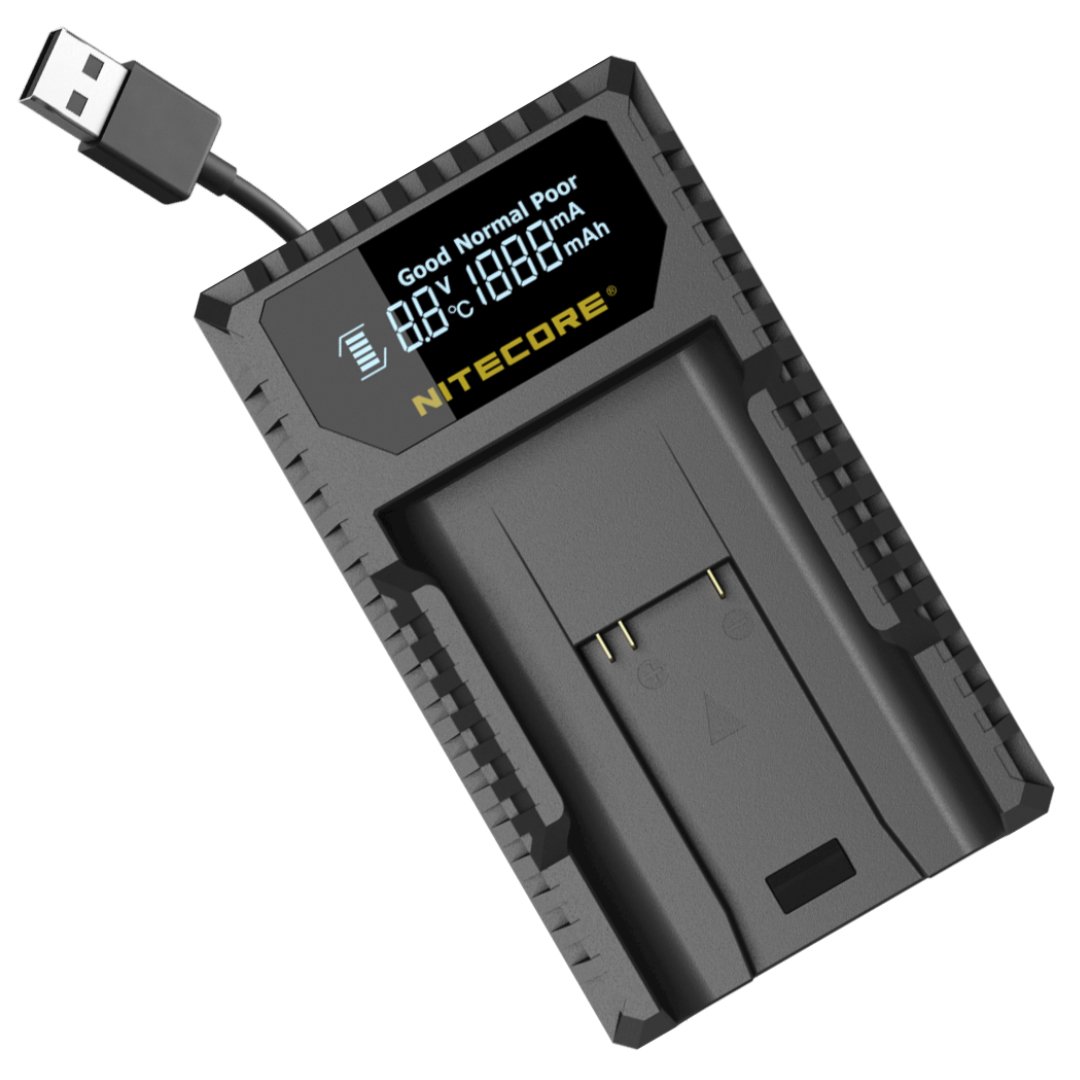
Image: Nitecore ULM9 Charger with a Leica BLI-312 battery. The LCD screen displays charging information such as voltage, current, and charged capacity.
3. การตั้งค่า
- เชื่อมต่อพลังงาน: Connect the integrated USB cable from the ULM9 charger to a compatible USB power source (e.g., USB wall adapter, power bank, computer USB port). The LCD display will illuminate upon successful connection.
- ใส่แบตเตอรี่: Carefully insert the Leica BLI-312 battery into the charging slot of the ULM9 charger. Ensure the battery's contacts align correctly with the charger's pins and that the battery is fully seated.
4. คู่มือการใช้งาน
กระบวนการชาร์จ:
Once the battery is inserted and power is connected, the ULM9 will automatically detect the battery type and initiate the charging process. The LCD display will show real-time charging status and battery information.
ข้อมูลจอแสดงผล LCD:
- เล่มที่tagอี (วี): แสดงฉบับปัจจุบันtagอีของแบตเตอรี่
- ปัจจุบัน (A): Shows the charging current being delivered to the battery.
- ปริมาณประจุ (mAh): Indicates the cumulative amount of charge delivered to the battery since charging began.
- สุขภาพแบตเตอรี่: Provides an assessment of the battery's overall condition and remaining lifespan.
- อุณหภูมิ: Displays the battery's temperature during the charging cycle.
การชาร์จเสร็จสิ้น:
The ULM9 charger is equipped with intelligent charging management. It will automatically terminate the charging process once the battery is fully charged to prevent overcharging. The display will indicate a full charge status.
5. ความเข้ากันได้
The Nitecore ULM9 charger is specifically designed for Leica BLI-312 camera batteries and is compatible with the following Leica camera models:
- ไลก้า M8
- ไลก้า M8.2
- ไลก้า M9
- ไลก้า M9-P
- Leica M-E Series
- Leica BM8
6. ข้อมูลจำเพาะ
| คุณสมบัติ | รายละเอียด |
|---|---|
| ป้อนข้อมูล | ซี 5V / 2A |
| แบตเตอรี่ที่ใช้ร่วมกันได้ | Leica BLI-312 |
| รุ่นกล้องที่รองรับ | Leica M8, M8.2, M9, M9-P, M-E Series, BM8 |
| น้ำหนัก | 1.78 ออนซ์ (ประมาณ 50 กรัม) |
| จำนวนพอร์ต | 1 |
7. การบำรุงรักษา
- Keep the charger clean and dry. Avoid exposure to moisture, dust, or extreme temperatures.
- Do not attempt to disassemble, modify, or repair the charger yourself. This may void the warranty and cause damage.
- เก็บที่ชาร์จไว้ในที่เย็นและแห้งเมื่อไม่ได้ใช้งาน
- Use only the integrated USB cable or a high-quality replacement for power connection.
8 การแก้ไขปัญหา
- เครื่องชาร์จไม่เปิดเครื่อง: Ensure the USB cable is securely connected to both the charger and a functional USB power source. Try a different USB port or power adapter to rule out a faulty power source.
- ไม่ชาร์จแบตเตอรี่: Verify the battery is inserted correctly with the correct polarity. Ensure the battery's contacts are clean. Check if the battery is severely damaged or completely depleted beyond recovery.
- Display not showing information: Confirm the charger is receiving power. If the issue persists after checking power connections and battery insertion, contact customer support.
9. การรับประกันและการสนับสนุน
For detailed warranty information, technical support, or service inquiries, please refer to the official Nitecore website or contact your authorized Nitecore dealer. It is recommended to retain your purchase receipt as proof of purchase for any warranty claims.