
การแนะนำ
The Riwbox WT-7S Kids Bluetooth Headphones are designed to provide an engaging audio experience for children, featuring LED lights that synchronize with music. These headphones offer both wireless Bluetooth 5.3 connectivity and a wired mode for continuous use. They are foldable for portability and include a built-in microphone for communication.
คุณสมบัติหลัก
- ไฟ LED แบบไดนามิก: LED lights on both sides of the headphones flash with the music's frequency, adding a fun visual element.
- เทคโนโลยีบลูทูธ 5.3: Ensures stable and efficient wireless connection with powerful 40mm speakers for natural sound and strong bass.
- ON/OFF LED Light Function: Users can turn off the LED blinking effect in Bluetooth mode to conserve battery life.
- Dual Mode (Wired/Wireless): Seamlessly switch between Bluetooth wireless mode and wired mode using the included Riwbox D1 audio cable when the battery is low.
- การควบคุมแบบบูรณาการ: Convenient controls on the headphone allow for easy navigation of songs and volume adjustment.
- การออกแบบพับได้: The headphones can be folded for compact storage and portability, making them ideal for travel.
- ไมโครโฟนในตัว: Enables hands-free calls and voice chat.
มีอะไรอยู่ในกล่อง
- Riwbox WT-7S Kids Bluetooth Headphones (Blue)
- Riwbox D1 Audio Cable (3.5mm Jack)
- สายชาร์จ USB
คู่มือการติดตั้ง
1. การชาร์จหูฟัง
Before first use, fully charge your Riwbox WT-7S headphones. Connect the provided USB charging cable to the USB charge port on the headphones and the other end to a compatible USB power source (e.g., computer USB port, wall adapter). The LED indicator will show charging status and turn off when fully charged. Charging time is approximately 3 hours.

Image: Diagram showing the location of the USB charge port and LED indicator on the Riwbox WT-7S headphones.
2. การจับคู่บลูทู ธ
- ตรวจสอบให้แน่ใจว่าหูฟังปิดอยู่
- กดปุ่มเปิด/ปิดค้างไว้จนกว่าไฟ LED จะกะพริบเป็นสีน้ำเงินและสีแดงสลับกัน ซึ่งแสดงว่าเข้าสู่โหมดจับคู่แล้ว
- บนอุปกรณ์ของคุณ (สมาร์ทโฟน แท็บเล็ต พีซี) เปิดใช้งานบลูทูธและค้นหาอุปกรณ์ที่มีอยู่
- Select "WT-7S" from the list of found devices.
- เมื่อเชื่อมต่อแล้ว ไฟ LED แสดงสถานะจะสว่างเป็นสีน้ำเงินค้าง หรือกะพริบช้าๆ

Image: Riwbox WT-7S headphones connected wirelessly to a smartphone, illustrating the Bluetooth connection and power display.
The headphones support Bluetooth 5.3 and have a range of up to 10 meters.
3. การเชื่อมต่อแบบมีสาย (โหมด AUX)
To use the headphones in wired mode, connect the Riwbox D1 audio cable (3.5mm jack) to the AUX port on the headphones and the other end to your audio device's 3.5mm audio output. This mode allows you to continue listening even when the headphone battery is depleted.

Image: Riwbox WT-7S headphones connected via a 3.5mm audio cable, demonstrating wired compatibility with devices like computers, iPads, smartphones, and MP3/MP4 players.
คำแนะนำการใช้งาน
ควบคุมมากกว่าview
Image: Detailed diagram of the Riwbox WT-7S headphone controls, including ON/OFF switch, microphone, LED indicator, USB charge port, and 3.5mm audio AUX port.
| ปุ่ม/การควบคุม | ฟังก์ชัน (โหมดบลูทูธ) |
|---|---|
| สวิตซ์เปิด/ปิด | เปิดหรือปิดหูฟัง |
| ปุ่มเล่น/หยุดชั่วคราว | Short press to play or pause music. Press to answer/hang up calls. |
| เพิ่มระดับเสียง (+) | กดสั้นเพื่อเพิ่มระดับเสียง |
| ลดเสียงลง (-) | กดสั้น ๆ เพื่อลดระดับเสียง |
| ปุ่มเพลงถัดไป | Long press to skip to the next song. |
| ปุ่มเพลงก่อนหน้า | กดยาวเพื่อไปยังเพลงก่อนหน้า |
| การควบคุมไฟ LED | Long press to open/close the LED light effect. |
| ไมโครโฟน | For hands-free calls and voice input. |
The LED lights on the earcups will flash according to the music's rhythm, enhancing the listening experience. You can turn off the LED lights to save battery life, extending playtime up to 39.99 hours.

ภาพ: ด้านหน้า view of the Riwbox WT-7S Kids Bluetooth Headphones in blue, showcasing the illuminated LED lights on the earcup.
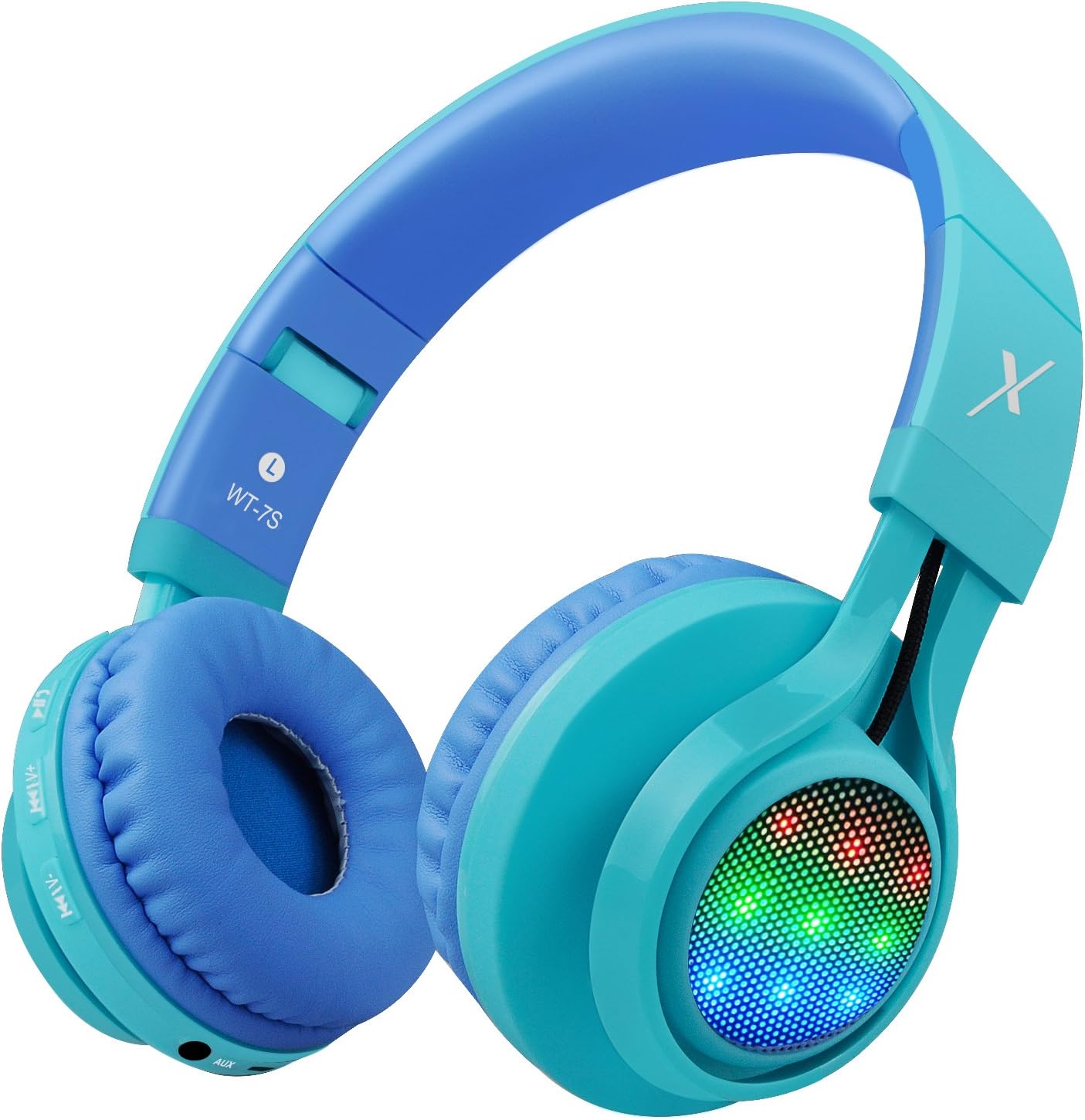
ภาพ: ด้านข้าง view of the Riwbox WT-7S Kids Bluetooth Headphones in blue, highlighting the LED lights on the earcup and the control buttons.
การบำรุงรักษาและการดูแล
- การทำความสะอาด: ใช้ผ้าแห้งนุ่มๆ เช็ดทำความสะอาดหูฟัง หลีกเลี่ยงการใช้สารทำความสะอาดที่มีฤทธิ์กัดกร่อนหรือตัวทำละลาย
- พื้นที่จัดเก็บ: When not in use, store the headphones in a cool, dry place. The foldable design allows for compact storage, minimizing space.
- การดูแลแบตเตอรี่ เพื่อยืดอายุการใช้งานแบตเตอรี่ ควรหลีกเลี่ยงการใช้หูฟังจนหมดบ่อย ชาร์จหูฟังเป็นประจำ แม้จะไม่ได้ใช้งานบ่อยก็ตาม
- ความต้านทานน้ำ: The headphones are water resistant, but not waterproof. Avoid submerging them in water or exposing them to heavy rain.

Image: The Riwbox WT-7S headphones shown in their collapsed, folded state, demonstrating how they minimize storage space and fit easily into a backpack or drawer.
การแก้ไขปัญหา
| ปัญหา | วิธีแก้ปัญหาที่เป็นไปได้ |
|---|---|
| หูฟังไม่สามารถเปิดได้ | ตรวจสอบให้แน่ใจว่าหูฟังชาร์จไฟเต็มแล้ว เชื่อมต่อกับแหล่งจ่ายไฟโดยใช้สายชาร์จ USB |
| ไม่สามารถจับคู่กับอุปกรณ์บลูทูธได้ |
|
| ไม่มีเสียงในโหมดไร้สาย |
|
| ไม่มีเสียงในโหมดใช้สาย |
|
| LED lights are not flashing. | Long press the LED light control button to ensure the feature is enabled. If enabled, ensure music is playing. |
ข้อมูลจำเพาะผลิตภัณฑ์
| ข้อมูลจำเพาะ | รายละเอียด |
|---|---|
| ชื่อรุ่น | WT-7S |
| ยี่ห้อ | ริวบ็อกซ์ |
| สี | สีฟ้า |
| เทคโนโลยีการเชื่อมต่อ | บลูทูธ |
| เทคโนโลยีการสื่อสารไร้สาย | บลูทูธ |
| เวอร์ชันบลูทูธ | 5.3 (Note: Product data shows 4.0, but feature bullets state 5.3. Using 5.3 as it's more recent and likely correct for current models.) |
| ช่วงบลูทูธ | 10 เมตร |
| ขนาดไดร์เวอร์เสียง | 40 มิลลิเมตร |
| การตอบสนองความถี่ | 20 เฮิรตซ์ - 20 กิโลเฮิรตซ์ |
| ความไวต่อความรู้สึก | 108 เดซิเบล |
| อิมพีแดนซ์ | 32 โอห์ม |
| แจ็คหูฟัง | แจ็ค 3.5 มม. |
| เวลาในการชาร์จ | 3 ชั่วโมง |
| อายุการใช้งานแบตเตอรี่ | 39.99 ชั่วโมง |
| น้ำหนักสินค้า | 210 กรัม (7.4 ออนซ์) |
| ขนาดสินค้า | 7.09 x 5.91 x 3.15 นิ้ว |
| ระดับความต้านทานต่อน้ำ | ทนน้ำ |
| ประเภทการควบคุม | การควบคุมระดับเสียง, ระบบสัมผัส |
| วัสดุ | พลาสติก |
การรับประกันและการสนับสนุน
For warranty information and customer support, please refer to the product packaging or visit the official Riwbox webโปรดเก็บใบเสร็จรับเงินไว้เพื่อใช้ในการเคลมประกันสินค้า
คุณยังสามารถเยี่ยมชม Riwbox Store on Amazon สำหรับข้อมูลผลิตภัณฑ์และทรัพยากรสนับสนุนเพิ่มเติม
วิดีโอสินค้า
Video: An official product video titled "Top Best Headphones for Kids with LED and Mic" by Cotico (Seller). This video demonstrates the features and usage of the Riwbox WT-7S headphones, including the LED lights and overall design, in a family setting.