
1. สินค้าหมดview
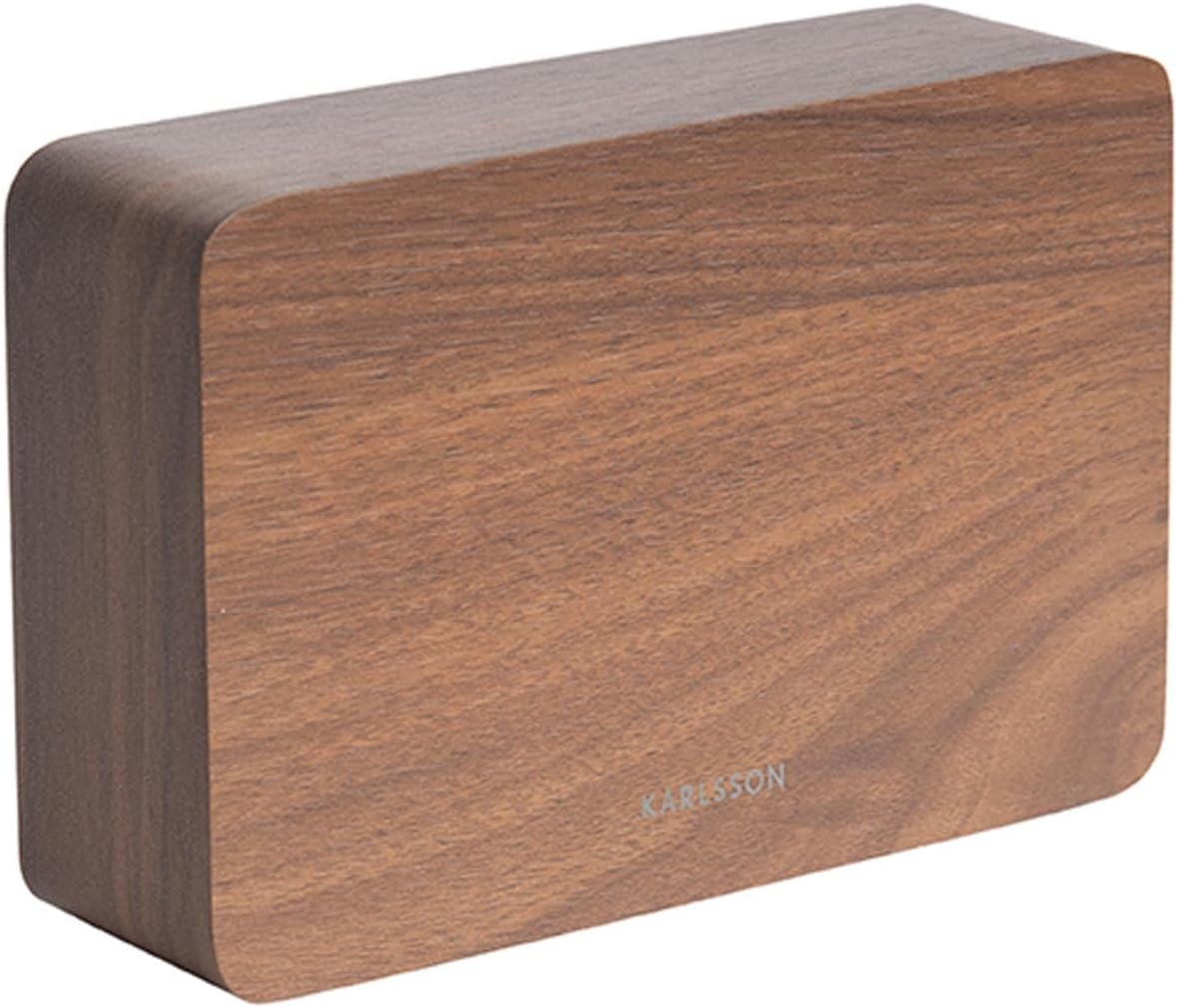
The Karlsson LED Alarm Clock KA5653DW is a stylish and functional timepiece designed to display time and temperature. Crafted from wood, its LED display illuminates through the material, offering a clear view of information. This clock features multiple alarm settings and an energy-saving mode.

รูปที่ 1 : ด้านหน้า view of the Karlsson LED Alarm Clock KA5653DW.
2. เนื้อหาบรรจุภัณฑ์
- Karlsson LED Alarm Clock KA5653DW
- คู่มือการใช้งาน
บันทึก: 1 AA battery is required for operation and is not included.
3. การตั้งค่า
3.1 การติดตั้งแบตเตอรี่
- หาช่องใส่แบตเตอรี่ที่ด้านหลังของนาฬิกาปลุก
- เปิดฝาช่องใส่แบตเตอรี่
- ใส่แบตเตอรี่ AA 1 ก้อน โดยตรวจสอบให้แน่ใจว่าขั้วถูกต้อง (+/-)
- ปิดฝาช่องใส่แบตเตอรี่ให้แน่น
รูปที่ 2: ย้อนกลับ view of the alarm clock, indicating control buttons and battery compartment.
3.2 การเปิดเครื่องครั้งแรก
Upon successful battery installation, the LED display will illuminate, showing the current time and temperature.
4. คู่มือการใช้งาน
The alarm clock features several buttons, typically located on the back or bottom, for setting time, alarms, and other functions. Refer to the labels on your device for specific button identification (e.g., SET, UP, DOWN, ALARM).
4.1 การตั้งเวลา
- กดปุ่ม ชุด กดปุ่มหนึ่งครั้งเพื่อเข้าสู่โหมดตั้งเวลา ตัวเลขชั่วโมงจะกะพริบ
- ใช้ UP or ลง ปุ่มเพื่อปรับชั่วโมง
- กด ชุด กดอีกครั้งเพื่อยืนยันชั่วโมง แล้วเปลี่ยนไปตั้งค่านาที ตัวเลขนาทีจะกะพริบ
- ใช้ UP or ลง ปุ่มปรับนาที
- กด ชุด a third time to confirm the minutes and exit time setting mode.
4.2 Setting Alarms (Up to 3 Alarms)
The clock supports setting up to three independent alarms (AL1, AL2, AL3).
- กดปุ่ม เตือน button repeatedly to cycle through AL1, AL2, AL3, and alarm off modes.
- When the desired alarm (e.g., AL1) is displayed, press and hold the เตือน กดปุ่มจนกว่าตัวเลขชั่วโมงจะกะพริบ
- ใช้ UP or ลง ปุ่มสำหรับตั้งเวลาปลุก
- กด เตือน อีกครั้งเพื่อยืนยันชั่วโมงและเปลี่ยนไปตั้งค่าเป็นนาที
- ใช้ UP or ลง buttons to set the alarm minutes.
- กด เตือน a third time to confirm the alarm and exit setting mode.
- หากต้องการเปิดหรือปิดสัญญาณเตือน ให้กดปุ่ม เตือน button briefly until the alarm indicator (e.g., AL1) appears or disappears from the display.
4.3 การแสดงอุณหภูมิ
The clock automatically detects and displays the ambient room temperature. The temperature reading updates approximately every 60 seconds.
4.4 โหมดประหยัดพลังงาน
To conserve battery life and prevent light disturbance during the night, the clock features an energy-saving mode that turns off the LED display.
- To activate energy-saving mode: Locate the ประหยัดพลังงาน or similar button/switch (refer to your device's specific markings). Press or toggle it to turn off the display.
- To reactivate the display: Press any button, or make a sound (some models feature sound activation). The display will light up for a few seconds before turning off again.
5. การบำรุงรักษา
- การทำความสะอาด: Wipe the clock surface with a soft, dry cloth. Avoid abrasive cleaners or solvents.
- การเปลี่ยนแบตเตอรี่: Replace the AA battery when the display dims or functions become erratic. Always use a fresh, high-quality AA battery.
- พื้นที่จัดเก็บ: หากเก็บนาฬิกาไว้เป็นเวลานาน ควรถอดแบตเตอรี่ออกเพื่อป้องกันการรั่วไหล
6 การแก้ไขปัญหา
| ปัญหา | สาเหตุที่เป็นไปได้ | สารละลาย |
|---|---|---|
| หน้าจอแสดงผลมืดหรือดับ | Low battery or energy-saving mode is active. | Replace the AA battery. Press any button to temporarily activate the display if in energy-saving mode. |
| สัญญาณเตือนภัยไม่ดัง | สัญญาณเตือนภัยไม่ได้เปิดใช้งานหรือตั้งค่าไม่ถูกต้อง | Ensure the alarm indicator (AL1, AL2, or AL3) is visible on the display. Verify the alarm time is set correctly. |
| Time or temperature is incorrect. | Time needs adjustment or temperature sensor interference. | Reset the time as per section 4.1. Ensure the clock is not placed near heat sources or vents for accurate temperature readings. |
| มีปัญหาในการตั้งเวลา/นาฬิกาปลุก | ไม่คุ้นเคยกับการใช้งานปุ่มควบคุม | Carefully follow the steps in section 4.1 and 4.2. Practice the button presses. |
7. ข้อมูลจำเพาะ
| คุณสมบัติ | รายละเอียด |
|---|---|
| หมายเลขรุ่น | PTG-KA5653DW |
| ยี่ห้อ | คาร์ลสัน |
| ประเภทจอภาพ | ดิจิตอล LED |
| วัสดุ | ไม้ |
| ขนาด (กว้าง x ยาว x สูง) | 10 x 3.81 x 2 ซม. |
| น้ำหนัก | 310 กรัม |
| แหล่งพลังงาน | แบตเตอรี่ AA 1 ก้อน (ไม่รวม) |
| คุณสมบัติพิเศษ | Time display, Temperature display, Up to 3 Alarms, Energy-saving mode |
| การใช้งาน | ในร่ม |
8. การรับประกันและการสนับสนุน
For warranty information and customer support, please refer to the documentation provided with your purchase or visit the official Karlsson webไซต์ เก็บหลักฐานการซื้อของคุณไว้เพื่อใช้ในกรณีเรียกร้องการรับประกัน