
1. บทนำ
This manual provides instructions for the installation, operation, and maintenance of your FreedConn TCOM VB Bluetooth Motorcycle Intercom. Please read this manual thoroughly before use to ensure proper functionality and safety.
2. คุณสมบัติหลัก
- Bluetooth V5.0 for stable connectivity.
- Intercom communication for 2-3 riders with an 800m range.
- Universal pairing with most Bluetooth headsets.
- Hands-free calling for mobile phones.
- Stereo music playback and music sharing with a passenger.
- วิทยุ FM ในตัว
- CVC noise reduction technology for clear audio.
- การกันน้ำของ IP65
- LCD screen for easy information display.
- Long battery life: up to 10 hours talk time, 7 hours intercom, 300 hours standby.

ภาพ: เหนือview of FreedConn TCOM VB Intercom key features.
3. เนื้อหาบรรจุภัณฑ์
ตรวจสอบว่ามีรายการทั้งหมดอยู่ในแพ็คเกจของคุณ:
- TCOM-VB Main Unit (x2 for this package)
- Boom Microphone / Button Microphone (x2 sets)
- Speaker Pads (x12)
- Clip Bracket (x2)
- 3M Adhesive Mount (x2)
- กุญแจอัลเลน (x2)
- USB Data Cable (x2)
- คู่มือผู้ใช้ (x1)

Image: Contents of the FreedConn TCOM VB package.
4. การตั้งค่าและการติดตั้ง
4.1 การติดตั้งหน่วยอินเตอร์คอม
The TCOM VB unit can be mounted using either the clip bracket or the adhesive mount.
- เลือกสถานที่: เลือกพื้นผิวเรียบที่เหมาะสมทางด้านซ้ายของหมวกกันน็อคของคุณ
- การติดตั้งขายึดคลิป:
- Loosen the screws on the clip bracket.
- Slide the bracket between the helmet shell and the inner padding.
- Tighten the screws to secure the bracket.
- Adhesive Mount Installation:
- Clean the helmet surface thoroughly.
- Peel off the protective film from the 3M adhesive mount.
- กดแผ่นยึดลงบนพื้นผิวหมวกกันน็อคให้แน่นอย่างน้อย 30 วินาที รอให้กาวแห้งสนิทอย่างน้อย 24 ชั่วโมงก่อนใช้งาน
- ติดตั้งชุดหลัก: Slide the TCOM VB main unit onto the installed bracket until it clicks into place.
4.2 การติดตั้งลำโพงและไมโครโฟน
Install the speakers and microphone inside your helmet.
- ตำแหน่งลำโพง: Attach the speakers to the inside of the helmet, aligning them with your ears. Use the provided speaker pads for comfort and optimal sound.
- การเลือกไมโครโฟน: Choose between the boom microphone (for open-face helmets) or the button microphone (for full-face helmets).
- ตำแหน่งการวางไมโครโฟน: Position the microphone close to your mouth for clear voice transmission.
- เชื่อมต่อสายเคเบิล: Plug the speaker and microphone cables into the corresponding ports on the TCOM VB main unit.

Image: Hard and soft cable microphone options for helmet installation.
Image: Step-by-step installation guide for the intercom unit.
5. คู่มือการใช้งาน
5.1 เปิด/ปิดเครื่อง
- เปิดเครื่อง: Press and hold the Power button for approximately 3 seconds until the blue indicator light flashes.
- หมดแรง: Press and hold the Power button for approximately 3 seconds until the red indicator light flashes and the unit powers down.
5.2 การจับคู่บลูทูธ (โทรศัพท์/GPS)
To connect your TCOM VB to a mobile phone or GPS device:
- Ensure the TCOM VB unit is powered off.
- Press and hold the Power button for approximately 5-7 seconds until the red and blue indicator lights flash alternately. This indicates pairing mode.
- บนโทรศัพท์หรืออุปกรณ์นำทาง GPS ของคุณ ให้เปิดใช้งานบลูทูธ แล้วค้นหาอุปกรณ์ใหม่
- เลือก "FreedConn TCOM VB" จากรายการอุปกรณ์ที่มีอยู่
- หากระบบถาม ให้ป้อนรหัส PIN "0000"
- เมื่อจับคู่เสร็จแล้ว ไฟแสดงสถานะสีน้ำเงินจะกะพริบช้าๆ

Image: Bluetooth pairing with smartphone and GPS.
5.3 การจับคู่และการสื่อสารระหว่างระบบอินเตอร์คอม
The TCOM VB supports intercom communication for up to 3 riders, with 2 riders communicating simultaneously.
- Pairing Two Units (A & B):
- Ensure both units A and B are powered off.
- Press and hold the Power button on both units A and B simultaneously for 5-7 seconds until they enter pairing mode (red and blue lights flash alternately).
- Press the Power button on either unit A or B once. The units will search and pair with each other. Once paired, the blue light will flash slowly on both.
- Pairing Three Units (A, B, & C):
- First, pair units A and B as described above. Turn off both A and B after successful pairing.
- Next, pair units B and C. Turn off both B and C after successful pairing.
- To initiate a 3-way intercom: Power on all three units. Press the Power button on unit C once to connect to B. Then, press the Power button on unit B once to connect to A. All three units should now be connected.
- Initiate Intercom Call: After pairing, a short press of the Power button will initiate or end an intercom call.
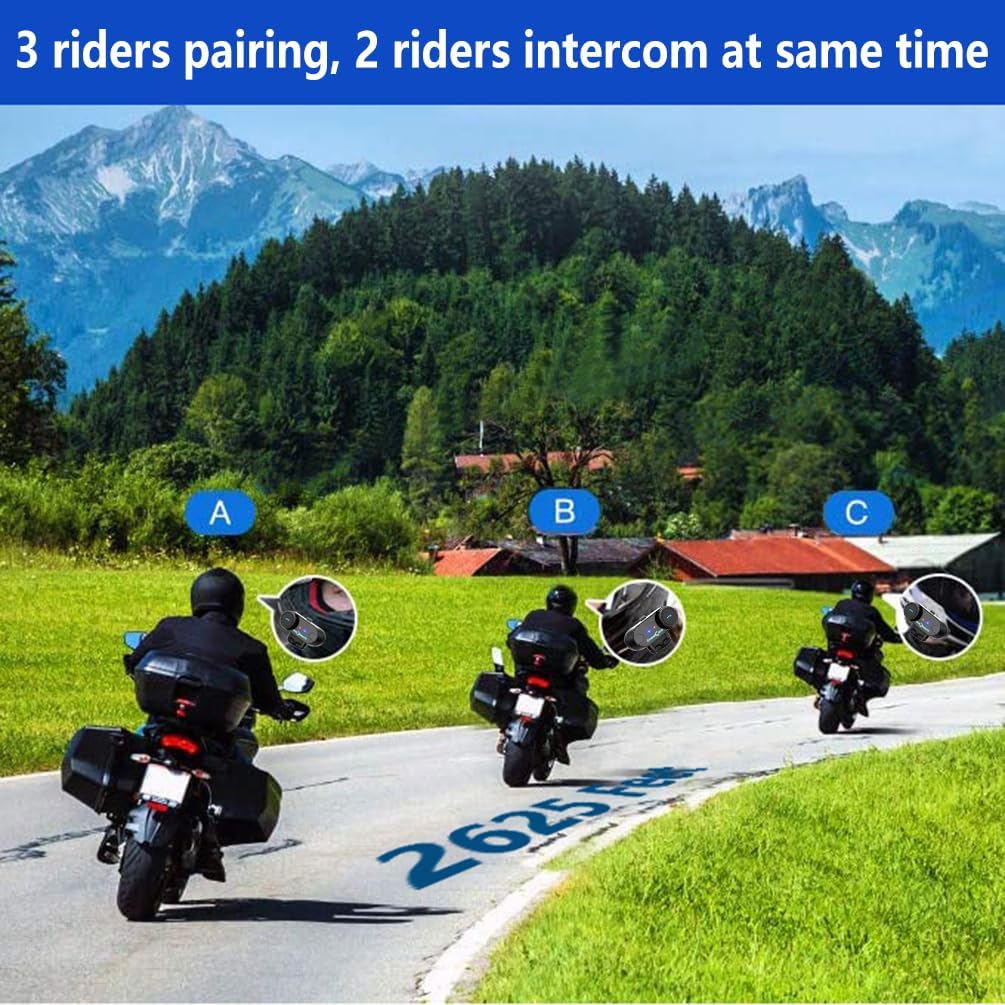
Image: 3 riders pairing, 2 riders intercom at the same time.

Image: Universal pairing feature.
Video: This video demonstrates the pairing process for three T-COMSC intercom units. The pairing steps are generally similar for TCOM VB models. First, pair two devices (A and B), then turn them off. Next, pair device B with device C. Finally, power on all three and initiate connections from C to B, then B to A for a three-way intercom.
5.4 ฟังก์ชันโทรศัพท์
- รับสาย: กดปุ่มโทรศัพท์สั้นๆ
- วางสาย: กดปุ่มโทรศัพท์สั้นๆ
- ปฏิเสธสาย: กดปุ่มโทรศัพท์ค้างไว้ 2 วินาที
- โทรซ้ำหมายเลขล่าสุด: กดปุ่มโทรศัพท์สองครั้ง
- ผู้ช่วยเสียง (Siri/S-Voice): Short press the Voice Assistant button (if available) or a specific button combination as per your device's manual.
5.5 การเล่นเพลง
- เล่น/หยุดชั่วคราว: กดปุ่มเล่น/หยุดชั่วคราว
- เพลงถัดไป: Short press the "Next" button or rotate the multi-function knob clockwise.
- แทร็กก่อนหน้า: Short press the "Previous" button or rotate the multi-function knob counter-clockwise.
- การแบ่งปันเพลง: While playing music, activate the music sharing function (refer to specific button combination in the full manual) to share audio with a paired intercom unit.
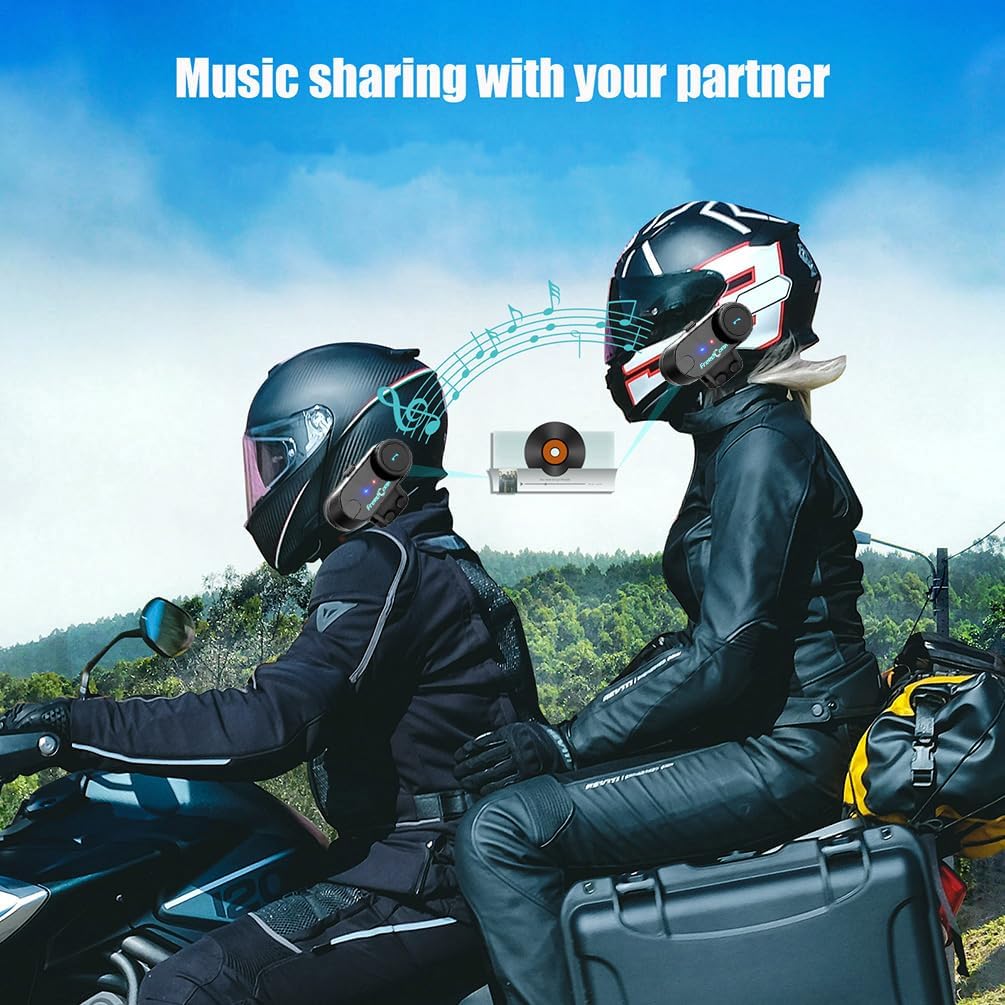
Image: Music sharing with a partner.
5.6 วิทยุ FM
- วิธีเปิด/ปิดวิทยุ FM: Press and hold the FM button for 2 seconds.
- สถานีสแกน: Short press the "Next" or "Previous" button to scan for available FM stations.

Image: Built-in FM Radio feature.
5.7 การควบคุมระดับเสียง
Adjust the volume using the multi-function knob or dedicated volume buttons (if present).
- เพิ่มปริมาณ: Rotate the multi-function knob clockwise or press the Volume Up button.
- ลดระดับเสียง: Rotate the multi-function knob counter-clockwise or press the Volume Down button.
6. การบำรุงรักษา
- การทำความสะอาด: เช็ดตัวเครื่องด้วยผ้านุ่ม damp ผ้า. อย่าใช้สารเคมีที่รุนแรงหรือน้ำยาทำความสะอาดที่มีฤทธิ์กัดกร่อน
- ความต้านทานน้ำ: The unit is IP65 waterproof, meaning it is protected against low-pressure water jets from any direction. It is not designed for submersion. Ensure the USB port cover is securely closed when not charging.
- การชาร์จ: Charge the unit using the provided USB cable. A full charge takes approximately 2.5 hours. The indicator light will change to indicate charging status (e.g., red during charging, blue when fully charged).
- พื้นที่จัดเก็บ: ควรเก็บเครื่องไว้ในที่แห้งและเย็นเมื่อไม่ได้ใช้งานเป็นเวลานาน

Image: Battery life and waterproof features.
7 การแก้ไขปัญหา
| ปัญหา | สาเหตุที่เป็นไปได้ | สารละลาย |
|---|---|---|
| ไม่มีไฟฟ้า | แบตเตอรี่ต่ำ | ชาร์จเครื่องเป็นเวลา 2.5 ชั่วโมง |
| ไม่สามารถเชื่อมต่อกับโทรศัพท์/GPS ได้ | Unit not in pairing mode; Bluetooth disabled on device | Ensure unit is in pairing mode (red/blue flashing). Enable Bluetooth on your device. |
| ระบบอินเตอร์คอมเชื่อมต่อไม่ได้ | Units not paired correctly; out of range | Repeat intercom pairing steps. Ensure units are within 800m range. |
| Low audio volume or no sound from speakers | Speakers not positioned correctly; volume too low; cable loose | Adjust speaker position closer to ears. Increase volume. Ensure speaker cable is fully inserted. |
| Poor microphone quality / background noise | Microphone not positioned correctly; wind noise | Position microphone closer to mouth. Ensure CVC noise reduction is active. Consider using a different microphone type if applicable. |
บันทึก: If your two speakers or one side speaker are not working, ensure the headset cable is completely inserted into the interface and that the speaker is inserted into the correct port. If the volume is low, adjust the speaker placement as close to your ears as possible.
8. ข้อมูลจำเพาะ
| แบบอย่าง: | T-COMVB-800M |
| เวอร์ชันบลูทูธ: | 5.0 |
| ช่วงอินเตอร์คอม: | ระยะห่างสูงสุด 800 เมตร (ระหว่างนักปั่น 2 คน) |
| Max Riders: | 3 (2 simultaneous communication) |
| ความจุแบตเตอรี่: | 400 มิลลิแอมป์ |
| เวลาในการชาร์จ: | ประมาณ 2.5 ชั่วโมง |
| เวลาสนทนา: | นานถึง 10 ชั่วโมง |
| เวลาอินเตอร์คอม: | นานถึง 7 ชั่วโมง |
| เวลาสแตนด์บาย: | นานถึง 300 ชั่วโมง |
| ความต้านทานน้ำ: | IP65 |
| เส้นผ่านศูนย์กลางของลำโพง: | 40 มม. |
| อิมพีแดนซ์: | 32 โอห์ม |
| ช่วงความถี่: | 20 เฮิรตซ์ - 20,000 เฮิรตซ์ |
| การควบคุมเสียงรบกวน: | ระบบตัดเสียงรบกวนแบบแอคทีฟ (CVC) |
| อุปกรณ์ที่รองรับ: | Mobile phones, MP3 players, GPS devices |
9. การรับประกันและการสนับสนุน
สำหรับข้อมูลการรับประกันและการสนับสนุนทางเทคนิค โปรดดูที่เว็บไซต์อย่างเป็นทางการของ FreedConn webหรือติดต่อตัวแทนจำหน่ายในพื้นที่ของคุณ เก็บใบเสร็จรับเงินไว้เป็นหลักฐานการซื้อสำหรับการเรียกร้องการรับประกัน
For common issues, please consult the troubleshooting section of this manual or the online FAQ resources provided by FreedConn.