
1. บทนำ
ขอบคุณสำหรับการซื้อasing the FIFINE K669 USB Condenser Microphone. This microphone is designed for high-quality audio capture with a simple plug-and-play setup, making it ideal for various applications including gaming, streaming, online calls, and home recording. Its durable metal construction and compact design ensure reliability and portability. Please read this manual carefully to ensure proper use and optimal performance.
2. เนื้อหาบรรจุภัณฑ์
ตรวจสอบว่ารายการทั้งหมดที่ระบุไว้ด้านล่างนี้รวมอยู่ในแพ็คเกจของคุณ:
- ไมโครโฟนคอนเดนเซอร์ USB FIFINE K669
- ขาตั้งกล้องแบบพับได้
- USB Cable (1.8m, integrated)
- คู่มือการใช้งาน

Image: All components included with the FIFINE K669 USB Condenser Microphone, showing the microphone, tripod stand, and integrated USB cable.
3. คำแนะนำในการตั้งค่า
- ประกอบขาตั้งกล้อง: Unfold the legs of the included tripod stand and place it on a stable, flat surface.
- ติดไมโครโฟน: Screw the microphone onto the tripod stand. Ensure it is securely fastened. The microphone's angle can be adjusted up to 180 degrees for optimal positioning.
- เชื่อมต่อกับอุปกรณ์ของคุณ: Plug the USB cable directly into an available USB port on your computer (Windows/Mac) or PlayStation console (PS4/PS5). The device will automatically recognize the microphone without requiring additional drivers.
- เลือกเป็นอุปกรณ์อินพุต: After connecting, go to your device's sound settings and select the FIFINE K669 as your default audio input device.

Image: The FIFINE K669 microphone mounted on its tripod, illustrating the 180-degree adjustable angle for flexible positioning.
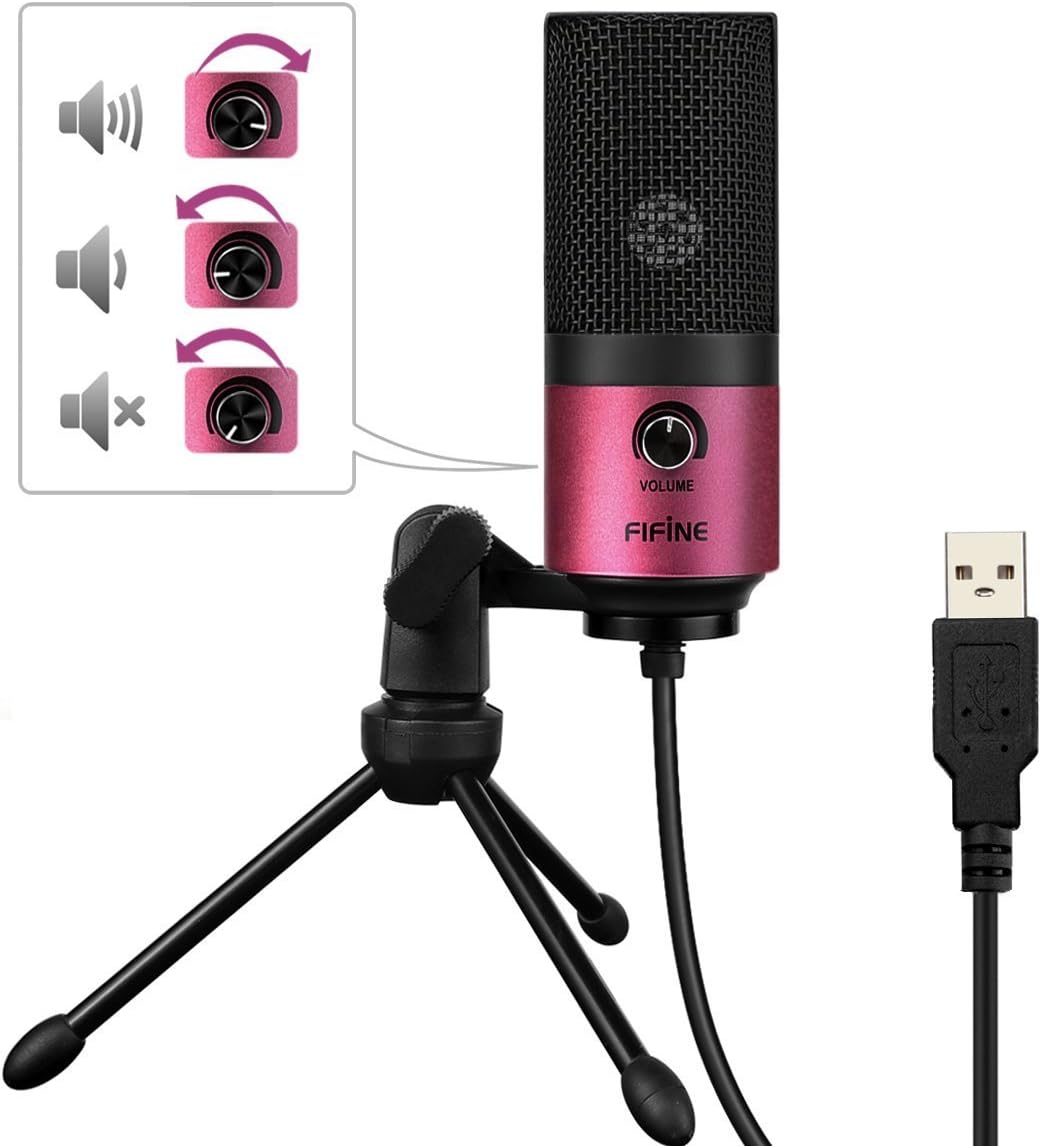
Image: A close-up of the FIFINE K669 microphone's USB cable being plugged into a laptop, demonstrating the plug-and-play connection.
วิดีโอ: บทนำสั้น ๆview demonstrating the setup and key features of the FIFINE K669 microphone, including its plug-and-play functionality and volume control.
4. คู่มือการใช้งาน
- การควบคุมระดับเสียง: The microphone features a volume knob on its body. Rotate the knob clockwise to increase the input volume and counter-clockwise to decrease it.
- Optimal Placement (Cardioid Pattern): The K669 utilizes a cardioid polar pattern, meaning it primarily picks up sound from the front. For best results, position the microphone directly in front of the sound source (e.g., your mouth) within a 30cm range. This helps to minimize background noise and capture clear audio.
Image: The volume control knob on the front of the FIFINE K669 microphone, indicating its function for adjusting audio input levels.

Image: A polar pattern diagram illustrating the cardioid pickup pattern of the FIFINE K669 microphone, highlighting its sensitivity to sounds directly in front (approximately 130-degree range).
5. คุณสมบัติ
- โครงสร้างโลหะที่ทนทาน: Both the microphone body and stand are made from a robust alloy, providing excellent durability and stability.
- High Sensitivity & Noise Reduction: Equipped with special noise suppression technology and a cardioid pickup pattern, the microphone effectively reduces ambient noise and white noise, capturing clear and faithful sound from up to 30cm away.
- การเชื่อมต่อแบบเสียบแล้วใช้งานได้ทันที: Connects easily via a single USB cable to PC, Mac, PS4, or PS5 without the need for complex driver installations.
- การออกแบบพกพา: The included foldable tripod stand allows for easy storage and transport, making the microphone convenient for use anywhere.
- ความเข้ากันได้กว้าง: Suitable for a broad range of applications including gaming, Skype calls, web conferences, live streaming, YouTube video creation, home recording, narration, and game commentary.

Image: A person using the FIFINE K669 microphone with a laptop during an online video call, demonstrating its use for communication.
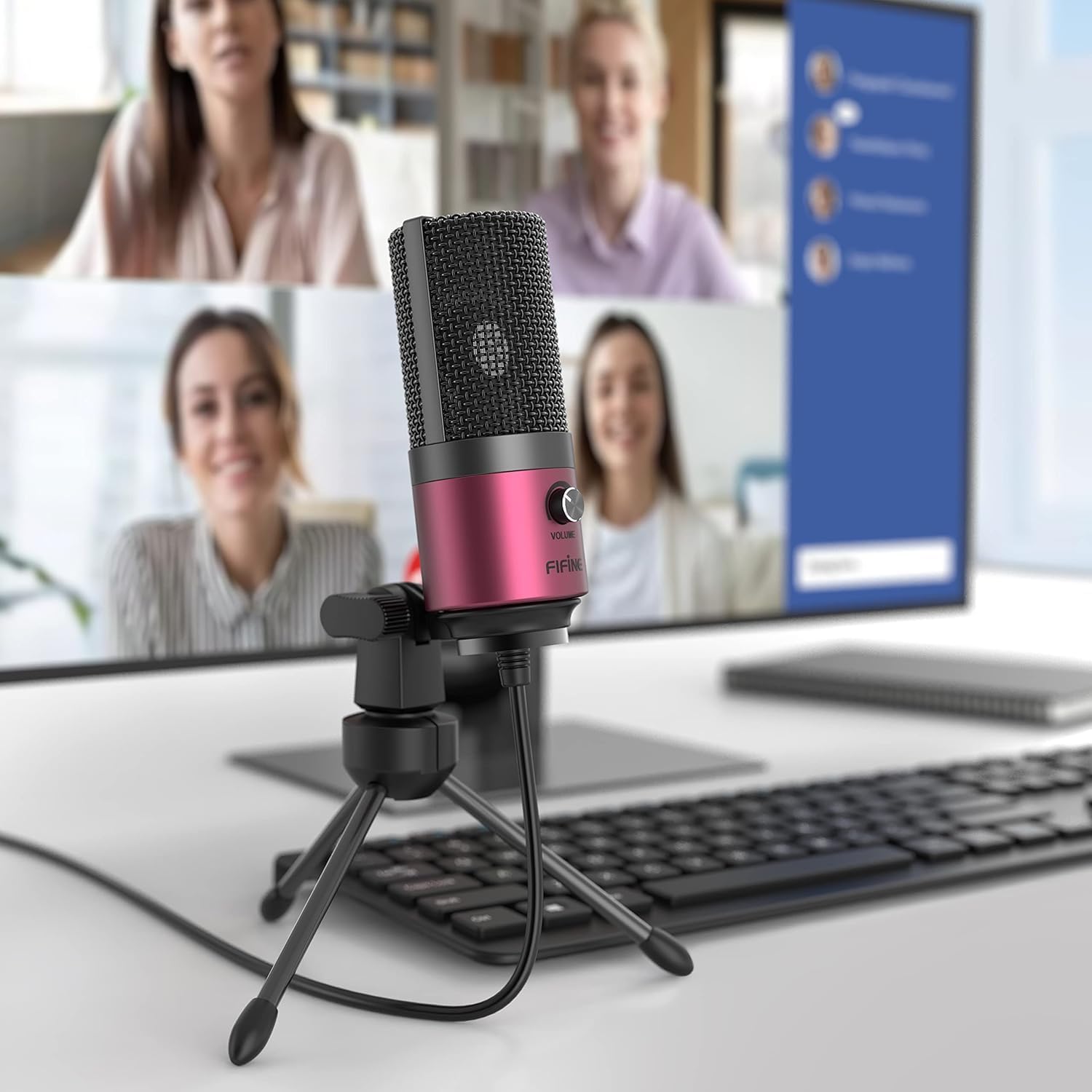
Image: The FIFINE K669 microphone positioned on a desk in front of a computer monitor displaying a video conference, highlighting its suitability for professional and casual online meetings.
6. ข้อมูลจำเพาะ
| คุณสมบัติ | คำอธิบาย |
|---|---|
| ยี่ห้อ | ฟิไฟน์ |
| หมายเลขรุ่น | เค669 |
| เทคโนโลยีการเชื่อมต่อ | ยูเอสบี |
| ประเภทขั้วต่อ | USB ประเภทเอ |
| คุณสมบัติพิเศษ | ขาตั้ง, ปุ่มควบคุมระดับเสียง |
| อุปกรณ์ที่รองรับ | Game Console, Laptop, PC |
| สี | สีชมพู |
| ส่วนประกอบที่รวมอยู่ | สาย USB, คู่มือผู้ใช้ |
| รูปแบบขั้ว | ทิศทางเดียว (Cardioid) |
| ปัจจัยรูปแบบไมโครโฟน | ปักหมุดไมโครโฟน |
| ประเภทพลังงาน | สายไฟ |
| อัตราส่วนสัญญาณต่อเสียงรบกวน (S/N) | 78 เดซิเบล |
| แพลตฟอร์มฮาร์ดแวร์ | Game Console, Desktop PC, Laptop |
| การตอบสนองความถี่ | 20 เฮิรตซ์ - 20 กิโลเฮิรตซ์ |
| วัสดุ | โลหะ |
| ยูพีซี | 712383826909 |
7 การแก้ไขปัญหา
- ไม่รู้จักไมโครโฟน:
- ตรวจสอบให้แน่ใจว่าสาย USB เชื่อมต่อกับไมโครโฟนและอุปกรณ์ของคุณอย่างแน่นหนา
- ลองใช้พอร์ต USB อื่นบนคอมพิวเตอร์หรือคอนโซลของคุณ
- รีสตาร์ทคอมพิวเตอร์หรือคอนโซลของคุณ
- Check your device's sound settings to ensure the FIFINE K669 is selected as the input device.
- ระดับเสียงต่ำหรือไม่มีเสียง:
- Adjust the volume knob on the microphone itself.
- Increase the input volume level in your device's sound settings.
- ตรวจสอบให้แน่ใจว่าได้วางไมโครโฟนในตำแหน่งที่ถูกต้อง โดยหันหน้าเข้าหาแหล่งกำเนิดเสียงโดยตรง
- Check if any other applications are muting or lowering the microphone input.
- เสียงรบกวนพื้นหลัง:
- The K669 has a cardioid pattern; ensure you are speaking directly into the front of the microphone.
- Minimize ambient noise in your environment (e.g., close windows, turn off fans).
- Adjust microphone sensitivity in your device's sound settings if necessary.
8. การรับประกันและการสนับสนุน
The FIFINE K669 USB Condenser Microphone comes with a การรับประกันจากผู้ผลิต 1 ปี.
For further assistance, technical support, or warranty claims, please contact FIFINE customer service. You can typically find contact information on the official FIFINE webเว็บไซต์หรือผ่านทางร้านค้าปลีกที่คุณซื้อผลิตภัณฑ์
When contacting support, please have your product model (K669) and proof of purchase readily available.