
1. บทนำ
หูฟังเกมมิ่ง HyperX Cloud Pro ออกแบบมาสำหรับเกมเมอร์ตัวจริงทั้งบนคอนโซลและพีซี มอบความสบายและประสิทธิภาพเสียงที่เหนือกว่า ด้วยโครงสร้างอะลูมิเนียมที่ทนทาน ฟองน้ำรองหูฟังแบบเมมโมรี่โฟม และไดร์เวอร์ขนาด 53 มม. หูฟังรุ่นนี้จึงให้เสียงสูง กลาง และต่ำที่คมชัด ปุ่มควบคุมเสียงแบบอินไลน์ช่วยให้ปรับระดับเสียงและปิดเสียงไมโครโฟนได้ง่าย ทำให้คุณได้รับประสบการณ์การเล่นเกมที่สมจริงยิ่งขึ้น
2. เนื้อหาบรรจุภัณฑ์
- หูฟังเกมมิ่ง HyperX Cloud Pro
- ไมโครโฟนตัดเสียงรบกวนแบบถอดได้
- กล่องควบคุมเสียงแบบอินไลน์
- สายต่อขยาย PC (2 เมตร) พร้อมปลั๊กสเตอริโอและไมโครโฟน
- กระเป๋าใส่อุปกรณ์

ภาพ: ส่วนประกอบทั้งหมดที่รวมอยู่ในชุดหูฟังเกมมิ่ง HyperX Cloud Pro
3. สินค้าหมดview
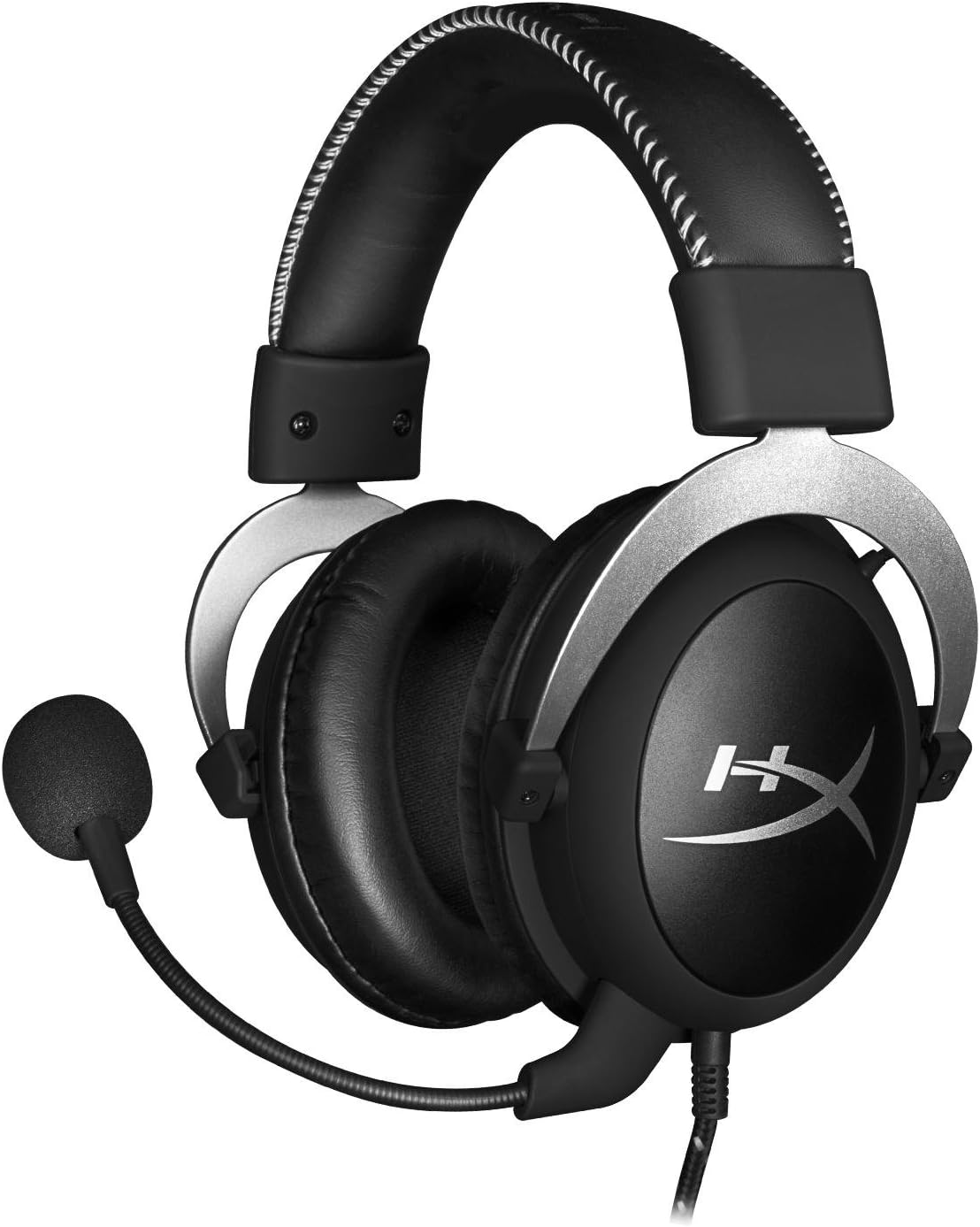
ด้านหน้า view ของชุดหูฟังพร้อมไมโครโฟน
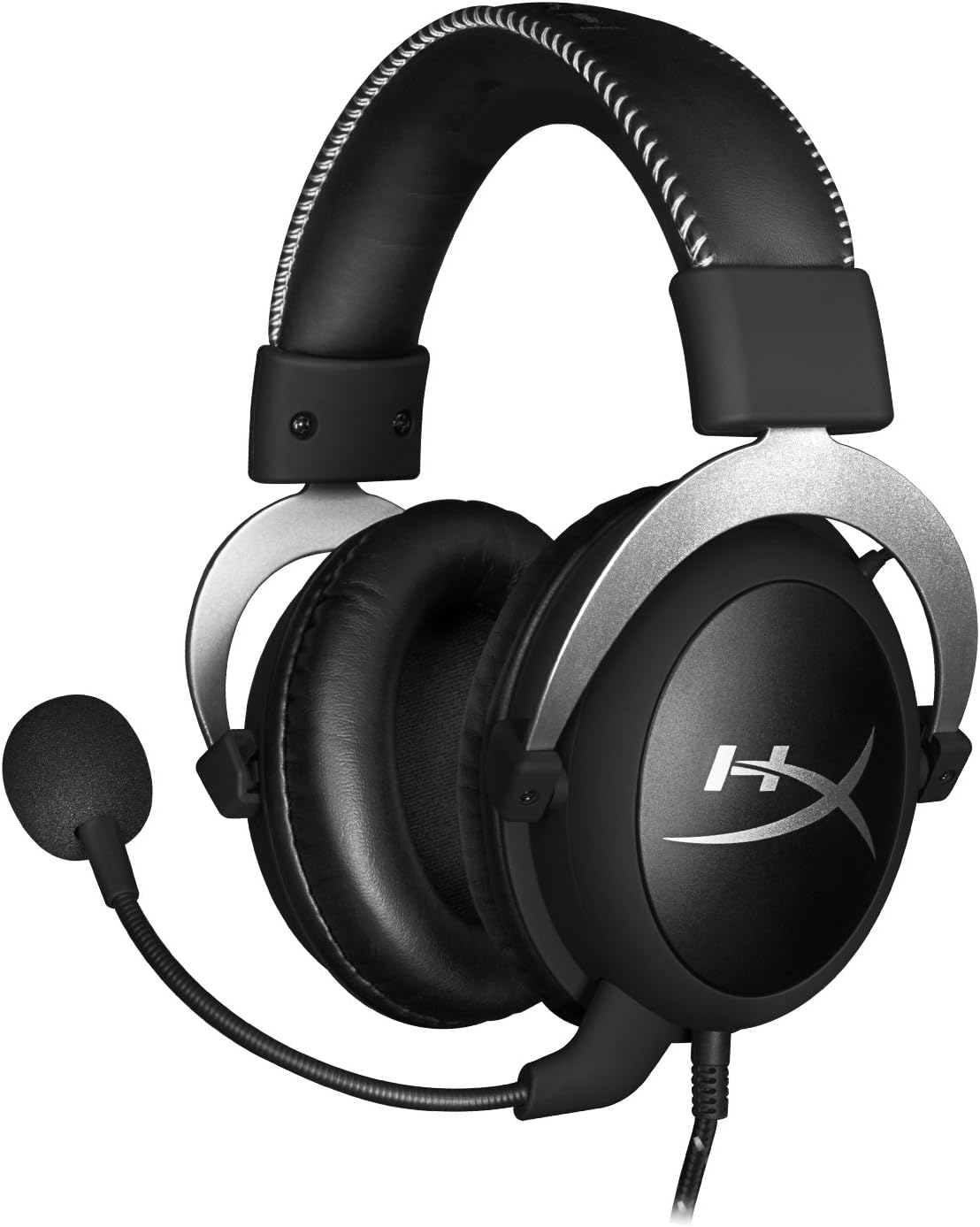
ด้านข้าง view ของชุดหูฟัง

ชุดหูฟังถูกพับให้แบนราบเพื่อการจัดเก็บ

สูงสุด view ของแถบคาดศีรษะ
ส่วนประกอบหลัก:
- ที่คาดผม: บุด้วยหนังเทียมเพื่อความสบายในการใช้งานเป็นเวลานาน
- ที่ครอบหู: ดีไซน์แบบครอบหู พร้อมฟองน้ำเมมโมรี่โฟม ช่วยลดเสียงรบกวนจากภายนอกได้
- ไมโครโฟนที่ถอดออกได้: ไมโครโฟนแบบยืดหยุ่นพร้อมระบบตัดเสียงรบกวน เพื่อการสื่อสารที่ชัดเจน
- การควบคุมเสียงแบบอินไลน์: มีชุดควบคุมระดับเสียงและปิดเสียงไมโครโฟนในตัวบนสายเคเบิล
4. การตั้งค่าและการเชื่อมต่อ
4.1 การเชื่อมต่อพีซี
- เสียบปลั๊ก 3.5 มม. ของชุดหูฟังเข้ากับกล่องควบคุมเสียงแบบอินไลน์
- ต่อสายต่อขยาย PC เข้ากับกล่องควบคุมเสียงแบบอินไลน์
- เสียบแจ็คเสียงสีเขียวของสายต่อเข้ากับพอร์ตเอาต์พุตเสียง (หูฟัง) ของคอมพิวเตอร์ของคุณ
- เสียบแจ็คไมโครโฟนสีชมพูของสายต่อเข้ากับพอร์ตอินพุตไมโครโฟนของคอมพิวเตอร์ของคุณ
- ตรวจสอบให้แน่ใจว่าได้เสียบไมโครโฟนแบบถอดได้เข้ากับพอร์ตไมโครโฟนของชุดหูฟังอย่างแน่นหนาแล้ว
4.2 การเชื่อมต่อเครื่องเล่นเกม (PS4, Xbox One, Wii U)
- เสียบปลั๊ก 3.5 มม. ของชุดหูฟังเข้ากับพอร์ต 3.5 มม. ของตัวควบคุมเครื่องเล่นเกมโดยตรง
- ตรวจสอบให้แน่ใจว่าได้เสียบไมโครโฟนแบบถอดได้เข้ากับพอร์ตไมโครโฟนของชุดหูฟังอย่างแน่นหนาแล้ว
- ปรับการตั้งค่าเสียงบนเครื่องคอนโซลของคุณตามต้องการ เพื่อส่งเสียงสนทนาและเสียงเกมผ่านชุดหูฟัง
4.3 การเชื่อมต่ออุปกรณ์เคลื่อนที่
- เสียบปลั๊ก 3.5 มม. ของหูฟังเข้ากับช่องเสียบหูฟัง 3.5 มม. ของอุปกรณ์มือถือโดยตรง
- สามารถติดตั้งไมโครโฟนเพื่อใช้ในการโทร หรือถอดออกได้หากไม่ต้องการใช้งาน

ภาพ: ชุดควบคุมเสียงแบบอินไลน์
5. คู่มือการใช้งาน
5.1 การควบคุมระดับเสียง
ตัวควบคุมเสียงแบบอินไลน์มีวงล้อปรับระดับเสียง หมุนวงล้อขึ้นเพื่อเพิ่มระดับเสียง และหมุนลงเพื่อลดระดับเสียง การปรับระดับเสียงนี้จะแยกจากระดับเสียงหลักของอุปกรณ์ของคุณ
5.2 ปิดเสียงไมโครโฟน
สวิตช์บนตัวควบคุมเสียงแบบอินไลน์ช่วยให้คุณปิดหรือเปิดเสียงไมโครโฟนได้อย่างรวดเร็ว เลื่อนสวิตช์ไปที่ตำแหน่ง 'ปิดเสียง' เพื่อปิดใช้งานไมโครโฟน และเลื่อนกลับมาเพื่อเปิดใช้งาน ฟังก์ชันนี้มีประโยชน์สำหรับความเป็นส่วนตัวหรือเมื่อคุณไม่ต้องการให้เสียงของคุณถูกส่งออกไป
6. การบำรุงรักษาและการดูแล
- การทำความสะอาด: ใช้ผ้าแห้งนุ่มๆ เช็ดทำความสะอาดหูฟัง สำหรับฟองน้ำรองหูฟัง ให้ใช้ผ้าที่นุ่มกว่าเล็กน้อยเช็ดamp สามารถใช้ผ้าได้ แต่ต้องแน่ใจว่าผ้าแห้งสนิทก่อนใช้งาน หลีกเลี่ยงสารเคมีรุนแรงหรือน้ำยาทำความสะอาดที่มีฤทธิ์กัดกร่อน
- พื้นที่จัดเก็บ: เมื่อไม่ใช้งาน ให้เก็บหูฟังไว้ในกระเป๋าพกพาที่ให้มาเพื่อป้องกันฝุ่นและรอยขีดข่วน หลีกเลี่ยงอุณหภูมิและความชื้นที่สูงหรือต่ำเกินไป
- การดูแลสายเคเบิล: อย่าดัดหรือดึงสายเคเบิลมากเกินไป จัดเก็บให้เรียบร้อยเพื่อป้องกันการพันกันและเสียหาย
7 การแก้ไขปัญหา
| ปัญหา | สาเหตุที่เป็นไปได้ | สารละลาย |
|---|---|---|
| ไม่มีเสียงจากชุดหูฟัง | การเชื่อมต่อไม่ถูกต้อง; ระดับเสียงต่ำเกินไป; การตั้งค่าเสียงของอุปกรณ์ | ตรวจสอบให้แน่ใจว่าสายเคเบิลทั้งหมดเชื่อมต่อแน่นหนาดีแล้ว เพิ่มระดับเสียงโดยใช้ตัวควบคุมแบบอินไลน์และการตั้งค่าอุปกรณ์ ตรวจสอบการตั้งค่าเอาต์พุตเสียงบนพีซี/คอนโซลของคุณ |
| ไมโครโฟนไม่ทำงาน | ไมโครโฟนถูกปิดเสียง; การเชื่อมต่อไม่ถูกต้อง; การตั้งค่าไมโครโฟนของอุปกรณ์ | ตรวจสอบสวิตช์ปิดเสียงไมโครโฟนบนตัวควบคุมแบบอินไลน์ ตรวจสอบให้แน่ใจว่าเสียบไมโครโฟนเข้าไปจนสุดแล้ว ตรวจสอบการตั้งค่าอินพุตไมโครโฟนบนพีซี/คอนโซลของคุณ |
| คุณภาพเสียงไม่ดี / สัญญาณรบกวน | การเชื่อมต่อหลวม; สัญญาณรบกวน; สายเคเบิลชำรุด | ต่อสายเคเบิลทั้งหมดกลับเข้าที่เดิม ทดสอบกับอุปกรณ์อื่นเพื่อตรวจสอบว่าไม่มีการรบกวน หากปัญหายังคงอยู่ สายเคเบิลอาจชำรุด |
| หูฟังไม่สบายหู | ขนาดไม่พอดี | ปรับแถบคาดศีรษะให้พอดีกับหูอย่างสบาย ฟองน้ำรองหูฟังทำจากโฟมเมมโมรี่โฟม ออกแบบมาเพื่อความสบายตลอดการใช้งาน |
8. ข้อมูลจำเพาะทางเทคนิค
- ชื่อรุ่น : หูฟังเกมมิ่ง HyperX Cloud Pro สีเงิน พร้อมปุ่มควบคุมเสียงในตัว
- หมายเลขรุ่น: HX-HSCL-SR/NA
- การเชื่อมต่อ: ต่อสาย (แจ็ค 3.5 มม.)
- ไดรเวอร์: ไดรเวอร์ไดนามิกขนาด 53 มม.
- การตอบสนองความถี่: 15 เฮิรตซ์ - 25 กิโลเฮิรตซ์
- วัสดุ: โฟม, อลูมิเนียม, หนัง
- น้ำหนักสินค้า: 0.6 กิโลกรัม (1.32 ปอนด์)
- อุปกรณ์ที่รองรับ: PS5, PS4, Xbox One, Wii U, Mac, อุปกรณ์มือถือ, PC
- ประเภทการควบคุม: ปุ่มปรับระดับเสียง, ปุ่มปิดเสียงไมโครโฟน
- การควบคุมเสียงรบกวน: ระบบตัดเสียงรบกวนแบบแอคทีฟ (ไมโครโฟน)
9. การรับประกันและการสนับสนุน
หูฟังเกมมิ่ง HyperX Cloud Pro มาพร้อมกับการรับประกัน รับประกัน 2 ปีสำหรับการขอรับการสนับสนุนทางเทคนิคหรือการเคลมประกัน โปรดติดต่อฝ่ายบริการลูกค้าของ HyperX หรือดูรายละเอียดเพิ่มเติมได้ที่เว็บไซต์ทางการ คู่มือการใช้งาน (PDF) สำหรับข้อมูลเพิ่มเติม