
การแนะนำ
This manual provides detailed instructions for the setup, operation, maintenance, and troubleshooting of your Pabobo Kid Sleep Alarm Clock, model KS0031. Please read this manual thoroughly before using the product to ensure proper function and safety.
The Pabobo Kid Sleep Alarm Clock is designed to help children learn to tell time and establish healthy sleep routines. It features both digital and analog time displays, a visual sleep/wake indicator, and customizable alarm sounds.
ข้อมูลด้านความปลอดภัย
- เก็บอุปกรณ์ให้ห่างจากน้ำและความชื้น
- อย่าให้อุณหภูมิสูงหรือถูกแสงแดดโดยตรง
- ใช้เฉพาะแบตเตอรี่ชนิดที่ระบุเท่านั้น ตรวจสอบให้แน่ใจว่าใส่แบตเตอรี่ในขั้วที่ถูกต้อง
- เก็บแบตเตอรี่ให้พ้นมือเด็กเล็ก
- อย่าพยายามถอดประกอบหรือซ่อมแซมอุปกรณ์ด้วยตนเอง หากมีปัญหาเกิดขึ้น โปรดติดต่อฝ่ายสนับสนุน
- ผลิตภัณฑ์นี้มีวัตถุประสงค์สำหรับใช้ภายในอาคารเท่านั้น
สินค้าเกินview
The Pabobo Kid Sleep Alarm Clock combines an analog clock, a digital display, and a visual sleep/wake indicator to assist children in understanding time and sleep cycles.

รูปที่ 1: ด้านหน้า view of the Pabobo Kid Sleep Alarm Clock.
คุณสมบัติหลัก:
- จอแสดงผลเวลาแบบคู่: Features both an analog clock face and a digital time display for easy learning.
- อุปกรณ์ช่วยฝึกการนอนหลับ: A visual indicator (sleeping child / awake child) helps children understand when it's time to sleep and when it's okay to wake up.
- ปลุกแบบก้าวหน้า: Three selectable alarm sounds (chirping birds, cuckoo, train) that increase in volume.
- ฟังก์ชั่นเลื่อน: Press the large button on the top for a two-minute snooze and a temporary backlight.
- ไฟกลางคืน: A mini night light emits a reassuring glow.
การตั้งค่า
1. การติดตั้งแบตเตอรี่
The clock operates on one battery, which is included. To install or replace the battery:
- ค้นหาช่องใส่แบตเตอรี่ที่ด้านหลังของนาฬิกา
- เปิดฝาช่องใส่แบตเตอรี่
- ใส่แบตเตอรี่ โดยตรวจสอบให้แน่ใจว่าขั้วถูกต้อง (+/-)
- ปิดฝาช่องใส่แบตเตอรี่ให้แน่น

รูปที่ 2: หลัง view พร้อมช่องใส่แบตเตอรี่และปุ่มควบคุม
2. การตั้งเวลา
To set the current time on your alarm clock:
- Use the time setting knob (usually located on the back) to adjust the analog hands to the correct time.
- The digital display will synchronize or can be set separately using dedicated buttons (refer to specific button labels on the back, e.g., "SET" buttons).
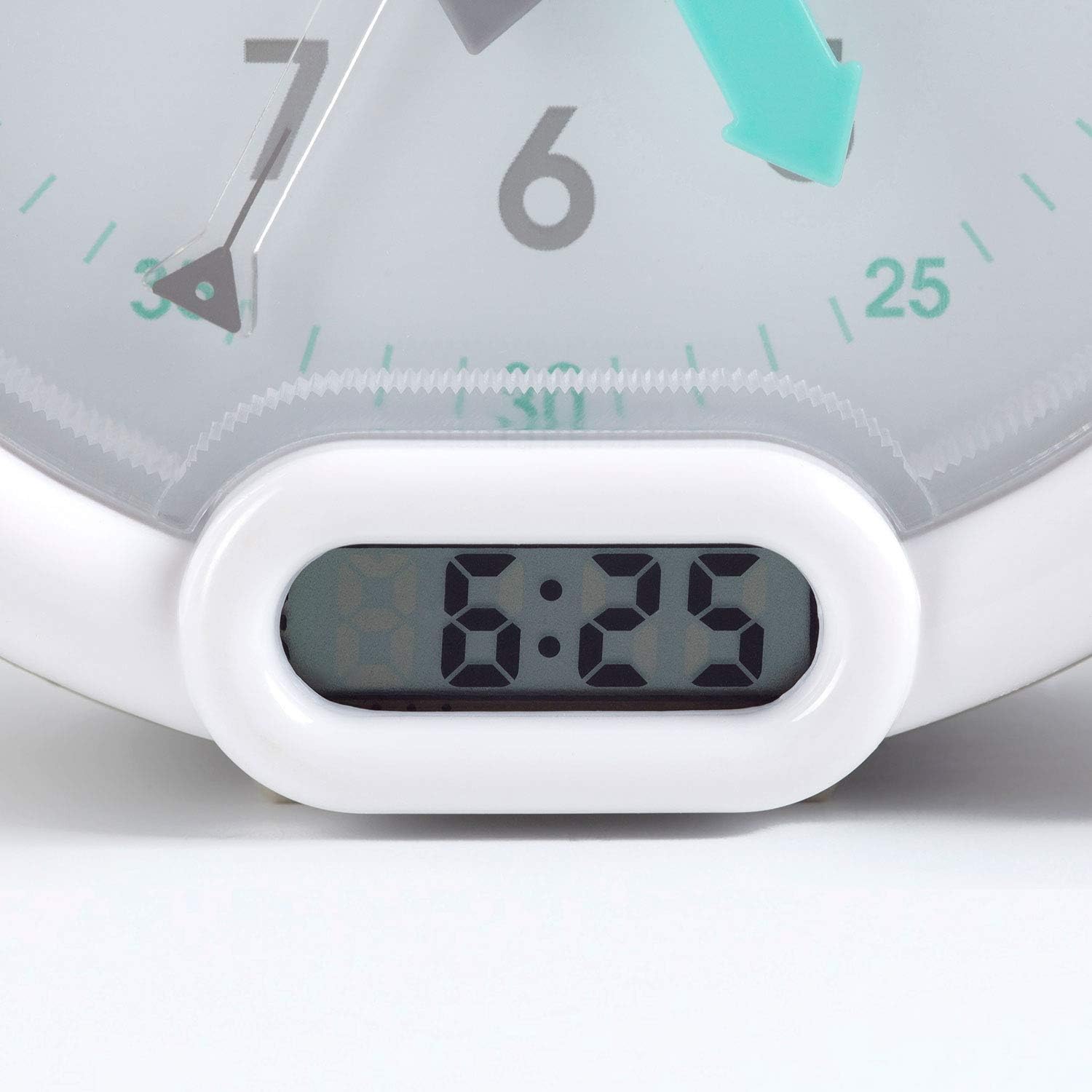
รูปที่ 3: Digital time display.
คำแนะนำการใช้งาน
1. การตั้งปลุก
The alarm can be set to one of three sounds: chirping birds, cuckoo, or train. The alarm volume increases progressively.
- Locate the alarm setting controls on the back of the clock.
- Adjust the alarm time using the designated knob or buttons.
- Select your preferred alarm sound using the sound selection switch.
- Ensure the alarm is activated (ON position).
2. Using the Sleep Trainer
The sleep trainer feature visually indicates when it's time to sleep and when it's time to wake up.
- Sleeping Child Lit: When the image of the sleeping child is lit, it indicates that children should remain in bed and continue sleeping.
- Awake Child Lit: When the image of the awake child is lit, it signals that it is time to wake up.

รูปที่ 4: Sleep indicator (sleeping child).

รูปที่ 5: Awake indicator (awake child).
The sleep/wake times for this indicator are typically set independently from the alarm time, using specific controls on the back of the clock.
3. Snooze and Backlight Function
Press the large button on the top of the clock to activate the snooze function for two minutes. This button also provides a short glowing light, allowing the child to see the time during the night.

รูปที่ 6: Clock with backlight activated.
การซ่อมบำรุง
- การทำความสะอาด: เช็ดนาฬิกาด้วยผ้าแห้งเนื้อนุ่ม ห้ามใช้สารทำความสะอาดที่มีฤทธิ์กัดกร่อนหรือตัวทำละลาย
- การเปลี่ยนแบตเตอรี่: Replace the battery when the display dims or the alarm function becomes unreliable. Dispose of used batteries responsibly.
- พื้นที่จัดเก็บ: หากเก็บนาฬิกาไว้เป็นเวลานาน ควรถอดแบตเตอรี่ออกเพื่อป้องกันการรั่วไหล
การแก้ไขปัญหา
| ปัญหา | สาเหตุที่เป็นไปได้ | สารละลาย |
|---|---|---|
| นาฬิกาไม่เปิด / หน้าจอว่างเปล่า | แบตเตอรี่เสียหรือติดตั้งไม่ถูกต้อง | Check battery polarity. Replace battery. |
| เสียงสัญญาณเตือนไม่ดัง | ไม่ได้ตั้งนาฬิกาปลุกหรือปิดนาฬิกาปลุกไว้ แบตเตอรี่เหลือน้อย | Ensure alarm is set and activated. Replace battery. |
| Sleep/wake indicator not changing. | Incorrect sleep/wake time settings. | Verify and adjust the sleep/wake indicator settings. |
| Clock makes clicking noise. | Mechanical movement noise (common for analog clocks). | This may be normal for the analog mechanism. If excessively loud or new, contact support. |
ข้อมูลจำเพาะ
| ยี่ห้อ: | พาโบโบ้ |
| หมายเลขรุ่น: | KS0031 |
| สี: | สีเทา |
| ประเภทจอภาพ: | อะนาล็อก, ดิจิตอล |
| ขนาดสินค้า : | กว้าง 6.3 นิ้ว x สูง 5.12 นิ้ว |
| แหล่งพลังงาน: | Battery Powered (1 battery included) |
| วัสดุ: | พลาสติก |
| ประเภทการติดตั้ง: | ขาตั้งเดสก์ท็อป |
| น้ำหนักสินค้า: | 14.1 ออนซ์ (0.88 ปอนด์) |
| คุณสมบัติพิเศษ: | Adjustable, Backlit, Sleep Trainer |
ข้อมูลการรับประกัน
This Pabobo Kid Sleep Alarm Clock comes with a รับประกันตลอดอายุการใช้งาน. For details regarding warranty claims and coverage, please refer to the official Pabobo webไซต์หรือติดต่อฝ่ายสนับสนุนลูกค้า
การสนับสนุนลูกค้า
If you encounter any issues or have questions not covered in this manual, please contact Pabobo customer support for assistance.
- การสนับสนุนทางออนไลน์: Visit the official Pabobo webเว็บไซต์นี้มีส่วนคำถามที่พบบ่อยและช่องทางการติดต่อ
- อีเมล: [Insert Pabobo Support Email Here, if available]
- โทรศัพท์: [Insert Pabobo Support Phone Number Here, if available]
Please have your model number (KS0031) and purchase information ready when contacting support.