
cellularline BTMOSQUITOK
Cellularline BTMOSQUITOK MOTION In-Ear Bluetooth Stereo Earphone User Manual
Model: BTMOSQUITOK
1. บทนำ
Thank you for choosing the Cellularline BTMOSQUITOK MOTION In-Ear Bluetooth Stereo Earphone. This manual provides essential information for the safe and efficient use of your new earphones. Please read it thoroughly before use and keep it for future reference.
These in-ear Bluetooth earphones feature perfect fit technology, a built-in microphone with an answer button, and remote control, making them ideal for listening to music and managing calls. They also include a simple magnetic closure for convenient portability.
2. เนื้อหาบรรจุภัณฑ์
โปรดตรวจสอบว่าสินค้าทั้งหมดมีอยู่ในแพ็คเกจ:
- Cellularline BTMOSQUITOK MOTION In-Ear Bluetooth Stereo Earphone
- สายชาร์จ USB
- 3 sets of earbuds (various sizes)
- คู่มือการใช้งาน
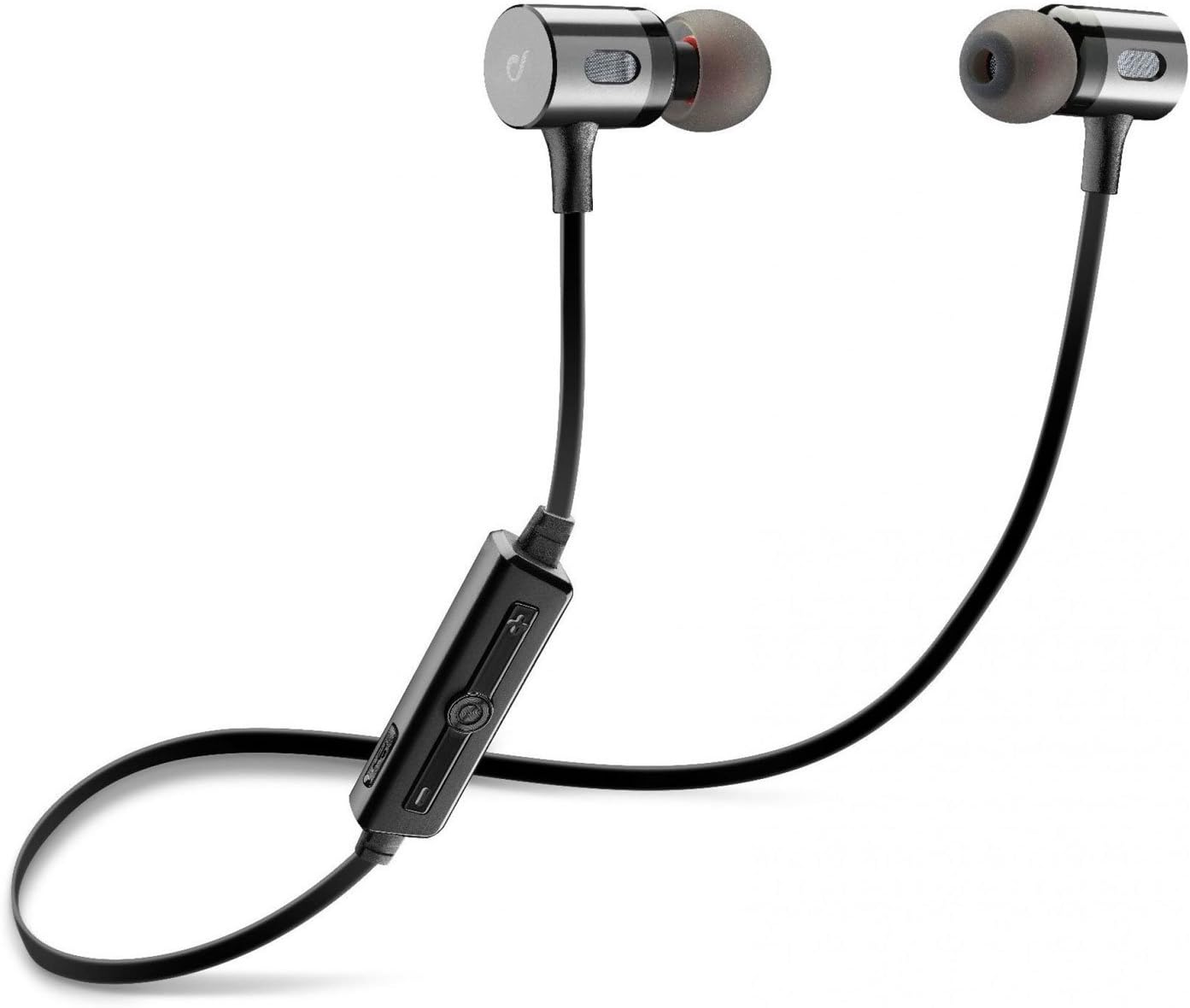
Image: The Cellularline BTMOSQUITOK MOTION In-Ear Bluetooth Stereo Earphone, showing the earbuds, cable, and inline remote.
3. ข้อมูลด้านความปลอดภัย
- ห้ามให้หูฟังสัมผัสกับอุณหภูมิที่สูงหรือความชื้นสูง หรือของเหลวใดๆ
- หลีกเลี่ยงการทำหูฟังตกหรือได้รับแรงกระแทกรุนแรง
- Do not attempt to disassemble or repair the earphones yourself. Refer to qualified service personnel.
- การฟังเสียงดังเป็นเวลานานอาจทำให้สูญเสียการได้ยิน ปรับระดับเสียงให้อยู่ในระดับปานกลาง
- เก็บให้พ้นจากมือเด็ก
4. การตั้งค่าและการใช้งานครั้งแรก
4.1. การชาร์จหูฟัง
Before first use, fully charge the earphones. Connect the supplied USB charging cable to the charging port on the inline remote control and the other end to a USB power source (e.g., computer USB port or USB wall adapter).
- A red indicator light will typically show during charging.
- The light will turn blue or off when charging is complete.

Image: Close-up of the inline remote control on the Cellularline BTMOSQUITOK earphones, showing buttons and charging port location.
4.2. การจับคู่กับอุปกรณ์บลูทูธ
- ตรวจสอบให้แน่ใจว่าหูฟังได้รับการชาร์จและปิดอยู่
- Press and hold the multi-function button (usually the center button on the remote) until the indicator light flashes red and blue alternately, indicating pairing mode.
- On your Bluetooth device (smartphone, tablet, etc.), enable Bluetooth and search for new devices.
- Select "BTMOSQUITOK" or similar name from the list of available devices.
- Once paired, the indicator light on the earphones will typically flash blue slowly or turn off, and you may hear a confirmation tone.
Note: If a passcode is required, enter "0000".
5. คู่มือการใช้งาน
5.1. เปิด/ปิดเครื่อง
- เปิดเครื่อง: กดปุ่มมัลติฟังก์ชั่นค้างไว้ประมาณ 3 วินาที จนกว่าไฟแสดงสถานะสีน้ำเงินจะกะพริบ
- หมดแรง: กดปุ่มมัลติฟังก์ชันค้างไว้ประมาณ 5 วินาที จนกระทั่งไฟแสดงสถานะสีแดงกะพริบแล้วดับลง
5.2. การเล่นเพลง
- เล่น/หยุดชั่วคราว: กดปุ่มมัลติฟังก์ชั่นหนึ่งครั้ง
- เพลงถัดไป: Press and hold the "+" volume button.
- แทร็กก่อนหน้า: Press and hold the "-" volume button.
- ปรับระดับเสียงขึ้น: Short press the "+" volume button.
- ลดเสียงลง: Short press the "-" volume button.
5.3. การจัดการการโทร
- รับ/วางสาย: กดปุ่มมัลติฟังก์ชั่นหนึ่งครั้ง
- ปฏิเสธสาย: กดปุ่มมัลติฟังก์ชันค้างไว้ประมาณ 2 วินาที
- โทรซ้ำหมายเลขล่าสุด: กดปุ่มมัลติฟังก์ชันสองครั้ง

Image: The magnetic closure feature of the Cellularline BTMOSQUITOK earbuds, allowing them to snap together for secure carrying.
6. การบำรุงรักษาและการดูแล
- Clean the earphones regularly with a soft, dry cloth.
- ห้ามใช้น้ำยาทำความสะอาดที่มีฤทธิ์กัดกร่อนหรือตัวทำละลาย
- Remove and clean the ear tips periodically to prevent wax buildup.
- Store the earphones in a cool, dry place when not in use. The magnetic closure helps keep them tangle-free.
7 การแก้ไขปัญหา
| ปัญหา | สาเหตุที่เป็นไปได้ | สารละลาย |
|---|---|---|
| หูฟังไม่เปิด | แบตเตอรี่อ่อน | ชาร์จหูฟังให้เต็ม |
| ไม่สามารถจับคู่กับอุปกรณ์ได้ | หูฟังไม่ได้อยู่ในโหมดจับคู่; บลูทูธปิดอยู่บนอุปกรณ์; อุปกรณ์อยู่ไกลเกินไป | Ensure earphones are in pairing mode (flashing red/blue). Turn on Bluetooth on your device. Move device closer to earphones. |
| ไม่มีเสียงหรือเสียงเบา | Volume too low; earphones not connected; incorrect audio output selected on device. | Increase volume on earphones and device. Re-pair earphones. Check audio output settings on your device. |
| การเชื่อมต่อไม่ต่อเนื่อง | สัญญาณรบกวน, อุปกรณ์อยู่ไกลเกินไป, แบตเตอรี่อ่อน | Move away from sources of interference (Wi-Fi routers, other Bluetooth devices). Keep device within range. Charge earphones. |
8. ข้อมูลจำเพาะ
| ชื่อรุ่น | BTMOSQUITOK MOTION |
| ยี่ห้อ | เซลลูล่าร์ไลน์ |
| พิมพ์ | In-Ear Bluetooth Stereo Earphone |
| สี | สีดำ |
| ไมโครโฟน | Built-in with answer button and remote control |
| ประเภทแบตเตอรี่ | แบตเตอรี่ลิเธียมไอออน (1 ก้อน) |
| ขนาดสินค้า | 9.2 x 2 x 17.5 ซม. |
| น้ำหนัก | 65 กรัม |
| การควบคุมเสียงรบกวน | การแยกเสียง |
9. การรับประกันและการสนับสนุน
For warranty information and technical support, please refer to the warranty card included with your product or visit the official Cellularline webไซต์นี้ โปรดเก็บหลักฐานการซื้อไว้เพื่อใช้ยืนยันการรับประกัน
Manufacturer: Cellularline
Ask a question about this manual
Ask about setup, troubleshooting, compatibility, parts, safety, or missing instructions. Manuals+ will review the question and use this page’s manual context to help answer it.