
1. บทนำ
Thank you for choosing the WINGONEER DC 5V Brushless CPU Cooling Fan. This fan is designed to provide efficient cooling for your Raspberry Pi 3, Raspberry Pi 2 Model B, or RPI B+ to help maintain optimal operating temperatures and prevent thermal throttling. This manual provides detailed instructions for installation, operation, and troubleshooting.
2. เนื้อหาบรรจุภัณฑ์
โปรดตรวจสอบว่าสินค้าทั้งหมดรวมอยู่ในแพ็คเกจของคุณ:
- 1 x DC 5V Brushless CPU Cooling Fan
- สกรูยึด 4 ตัว
- 4 x ถั่ว
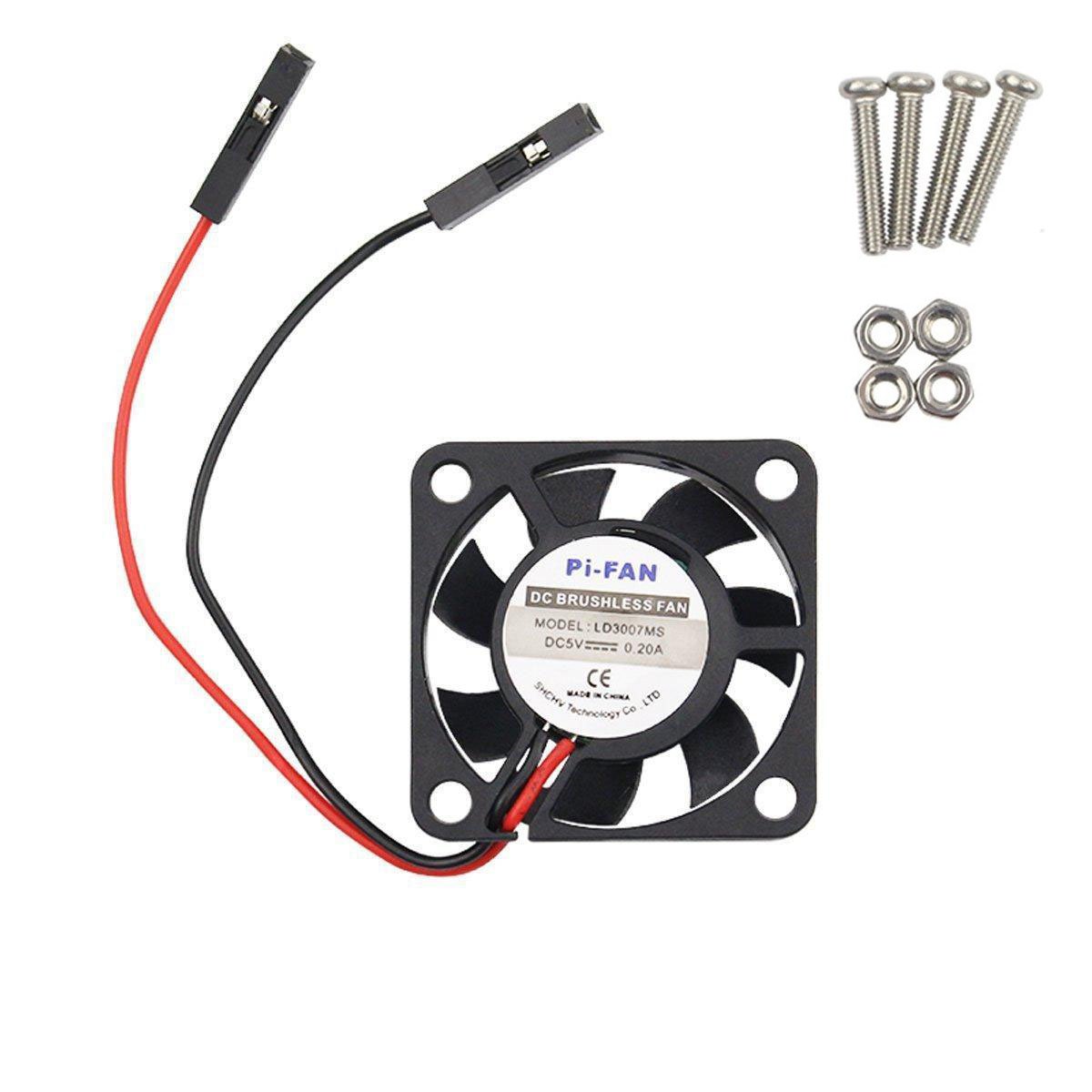
Image: The WINGONEER DC 5V Brushless CPU Cooling Fan, along with the included mounting screws and nuts.

ภาพ: ภาพระยะใกล้ view of the four mounting screws and four nuts provided for fan installation.
3. การตั้งค่าและการติดตั้ง
Follow these steps to install your cooling fan:
3.1. Connecting the Fan to Raspberry Pi GPIO Pins
The fan can be connected to either the 5V or 3.3V GPIO pins on your Raspberry Pi. The 5V connection provides maximum cooling but may result in higher noise levels. The 3.3V connection offers quieter operation with slightly reduced cooling performance.

Image: Schematic showing the GPIO pin locations for connecting the fan to either 5V (red circles) or 3.3V (red circles) power on the Raspberry Pi. Note indicates 5V connection may be noisier but reduces heat better.
3.1.1. 5V Connection Method
Connect the red wire of the fan to the 5V pin and the black wire to a Ground (GND) pin on your Raspberry Pi's GPIO header. Refer to the diagram for exact pin locations.

Image: Visual guide demonstrating how to connect the fan's 5V (red) and Ground (black) wires to the corresponding GPIO pins on the Raspberry Pi.
3.1.2. 3.3V Connection Method
For quieter operation, connect the red wire of the fan to the 3.3V pin and the black wire to a Ground (GND) pin on your Raspberry Pi's GPIO header. Refer to the diagram for exact pin locations.
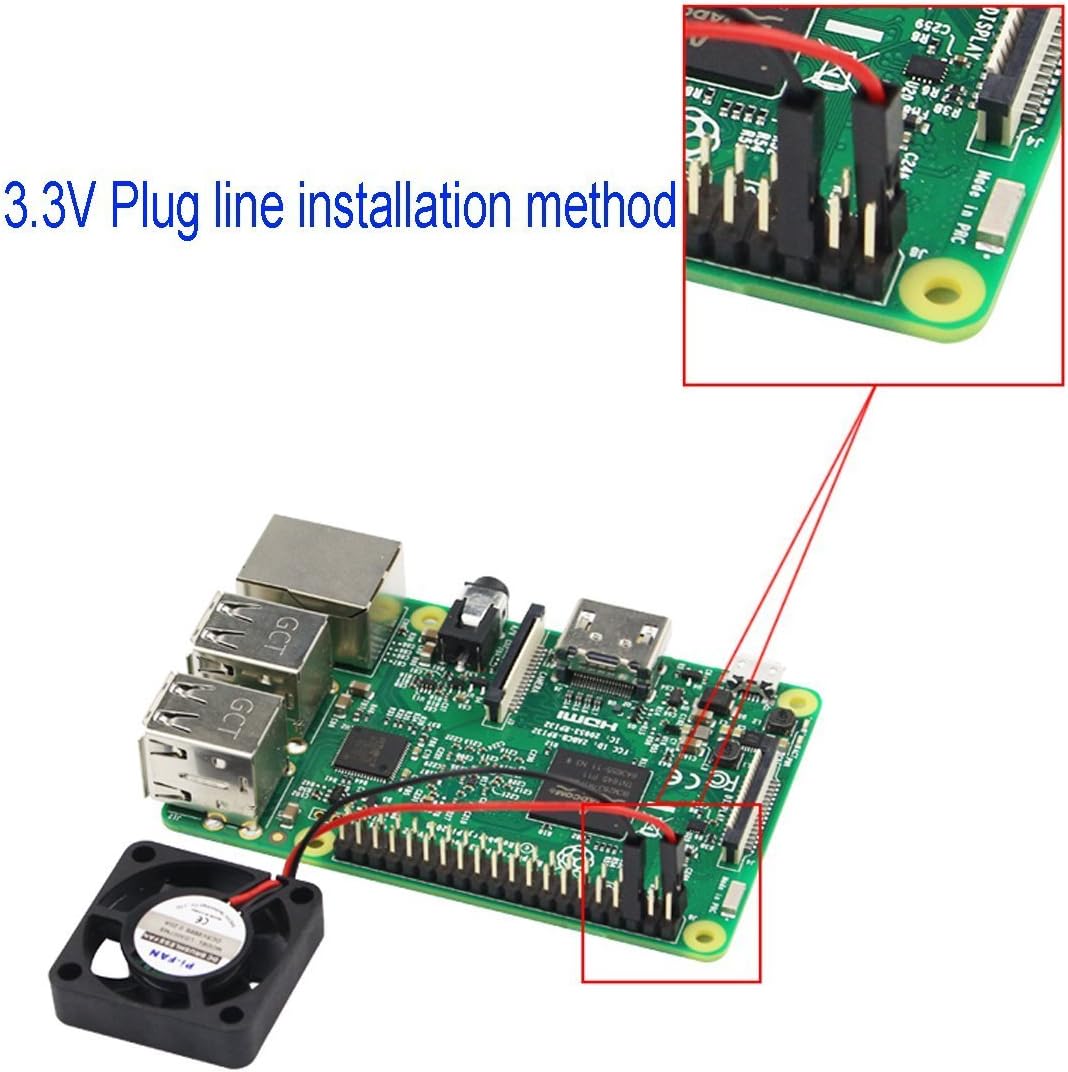
Image: Visual guide demonstrating how to connect the fan's 3.3V (red) and Ground (black) wires to the corresponding GPIO pins on the Raspberry Pi.
3.2. การติดตั้งพัดลม
Use the provided screws and nuts to securely mount the fan to your Raspberry Pi or compatible enclosure. Ensure the fan is positioned to direct airflow over the CPU for optimal cooling.
4. การดำเนินการ
Once installed and connected, the fan will begin operating as soon as your Raspberry Pi is powered on. No additional software or configuration is typically required for basic operation.
4.1 ระดับเสียงรบกวน
The fan operates at a low noise level of approximately 25 decibels. Connecting to the 3.3V GPIO pins will result in quieter operation compared to the 5V connection, which provides maximum airflow and cooling.
5. การบำรุงรักษา
To ensure longevity and optimal performance of your cooling fan, consider the following maintenance tips:
- การทำความสะอาดปกติ: Periodically inspect the fan blades and surrounding area for dust accumulation. Use a soft brush or compressed air to gently remove any dust.
- การตรวจสอบ: Check the fan for any signs of damage or loose connections. Ensure the mounting screws are secure.
6 การแก้ไขปัญหา
6.1. พัดลมไม่หมุน
- ตรวจสอบการเชื่อมต่อ: Ensure the red and black wires are securely connected to the correct GPIO pins (5V or 3.3V and GND).
- แหล่งจ่ายไฟ: Verify that your Raspberry Pi is receiving adequate power.
- สิ่งกีดขวาง: Check for any physical obstructions preventing the fan blades from spinning.
6.2. เสียงดังเกินไป
- การเชื่อมต่อ 3.3V: If connected to 5V, try switching to the 3.3V GPIO pins for reduced noise.
- การติดตั้ง: Ensure the fan is securely mounted and not vibrating against any surfaces. Loose screws can cause noise.
- ฝุ่น: ทำความสะอาดฝุ่นละอองที่เกาะอยู่บนใบพัดลม
6.3. Insufficient Cooling
- การเชื่อมต่อ 5V: Ensure the fan is connected to the 5V GPIO pins for maximum cooling performance.
- การอุดตันของการไหลเวียนของอากาศ: Check that there are no obstructions blocking the fan's airflow to and from the Raspberry Pi's CPU.
- Thermal Paste/Pads: If using a case, ensure proper thermal paste or pads are applied between the Raspberry Pi's CPU/RAM and any heatsinks or the case itself (if applicable).
7. ข้อมูลจำเพาะ
| คุณสมบัติ | ข้อมูลจำเพาะ |
|---|---|
| ยี่ห้อ | WINGONEER |
| แบบอย่าง | B01M16KDEG |
| ขนาดสินค้า | ขนาด 1.18 นิ้ว ยาว x 0.28 นิ้ว กว้าง x 1.18 นิ้ว สูง (ประมาณ 30 มม. x 7 มม. x 30 มม.) |
| ประเภทตัวเชื่อมต่อกระแสไฟ | 2 พิน |
| เล่มที่tage | 5 โวลต์ |
| วิธีการทำความเย็น | อากาศ |
| อุปกรณ์ที่รองรับ | Raspberry Pi 3, Raspberry Pi 2 Model B, RPI B+ |
| ระดับเสียง | 25 เดซิเบล |
| วัสดุ | พลาสติก |
| ความเร็วการหมุนสูงสุด | 9000 รอบต่อนาที |
| น้ำหนัก | ประมาณ 6.0กรัม |

Image: The WINGONEER cooling fan displayed on a digital scale, indicating a weight of 6.0 grams.
8. การรับประกันและการสนับสนุน
สำหรับข้อมูลการรับประกันและการสนับสนุนทางเทคนิค โปรดดูที่เว็บไซต์อย่างเป็นทางการของผู้ผลิต webหรือติดต่อฝ่ายบริการลูกค้าโดยตรง โปรดเก็บใบเสร็จรับเงินไว้เพื่อใช้ในกรณีที่ต้องการเคลมประกัน