
1. สินค้าหมดview
The D-Link DFE-530TX+ is a 10/100BASE-TX Fast Ethernet PCI Adapter designed to provide high-speed network connectivity for desktop computers. This adapter supports both 100BASE-TX (Category 5 UTP cable) and 10BASE-T (Category 3/4/5 UTP cable) connections, operating at speeds of 10Mbps or 100Mbps. It features full-duplex capability, effectively doubling the network speed to 20/200Mbps, and includes Plug-and-Play functionality for simplified installation.
คุณสมบัติที่สำคัญ ได้แก่:
- PCI interface for desktop computer compatibility.
- Supports a wide range of operating systems.
- Full Duplex Mode support for 20/200Mbps operation.
- Half Duplex Mode support for 10/100Mbps operation.
- Compliant with PCI 2.1/2.2 ACPI Power Management.
- Wake-On-LAN (WOL) functionality, including Magic Packet, LinkChg, and Microsoft wake-up frame.
- Compliant with PC 99 Standard.
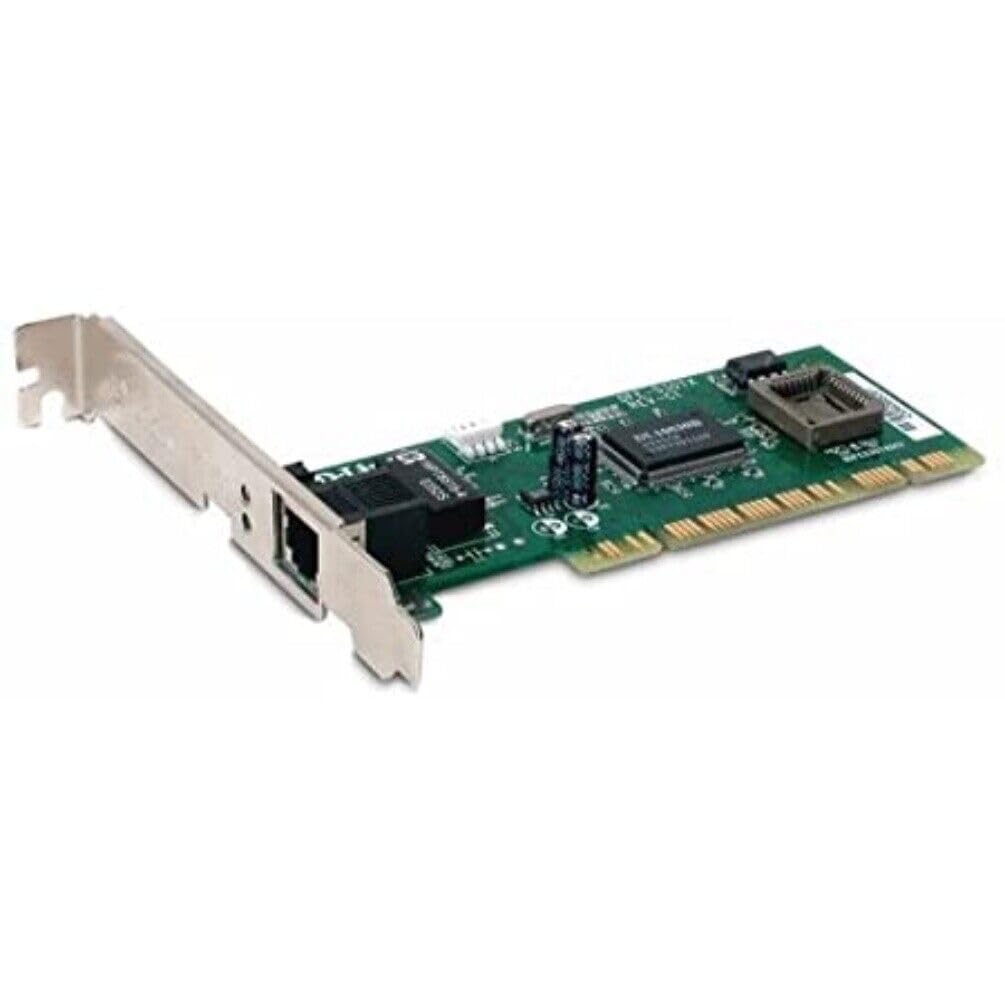
รูปที่ 1: D-Link DFE-530TX+ Fast Ethernet PCI Adapter. This image shows the green circuit board with various electronic components, including chips and capacitors, and a silver PCI bracket with an RJ-45 Ethernet port.
2. การตั้งค่าและการติดตั้ง
Follow these steps to install your D-Link DFE-530TX+ PCI Adapter into your desktop computer.
- เตรียมคอมพิวเตอร์ของคุณให้พร้อม:
- Power off your computer and unplug the power cord from the electrical outlet.
- เปิดเคสคอมพิวเตอร์ โปรดดูคู่มือคอมพิวเตอร์ของคุณสำหรับคำแนะนำเกี่ยวกับวิธีการเปิดเคสอย่างปลอดภัย
- Install the PCI Adapter:
- Locate an available PCI slot on your computer's motherboard.
- Remove the metal bracket cover from the chosen PCI slot on the back of your computer case.
- Carefully insert the DFE-530TX+ adapter into the PCI slot, ensuring it is firmly seated. Apply even pressure to both ends of the card.
- Secure the adapter with the screw removed from the metal bracket cover.
- ปิดเคสคอมพิวเตอร์:
- ปิดฝาครอบเคสคอมพิวเตอร์และล็อคให้แน่น
- Plug the power cord back into the electrical outlet and power on your computer.
- การติดตั้งไดร์เวอร์:
- The DFE-530TX+ supports Plug-and-Play. Most modern operating systems (e.g., Windows 10) will automatically detect and install the necessary drivers upon startup.
- If drivers are not automatically installed, refer to the driver CD (if included) or download the latest drivers from the official D-Link support webเว็บไซต์.
3. การใช้งานอะแดปเตอร์
Once the adapter is physically installed and drivers are loaded, you can connect it to your network.
- เชื่อมต่อสายเคเบิลอีเทอร์เน็ต:
- Connect one end of a standard Ethernet cable (Category 5 or higher for 100Mbps) to the RJ-45 port on the DFE-530TX+ adapter.
- Connect the other end of the Ethernet cable to an available port on your network switch, router, or hub.
- ไฟ LED แสดงสถานะ:
The DFE-530TX+ features three on-board LEDs for diagnostics:
- ลิงค์ LED: แสดงว่าการเชื่อมต่อเครือข่ายสำเร็จแล้ว
- สีเขียวทึบ: มีการสร้างการเชื่อมต่อเครือข่ายที่ถูกต้องแล้ว
- ปิด: ไม่พบการเชื่อมต่อเครือข่าย
- ไฟ LED แสดงกิจกรรม: Indicates network data transmission.
- ไฟกระพริบสีเขียว: ข้อมูลกำลังถูกส่งหรือรับ
- ปิด: ไม่มีกิจกรรมเครือข่าย
- 10/100Mbps LED: Indicates the current connection speed.
- สีเขียวทึบ: Connected at 100Mbps.
- ปิด: Connected at 10Mbps.
- ลิงค์ LED: แสดงว่าการเชื่อมต่อเครือข่ายสำเร็จแล้ว
Verify that the Link LED is solid green and the Activity LED flashes when network traffic is present. The 10/100Mbps LED will indicate your current connection speed.
4. การบำรุงรักษา
The D-Link DFE-530TX+ adapter requires minimal maintenance. To ensure optimal performance and longevity:
- Keep the computer's interior clean and free of dust to prevent overheating of components, including the network adapter.
- Ensure proper airflow within the computer case.
- หลีกเลี่ยงการให้อะแดปเตอร์สัมผัสกับอุณหภูมิหรือความชื้นที่สูงเกินไป
- Periodically check for updated drivers on the D-Link support website to ensure compatibility and performance enhancements.
5 การแก้ไขปัญหา
If you encounter issues with your D-Link DFE-530TX+ adapter, refer to the following troubleshooting tips:
- ไม่มีไฟลิงค์:
- Ensure the Ethernet cable is securely connected to both the adapter and the network device (switch/router).
- ลองใช้สายเคเบิลอีเทอร์เน็ตอื่น
- Verify that the network device (switch/router) is powered on and functioning correctly.
- Check if the adapter is properly seated in the PCI slot.
- รีสตาร์ทเครื่องคอมพิวเตอร์ของคุณ
- ความเร็วเครือข่ายช้า:
- Check the 10/100Mbps LED. If it's off, the connection is at 10Mbps. Ensure your network device supports 100Mbps and the cable is Category 5 or higher.
- Ensure your computer's drivers for the adapter are up to date.
- ทดสอบด้วยสายเคเบิลอีเธอร์เน็ตอื่น
- Verify that other devices on your network are not consuming excessive bandwidth.
- Adapter Not Detected by Operating System:
- Ensure the adapter is correctly installed in the PCI slot.
- Check Device Manager (Windows) to see if the adapter is listed, possibly with a yellow exclamation mark. If so, reinstall or update the drivers.
- Try installing the adapter in a different PCI slot.
- การเชื่อมต่อไม่ต่อเนื่อง:
- ตรวจสอบการเชื่อมต่อสายเคเบิลหลวม
- Ensure there is no electromagnetic interference from other devices.
- อัปเดตไดรเวอร์อะแดปเตอร์
- Consider replacing the Ethernet cable.
6. ข้อมูลจำเพาะ
| หมายเลขรุ่น | DFE-530TX+ |
| ประเภทเครือข่าย | อะแดปเตอร์เครือข่าย |
| ฟอร์มแฟกเตอร์ | การ์ดปลั๊กอิน |
| อินเทอร์เฟซเครือข่าย | พีซีไอ |
| จำนวนพอร์ต | 1 x RJ-45 (Ethernet 10Base-T/100Base-TX) |
| อัตราการถ่ายโอนข้อมูล | 100 เมกะบิตต่อวินาที |
| โปรโตคอลการเชื่อมโยงข้อมูล | Ethernet, Fast Ethernet |
| เทคโนโลยีการเชื่อมต่อ | มีสาย |
| มาตรฐานที่สอดคล้อง | IEEE 802.3, IEEE 802.3U |
| ประเภทสายเคเบิล | Ethernet 10BASE-T, Ethernet 100Base-TX (Category 3/4/5 UTP) |
| ความเข้ากันได้ของพีซี | PC, Mac, Unix |
| คุณสมบัติ | Auto-negotiation, Full duplex capability, Wake on LAN (WOL) |
| ขนาดสินค้า | 9.4 x 6.7 x 1.5 นิ้ว |
| น้ำหนักสินค้า | 181 กรัม (6.38 ออนซ์) |
| ยูพีซี | 790069220333 |
7. การรับประกันและการสนับสนุน
The D-Link DFE-530TX+ Fast Ethernet PCI Adapter comes with a รับประกันจำกัด 2 ปี ตั้งแต่วันที่ซื้อ การรับประกันนี้ครอบคลุมถึงข้อบกพร่องในวัสดุและฝีมือการผลิตภายใต้การใช้งานปกติ
For technical support, driver downloads, or further information, please visit the official D-Link support website. You may also find additional resources and FAQs there.
โปรดเก็บหลักฐานการซื้อของคุณไว้เพื่อเรียกร้องการรับประกัน