
1. สินค้าหมดview
The Keeley Bubble Tron Dynamic Flanger Phaser and Random Synth Filter is a versatile effects pedal designed to produce unique modulation sounds. Inspired by classic dynamic flangers and phasers, this pedal offers three distinct modes of operation: Dynamic Flange, Dynamic Phase, and Random Filter. It allows for expressive control over your guitar's signal, reacting to your pick attack and playing dynamics to create a range of sonic textures.
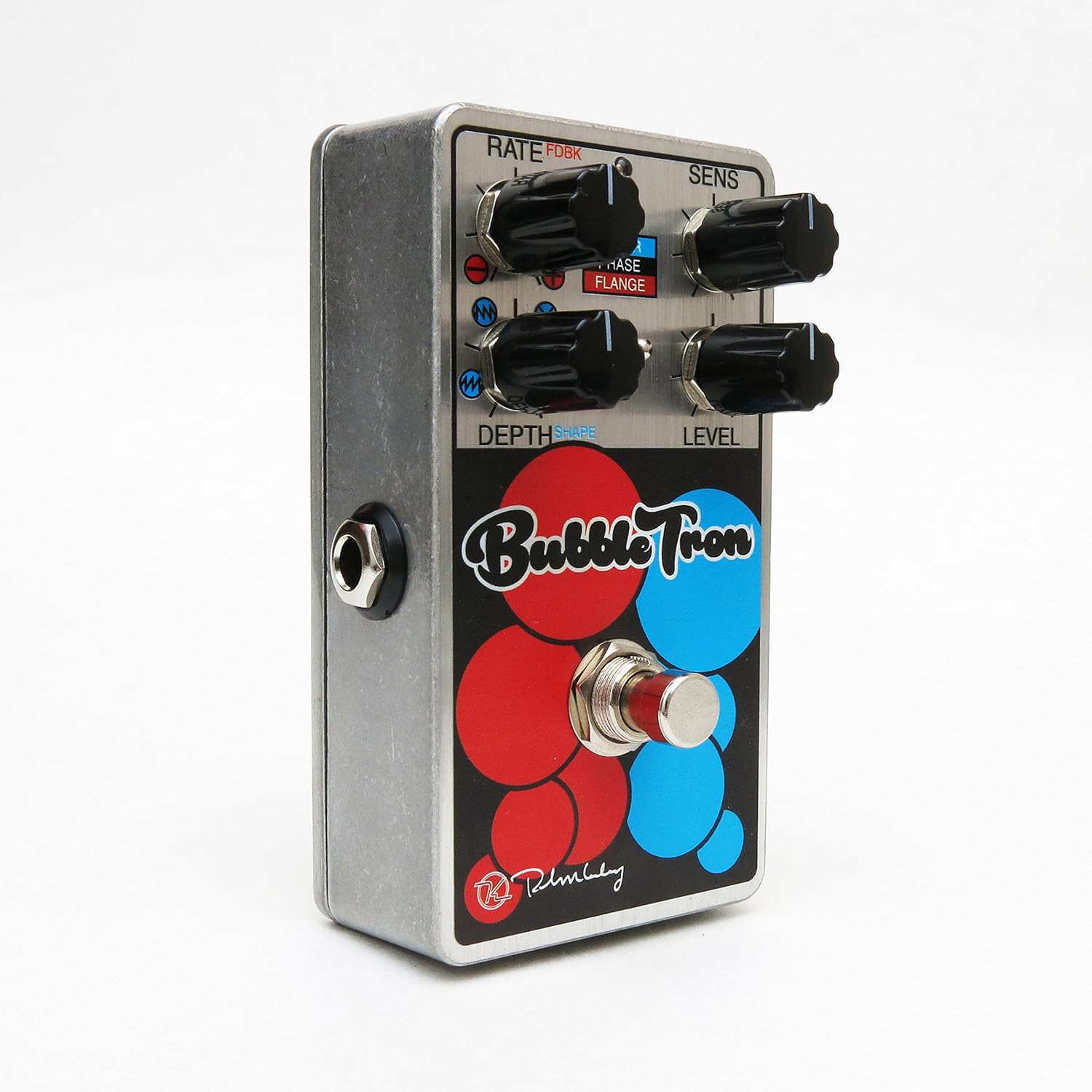
Figure 1: Keeley Bubble Tron Dynamic Flanger Phaser Pedal.
The pedal features a simple yet powerful control layout, allowing users to dial in subtle or extreme effects. Its dynamic response makes it an intuitive tool for guitarists seeking to add expressive modulation to their sound.
2. การตั้งค่า
To set up your Keeley Bubble Tron pedal, follow these steps:
- การเชื่อมต่อไฟฟ้า: Connect a standard 9V DC power supply (center negative, 65mA+ current draw) to the 9V jack on the pedal. Ensure the power supply meets these specifications to prevent damage.
- การเชื่อมต่ออินพุต: เชื่อมต่อกีตาร์หรือเครื่องดนตรีอื่นๆ ของคุณเข้ากับแจ็ค "INPUT" ที่ด้านขวาของแป้นเหยียบโดยใช้สายเคเบิลเครื่องดนตรีขนาดมาตรฐาน 1/4 นิ้ว
- การเชื่อมต่อเอาท์พุต: Connect the "OUTPUT" jack on the left side of the pedal to your ampต่อเข้ากับแอมป์หรือเอฟเฟ็กต์ตัวถัดไปในลำดับสัญญาณของคุณโดยใช้สายเคเบิลเครื่องดนตรีขนาดมาตรฐาน 1/4 นิ้ว
- การตั้งค่าเริ่มต้น: Before engaging the pedal, set all knobs to their 12 o'clock position and ensure the mode switch is in the middle (Phase) position for a neutral starting point.
3. คู่มือการใช้งาน
The Keeley Bubble Tron offers a variety of controls to shape your sound. Familiarize yourself with each knob and switch:
การควบคุม:
- RATE (FDBK):
- In Filter & Phase modes: Controls the rate of the LFO.
- In Flange mode: Controls feedback. Turning left provides maximum negative feedback; turning right provides maximum positive feedback.
- SENS (ความไว):
- In Filter mode: Controls envelope sensitivity, acting like a synth filter.
- In Phase & Flange modes: Controls input sensitivity, determining the point at which dynamic control is triggered. Start with this knob at full left and adjust for desired responsiveness.
- DEPTH (Shape):
- In Filter mode: Selects LFO shape (from full left: ramp ขึ้น ramp down, random, or triangle).
- In Phase & Flange modes: Sets the depth of the effect for mild or lush sounds.
- ระดับ: ควบคุมระดับเอาต์พุตโดยรวมของเอฟเฟ็กต์
- ฟุตสวิตช์: สลับเปิดและปิดเอฟเฟกต์
Mode Select Switch:
- ขึ้น: Activates Filter mode.
- กลาง: Activates Phase mode.
- ลง: Activates Flange mode.

Figure 2: Bank A (Default Mode) Control Layout. This mode is active when the internal switch is set to Bank A.
Internal Mini Toggles (Bank Selection):
The Bubble Tron features internal mini toggles to expand its sonic capabilities. To access these, you will need to remove the back plate of the pedal.
- ANALOG FILTER (Vintage/Modern):
- วินtagอี โหมด: Rolls off some high frequencies for a warmer tone.
- Modern Mode: Provides full-range clarity (default setting).
- BANK TOGGLE (Bank 1/Bank 2):
- Bank 1 (Default): Offers Sample & Hold Filter, Dynamic Phaser, and Dynamic Flanger modes.
- ธนาคาร 2: Offers Envelope Filter, Standard 8-Stage Phaser, and Standard Classic Flanger modes.

Figure 3: Bank B Control Layout. Access this mode by switching the internal Bank Toggle from Bank A to Bank B.

Figure 4: Internal Mini Toggles for Analog Filter and Bank Selection.

Figure 5: External Toggle Switch modes for Bank 1 and Bank 2.
4. การบำรุงรักษา
To ensure the longevity and optimal performance of your Keeley Bubble Tron, observe the following maintenance guidelines:
- การทำความสะอาด: Use a soft, dry cloth to clean the pedal's exterior. Avoid abrasive cleaners or solvents, as these can damage the finish.
- พื้นที่จัดเก็บ: เก็บแป้นเหยียบไว้ในที่แห้งและเย็น หลีกเลี่ยงแสงแดดโดยตรงและอุณหภูมิที่สูงหรือต่ำเกินไป เมื่อไม่ได้ใช้งานเป็นเวลานาน ให้ถอดปลั๊กไฟออก
- แหล่งจ่ายไฟ: Always use a regulated 9V DC power supply with a center-negative polarity and sufficient current (65mA+). Incorrect power supplies can cause damage and void the warranty.
- การเชื่อมต่อ: Ensure all cables are securely connected. Avoid excessive force when plugging or unplugging cables.
5 การแก้ไขปัญหา
If you encounter issues with your Keeley Bubble Tron, try these troubleshooting steps:
- ไม่มีเสียง:
- ตรวจสอบการเชื่อมต่อสายเคเบิลทั้งหมด (สายเข้า สายออก สายไฟ)
- Verify the power supply is correctly connected and providing the specified 9V DC.
- ตรวจสอบให้แน่ใจว่าเครื่องดนตรีของคุณและ ampเครื่องขยายกำลังทำงานอย่างถูกต้อง
- Bypass the pedal to confirm the issue is with the pedal itself.
- เสียงรบกวน/เสียงฮัมที่ไม่ต้องการ:
- ใช้แหล่งจ่ายไฟคุณภาพสูงและแยกอิสระ
- ตรวจสอบสายเคเบิลว่าชำรุดหรือไม่
- ตรวจสอบให้แน่ใจว่าได้ต่อสายดินอย่างถูกต้องแล้ว ampเครื่องขยายเสียงและอุปกรณ์อื่นๆ
- Effect Not Engaging/Responding:
- Check the footswitch functionality.
- Adjust the SENS (Sensitivity) knob, especially in dynamic modes, to ensure it's set appropriately for your playing style and instrument output.
- Verify the MODE SELECT switch is in the desired position.
6. ข้อมูลจำเพาะ
| คุณสมบัติ | ข้อมูลจำเพาะ |
|---|---|
| ประเภทคันเหยียบ | Dynamic Flange, Phaser, Random Synth Filter |
| ความต้องการพลังงาน | 9V DC Center Negative, 65mA+ |
| อินพุต/เอาท์พุต | Mono Instrument Input, Mono Output |
| น้ำหนักสินค้า | 9.6 ออนซ์ |
| ขนาดสินค้า | 6 x 7 x 10 นิ้ว |
| หมายเลขรุ่นสินค้า | Kbubble |
| รูปแบบสัญญาณ | อนาล็อก |
7. การรับประกันและการสนับสนุน
For warranty information and technical support, please refer to the official Keeley Electronics webหรือติดต่อฝ่ายบริการลูกค้าโดยตรง โปรดเก็บหลักฐานการซื้อไว้เพื่อใช้ในกรณีที่ต้องการเคลมประกัน
เป็นทางการ Webเว็บไซต์: ร้านจำหน่ายอุปกรณ์อิเล็กทรอนิกส์คีลีย์