
1. บทนำ
This manual provides essential information for the proper installation, operation, and maintenance of your Comelit EX-7000H Secondary Mini Handsfree Color Monitor. Please read this manual thoroughly before using the device to ensure safe and efficient operation.
The Comelit EX-7000H is a secondary mini handsfree color monitor designed for door-entry systems. It features an electronic call function, a conversation button on the base, call volume control, privacy function, and a door open button. It also includes a supplementary button for additional services.
2. ข้อมูลด้านความปลอดภัย
- Ensure all electrical connections are made by qualified personnel and comply with local regulations.
- Do not expose the monitor to moisture, rain, or extreme temperatures.
- หลีกเลี่ยงการวางอุปกรณ์ใกล้แหล่งความร้อนหรือแสงแดดโดยตรง
- Do not attempt to open or repair the unit yourself. Refer all servicing to authorized Comelit service centers.
- Clean the monitor with a soft, dry cloth. Do not use abrasive cleaners or solvents.
3. เนื้อหาบรรจุภัณฑ์
กรุณาตรวจสอบเนื้อหาในแพ็คเกจเพื่อให้แน่ใจว่ามีสินค้าครบทั้งหมด:
- Comelit EX-7000H Secondary Mini Handsfree Color Monitor
- ตัวยึด
- สกรูยึดและปลั๊กผนัง
- คู่มือการใช้งาน (เอกสารนี้)
4. สินค้าหมดview
The Comelit EX-7000H monitor is designed for ease of use and integration into existing Comelit door-entry systems. Below is an image of the product and a description of its key features.
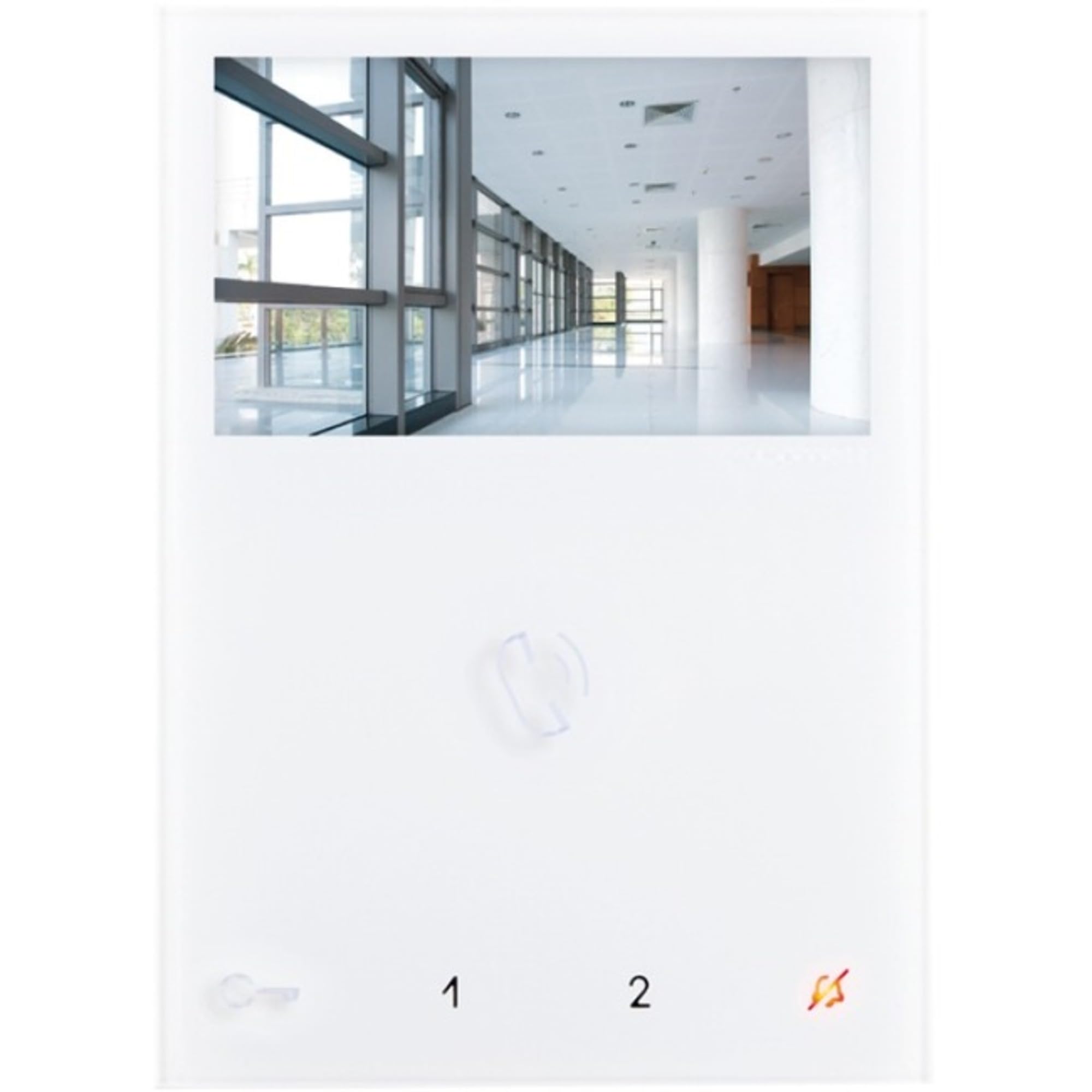
Image: Comelit EX-7000H Secondary Mini Handsfree Color Monitor. This image displays the front view of the monitor, showing the screen, buttons, and handset-free design.
- Handsfree Operation: Allows communication without lifting a handset.
- Electronic Call Function: Signals incoming calls from the door station.
- Conversation Button: Activates and deactivates audio communication.
- Call Volume Control: Adjusts the volume of the incoming call signal.
- Privacy Function: Disables audio and video for privacy.
- ปุ่มเปิดประตู: Activates the electric door lock.
- Supplementary Button: Provides an additional function, such as activating a secondary gate or light.
5. การตั้งค่าและการติดตั้ง
Installation should be performed by a qualified technician. Ensure power to the system is disconnected before beginning installation.
- ตำแหน่งการติดตั้ง: Choose a suitable indoor location, away from direct sunlight, heat sources, and moisture. The monitor should be mounted at an ergonomic height for viewไอเอ็นจีและการดำเนินงาน
- ตัวยึด: Secure the mounting bracket to the wall using the provided screws and wall plugs. Ensure it is level and firmly attached.
- การเดินสายไฟ: Connect the system wiring to the monitor's terminals according to the wiring diagram provided with your main door-entry system unit. Pay close attention to polarity and terminal designations.
- เชื่อมต่อจอภาพ: Carefully attach the Comelit EX-7000H monitor to the mounted bracket, ensuring it clicks securely into place.
- เปิดเครื่อง: Restore power to the door-entry system. The monitor should power on and display the standby screen.
- การทดสอบระบบ: Perform a full system test to verify communication with the door station and proper functioning of all buttons (call, conversation, door open, supplementary).
6. คู่มือการใช้งาน
การรับสายโทรศัพท์
- When a visitor presses the call button at the door station, the monitor will emit an electronic call tone and display the visitor's image.
- กดปุ่ม ปุ่มสนทนา (typically indicated by a microphone icon) to establish two-way audio communication with the visitor.
- หากต้องการสิ้นสุดการสนทนา ให้กดปุ่ม ปุ่มสนทนา again. The monitor will return to standby mode.
การเปิดประตู
- During a conversation, or when viewing the door station, press the ปุ่มเปิดประตู (typically indicated by a key icon) to activate the electric door lock.
- The door will unlock for a preset duration.
Using the Supplementary Button
- การ Supplementary Button can be configured to activate an additional service, such as a secondary gate, an auxiliary light, or another connected device.
- Press this button to activate the assigned function. Refer to your system installer for specific configuration details.
การปรับระดับเสียงการโทร
- ใช้ การควบคุมระดับเสียงการโทร (usually a slider or button on the side/bottom) to adjust the loudness of the incoming call tone.
ฟังก์ชั่นความเป็นส่วนตัว
- เปิดใช้งาน ฟังก์ชั่นความเป็นส่วนตัว (if available and configured) to temporarily disable incoming calls and video from the door station. This is useful when you do not wish to be disturbed.
- Deactivate the function to resume normal operation.
7. การบำรุงรักษา
- การทำความสะอาด: Use a soft, dry, lint-free cloth to clean the monitor's screen and casing. Do not use liquid cleaners, aerosols, or abrasive materials, as these can damage the surface.
- การตรวจสอบ: Periodically check the monitor and its connections for any signs of damage or wear.
- ไม่มีชิ้นส่วนที่ผู้ใช้สามารถซ่อมบำรุงได้: The Comelit EX-7000H contains no user-serviceable parts. Any internal issues require professional servicing.
8 การแก้ไขปัญหา
| ปัญหา | สาเหตุที่เป็นไปได้ | สารละลาย |
|---|---|---|
| No image or black screen | No power to the monitor; loose wiring connection; system fault. | Check power supply to the entire door-entry system. Verify all wiring connections are secure. If problem persists, contact a qualified technician. |
| No audio during conversation | Conversation button not activated; audio wiring issue; privacy function active. | Ensure the conversation button is pressed. Check system wiring. Deactivate privacy function if it is enabled. |
| Door open button not working | Wiring to door lock faulty; door lock mechanism issue; system configuration error. | Verify wiring to the door lock. Test the door lock independently if possible. Contact a technician for system configuration check. |
| Call tone too loud/quiet | Call volume not adjusted. | Adjust the call volume control on the monitor. |
If you encounter problems not listed here or if the suggested solutions do not resolve the issue, please contact Comelit technical support or a qualified installer.
9. ข้อมูลจำเพาะ
| หมายเลขรุ่น | EX-7000H |
| ขนาดสินค้า | 4.52 x 0.83 x 6.29 นิ้ว (95x215x58 มม.) |
| น้ำหนักสินค้า | 1.31 ปอนด์ |
| ASIN | B01EAXVDTO |
| ผู้ผลิต | คัมไลท์ |
| พิมพ์ | Secondary Mini Handsfree Color Monitor |
| คุณสมบัติ | Electronic call function, conversation button, call volume control, privacy function, door open button, supplementary button. |
10. การรับประกันและการสนับสนุน
For warranty information and technical support, please refer to the official Comelit website or contact your local Comelit distributor. Keep your purchase receipt as proof of purchase for warranty claims.
You can find more information and contact details on the official Comelit webเว็บไซต์: www.comelitgroup.com