
1. บทนำ
The Pentax HD PENTAX-D FA 24-70mm F2.8ED SDM WR is a high-performance standard zoom lens designed for Pentax K-mount digital SLR cameras. This lens offers exceptional imaging power across its versatile 24-70mm focal range, making it suitable for a wide array of photographic applications from ultra-wide-angle landscapes to standard portraits. Its robust weather-resistant construction ensures reliable performance in challenging outdoor conditions.
คุณสมบัติที่สำคัญ ได้แก่:
- High-Performance Standard Zoom: Provides exceptional imaging power with a large F2.8 maximum aperture.
- โครงสร้างทนต่อสภาพอากาศ: Special seals prevent water intrusion, ensuring dependability in various weather conditions.
- HD Coating: Enhances imaging power, producing high-contrast images with edge-to-edge sharpness, free of flare and ghosting.
- Exceptional Imaging Power: Newly designed optics with three ED optical elements accommodate super-high-resolution image sensors, delivering uniform image description over the entire field.
- Built-in SDM (Supersonic Direct-Drive Motor): Assures quiet, high-speed autofocus operation for swift reaction to subjects.
- Super Protect (SP) Coating: Fluorine treatment on the front lens surface prevents adhesion of dust, water drops, and grease.
- Quick-Shift Focus System: Allows instant switching to manual-focus operation after autofocus.
- Rounded Diaphragm: Produces a smooth, beautiful bokeh (defocus) effect.
2. อะไรอยู่ในกล่อง
Upon opening your Pentax HD PENTAX-D FA 24-70mm F2.8ED SDM WR lens package, you should find the following items:
- HD PENTAX-D FA 24-70mm F2.8ED SDM WR Lens
- ฝาปิดหน้าเลนส์
- Lens Mount Cap
- Lens Hood PH-RBD82
- Lens Case S120-150

Figure 2.1: The Pentax HD PENTAX-D FA 24-70mm F2.8ED SDM WR Lens.
3. การตั้งค่า
3.1 การติดตั้งเลนส์เข้ากับกล้องของคุณ
- Ensure both your camera and the lens are powered off.
- ถอดฝาปิดเลนส์ด้านหลังออกจากเลนส์ และถอดฝาปิดตัวกล้องออกจากกล้องของคุณ
- Align the red mounting index on the lens with the red mounting index on your camera body.
- ใส่เลนส์เข้าไปในช่องเลนส์ของกล้องแล้วหมุนตามเข็มนาฬิกาจนกระทั่งได้ยินเสียงคลิก อย่าฝืนใส่เลนส์
- ในการถอดเลนส์ ให้กดปุ่มปลดล็อคเลนส์บนตัวกล้อง แล้วหมุนเลนส์ทวนเข็มนาฬิกา
3.2 การติดฮูดเลนส์
The included lens hood (PH-RBD82) helps to block extraneous light and protect the front element of the lens.
- จัดตำแหน่งฮูดเลนส์ให้ตรงกับด้านหน้าของเลนส์
- Rotate the hood until it locks securely into position.
- To store the hood, you can reverse it and attach it to the lens.

Figure 3.1: The lens with the lens hood attached.
4. การใช้งานเลนส์
4.1 ระบบโฟกัสอัตโนมัติ (AF) และระบบโฟกัสแบบแมนนวล (MF)
- SDM (Supersonic Direct-Drive Motor): This lens features a built-in SDM for fast, quiet, and smooth autofocus operation.
- Quick-Shift Focus System: After the camera's AF system has achieved focus, you can instantly switch to manual focus by simply turning the focus ring. This allows for fine-tuning without needing to change the camera's focus mode.
- To switch between AF and MF, use the AF/MF switch on your camera body.
4.2 การซูม
Rotate the zoom ring to adjust the focal length between 24mm and 70mm. The F2.8 constant maximum aperture ensures consistent brightness throughout the zoom range.
4.3 Weather-Resistant Design
The lens's weather-resistant construction makes it suitable for use in light rain, mist, or dusty environments when paired with a weather-sealed Pentax DSLR camera. While designed for durability, avoid prolonged exposure to heavy rain or direct water immersion.
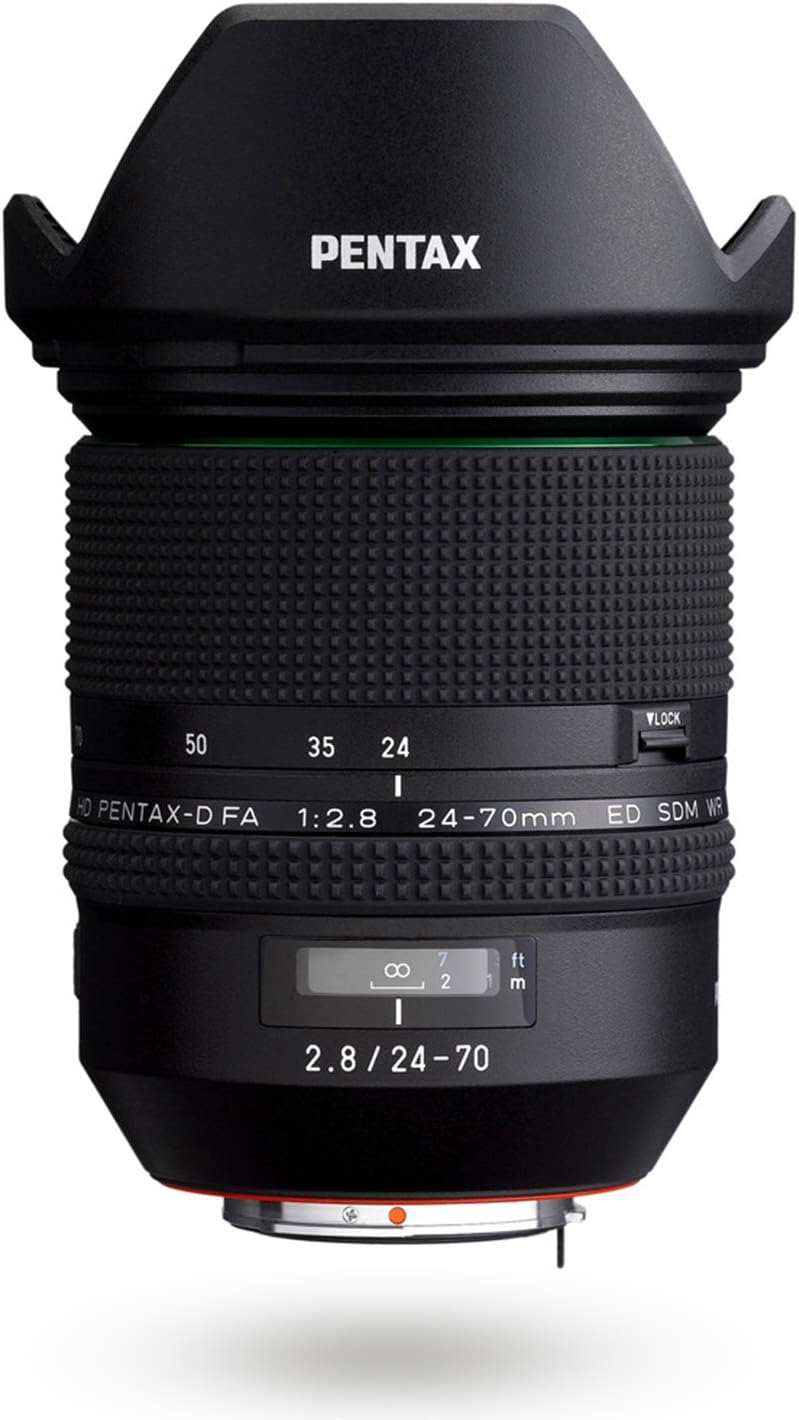
รูปที่ 4.1: ด้านข้าง view of the lens, highlighting the zoom and focus rings.
5. การบำรุงรักษา
5.1 การทำความสะอาดเลนส์
- ฝุ่น: ใช้แปรงเป่าลมเพื่อกำจัดฝุ่นออกจากพื้นผิวเลนส์
- Smudges/Fingerprints: The Super Protect (SP) coating on the front element makes it easier to wipe away smudges. Use a clean, soft microfiber cloth specifically designed for optics. For stubborn marks, a small amount of lens cleaning fluid applied to the cloth (not directly to the lens) can be used.
- Avoid touching the lens elements directly with your fingers.
5.2 พื้นที่จัดเก็บ
- ควรปิดฝาครอบเลนส์ด้านหน้าและด้านหลังทุกครั้งเมื่อไม่ได้ใช้งานเลนส์
- Store the lens in its provided lens case (S120-150) or a padded camera bag to protect it from impacts and dust.
- Store in a cool, dry place away from direct sunlight and extreme temperatures. High humidity can lead to mold growth.
6 การแก้ไขปัญหา
- กล้องไม่รู้จักเลนส์: Ensure the lens is securely mounted to the camera body. Power off and restart the camera. Check camera firmware for updates.
- ระบบโฟกัสอัตโนมัติทำงานช้าหรือไม่แม่นยำ: Check if the AF/MF switch on the camera is set to AF. Ensure there is sufficient light for the autofocus system. Clean the lens contacts on both the lens and camera body.
- ภาพเบลอ: Check focus settings (AF/MF). Ensure shutter speed is appropriate for the focal length to avoid camera shake. Verify that the lens elements are clean.
- เลนส์ซูมไม่ราบรื่น: Inspect the zoom ring for any obstructions. If the issue persists, contact customer support.
7. ข้อมูลจำเพาะ
| ยี่ห้อ | เพนแท็กซ์ |
| ชื่อรุ่น | HD PENTAX-D FA 24-70MM F/2.8 ED SDM WR |
| หมายเลขรุ่น | DFA 24-70mm F2.8ED SDM WR |
| ระยะโฟกัส | 24-70มม. |
| รูรับแสงสูงสุด | เอฟ2.8 |
| รูรับแสงต่ำสุด | เอฟ2.8 |
| เมาท์เลนส์ | Pentax KAF |
| รุ่นกล้องที่รองรับ | PENTAX K-1, PENTAX K-3, PENTAX K-70, etc. |
| ประเภทโฟกัส | Auto Focus (SDM) |
| การเคลือบเลนส์ | HD Coating, Super Protect (SP) Coating |
| ระบบป้องกันภาพสั่นไหว | Digital, Optical (in-camera SR mechanism) |
| ระดับความต้านทานต่อน้ำ | ทนน้ำ |
| จำนวนไดอะแฟรมใบมีด | 9 (Rounded Diaphragm) |
| น้ำหนักสินค้า | 1.8 ปอนด์ |
| ยูพีซี | 027075293557 |
8. ข้อมูลการรับประกัน
This Pentax lens comes with a การรับประกันจากผู้ผลิต 1 ปี. Please retain your proof of purchase for warranty claims. For detailed terms and conditions, refer to the warranty card included in your product packaging or visit the official Pentax support webเว็บไซต์.
9. การสนับสนุน
Should you require further assistance, technical support, or service for your Pentax HD PENTAX-D FA 24-70mm F2.8ED SDM WR lens, please contact Pentax customer service.
- Visit the official Pentax webไซต์สำหรับทรัพยากรสนับสนุน คำถามที่พบบ่อย และข้อมูลการติดต่อ
- Refer to your camera's instruction manual for lens compatibility and specific camera settings.