
การแนะนำ
This manual provides comprehensive instructions for the setup, operation, maintenance, and troubleshooting of your Proscan PSVR62 Hi-Fi Stereo 4-Head VHS VCR Plus Player. Please read this manual thoroughly before using the device to ensure proper functionality and longevity.
ข้อมูลด้านความปลอดภัย
ปฏิบัติตามข้อควรระวังด้านความปลอดภัยพื้นฐานเสมอเมื่อใช้ผลิตภัณฑ์นี้ เพื่อลดความเสี่ยงต่อการเกิดไฟไหม้ ไฟฟ้าช็อต และการบาดเจ็บต่อบุคคล
- อย่าให้เครื่องโดนฝนหรือความชื้น
- อย่าเปิดcasing; มอบหมายงานซ่อมบำรุงทั้งหมดให้แก่ช่างผู้ชำนาญการ
- ตรวจสอบให้แน่ใจว่ามีการระบายอากาศที่เหมาะสมรอบๆ ตัวเครื่อง
- ถอดปลั๊กเครื่องในระหว่างที่เกิดพายุฝนฟ้าคะนองหรือเมื่อไม่ได้ใช้งานเป็นเวลานาน
เนื้อหาแพ็คเกจ
ตรวจสอบว่ามีรายการทั้งหมดอยู่ในแพ็คเกจ:
- Proscan PSVR62 VHS VCR Player
- รีโมทคอนโทรล
- Audio/Video (RCA) Cables
- คู่มือการใช้งาน (เอกสารนี้)
สินค้าเกินview

รูปที่ 1 : ด้านหน้า view of the Proscan PSVR62 VHS VCR player. The image shows the main unit with its front panel controls (Power, Stop/Eject, REC/XPR, Pause, Play, Reverse, Forward) and the VHS tape slot. A remote control and RCA audio/video cables are visible on top of the unit.
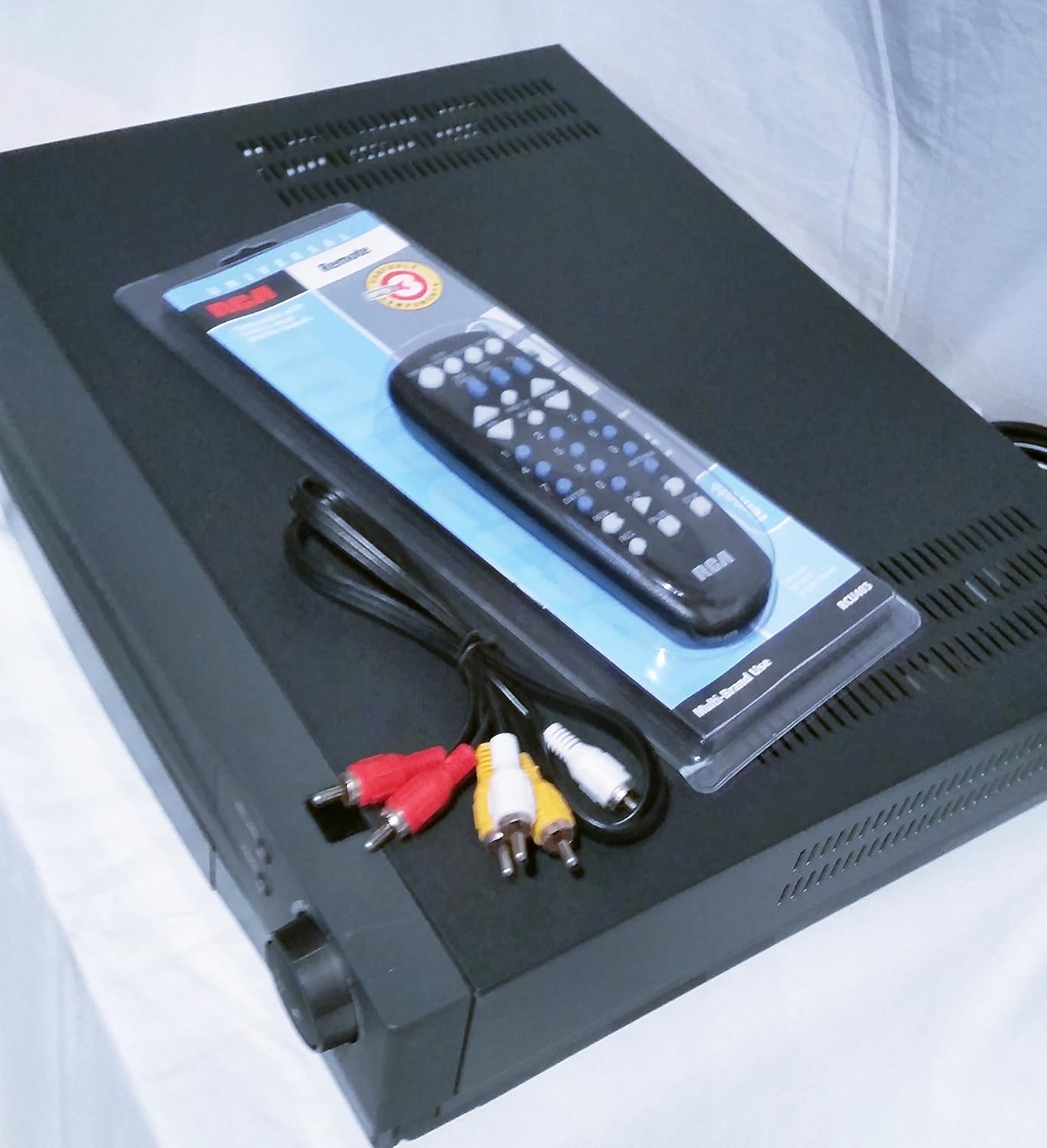
รูปที่ 2: จากบนลงล่าง view of the Proscan PSVR62 VHS VCR player. This perspective highlights the top surface of the VCR, with the included remote control and RCA cables placed beside it, showing the multi-brand use label on the remote packaging.
แผงควบคุมด้านหน้า:
- พลัง: เปิดหรือปิด VCR
- หยุด/ดีดออก: Stops playback/recording or ejects the VHS tape.
- REC/XPR: Initiates recording or activates Express Recording.
- หยุด: หยุดการเล่นหรือการบันทึกชั่วคราว
- เล่น: เริ่มเล่นเทป
- ย้อนกลับ: กรอเทปกลับ
- ซึ่งไปข้างหน้า: กรอไปข้างหน้าเทป
การเชื่อมต่อแผงด้านหลัง:
แผงด้านหลังโดยทั่วไปประกอบด้วย:
- Audio/Video (RCA) Input/Output jacks (Yellow for Video, White for Left Audio, Red for Right Audio).
- RF Coaxial Input/Output (for antenna/cable connection).
- Power Cord input.
การตั้งค่า
1. การแกะกล่องและการจัดวาง:
Carefully remove the VCR from its packaging. Place the unit on a stable, flat surface with adequate ventilation. Avoid placing it near heat sources or in direct sunlight.
2. การเชื่อมต่อกับโทรทัศน์:
- Using RCA Cables (Recommended for best quality):
- Connect the yellow video output jack on the VCR to the yellow video input jack on your TV.
- Connect the white audio output jack on the VCR to the white audio input jack on your TV.
- Connect the red audio output jack on the VCR to the red audio input jack on your TV.
- Set your TV's input source to the corresponding AV input (e.g., Video 1, AV1, Input 1).
- Using RF Coaxial Cable (Alternative):
- Connect an RF coaxial cable from the VCR's RF OUT jack to your TV's ANTENNA IN jack.
- Connect your antenna or cable TV signal to the VCR's RF IN jack.
- Tune your TV to channel 3 or 4 (depending on the VCR's output setting) to receive the VCR signal.
3. การเชื่อมต่อไฟฟ้า:
เสียบสายไฟของเครื่องเล่นวิดีโอเข้ากับเต้ารับไฟฟ้ากระแสสลับมาตรฐาน
4. การตั้งค่าการควบคุมระยะไกล:
Insert two AAA batteries (not included) into the remote control, observing the correct polarity (+/-).
คำแนะนำการใช้งาน
Playing a VHS Tape:
- เปิดเครื่องเล่นวิดีโอและโทรทัศน์ของคุณ
- Select the correct input source on your TV (e.g., AV1, Video 1).
- Insert a VHS tape into the tape slot with the label facing up. The VCR will automatically load the tape.
- กดปุ่ม เล่น กดปุ่มบนเครื่องเล่นวิดีโอหรือรีโมทคอนโทรล
- หากต้องการหยุดเล่น ให้กด หยุด/นำออก.
- หากต้องการหยุดชั่วคราว ให้กด หยุดชั่วคราว. กดอีกครั้งเพื่อดำเนินการต่อ
- To fast forward or rewind, press ซึ่งไปข้างหน้า or ย้อนกลับ.
Recording a Program:
The Proscan PSVR62 features a 4-head system for high-quality recording and playback.
- Ensure a blank or recordable VHS tape is inserted.
- Tune the VCR to the desired channel you wish to record (if using RF input).
- กดปุ่ม REC/XPR button. Recording will begin immediately.
- ในการหยุดบันทึกให้กด หยุด/นำออก.
Setting the Program Timer (8 Event, 1 Year):
The VCR allows you to program up to 8 recording events over a 1-year period.
- Access the VCR's menu system using the remote control. (Specific menu navigation will vary by remote, refer to remote's manual if needed).
- Navigate to the "Timer Recording" or "Program" section.
- Set the start time, end time, channel, and recording date/frequency for each event.
- Ensure the VCR is powered on or in standby mode and a recordable tape is inserted at the scheduled time.
การซ่อมบำรุง
การทำความสะอาดหน่วย:
- เช็ดทำความสะอาดภายนอกเครื่องเล่นวิดีโอด้วยผ้าแห้งเนื้อนุ่ม
- ห้ามใช้น้ำยาทำความสะอาดชนิดเหลวหรือสเปรย์กระป๋อง เนื่องจากอาจทำให้พื้นผิวหรือชิ้นส่วนภายในเสียหายได้
- Avoid blocking ventilation slots.
การทำความสะอาดหัวเทป:
Over time, dust and tape residue can accumulate on the VCR's heads, affecting picture and sound quality. If you notice distorted playback, consider using a dry-type VHS head cleaning tape. Follow the instructions provided with the cleaning tape.
Note: Excessive use of wet-type cleaning tapes can damage the heads.
การแก้ไขปัญหา
| ปัญหา | สาเหตุที่เป็นไปได้ | สารละลาย |
|---|---|---|
| ไม่มีไฟฟ้า | Power cord unplugged; outlet not active. | ตรวจสอบการเชื่อมต่อสายไฟ ลองใช้เต้ารับอื่น |
| ไม่มีภาพ/เสียง | Incorrect TV input; loose AV cables; VCR not on. | Select correct TV input (AV1, Video 1); ensure AV cables are securely connected; turn on VCR. |
| Poor picture quality (snowy/distorted) | Dirty VCR heads; damaged tape; weak signal. | Use a VHS head cleaning tape; try a different tape; check antenna/cable connection. |
| เทปไม่ยอมออกมา | Power off; mechanical issue. | Ensure VCR is powered on; if problem persists, do not force, seek professional service. |
| รีโมตคอนโทรลไม่ทำงาน | แบตเตอรี่หมด; เซ็นเซอร์ถูกปิดกั้น | Replace batteries; ensure clear line of sight to VCR's IR sensor. |
ข้อมูลจำเพาะ
- แบบอย่าง: Proscan PSVR62
- พิมพ์: Hi-Fi Stereo 4-Head VHS VCR Plus Player
- หัว: 4 VHS Heads
- โปรแกรมจับเวลา: 8 Event, 1 Year
- สี: สีดำ
- ขนาด (ประมาณ): 42.42 x 33.02 x 9.91 ซม. (16.7 x 13.0 x 3.9 นิ้ว)
- น้ำหนัก(ประมาณ): 4.33 กก. (9.55 ปอนด์)
- แหล่งจ่ายไฟ: AC 120V, 60Hz (standard for North America)
ข้อมูลการรับประกัน
Proscan products are manufactured to high quality standards. For specific warranty terms and conditions, please refer to the warranty card included with your product or visit the official Proscan webไซต์ โปรดเก็บใบเสร็จรับเงินไว้เป็นหลักฐานการซื้อสำหรับการเรียกร้องการรับประกัน
การสนับสนุนลูกค้า
For technical assistance, service, or general inquiries, please contact Proscan customer support. Contact information can typically be found on the manufacturer's webเว็บไซต์หรือในบรรจุภัณฑ์ของผลิตภัณฑ์
หมายเหตุ: ข้อมูลจำเพาะและลักษณะที่ปรากฏของผลิตภัณฑ์อาจมีการเปลี่ยนแปลงโดยไม่ต้องแจ้งให้ทราบล่วงหน้า