
1. บทนำ
Thank you for choosing the MARVO M319 Gaming Mouse. This manual provides essential information for setting up, operating, and maintaining your new gaming mouse. The M319 is designed for right-handed users, offering an ergonomic shape with textured rubber sides for enhanced grip and comfort during extended gaming sessions. Its durable construction includes contacts rated for 3 million presses and a fabric-protected USB cable for long-lasting reliability.
The M319 is equipped with a competitive optical sensor, providing up to 2400 DPI resolution, ensuring speed and precision for exploring virtual worlds.
2. เนื้อหาบรรจุภัณฑ์
กรุณาตรวจสอบแพ็คเกจสำหรับรายการต่อไปนี้:
- 1 x MARVO M319 Gaming Mouse
3. การตั้งค่า
- เชื่อมต่อเมาส์: Plug the USB cable of the MARVO M319 Gaming Mouse into an available USB port on your computer.
- การติดตั้งไดร์เวอร์: The mouse is plug-and-play. Your operating system (Windows 7, Windows XP, Linux, or newer versions) will automatically detect and install the necessary drivers. No additional software installation is typically required.
- ตรวจสอบการทำงาน: Once connected, move the mouse and click the buttons to ensure it is functioning correctly.
4. คู่มือการใช้งาน
การปรับ DPI
The MARVO M319 Gaming Mouse features adjustable sensitivity (DPI) to suit various gaming scenarios and personal preferences. You can adjust the DPI in 4 steps:
- Locate the dedicated DPI button positioned just next to the scroll wheel.
- Press this button to cycle through the available DPI settings. Each press will switch to the next sensitivity level.
- Adjust your precision dynamically and quickly based on the in-game situation.
ฟังก์ชันพื้นฐานของเมาส์
- คลิกซ้าย: การดำเนินการหลัก การคัดเลือก
- คลิกขวา: เมนูบริบท การดำเนินการรอง
- ล้อเลื่อน: Scroll up/down, middle click (programmable in some applications).
5. คุณสมบัติ
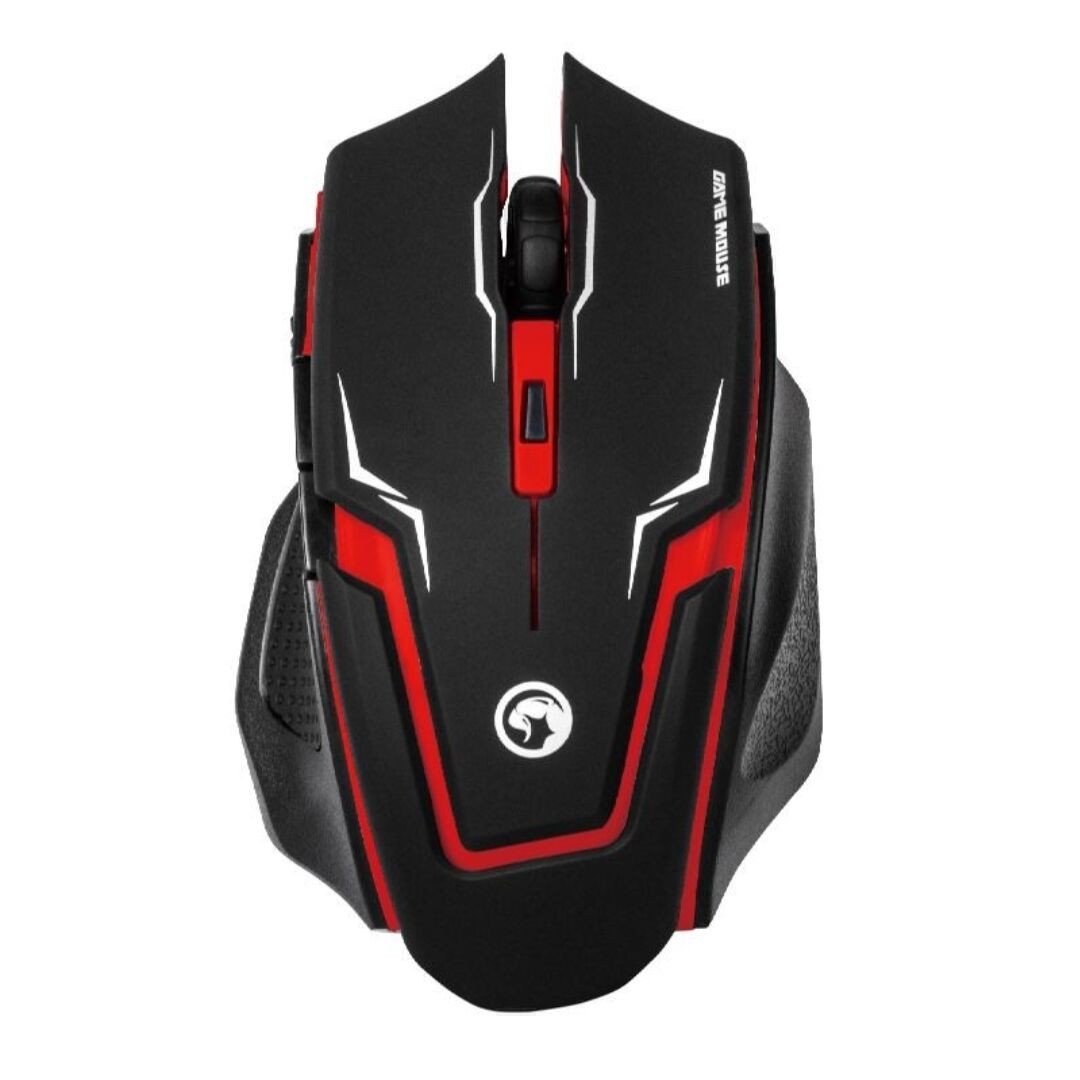
ภาพที่ 1: เมาส์เกมมิ่ง MARVO M319 (แสดงอยู่ด้านล่าง)asing its ergonomic shape and red accents.
- การออกแบบตามหลักสรีรศาสตร์: Perfectly fits the hand of right-handed users for maximum comfort and stability.
- Textured Rubber Sides: Provides superior grip and adhesion.
- ออปติคัลเซนเซอร์: Competitive optical sensor for precise tracking.
- DPI ที่ปรับได้: 4-step sensitivity adjustment up to 2400 DPI for dynamic precision.
- สวิตช์ที่ทนทาน: Contacts with an estimated 3 million press times for long-term reliability.
- การเชื่อมต่อแบบมีสาย: Stable and responsive connection via a fabric-protected USB cable.
- ปลั๊กแอนด์เพลย์: Easy setup with automatic driver installation.
สินค้าเกินview วีดีโอ
วิดีโอ 1: จบแล้วview of the MARVO M319 Gaming Mouse, highlighting its design and key functionalities. This video is provided by the seller.
6. การบำรุงรักษา
- การทำความสะอาด: ใช้ผ้านุ่มและแห้งเช็ดทำความสะอาดพื้นผิวของเมาส์ สำหรับคราบสกปรกฝังแน่น ให้เช็ดเบาๆampชุบผ้าด้วยน้ำ หลีกเลี่ยงการใช้สารเคมีรุนแรงหรือวัสดุที่มีฤทธิ์กัดกร่อน
- การทำความสะอาดเซ็นเซอร์: Occasionally, use a cotton swab to gently clean the optical sensor located on the underside of the mouse to ensure optimal tracking performance.
- การดูแลสายเคเบิล: หลีกเลี่ยงการโค้งงออย่างแรงหรือการดึงสาย USB มากเกินไปเพื่อป้องกันความเสียหาย
- พื้นที่จัดเก็บ: เก็บเมาส์ไว้ในสภาพแวดล้อมที่สะอาดและแห้งเมื่อไม่ได้ใช้งาน
7 การแก้ไขปัญหา
| ปัญหา | สาเหตุที่เป็นไปได้ | สารละลาย |
|---|---|---|
| เมาส์ไม่ตอบสนอง | สาย USB ไม่ได้เชื่อมต่ออย่างถูกต้อง พอร์ต USB ผิดพลาด | ตรวจสอบให้แน่ใจว่าสาย USB เสียบเข้ากับคอมพิวเตอร์อย่างแน่นหนาแล้ว ลองใช้พอร์ต USB อื่น รีสตาร์ทเครื่องคอมพิวเตอร์ของคุณ |
| การเคลื่อนไหวของเคอร์เซอร์ที่ผิดปกติ | เซ็นเซอร์ออปติคอลสกปรก แผ่นรองเมาส์/พื้นผิวไม่เหมาะสม | Clean the optical sensor with a cotton swab. Use a clean, uniform-colored mouse pad or surface. |
| ปุ่ม DPI ไม่เปลี่ยนความไว | ความขัดแย้งของซอฟต์แวร์หรือข้อผิดพลาดชั่วคราว | ตรวจสอบให้แน่ใจว่าไม่มีซอฟต์แวร์เมาส์อื่นใดรบกวนการทำงาน ถอดปลั๊กเมาส์แล้วเสียบใหม่ รีสตาร์ทเครื่องคอมพิวเตอร์ของคุณ |
8. ข้อมูลจำเพาะ
- ยี่ห้อ: มาร์โว
- แบบอย่าง: M319
- สี: สีแดง
- การเชื่อมต่อ: สาย (USB)
- ประเภทเซนเซอร์: ออฟติคอล
- จุดต่อนิ้ว: Up to 2400 DPI (4-step adjustable)
- ปุ่ม: 4 (Left, Right, Middle/Scroll Click, DPI)
- การวางแนวมือ: ถนัดขวา
- ระบบปฏิบัติการที่รองรับ: ลินุกซ์, วินโดวส์ 7, วินโดวส์ XP (และเวอร์ชันที่ใหม่กว่า)
- สายเคเบิล: Fabric-protected USB cable
- วัสดุ: Rubber (textured sides)
- น้ำหนัก: 0.15 กิโลกรัม
- ผู้ผลิต: Shenzhen Mark Technology Co.Ltd
9. การรับประกันและการสนับสนุน
สำหรับข้อมูลการรับประกันและการสนับสนุนทางเทคนิค โปรดดูเอกสารที่แนบมากับสินค้าที่ซื้อ หรือติดต่อผู้ค้าปลีกของคุณ โปรดเก็บหลักฐานการซื้อไว้เพื่อใช้ในการเรียกร้องการรับประกัน