
1. บทนำ
This manual provides detailed instructions for the setup, operation, and maintenance of your Jaybird X2 Sport Wireless Bluetooth Headphones. These premium earbuds are designed for active lifestyles, offering secure fit, high-quality audio, and sweat-proof durability.

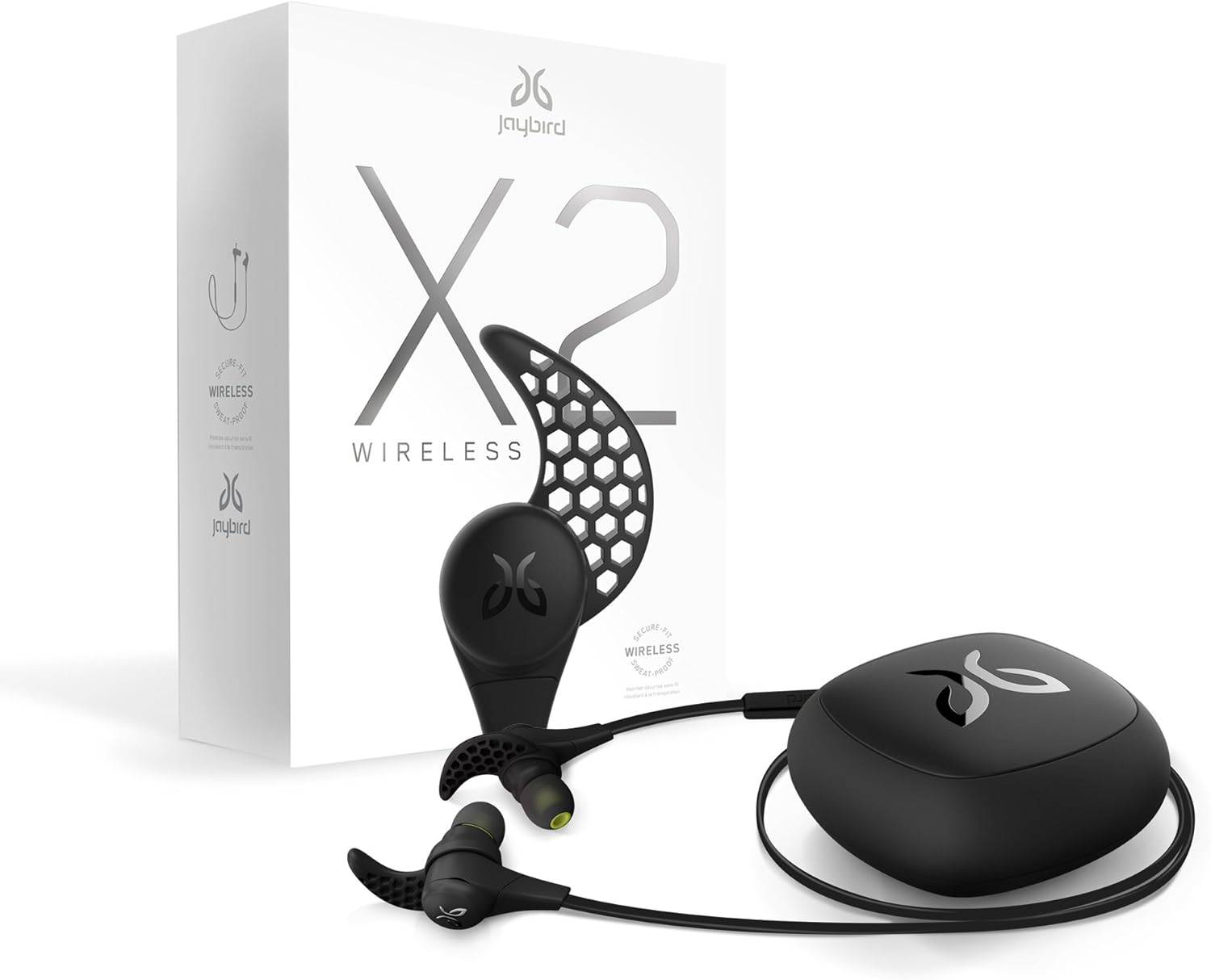
Image: Jaybird X2 Sport Wireless Bluetooth Headphones in Midnight Black, shown with their compact carrying case.
2. สิ่งที่รวมอยู่
Your Jaybird X2 package contains the following items:
- Jaybird Premium X2 Wireless Earbuds
- จุกหูฟังซิลิโคน (6 คู่)
- Secure-Fit Ear Fins (6 pairs)
- Sport Comply Foam Ear Tips (6 pairs)
- คลิปสายไฟ
- Cord Management Clips (2)
- Micro USB 2.0 Charging Cable
- Friction-Fit Silicone Sport Carrying Case

Image: A complete set of Jaybird X2 accessories, including earbuds, various ear tips and fins, charging cable, and carrying case.
3. การตั้งค่า
3.1. การชาร์จหูฟังของคุณ
Before initial use, it is recommended to fully charge your Jaybird X2 headphones. Locate the micro USB charging port on the earbud that shares the same side as the inline controller. Gently remove the back cover to expose the port. Insert the provided micro USB charging cable into the port and connect the other end to a USB power source.
- A red LED light indicates the headphones are charging.
- A green LED light indicates a full charge.
- A full charge typically takes approximately 2 hours and provides up to 8 hours of music and call time.
- A 30-minute charge can provide approximately 90 minutes of playtime.
ภาพ: ภาพระยะใกล้ view of a Jaybird X2 earbud with the back cover removed, revealing the micro USB charging port.
Video: Demonstrates the process of charging and pairing your Jaybird X2 Sport Wireless Bluetooth Headphones.
3.2. การจับคู่กับอุปกรณ์บลูทูธ
To connect your Jaybird X2 headphones to your device:
- Ensure your headphones are charged and within 1 meter (3 feet) of your Bluetooth device.
- Press and hold the middle button on the inline controller for at least four seconds until the LED status indicator flashes red and green. A voice prompt will announce "Searching for your music device."
- On your phone or music device, enable Bluetooth and search for available devices.
- Select "Jaybird X2" from the list. If prompted for a passcode, enter "0000".
- Once successfully paired, a voice prompt will confirm "Headphones connected."
The Jaybird X2 can remember up to eight paired devices.

Image: Illustration showing Jaybird X2 headphones wirelessly connected to various smart devices, highlighting Bluetooth compatibility.
4. ความพอดีและความสบาย
Achieving the perfect fit is crucial for optimal sound quality and comfort. The Jaybird X2 includes various ear tips and Secure-Fit Ear Fins to customize your experience.
4.1. การเลือกจุกหูฟัง
The package includes three sizes of Comply Premium Sport Memory Foam Ear Tips (small, medium, large) and three sizes of silicone ear tips. Comply tips offer superior noise isolation and comfort:
- Choose a size that comfortably seals your ear canal. Start with medium and try other sizes if needed.
- Roll the foam tip between your thumb and finger to compress it.
- Insert the compressed foam tip into your ear and hold it in place for 15-30 seconds while it expands to create a custom seal.
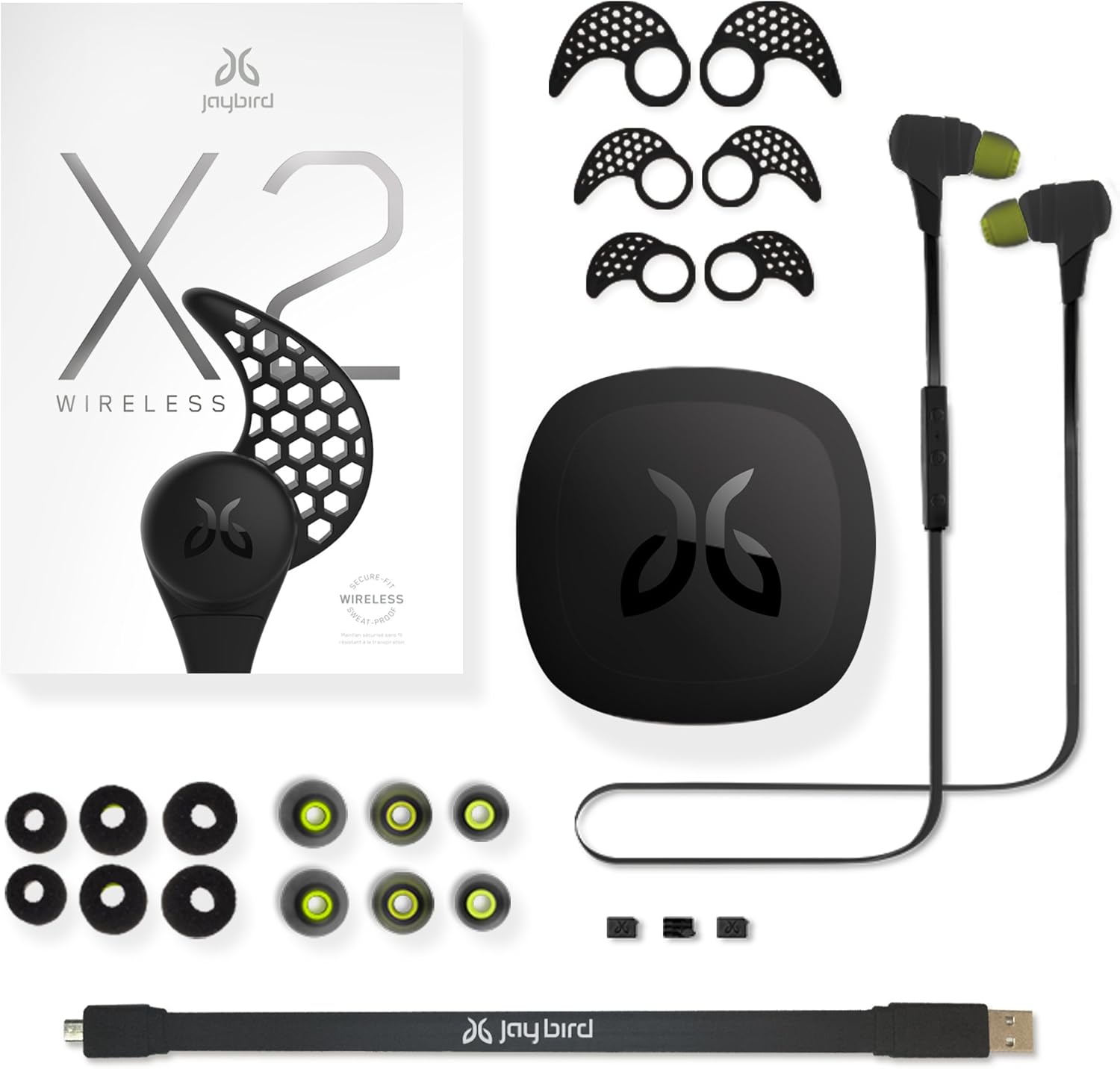
Image: Close-up of Comply Premium Sport Memory Foam Ear Tips, designed for enhanced comfort and noise isolation.
4.2. Secure-Fit Ear Fins & Over/Under-Ear Fit
The patented Secure-Fit Ear Fins ensure your earbuds stay in place during activity. You can wear your X2 buds in two configurations:
- Under-Ear Fit: The traditional method where the cable hangs down. The ear fins should be positioned to fit into the top bowl of your ear.
- Over-Ear Fit (X-Fit): For a more secure fit and to keep the cable off your neck, route the cable over your ears. For this, install the ear fins in the reverse direction, with the pointed end facing the cable. Use the included cord management clips to shorten any excess cable slack.
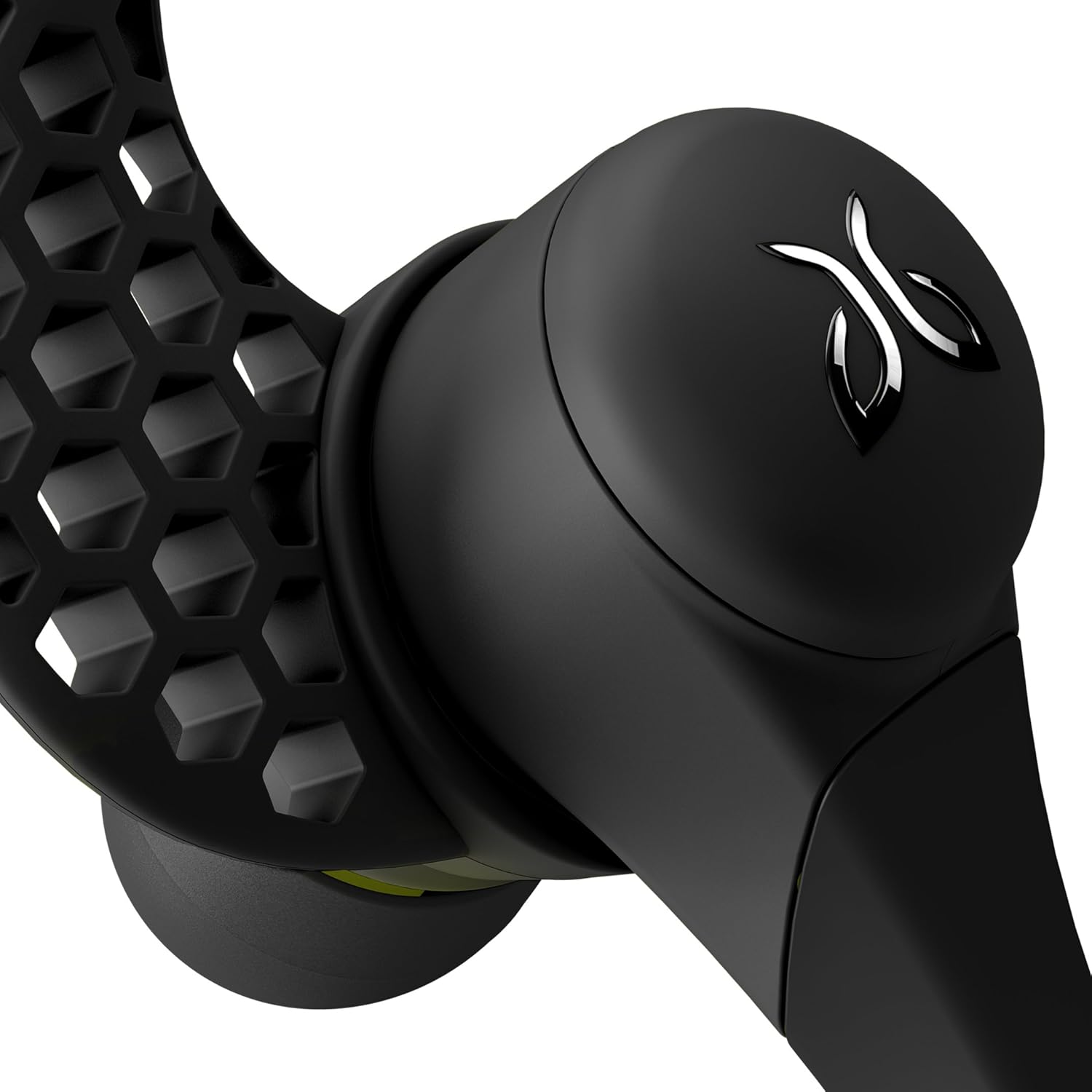
Image: A close-up of a Jaybird X2 earbud, highlighting the honeycomb-patterned Secure-Fit Ear Fin designed to keep the earbud in place.
5. คู่มือการใช้งาน
The inline controller provides full control over your music and calls.
5.1. ฟังก์ชั่นคอนโทรลเลอร์
- ปรับระดับเสียงขึ้น: กดปุ่ม '+'
- ลดเสียงลง: กดปุ่ม '-'
- เล่น/หยุดชั่วคราว/รับสาย/วางสาย: กดปุ่มตรงกลาง
- ข้ามแทร็กไปข้างหน้า: Press and hold the '+' button for one second.
- ข้ามไปยังแทร็กก่อนหน้า: Press and hold the '-' button for one second.
- Reject Call/Switch Between Calls/Voice Dial: Press and hold the middle button for one second.
- โทรซ้ำ: กดปุ่มตรงกลางสองครั้ง
- ปิดเสียง/เปิดเสียง: Press the '+' and '-' buttons simultaneously.
- หมดแรง: Press and hold the middle button for at least four seconds.
Video: Explains the various controls and functions of the Jaybird X2 Sport Wireless Bluetooth Headphones.
6. ข้อมูลจำเพาะ
| คุณสมบัติ | รายละเอียด |
|---|---|
| ชื่อรุ่น | X2-เอ็ม |
| เทคโนโลยีการเชื่อมต่อ | บลูทูธ |
| เทคโนโลยีการสื่อสารไร้สาย | บลูทู ธ V2.1 + EDR |
| บลูทูธ โปรfiles | Handsfree v1.6, Headset v1.1, A2DP v1.2, AVRCP v1.4 |
| ระยะที่มีประสิทธิภาพ | 10 เมตร (30 ฟุต) |
| Working Time (Music & Calls) | นานถึง 8 ชั่วโมง |
| เวลาสแตนด์บาย | นานถึง 250 ชั่วโมง |
| เวลาในการชาร์จ | ประมาณ 2 ชั่วโมง |
| อินพุต Voltage | กระแสตรง 5V 100mA |
| น้ำหนัก | Approx. 13g / 0.45 oz. |
| ระดับความต้านทานต่อน้ำ | Sweat-proof |
| การควบคุมเสียงรบกวน | Active Noise Cancellation (via ear tips) |
| ประเภทไดร์เวอร์เสียง | ไดร์เวอร์แบบไดนามิก |
| อิมพีแดนซ์ | 16 โอห์ม |
7. การบำรุงรักษา
To ensure the longevity and optimal performance of your Jaybird X2 headphones:
- The headphones are sweat-proof. After intense workouts, wipe them clean with a dry cloth.
- Avoid exposing the headphones to extreme temperatures or direct sunlight for extended periods.
- Store the headphones in their provided carrying case when not in use to protect them from damage.
- Regularly clean the ear tips and ear fins to maintain hygiene and sound quality.
8 การแก้ไขปัญหา
If you encounter issues with your Jaybird X2 headphones, try the following:
- ไม่มีไฟฟ้า: ตรวจสอบให้แน่ใจว่าหูฟังชาร์จเต็มแล้ว
- ไม่สามารถจับคู่ได้: Make sure Bluetooth is enabled on your device and the headphones are in pairing mode (red and green flashing LED). Try resetting the headphones by holding the middle button for 8 seconds until the LED flashes red 3 times, then release and re-enter pairing mode.
- Poor Sound Quality/Low Volume: Check the fit of the ear tips and ear fins. Ensure a tight seal in your ear canal. Adjust volume on both the headphones and your connected device.
- การเชื่อมต่อไม่ต่อเนื่อง: Ensure your device is within the effective Bluetooth range (10 meters/30 feet) and there are no major obstructions.
For further assistance, refer to the official Jaybird support resources.
9. การรับประกันและการสนับสนุน
The Jaybird X2 Sport Wireless Bluetooth Headphones come with a lifetime warranty against sweat. This warranty covers damage caused by sweat during normal use.
For warranty claims, technical support, or additional product information, please visit the official Jaybird webเว็บไซต์หรือติดต่อฝ่ายบริการลูกค้าของพวกเขา