
1. สินค้าหมดview
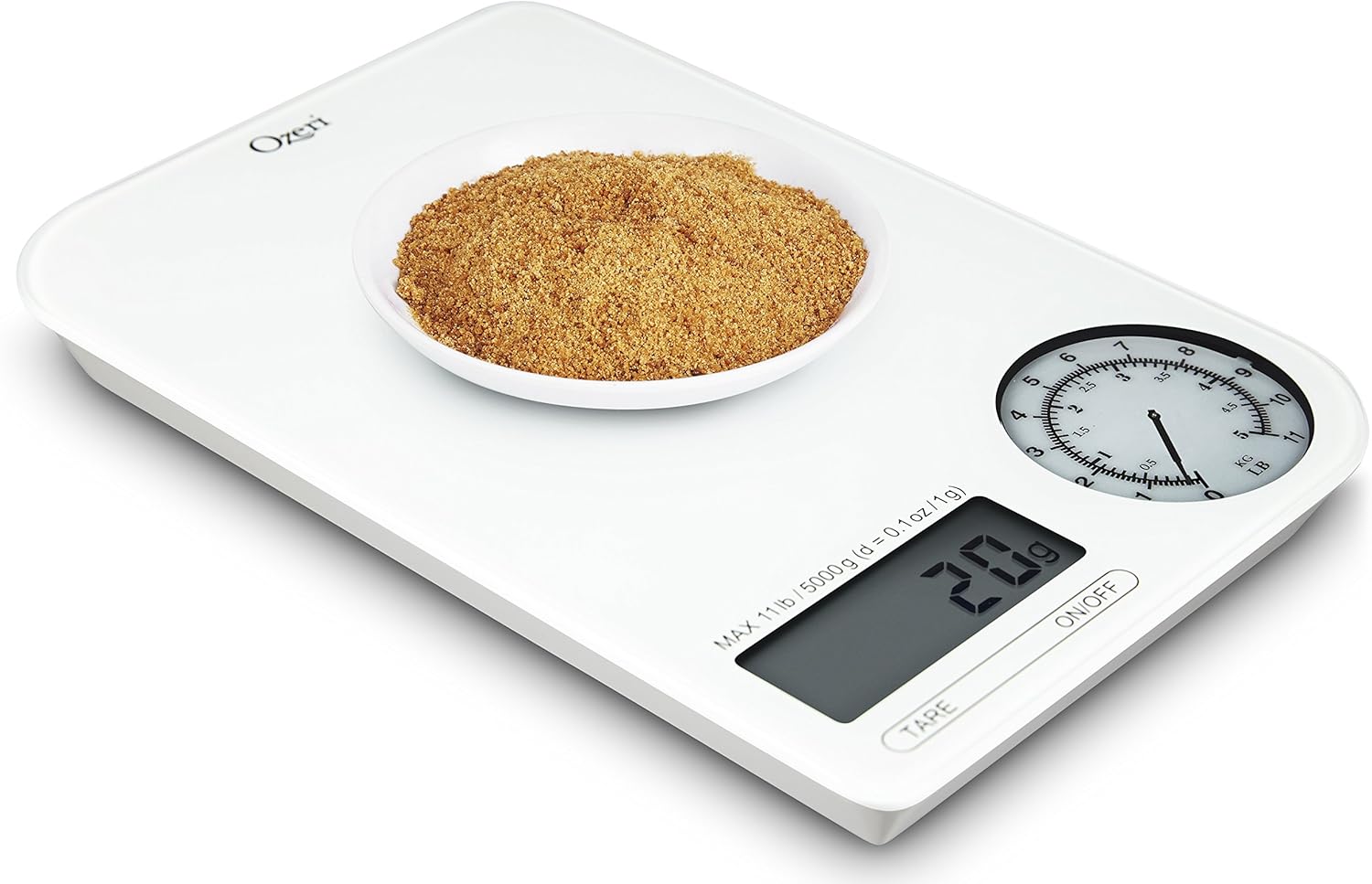
The Ozeri Rev Digital Kitchen Scale combines a digital display with an electro-mechanical dial to provide precise weight measurements. It is designed for accuracy and ease of use in various kitchen tasks.

รูปที่ 1.1: สูงสุด view of the Ozeri Rev Digital Kitchen Scale, showing the digital display and the mechanical dial.
The scale features high-precision sensors capable of weighing items from 0.1 oz to 11 lbs (5000 g) with graduations of 0.1 oz or 1 gram. It offers a dual display system for both digital and mechanical readings.
2. การตั้งค่า
2.1 การแกะกล่อง
นำเครื่องชั่งออกจากบรรจุภัณฑ์อย่างระมัดระวัง ตรวจสอบเครื่องชั่งว่ามีร่องรอยความเสียหายหรือไม่ เก็บรักษาบรรจุภัณฑ์ไว้สำหรับการจัดเก็บหรือขนส่งในอนาคต
2.2 การติดตั้งแบตเตอรี่
The Ozeri Rev Digital Kitchen Scale requires 3 AAA batteries (included). Follow these steps to install them:
- ค้นหาช่องใส่แบตเตอรี่ที่ด้านล่างของเครื่องชั่ง
- Open the battery compartment cover. No screwdriver is needed for this.
- ใส่แบตเตอรี่ AAA 3 ก้อน โดยตรวจสอบให้แน่ใจว่าขั้วบวก/ลบถูกต้องตามที่ระบุไว้ภายในช่องใส่แบตเตอรี่
- ปิดฝาช่องใส่แบตเตอรี่ให้แน่น
บันทึก: If the included batteries appear leaked or damaged, do not use them. Replace with new AAA batteries.
2.3 การจัดวางเริ่มต้น
Place the scale on a flat, stable, and hard surface to ensure accurate readings. Avoid placing it on soft or uneven surfaces, which can affect precision.
3. คู่มือการใช้งาน
3.1 เปิด/ปิดเครื่อง
- เพื่อหมุนตาชั่ง ON, กดปุ่ม เปิด/ปิด button located on the front panel. The LCD and mechanical dial will illuminate.
- เพื่อหมุนตาชั่ง ปิดกดปุ่มค้างไว้ เปิด/ปิด button for a few seconds. The scale also features an automatic shut-off function to conserve battery power if left inactive.

รูปที่ 3.1: ภาพระยะใกล้ view of the digital display, mechanical dial, TARE button, and ON/OFF button.
3.2 การแปลงหน่วย
The scale can display measurements in various units. To change the unit of measurement:
- Locate the unit conversion button. This is typically a หน่วย button or a physical switch on the underside of the scale.
- กดปุ่ม หน่วย button or toggle the switch to cycle through available units: pounds (lb), ounces (oz), grams (g), and milliliters (ml).
- The selected unit will be displayed on the LCD screen. The mechanical dial simultaneously shows measurements in lbs and kg for heavier items.
3.3 ฟังก์ชันทดน้ำหนัก
The Tare function allows you to weigh ingredients in a container by subtracting the container's weight. This enables you to measure multiple ingredients consecutively in the same bowl.
- วางภาชนะเปล่าบนเครื่องชั่ง
- กดปุ่ม ทดค่า กดปุ่ม หน้าจอจะรีเซ็ตเป็นศูนย์
- Add your ingredient to the container. The scale will display only the weight of the ingredient.
- ทำซ้ำขั้นตอนเดิมสำหรับส่วนผสมเพิ่มเติม
บันทึก: Some users report a slight delay (approx. 3 seconds) for the Tare function to register. If the Tare function does not work immediately after turning the scale on, try placing the container on the scale ก่อน powering it on, then press Tare.
3.4 การชั่งน้ำหนักสิ่งของ
การชั่งน้ำหนักสินค้า:
- ตรวจสอบให้แน่ใจว่าเครื่องชั่งวางอยู่บนพื้นผิวเรียบและมั่นคง และเปิดใช้งานอยู่
- If using a container, perform the Tare function as described above.
- Place the item(s) to be weighed gently onto the center of the scale platform.
- Read the weight displayed on the digital LCD screen and observe the mechanical dial for a visual representation of heavier weights.

รูปที่ 3.2: The scale accurately weighing strawberries in a bowl.
รูปที่ 3.3: The scale displaying the weight of chocolate chips in a measuring cup.
4. การบำรุงรักษา
4.1 การทำความสะอาด
The Ozeri Rev Digital Kitchen Scale features a glass top, making it easy to clean.
- เช็ดพื้นผิวของเกล็ดด้วยผ้าเนื้อนุ่มและแห้งamp ผ้า.
- สำหรับคราบฝังแน่น ให้ใช้ผงซักฟอกอ่อนๆ ชุบผ้า แล้วเช็ดทำความสะอาดด้วยน้ำยาทำความสะอาดทั่วไปamp ผ้าและเช็ดให้แห้งสนิท
- ห้ามแช่เครื่องชั่งในน้ำหรือใช้สารทำความสะอาดที่มีฤทธิ์กัดกร่อน เพราะอาจทำให้ชิ้นส่วนอิเล็กทรอนิกส์เสียหายได้
4.2 พื้นที่จัดเก็บ
Store the scale in a cool, dry place away from extreme temperatures and humidity. Its compact size allows for easy storage in most kitchen drawers or cabinets.
4.3 การเปลี่ยนแบตเตอรี่
When the low battery indicator appears on the LCD, replace all three AAA batteries with new ones to ensure continued accurate operation. Refer to Section 2.2 for battery installation instructions.
5 การแก้ไขปัญหา
5.1 การอ่านค่าที่ไม่ถูกต้อง
- พื้นผิวไม่เรียบ: Ensure the scale is placed on a flat, stable, and hard surface.
- โอเวอร์โหลด: Do not exceed the maximum weight capacity of 11 lbs (5000 g). Overloading can damage the sensors.
- แบตเตอรี่ต่ำ: Replace batteries if the low battery indicator is on, as low power can affect accuracy.
- การสอบเทียบ: While the scale is factory calibrated, consistent inaccuracies may require contacting customer support.
5.2 Tare Function Issues
- ล่าช้า: The Tare function may have a slight delay. Press the TARE button and wait a few seconds for the display to zero out.
- Initial Tare: If the Tare function is unresponsive after power-on, try placing the container on the scale ก่อน turning the scale on, then press TARE.
5.3 หน้าจอแสดงผลไม่ทำงาน
- ไม่มีไฟฟ้า: Check if the scale is turned on.
- แบตเตอรี่หมด: เปลี่ยนแบตเตอรี่ AAA
- การวางแนวแบตเตอรี่: ตรวจสอบให้แน่ใจว่าใส่แบตเตอรี่ในขั้วที่ถูกต้อง
6. ข้อมูลจำเพาะ
| คุณสมบัติ | ข้อมูลจำเพาะ |
|---|---|
| หมายเลขรุ่น | ZK18-WG |
| ยี่ห้อ | โอเซริ |
| จำกัด น้ำหนัก | 11 ปอนด์ (5000 กรัม) |
| ความแม่นยำในการอ่านข้อมูล | +/- 0.1 oz or +/- 1 gram |
| ประเภทจอภาพ | LCD and Electro-Mechanical Dial |
| แหล่งพลังงาน | แบตเตอรี่ AAA 3 ก้อน |
| วัสดุ | กระจก |
| ขนาดสินค้า | 8.3 x 5.5 x 0.8 นิ้ว |
| น้ำหนักสินค้า | 14.4 ออนซ์ (0.9 ปอนด์) |
7. การรับประกันและการสนับสนุน
For warranty information or technical support, please refer to the documentation included with your purchase or visit the official Ozeri website. The product has an EU Spare Part Availability Duration of 2 Years.
For further assistance, you may contact Ozeri customer service through their official channels.