
การแนะนำ
Welcome to your new CORE Super Bright 1250 Lumen Flashlight. This manual provides instructions for safe and effective use, maintenance, and troubleshooting. Please read this manual thoroughly before operating your flashlight.
ข้อมูลด้านความปลอดภัย
- Do not look directly into the LED light. The high intensity light can cause temporary vision impairment or permanent eye damage.
- เก็บให้พ้นจากมือเด็ก
- ห้ามใช้แบตเตอรี่เก่ากับใหม่รวมกันหรือแบตเตอรี่ต่างประเภทกัน
- ทิ้งแบตเตอรี่ตามระเบียบข้อบังคับในท้องถิ่น
- Do not attempt to disassemble the flashlight beyond battery replacement. This may void the warranty and cause damage.
เนื้อหาแพ็คเกจ
- CORE Super Bright 1250 Lumen Flashlight
- แบตเตอรี่อัลคาไลน์ AA 9 ก้อน
การตั้งค่า
การติดตั้งแบตเตอรี่
Your flashlight requires 9 AA batteries for operation. Please follow these steps for proper installation:
- คลายเกลียวฝาครอบท้ายไฟฉายโดยหมุนทวนเข็มนาฬิกา
- Carefully remove the battery cartridge from the flashlight body.
- Insert 9 AA batteries into the cartridge, ensuring correct polarity (+/-) as indicated on the cartridge.
- Reinsert the loaded battery cartridge into the flashlight body, aligning it properly.
- Screw the tail cap back on clockwise until it is secure. Do not overtighten.

Image Description: A disassembled CORE flashlight showing the main body, the green tail cap, the battery cartridge, and nine AA batteries laid out next to it, illustrating the battery installation process.
คำแนะนำการใช้งาน
เปิด/ปิดเครื่องและการเลือกโหมด
The flashlight features a single button for power and cycling through its various light modes:
- วิธีเปิดใช้งาน: Press the power button once. The flashlight will activate in โหมดสปอต (1250 ลูเมน)
- วิธีการเปลี่ยนโหมด: While the flashlight is on, press the power button again to switch to Red Flood Mode (20 Lumens). Press a third time for White Flood Mode (48 ลูเมน)
- วิธีปิดการใช้งาน: Press the power button a fourth time to turn the flashlight off.
- Quick Off Feature: If the flashlight remains in any mode for more than 5 seconds, the next press of the button will turn it off directly, without cycling through other modes.

คำอธิบายภาพ: ภาพระยะใกล้ view of the CORE flashlight's power button, located on the side of the barrel, showing its textured surface for easy grip and operation.
Light Modes in Use

Image Description: The CORE flashlight emitting a bright, focused beam of white light, demonstrating its powerful spot mode.
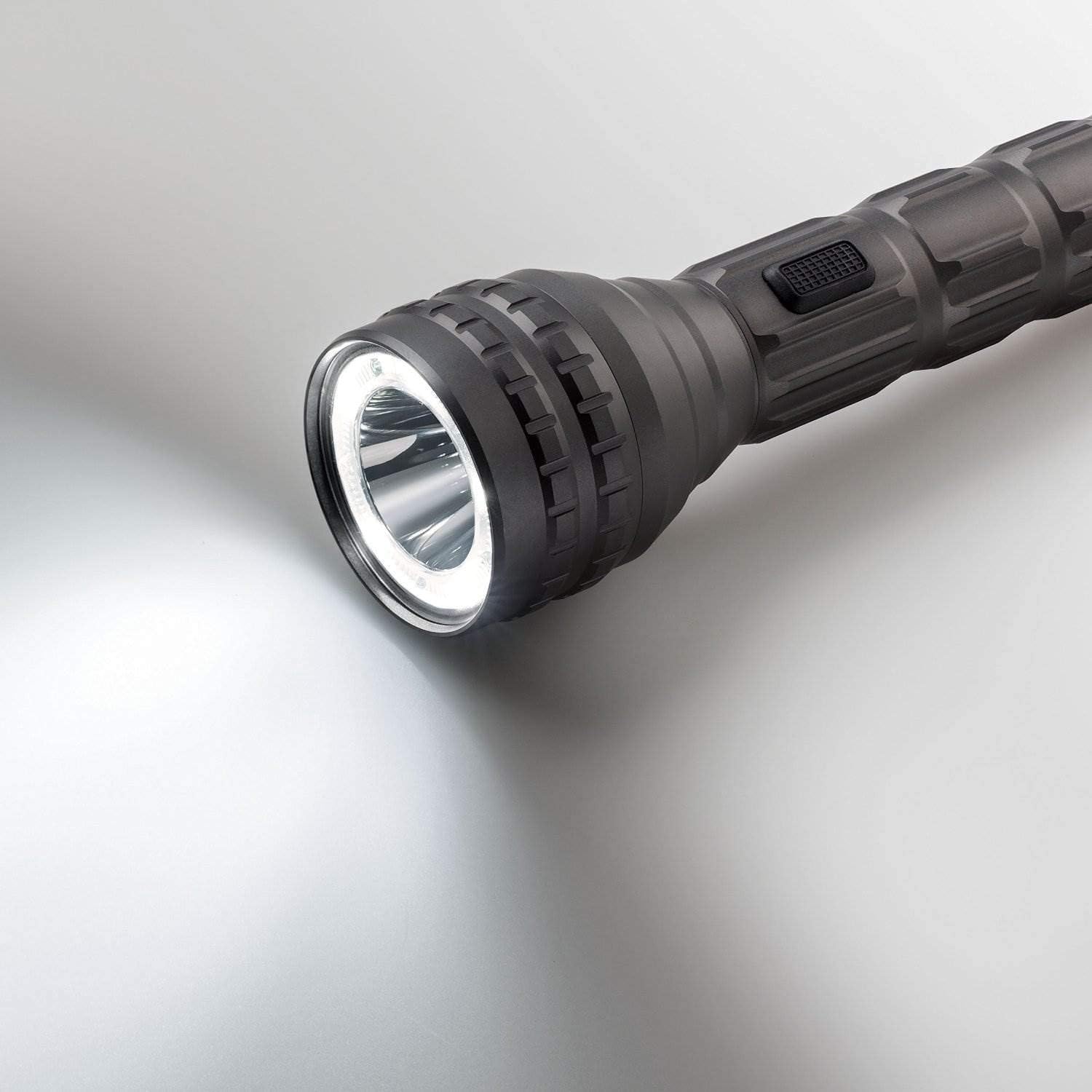
Image Description: The CORE flashlight emitting a wide, diffused beam of white light, illustrating its flood mode for broader illumination.

Image Description: The CORE flashlight emitting a red light, suitable for preserving night vision or signaling.
คุณสมบัติหลัก
- ความสว่างสูง: Up to 1250 Lumens for powerful, long-distance illumination.
- โหมดแสงหลายโหมด: Spot, Flood, and Red Light for versatile use in various situations.
- โครงสร้างทนทาน: Aerospace-grade aluminum body ensures exceptional longevity and resistance to impact.
- ทนน้ำ: IPX4 rating protects against splashing water from any direction, making it suitable for outdoor use.
- CREE LED Technology: Provides efficient, reliable, and high-performance lighting.
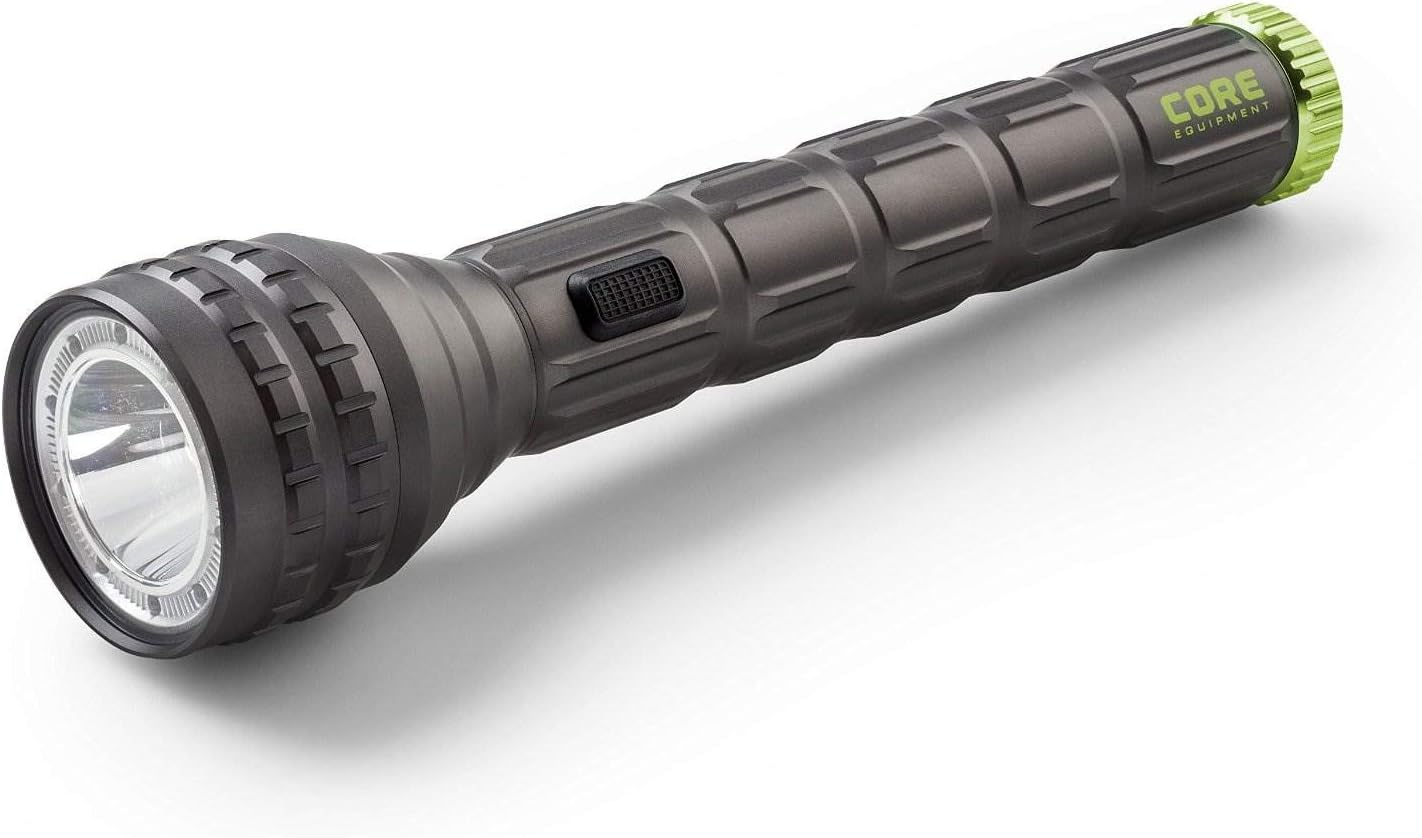
Image Description: The CORE Super Bright Flashlight, a dark gray cylindrical device with a textured grip and a vibrant green accent ring at the tail, showcasing its robust and ergonomic design.
การซ่อมบำรุง
- การทำความสะอาด: เช็ดตัวไฟฉายด้วยผ้านุ่มๆamp cloth. Do not use abrasive cleaners or harsh chemicals, as these may damage the finish.
- การเปลี่ยนแบตเตอรี่: Replace all 9 AA batteries simultaneously when the light dims significantly or fails to turn on. Always use fresh, high-quality alkaline batteries.
- พื้นที่จัดเก็บ: Store the flashlight in a cool, dry place away from direct sunlight. Remove batteries if storing for extended periods (e.g., over 3 months) to prevent potential leakage and damage to the device.
การแก้ไขปัญหา
| ปัญหา | สาเหตุที่เป็นไปได้ | สารละลาย |
|---|---|---|
| ไฟฉายไม่ติด | แบตเตอรี่หมดหรือติดตั้งไม่ถูกต้อง | Check battery polarity and ensure all batteries are correctly inserted. Replace all batteries with new ones. |
| แสงสลัวหรือกระพริบ | แบตเตอรี่อ่อนหรือการเชื่อมต่อหลวม | Replace all batteries with new ones. Ensure the battery cartridge and tail cap are securely fastened. |
| Cannot cycle through modes | ปุ่มทำงานผิดปกติหรือแบตเตอรี่เหลือน้อย | ตรวจสอบให้แน่ใจว่าแบตเตอรี่ยังใหม่ หากปัญหายังคงอยู่ โปรดติดต่อฝ่ายสนับสนุนลูกค้า |

Image Description: A visual representation of the CORE flashlight next to a ruler and a credit card for scale, indicating its approximate length of 11.25 inches (28.58 cm).
ข้อมูลจำเพาะ
| คุณสมบัติ | รายละเอียด |
|---|---|
| หมายเลขรุ่น | 40012 |
| แหล่งกำเนิดแสง | ไฟ LED ชนิดครี |
| Lumens (Spot Mode) | 1250 ลูเมน |
| Lumens (Flood Mode) | 48 ลูเมน |
| Lumens (Red Light Mode) | 20 ลูเมน |
| Run Time (Spot Mode) | 3 ชั่วโมง 15 นาที |
| Run Time (Flood Mode) | 128 ชั่วโมง |
| Run Time (Red Light Mode) | 110 ชั่วโมง |
| Beam Distance (Spot Mode) | 263 เมตร |
| Beam Distance (Flood Mode) | 21 เมตร |
| Beam Distance (Red Light Mode) | 20 เมตร |
| ความต้านทานต่อน้ำ | IPX4 (ป้องกันน้ำกระเซ็น) |
| วัสดุตัวเครื่อง | อะลูมิเนียมเกรดอากาศยาน |
| แหล่งพลังงาน | แบตเตอรี่อัลคาไลน์ AA 9 ก้อน (มีให้ในชุด) |
| ขนาด | 28.58 x 6.48 x 3.78 ซม. |
| น้ำหนัก | 377.05 กรัม (13.3 ออนซ์) |
| ยูพีซี | 817427013625 |
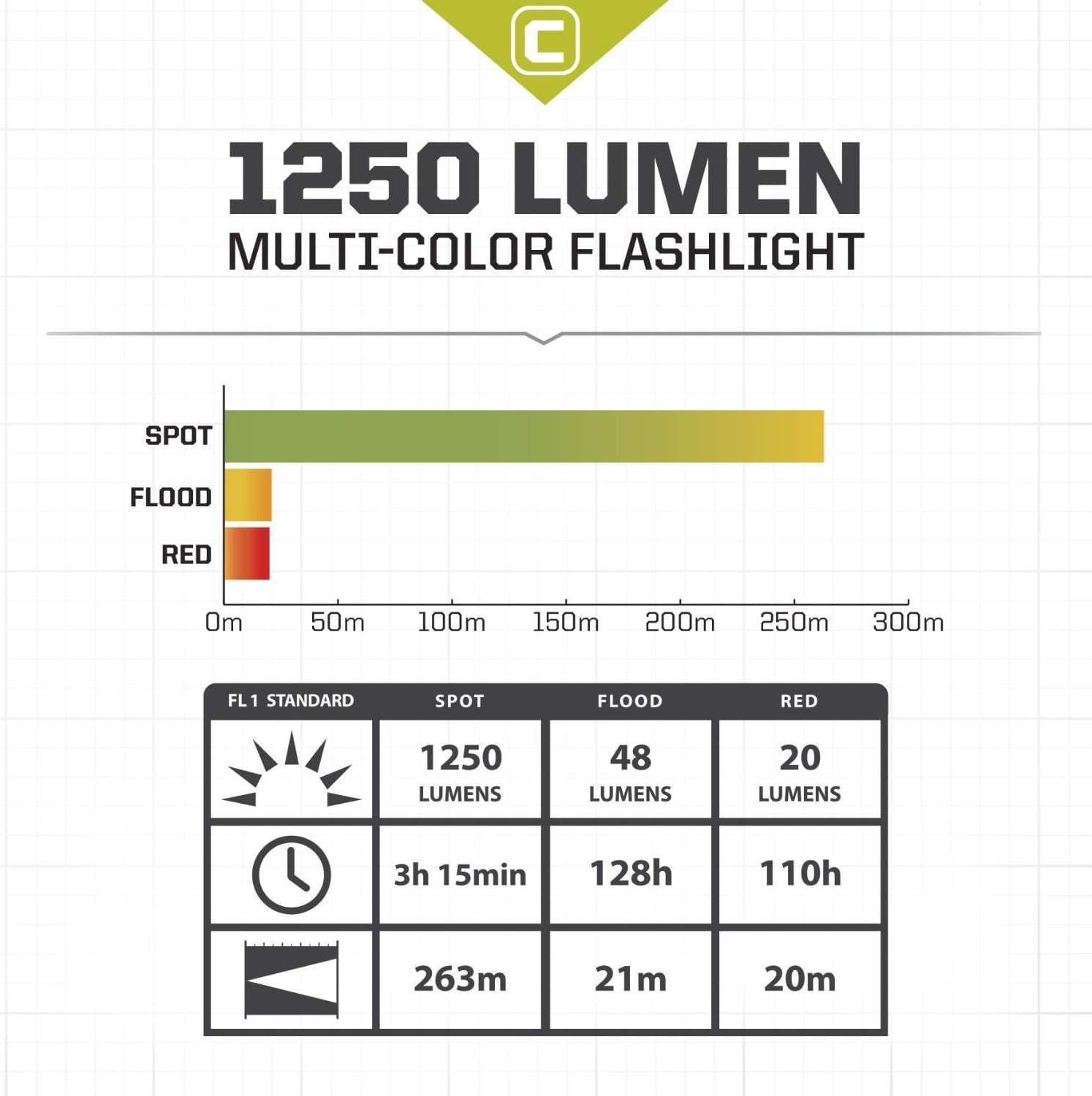
Image Description: A chart detailing the performance specifications of the CORE flashlight, including lumens, run time, and beam distance for Spot, Flood, and Red light modes, adhering to FL1 Standard.
การรับประกันและการสนับสนุน
For warranty information, technical support, or any inquiries regarding your CORE Super Bright 1250 Lumen Flashlight, please refer to the product packaging for contact details or visit the official CORE webไซต์ โปรดเก็บใบเสร็จรับเงินไว้เป็นหลักฐานการซื้อสำหรับการเรียกร้องการรับประกัน