การแนะนำ
This manual provides essential instructions for the safe and effective use of your Toorx AHF-064 Pedometer. Please read this manual thoroughly before using the device and retain it for future reference.
ข้อมูลด้านความปลอดภัย
- อย่าให้เครื่องสัมผัสกับอุณหภูมิที่สูงหรือต่ำเกินไปหรือโดนแสงแดดโดยตรงเป็นเวลานาน
- เก็บอุปกรณ์ให้ห่างจากน้ำและความชื้น
- อย่าพยายามถอดประกอบหรือซ่อมแซมอุปกรณ์ด้วยตนเอง โปรดติดต่อเจ้าหน้าที่บริการที่มีคุณสมบัติเหมาะสม
- ทิ้งแบตเตอรี่ตามระเบียบข้อบังคับในท้องถิ่น
เนื้อหาแพ็คเกจ
ตรวจสอบว่ามีรายการทั้งหมดอยู่ในแพ็คเกจ:
- Toorx AHF-064 Pedometer
- คู่มือการใช้งาน (เอกสารนี้)
สินค้าเกินview
The Toorx AHF-064 is a compact pedometer designed to track your steps. It features a clear display for easy reading of your activity data.
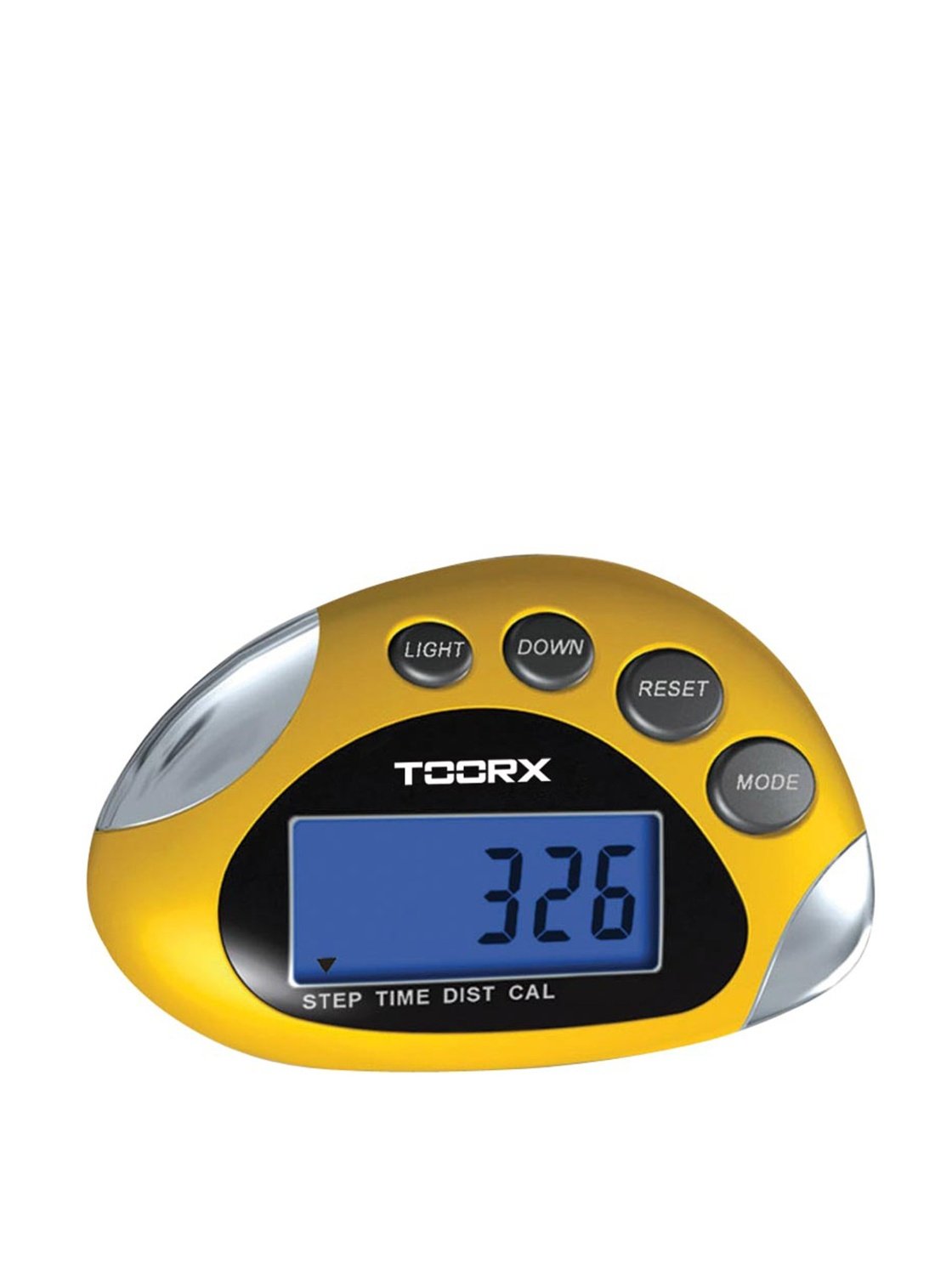
ภาพ: ด้านหน้า view of the Toorx AHF-064 Pedometer, showing the display and control buttons.
การตั้งค่า
การติดตั้งแบตเตอรี่
The Toorx AHF-064 Pedometer requires batteries for operation. Batteries are not included in the package.
- Locate the battery compartment cover on the back of the pedometer.
- ค่อยๆ เลื่อนหรือปลดล็อกฝาครอบเพื่อเปิดออก
- Insert the required batteries (e.g., 1x CR2032 coin cell) ensuring correct polarity (+ and -).
- ปิดฝาช่องใส่แบตเตอรี่กลับเข้าที่จนกระทั่งล็อคเข้าที่อย่างแน่นหนา
การตั้งค่าเริ่มต้น
Before first use, configure the following settings for accurate tracking:
- หน่วยวัด: Select between metric (cm/kg) or imperial (inches/lbs) units.
- ความยาวก้าว: Measure your average stride length and input the value. This is crucial for accurate distance calculation.
- น้ำหนัก: Enter your body weight.
- เวลา: ตั้งเวลาปัจจุบัน
Refer to the on-screen prompts and device buttons to navigate through the settings menu.
คำแนะนำการใช้งาน
Wearing the Pedometer
For optimal accuracy, wear the Toorx AHF-064 Pedometer securely on your waistband or belt, close to your hip. Ensure it is positioned vertically.
Viewอิงข้อมูล
Press the mode button to cycle through different display modes:
- ขั้นตอน: แสดงจำนวนก้าวทั้งหมดที่ดำเนินการ
- ระยะทาง: Shows the estimated distance walked.
- แคลอรี่: แสดงปริมาณแคลอรี่ที่เผาผลาญไปโดยประมาณ
- เวลา: แสดงเวลาปัจจุบัน
กำลังรีเซ็ตข้อมูล
To clear your daily activity data and start a new tracking session, press and hold the reset button for approximately 3 seconds. The display will show "0" for all activity metrics.
การซ่อมบำรุง
การทำความสะอาด
Wipe the pedometer with a soft, dry cloth. Do not use abrasive cleaners or solvents, as these may damage the device.
พื้นที่จัดเก็บ
When not in use for extended periods, remove the batteries to prevent leakage. Store the device in a cool, dry place, away from direct sunlight.
การแก้ไขปัญหา
| ปัญหา | สาเหตุที่เป็นไปได้ | สารละลาย |
|---|---|---|
| อุปกรณ์ไม่เปิด | แบตเตอรี่หมดหรือติดตั้งไม่ถูกต้อง | เปลี่ยนแบตเตอรี่หรือตรวจสอบขั้ว |
| จำนวนก้าวไม่แม่นยำ | Incorrect stride length setting or improper wearing position. | Verify stride length in settings. Ensure pedometer is worn securely and vertically on the hip. |
| หน้าจอว่างเปล่าหรือกะพริบ | พลังงานแบตเตอรี่ต่ำ | เปลี่ยนแบตเตอรี่ |
ข้อมูลจำเพาะ
| คุณสมบัติ | รายละเอียด |
|---|---|
| หมายเลขรุ่น | เอเอชเอฟ-064 |
| ขนาด (สินค้า) | 8 x 10 x 4 ซม. |
| น้ำหนัก (รายการ) | 80 กรัม |
| สี | สีเงิน / สีดำ |
| ประเภทเซนเซอร์ | เครื่องนับก้าว |
| รวมแบตเตอรี่ | เลขที่ |
การรับประกันและการสนับสนุน
For warranty information and customer support, please refer to the documentation provided at the point of purchase or contact Toorx customer service. Keep your proof of purchase for warranty claims.