
1. บทนำ
This manual provides essential instructions for the safe and efficient operation, setup, and maintenance of your Fellowes Powershred 60Cs Cross-Cut Shredder. This shredder is designed for personal and home office use, capable of shredding paper and credit cards.
The Fellowes Powershred 60Cs features SafeSense Technology, which automatically stops shredding when hands touch the paper opening, enhancing user safety. It can shred up to 10 sheets of paper per pass into 5/32" x 2" cross-cut particles, offering Security Level 3.

ภาพที่ 1.1: ด้านหน้า view of the Fellowes Powershred 60Cs Cross-Cut Shredder, showcasing its compact design and the shred bin window.
2. ข้อมูลด้านความปลอดภัยที่สำคัญ
- อ่านคำแนะนำทั้งหมดก่อนใช้งาน
- เก็บเด็กและสัตว์เลี้ยงให้ห่างจากเครื่องทำลายเอกสาร
- ควรเก็บเสื้อผ้าหลวมๆ เครื่องประดับ เส้นผม และสิ่งแปลกปลอมอื่นๆ ให้ห่างจากช่องเปิดของเครื่องทำลายเอกสาร
- Do not place hands or fingers into the paper entry.
- ถอดปลั๊กเครื่องทำลายเอกสารเมื่อไม่ใช้งานหรือก่อนทำความสะอาด
- อย่าใช้ผลิตภัณฑ์สเปรย์ใกล้เครื่องทำลายเอกสาร
- ห้ามฉีกทำลายวัตถุที่เป็นโลหะ กระดาษเปียก หรือวัสดุที่มีกาว
3. การตั้งค่า
- แกะกล่องเครื่องทำลายเอกสาร: Carefully remove the shredder from its packaging. Ensure all components are present.
- การวางตำแหน่ง: Place the shredder on a flat, stable surface. Ensure there is adequate space around the unit for ventilation and operation.
- เชื่อมต่อพลังงาน: Plug the power cord into a standard electrical outlet. The shredder is now ready for use.
4. คู่มือการใช้งาน
4.1 Basic Paper Shredding
- เปิดเครื่อง: Locate the control switch on the top of the shredder. Set it to the "ON" (I) position.
- ใส่กระดาษ: Insert up to 10 sheets of paper straight into the paper entry slot. The shredder will automatically start and stop.
- การทำงานต่อเนื่อง: The shredder can operate continuously for up to 6 minutes. After this period, allow a 20-minute cool-down period before resuming operation to prevent overheating.
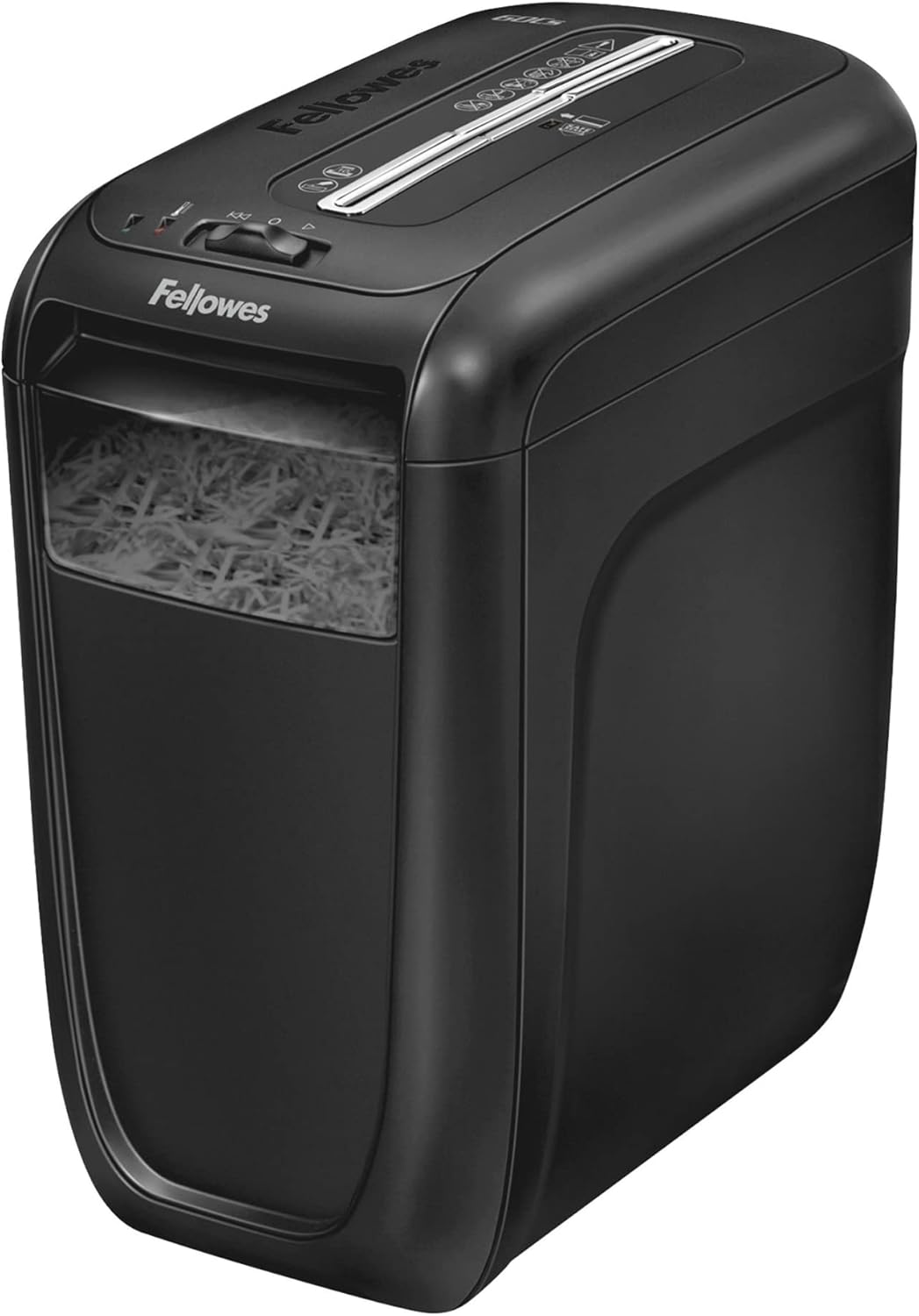
Image 4.1: A hand inserting a stack of paper into the shredder's feed slot for destruction.
4.2 การทำลายบัตรเครดิตด้วยเครื่องทำลายเอกสาร
- Insert one credit card at a time into the center of the paper entry slot.
- The shredder will automatically detect and shred the card.
4.3 SafeSense Technology
The Fellowes Powershred 60Cs is equipped with SafeSense Technology. This feature automatically detects when hands touch the paper entry area and immediately stops the shredding process, providing an added layer of safety.

Image 4.2: A hand hovering over the shredder's paper entry, demonstrating the SafeSense technology which pauses operation for safety.
5. การบำรุงรักษา
5.1 Emptying the Shredder Bin
- หมดแรง: Turn the shredder off and unplug it from the power outlet.
- Remove Shredder Head: Lift the shredder head off the waste bin.
- เนื้อหาว่างเปล่า: Dispose of the shredded material from the bin.
- เปลี่ยนหัว: Place the shredder head back securely onto the waste bin.
- เชื่อมต่อพลังงานอีกครั้ง: Plug the shredder back into the power outlet.

Image 5.1: A user lifting the top section of the shredder to access and empty the waste bin filled with shredded paper.
5.2 การหยอดน้ำมันหล่อลื่นเครื่องทำลายเอกสาร
Regular oiling is crucial for maintaining the shredder's performance and extending its lifespan. Oil the shredder after every 30 minutes of accumulated shredding or at least twice a month. Use only vegetable-based shredder oil in a non-aerosol container.
- หยอดน้ำมันหล่อลื่นสำหรับเครื่องทำลายเอกสารเป็นเส้นบางๆ บริเวณช่องใส่กระดาษ
- Set the shredder to the "ON" (I) position and feed a few sheets of paper through to distribute the oil.
6 การแก้ไขปัญหา
| ปัญหา | สาเหตุที่เป็นไปได้ | สารละลาย |
|---|---|---|
| เครื่องทำลายเอกสารไม่ทำงาน | Not plugged in; power switch off; shredder head not seated correctly; SafeSense activated. | Ensure power cord is securely plugged in. Turn power switch to "ON" (I). Re-seat shredder head. Remove hands from paper entry. |
| กระดาษติด. | ใส่กระดาษมากเกินไป หรือใส่กระดาษไม่ตรง | Switch to "REVERSE" (R) to clear the jam. If necessary, unplug, remove shredder head, and carefully clear paper. Do not exceed 10 sheets per pass. |
| เครื่องทำลายเอกสารหยุดทำงานระหว่างการใช้งาน | Overheat protection activated; bin full; SafeSense activated. | Allow 20 minutes for cool-down. Empty the shredder bin. Remove hands from paper entry. |
7. ข้อมูลจำเพาะ
- แบบอย่าง: 4606001
- ประเภทฉีก: ตัดข้าม
- ขนาดฉีก: 5/32" x 2" (4mm x 50mm)
- ระดับความปลอดภัย: พี-3
- ความจุแผ่น: กระดาษ 10 แผ่น (กระดาษบอนด์ 20 ปอนด์)
- เศษ: Paper, Credit Cards, Staples, Small Paper Clips
- ระยะเวลาการทำงาน: เปิด 6 นาที / ปิด 20 นาที
- ความจุถัง: 6 แกลลอน (22.7 ลิตร)
- ขนาด (สูง x กว้าง x ลึก): 16" x 9.25" x 14.63" (40.64 ซม. x 23.5 ซม. x 37.16 ซม.)
- น้ำหนัก: 15.66 ปอนด์ (7.1 กก.)
- คุณสมบัติด้านความปลอดภัย: SafeSense Technology
8. การรับประกันและการสนับสนุน
สำหรับข้อมูลการรับประกันและการบริการลูกค้า โปรดดูบัตรรับประกันที่แนบมากับผลิตภัณฑ์ของคุณ หรือเยี่ยมชมเว็บไซต์อย่างเป็นทางการของ Fellowes website. You can also contact Fellowes customer service for assistance with product operation, troubleshooting, or parts replacement.
ข้อมูลติดต่อของ Fellowes:
Visit Fellowes Support Page